
1. Introduction
This manual provides comprehensive instructions for the UYIKOO Hidden Mini Spy Camera USB 2.0 Driver. This compact device combines the functionality of a USB flash drive with a high-definition hidden camera, capable of recording 1080P video with loop recording capabilities. It is designed for discreet surveillance in various environments such as offices and classrooms. Please read this manual carefully before operating the device to ensure proper usage and optimal performance.
2. Product Overview
The UYIKOO Hidden Mini Spy Camera is designed to be inconspicuous, resembling a standard USB flash drive. It features a miniature lens, microphone, and an indicator light for operational status. A 16GB SD card is included for immediate use.

Figure 2.1: Device Components. This image displays the various parts of the UYIKOO USB Spy Camera, including the Micro SD Card Port, USB connector, Microphone, Lens, Indicator light, ON/OFF Button, and Reset Button.
Package Contents:
- 1 x UYIKOO USB Spy Camera (Mini Hidden Camera)
- 1 x 16GB SD Card
- 1 x USB Cable
- 1 x Original Box

Figure 2.2: Package Contents. This image shows the UYIKOO USB Spy Camera alongside the included 16GB SD card, illustrating the main components provided in the package.
3. Specifications
| Feature | Detail |
|---|---|
| Video Resolution | 1920 x 1080P HD |
| Storage | Supports up to 32GB SD card (16GB included) |
| Recording Type | Loop Recording (3-minute segments) |
| Battery Type | Rechargeable Lithium-ion |
| Charging Time | Approximately 2 hours |
| Working Time (on battery) | Approximately 1.5 hours |
| Connectivity | USB 2.0 (Wired) |
| Dimensions | 7.8 cm (Length) x 2.4 cm (Width) |
| Weight | 60 grams |

Figure 3.1: Device Dimensions. This image provides a visual representation of the UYIKOO USB Spy Camera's length (7.8 cm) and width (2.4 cm).
4. Setup
4.1 Charging the Device
Before first use, fully charge the device. Connect the USB Spy Camera to a USB power source (e.g., computer USB port, USB wall adapter) using the included USB cable. The indicator light will flash blue during charging and remain solid blue once fully charged. A full charge takes approximately 2 hours.

Figure 4.1: Charging Process. This image illustrates the UYIKOO USB Spy Camera connected to a power source for charging, with a visual representation of the indicator light's behavior during charging and when fully charged.
4.2 Inserting the SD Card
The device supports SD cards up to 32GB. A 16GB SD card is included. Locate the Micro SD Card Port on the device (refer to Figure 2.1). Gently insert the SD card into the slot until it clicks into place. Ensure the card is inserted correctly to avoid damage.
5. Operating Instructions
5.1 Powering On/Off
- To Power On: Press and hold the ON/OFF Button for a few seconds until the indicator light illuminates.
- To Power Off: Press and hold the ON/OFF Button again until the indicator light turns off.
5.2 Video Recording (1080P HD)
Once the device is powered on, it will automatically begin recording video in 1920x1080P HD resolution. The indicator light will behave in a specific way (e.g., flashing slowly) to indicate recording is in progress. Video files are saved to the inserted SD card.
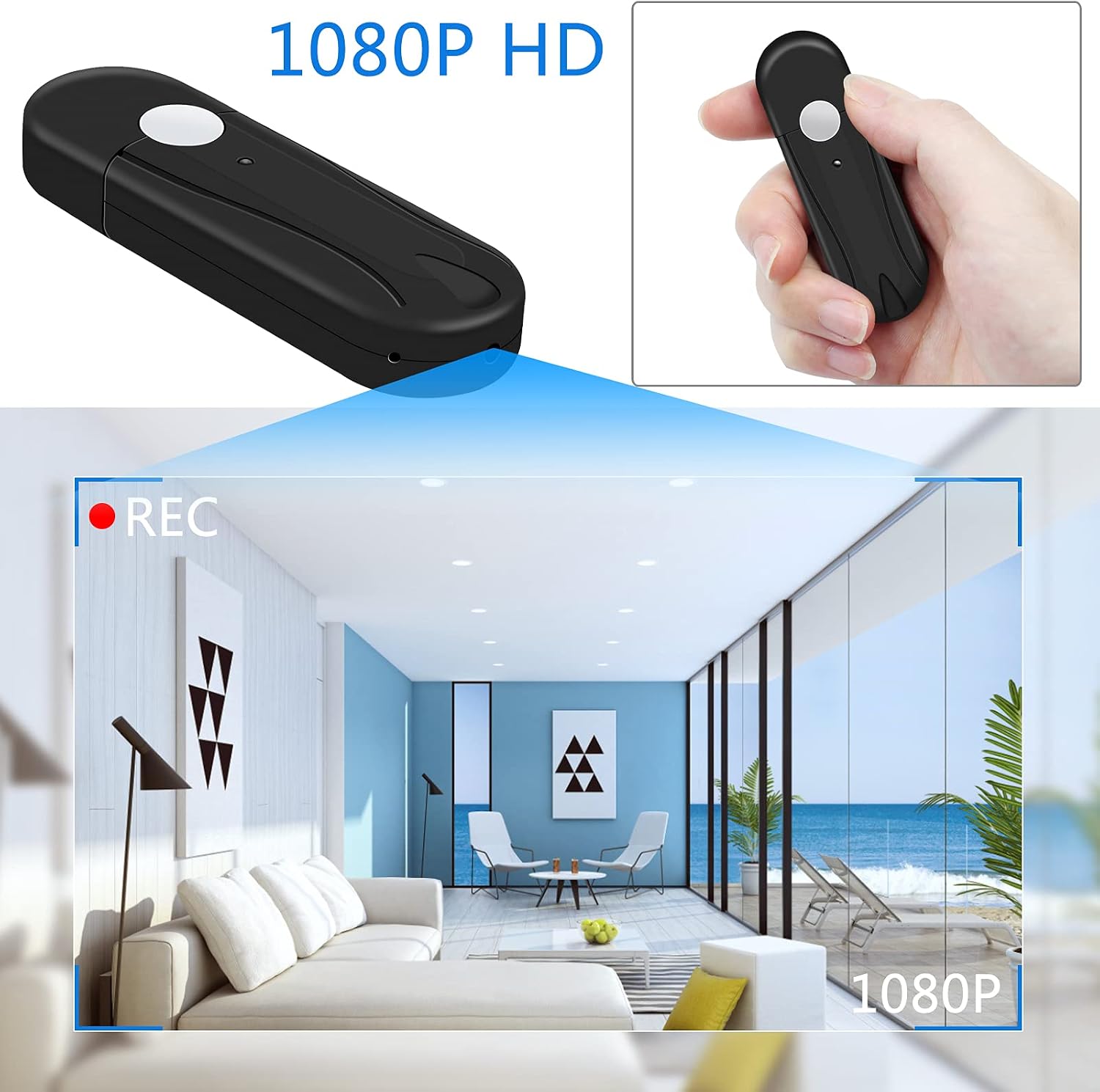
Figure 5.1: 1080P HD Video Recording. This image demonstrates the UYIKOO USB Spy Camera actively recording in 1080P HD, showing the device's perspective within a room.
5.3 Loop Recording Function
The device features a loop recording function. Video files are saved in 3-minute segments. When the SD card is full, the oldest files will be automatically overwritten by new recordings. This ensures continuous recording without manual deletion of old files.

Figure 5.2: Loop Recording. This image visually represents the loop recording feature, showing a film strip circling the device, symbolizing continuous recording and overwriting of older files.
5.4 Connecting to a Computer and Accessing Files
To access recorded video files, connect the USB Spy Camera directly to a computer's USB 2.0 port. The device will be recognized as a removable disk. Navigate to the device's storage to view, copy, or delete video files. Ensure the device is powered off before connecting to a computer to prevent data corruption.

Figure 5.3: Connecting to Computer. This image shows the UYIKOO USB Spy Camera plugged into a laptop's USB port, indicating its function as a data storage device for file access.
6. Maintenance
- Cleaning: Use a soft, dry cloth to clean the device. Do not use liquid cleaners or abrasive materials. Ensure the lens is free of dust and smudges for clear recordings.
- Storage: Store the device in a cool, dry place away from direct sunlight, extreme temperatures, and high humidity.
- Battery Care: To prolong battery life, avoid fully discharging the battery frequently. If storing for extended periods, charge the device to about 50% every few months.
- SD Card Management: Periodically back up important recordings to another storage device. Format the SD card regularly (e.g., once a month) to maintain optimal performance and prevent data corruption.
7. Troubleshooting
| Problem | Possible Cause | Solution |
|---|---|---|
| Device does not power on. | Low battery; Device malfunction. | Charge the device fully. If problem persists, try resetting the device using the reset button (refer to Figure 2.1). |
| Cannot record video. | SD card full or not inserted correctly; SD card corrupted. | Ensure SD card is properly inserted. Check available space. Format the SD card (this will erase all data). Try a different SD card. |
| Video quality is poor. | Insufficient lighting; Dirty lens. | Ensure adequate lighting in the recording environment. Clean the camera lens gently with a soft cloth. |
| Device not recognized by computer. | Loose USB connection; Driver issue; Device not powered off. | Ensure the USB connection is secure. Try a different USB port or cable. Ensure the device is powered off before connecting to the computer. Restart your computer. |
8. Warranty and Support
The manufacturer, UYIKOO, provides a standard warranty for this product. For specific warranty terms and conditions, please refer to the documentation included with your purchase or contact UYIKOO customer support directly.
Customer Support:
If you encounter any issues not covered in this manual or require further assistance, please contact UYIKOO customer support through their official website or the contact information provided on the product packaging. When contacting support, please have your product model (UYIKOO USB Spy Camera 2.0) and ASIN (B096FNGJG5) ready.