
BESTWYA BESTWYA249
BESTWYA Four Function Calculator Instruction Manual
Comprehensive guide for your BESTWYA Four Function Calculator, designed for classroom, desktop, and home use.
Product Overview
The BESTWYA Four Function Calculator is a compact, 8-digit calculator designed for basic mathematical operations. It features dual power sources (solar and battery) and is ideal for students and everyday use. This manual provides detailed instructions on its setup, operation, and maintenance.
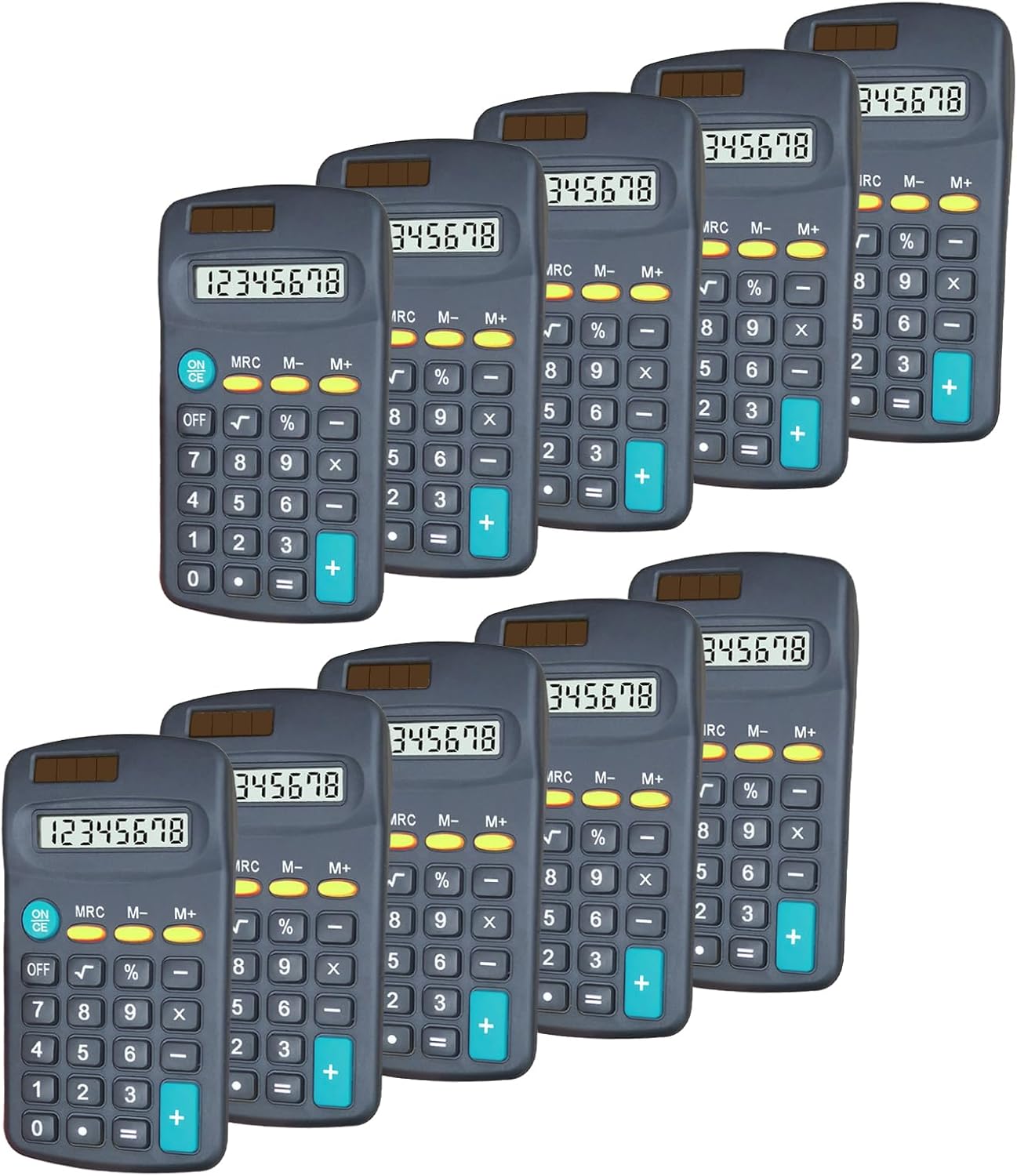
Image: A bulk set of ten BESTWYA Four Function Calculators, showcasing their compact design and uniform appearance.
Key Features
- 4 Function Calculators for Students: Ergonomic design with easy-grip contours, suitable for students.
- Dual Powered: Operates on both solar power and a single AA battery (included).
- Small Pocket Size: Dimensions of 4.5 x 2.5 x 0.79 inches, making it highly portable.
- 8 Digit LCD Display: Clear display with memory function and essential mathematical operations (addition, subtraction, multiplication, division, sum, percentage, square root).
- Durable ABS Buttons: Designed for light and durable use.
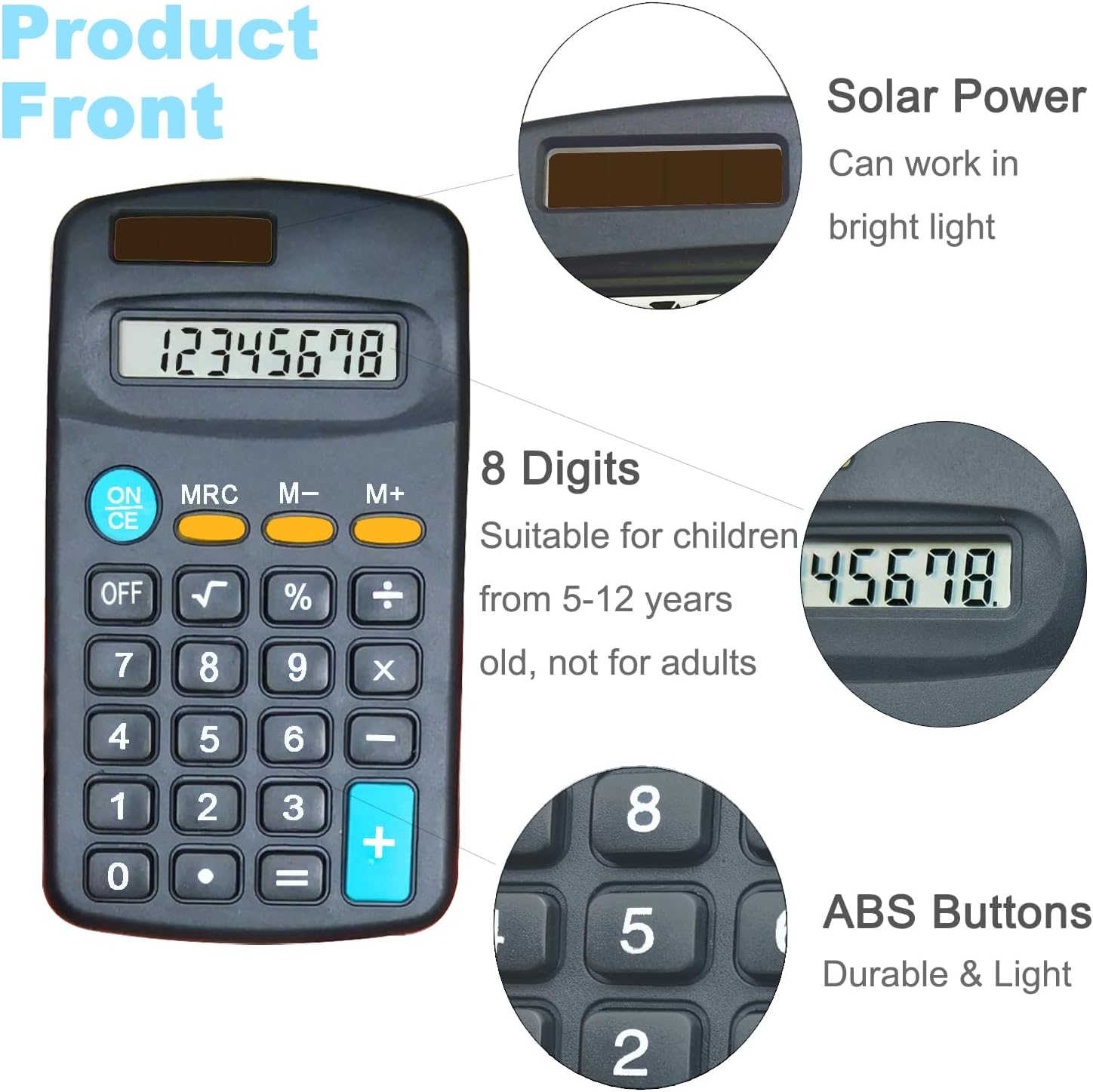
Image: Front view of the calculator, detailing the solar power strip, 8-digit LCD display, and the durable ABS buttons.

Image: Back view of the calculator, illustrating the battery compartment and the smooth, light ABS material.

Image: The calculator held in an adult's hand, emphasizing its compact and portable dimensions of 4.5 x 2.5 x 0.79 inches.

Image: Side profile of the calculator, illustrating its slim thickness of 0.79 inches.
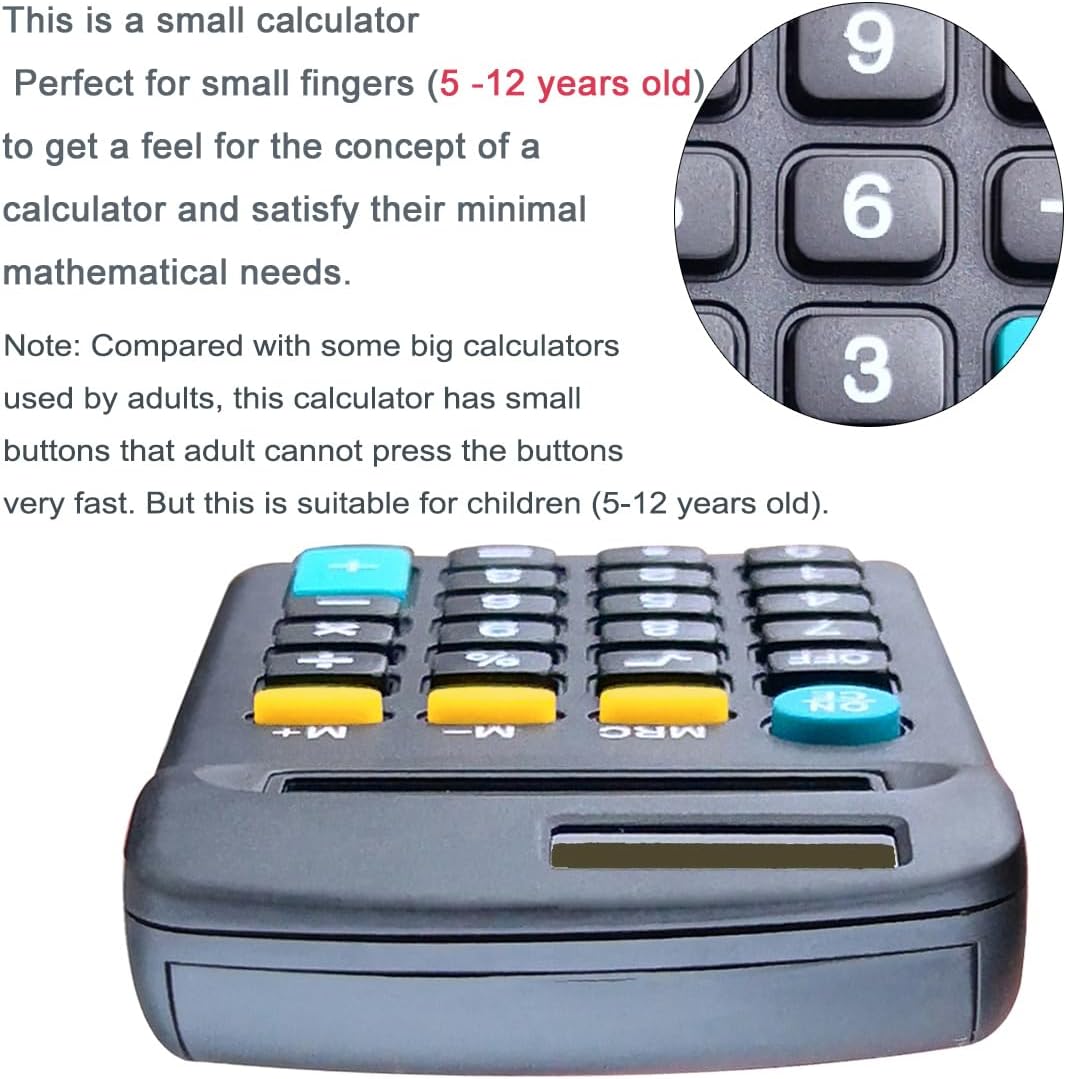
Image: A close-up view of the calculator's keys, highlighting its design for small fingers, suitable for users aged 5-12.
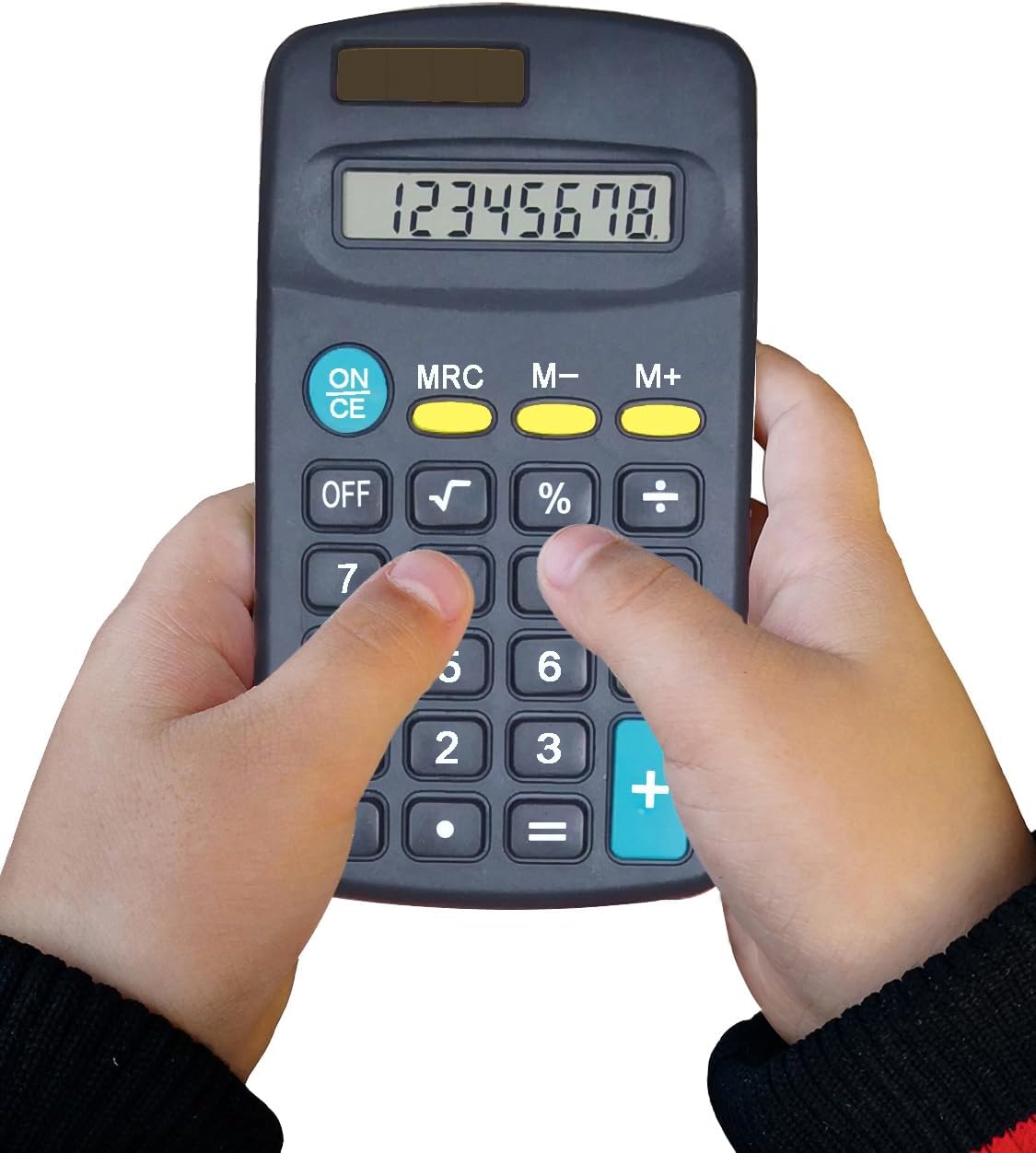
Image: A child's hands demonstrating the use of the calculator, showing how comfortably it fits for young users.
Setup and Installation
Your BESTWYA calculator is designed for immediate use. It operates on both solar power and a single AA battery. For optimal performance, ensure the battery is correctly installed.
Battery Installation
- Locate the battery compartment on the back of the calculator.
- Open the battery compartment cover.
- Insert one AA battery, ensuring the polarity (+/-) matches the diagram inside the compartment.
- Close the battery compartment cover securely.
Note: The calculator comes with 10 AA batteries included (one for each calculator in the set).

Image: A detailed view of the solar panel, which provides power in bright light conditions.

Image: A close-up of a calculator button, showing its clear labeling and tactile design.

Image: A magnified view of the 8-digit LCD display, showing its clarity for numerical readouts.

Image: The contents of the product package, showing the calculators, AA batteries, and product manuals included.
Operating Instructions
The BESTWYA calculator features standard four-function operations along with additional useful functions.
Basic Operations
- Addition (+): Press the first number, then '+', then the second number, then '='.
- Subtraction (-): Press the first number, then '-', then the second number, then '='.
- Multiplication (x): Press the first number, then 'x', then the second number, then '='.
- Division (÷): Press the first number, then '÷', then the second number, then '='.
Special Functions
- ON/CE: Press to turn the calculator on or to clear the current entry.
- OFF: Press to turn the calculator off.
- %: Percentage function.
- √: Square root function.
- MRC: Memory Recall/Clear. Press once to recall memory, twice to clear memory.
- M-: Memory Minus. Subtracts the displayed value from memory.
- M+: Memory Plus. Adds the displayed value to memory.
Power Management
The calculator utilizes dual power: solar and battery. In bright light conditions, the solar panel will power the device. If the solar strip is blocked or light is insufficient, the battery will automatically take over. Ensure a battery is installed for consistent operation in all lighting conditions.
Maintenance and Care
To ensure the longevity and proper functioning of your BESTWYA calculator, follow these simple care guidelines:
- Cleaning: Wipe the calculator with a soft, dry cloth. Do not use liquid cleaners or abrasive materials, as they may damage the display or casing.
- Storage: Store the calculator in a cool, dry place away from direct sunlight and extreme temperatures.
- Battery Replacement: If the display becomes dim or the calculator functions erratically even in bright light, replace the AA battery.
- Avoid Drops: While durable, avoid dropping the calculator, as this can damage internal components or the LCD screen.
Troubleshooting
| Problem | Possible Cause | Solution |
|---|---|---|
| Display is blank or numbers disappear. | Insufficient light for solar power, or battery is low/not installed. | Ensure the calculator is in a well-lit area. Check battery installation and replace if necessary. |
| Calculator does not turn on. | Battery is dead or not installed correctly. | Press the ON/CE button. Verify battery installation and replace if needed. |
| Incorrect calculations. | Incorrect button presses or memory interference. | Press ON/CE to clear the current calculation. Press MRC twice to clear memory. Re-enter calculation carefully. |
Specifications
| Feature | Detail |
|---|---|
| Product Dimensions | 4.5 x 2.5 x 0.79 inches |
| Item Weight | 1.19 pounds (for the set of 10) |
| Model Number | BESTWYA249 |
| Power Source | Battery Powered & Solar Power |
| Batteries Required | 1 AA battery per calculator (included) |
| Display Digits | 8 Digits |
| Calculator Type | Standard Function |
| Material | ABS |
Warranty and Support
Each BESTWYA calculator has undergone rigorous testing before shipment to ensure quality. For any questions or concerns regarding your product, please feel free to contact us via Amazon.com.
Please refer to your purchase documentation for specific warranty details.