
1. Introduction
This manual provides essential information for setting up, operating, maintaining, and troubleshooting your Acer Predator Triton 300 PT315-53-7691 Gaming Laptop. Please read these instructions carefully to ensure optimal performance and longevity of your device.
Package Contents
Verify that all items are present in the package:
- Acer Predator Triton 300 PT315-53-7691 Laptop
- AC Adapter
- Power Cord
2. Setup
Initial Power-On
- Connect the AC Adapter: Plug the AC adapter into the laptop's power port and then into a power outlet.
- Open the Laptop: Carefully open the laptop lid.
- Power On: Press the power button, typically located above the keyboard or on the side. The laptop will begin its initial boot sequence.
- Follow On-Screen Instructions: Complete the Windows 10 Home setup process, including language selection, network connection, and user account creation.

Image: The Acer Predator Triton 300 laptop showcasing its powerful Intel Core i7 processor and NVIDIA GeForce RTX graphics.
3. Operating the Laptop
Display Features
The laptop features a 15.6-inch QHD (2560 x 1440) LED-backlit IPS display with a 165Hz refresh rate and 3ms Overdrive Response Time, ensuring smooth visuals. It offers 100% sRGB color accuracy and 300nit brightness.

Image: Comparison of the laptop's 165Hz 3ms display refresh rate versus a standard 60Hz display.
Keyboard and Input
The 4-Zone RGB Backlit Keyboard features concave-shaped, see-through WASD and arrow keycaps for improved usability and functionality. The touchpad provides precise navigation.

Image: The laptop's 4-zone RGB backlit keyboard, highlighting the unique keycap design.
Audio System
Experience enhanced audio with DTS: X Ultra Audio and Acer True Harmony Technology, delivered through two built-in stereo speakers. Acer Purified.Voice technology with two built-in microphones ensures clear communication.

Image: Visual representation of DTS:X Ultra audio technology providing immersive sound from the laptop.
PredatorSense Software
Utilize the PredatorSense application to monitor system performance, customize RGB lighting, manage fan speeds, and adjust other settings for optimal gaming and productivity.

Image: The PredatorSense software interface, demonstrating control over system settings like fan speed and lighting.
4. Connectivity
Ports and Interfaces
The laptop offers a comprehensive selection of ports for various peripherals and external displays:
- 1 x USB Type-C Port (USB 3.2 Gen 2, DisplayPort over USB Type-C, Thunderbolt 4 & USB Charging)
- 1 x USB 3.2 Gen 2 Port (featuring Power-off Charging)
- 2 x USB 3.2 Gen 1 Ports
- 1 x HDMI 2.1 Port with HDCP Support
- 1 x Mini Display Port 1.4
- Killer Ethernet E2600 (RJ-45)
- Audio Jack

Image: The laptop's side profile, illustrating the available connectivity ports.
Wireless and Wired Networking
Equipped with Killer Wi-Fi 6 AX 1650 (featuring 2x2 MU-MIMO technology) and Killer Ethernet E2600, the laptop provides high-speed, low-latency network connectivity. Bluetooth 5.1 is also integrated for wireless peripheral connections.
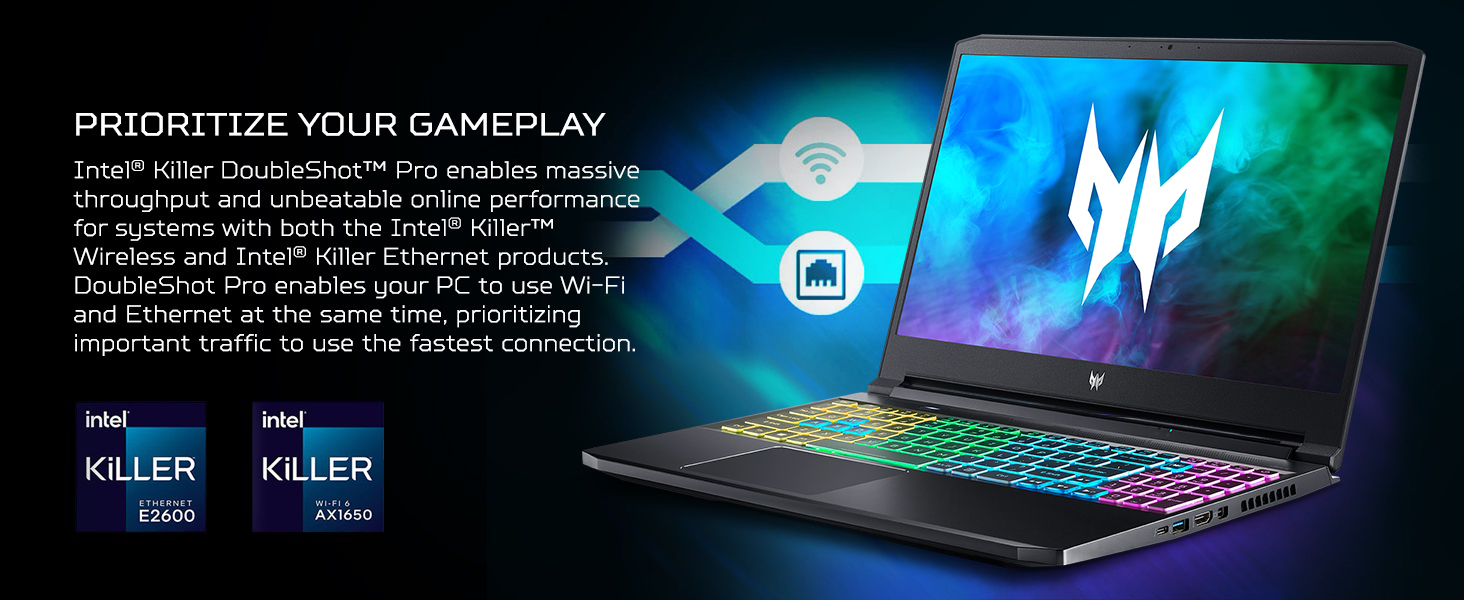
Image: The laptop highlighting its Intel Killer networking technologies for optimized online performance.
5. Maintenance
Cooling System
The laptop features a two-fan cooling system, including one 5th Gen AeroBlade 3D Fan, designed to maintain optimal temperatures during intensive use. Regularly clean the fan vents to prevent dust buildup and ensure efficient cooling.

Image: An illustration of the laptop's cooling system, showing air intake and exhaust for thermal management.
Storage Upgrades
The laptop includes a 1TB NVMe SSD and has two PCIe M.2 slots, with one slot available for easy storage expansion.
Cleaning
Use a soft, lint-free cloth to clean the screen and exterior surfaces. For stubborn marks, dampen the cloth slightly with water or a mild, non-abrasive cleaner. Avoid spraying liquids directly onto the laptop.
6. Troubleshooting
This section addresses common issues you might encounter with your laptop.
No Power / Does Not Turn On
- Ensure the AC adapter is securely connected to both the laptop and a working power outlet.
- Check if the power outlet is functional by plugging in another device.
- If the battery is completely drained, allow the laptop to charge for at least 30 minutes before attempting to power it on.
Display Issues
- If the screen is blank, try adjusting the display brightness using the keyboard function keys.
- Connect an external monitor to verify if the issue is with the laptop's internal display or the graphics card.
- Ensure graphics drivers are up to date.
Performance Slowdown
- Close unnecessary applications running in the background.
- Check for and install any pending Windows updates.
- Monitor CPU and GPU temperatures using PredatorSense; excessive heat can lead to performance throttling.
- Run a malware scan to rule out malicious software.
7. Specifications
Detailed technical specifications for the Acer Predator Triton 300 PT315-53-7691.
| Feature | Specification |
|---|---|
| Brand | Acer |
| Model Name | PT315-53-7691 |
| Processor | 11th Generation Intel Core i7-11800H (up to 4.6GHz, 8 cores, 16 threads, 24MB Smart Cache) |
| Operating System | Windows 10 Home |
| Display | 15.6" QHD (2560 x 1440) LED-backlit IPS, 165Hz Refresh Rate, 3ms Overdrive, 100% sRGB, 300nit Brightness |
| Graphics | NVIDIA GeForce RTX 3070 Laptop GPU with 8 GB GDDR6 VRAM |
| RAM Memory | 16GB DDR4 3200MHz (Max 32GB) |
| Storage | 1TB NVMe SSD (2 x PCIe M.2 Slots, 1 available) |
| Wireless Connectivity | Killer Wi-Fi 6 AX 1650 (Dual-Band 2.4GHz and 5GHz), Bluetooth 5.1 |
| Wired Connectivity | Killer Ethernet E2600 10/100/1000 Gigabit LAN |
| Ports | 1x USB Type-C (USB 3.2 Gen 2, DP over USB-C, Thunderbolt 4 & USB Charging), 1x USB 3.2 Gen 2 (Power-off Charging), 2x USB 3.2 Gen 1, 1x HDMI 2.1, 1x Mini Display Port 1.4 |
| Audio | DTS: X Ultra Audio, Acer True Harmony Technology, Stereo Speakers, Acer Purified.Voice (2 mics) |
| Webcam | HD Webcam (1280 x 720) with SHDR |
| Keyboard | 4-Zone RGB Backlit Keyboard |
| Battery | Lithium Ion, up to 8-hours Battery Life |
| Weight | 4.41 lbs (2.0 kg) |
| Dimensions (L x W x Th) | 13.9" x 10.04" x 0.78" |
| UPC | 195133115483 |
8. Warranty and Support
Warranty Information
Your Acer Predator Triton 300 PT315-53-7691 comes with a One-year International Travelers Limited Warranty (ITW). This warranty covers manufacturing defects and hardware failures under normal use conditions.
Customer Support
For technical assistance, troubleshooting, or warranty claims, you have 24/7 access to a dedicated support team specialized in the Predator brand. Please refer to the official Acer support website or contact information provided with your product for details.
9. Product Video Overview
Watch the official product video for a visual overview of the Acer Predator Triton 300 PT315-53-7691 Gaming Laptop's features and design.
Video: Official product video for the Predator Triton 300 PT315-53-7691, showcasing its design, performance, and key features.


