
Product Overview
The MilwaukeeTool 2846-50 M18 Compact Inverter is a versatile power supply designed to deliver portable power for personal devices and small electronics. It features multiple output options, including a standard AC outlet and USB ports, making it ideal for job sites, travel, or emergency power needs. This inverter is compatible with all Milwaukee M18 batteries.
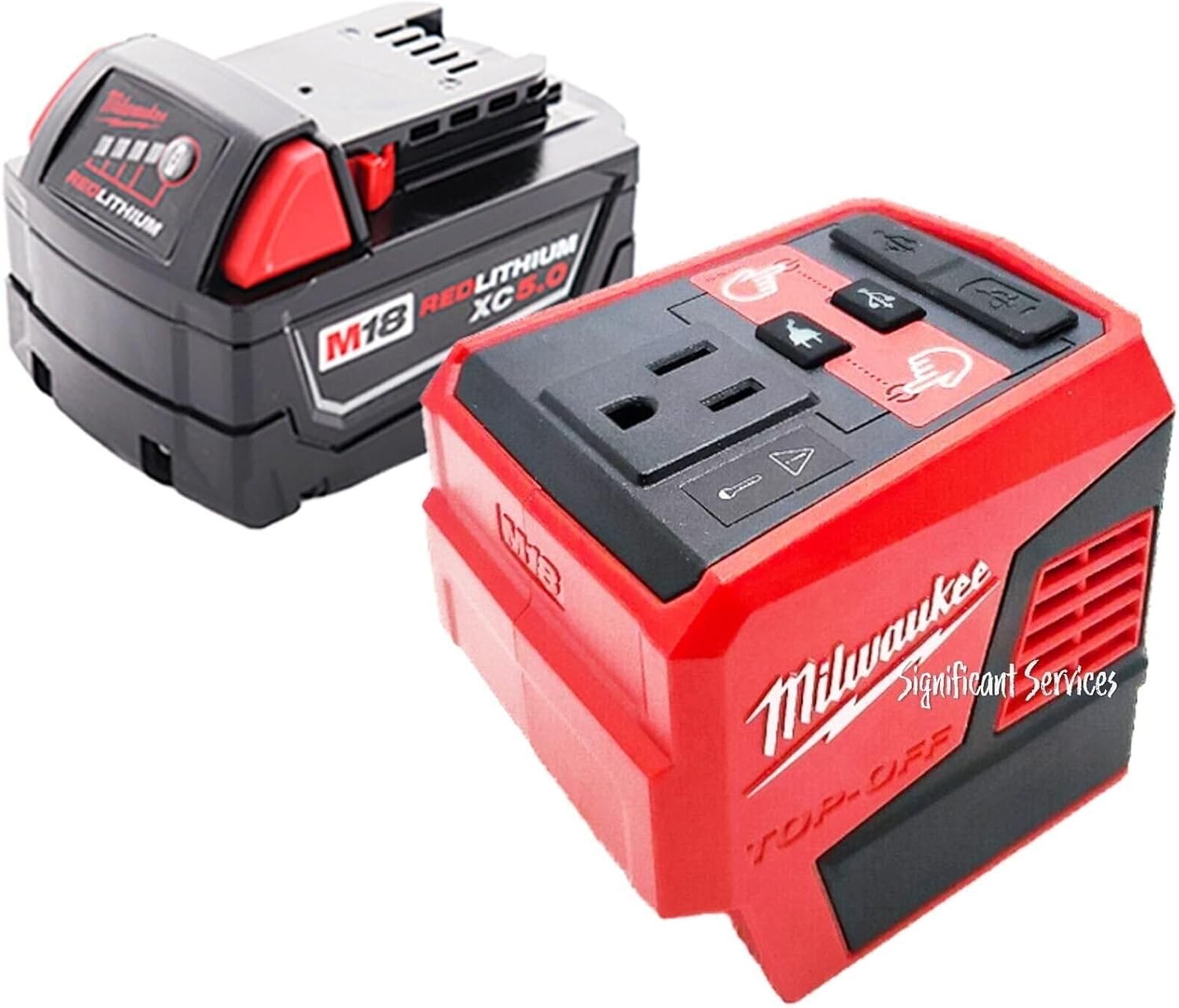
Figure 1: Milwaukee M18 Compact Inverter with included 5.0 Ah Battery.
Setup
To begin using your Milwaukee M18 Compact Inverter, ensure you have a charged M18 battery. The inverter is designed for quick and easy attachment.
- Attach Battery: Align the Milwaukee M18 battery with the base of the inverter. Slide the battery onto the inverter until it clicks securely into place.
- Check Battery Level: Most M18 batteries have a fuel gauge. Press the button on the battery to check its charge level before use.

Figure 2: Milwaukee M18 Compact Inverter with an M18 battery securely attached.
Operating Instructions
The M18 Compact Inverter offers multiple power output options for various devices.
- Powering On: Press the power button corresponding to the desired output port (AC, USB-A, or USB-C). The indicator light next to the button will illuminate when the port is active.
- Using the AC Outlet: Plug your 120-Volt AC device into the standard outlet. Ensure the device's power requirements do not exceed the inverter's 175-Watt continuous output.
- Using USB Ports: Connect your USB-A or USB-C compatible devices to the respective ports. The USB-C PD port provides 45-Watt Power Delivery for faster charging of compatible devices.
- Simultaneous Charging: You can charge up to three devices simultaneously using the AC, USB-A, and USB-C ports.
- Rafter Hook: Utilize the integrated metal rafter hook to hang the inverter from carts, lumber, or other jobsite materials, keeping your workspace clear.
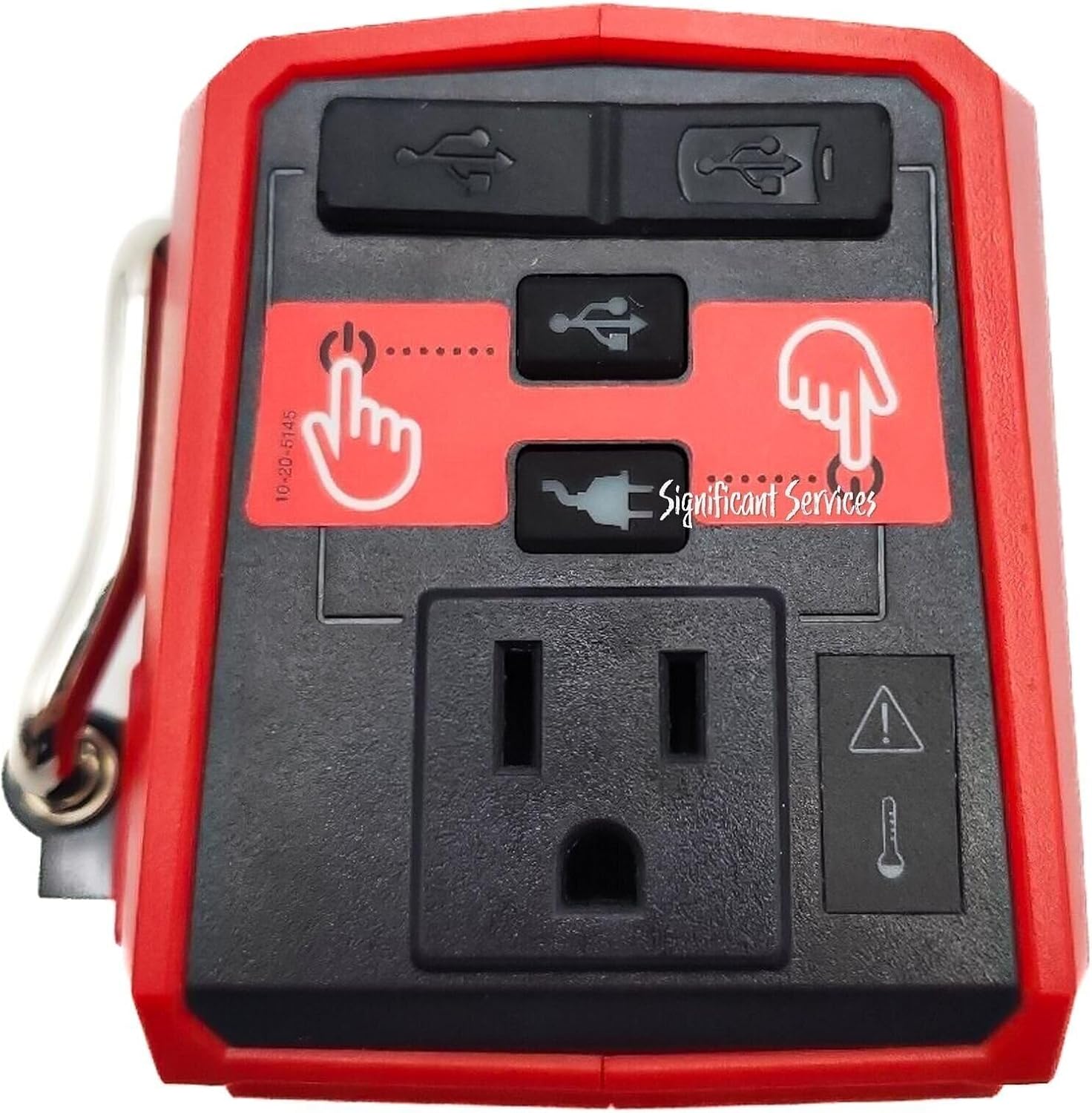
Figure 3: Top view of the inverter displaying the AC outlet, USB-A, and USB-C ports.

Figure 4: Side view of the inverter highlighting the integrated metal rafter hook.
Official Product Videos
Video 1: Milwaukee Inverter Review. This video demonstrates the features and functionality of the Milwaukee M18 Compact Inverter, including how to attach the battery and use the various power ports.
Video 2: Review Milwaukee Battery Pack Power TV, Fan, Charge Devices. This video showcases practical applications of the Milwaukee M18 Compact Inverter, such as powering a TV, fan, and charging various devices.
Maintenance
- Cleaning: Keep the inverter clean and free of dust and debris. Use a dry, soft cloth for cleaning. Do not use solvents or harsh chemicals.
- Battery Care: Store batteries in a cool, dry place away from direct sunlight. Ensure batteries are charged periodically, even when not in use, to maintain optimal performance and lifespan.
- Storage: When not in use, store the inverter in a dry, protected area. Remove the battery if storing for extended periods.
Troubleshooting
| Problem | Possible Cause | Solution |
|---|---|---|
| Inverter not powering on. | Battery not attached correctly or depleted. | Ensure battery is fully seated and charged. |
| Device not charging. | Device requires more power than inverter provides (overload). | Check device's power requirements. Reduce load. |
| Inverter shuts off unexpectedly. | Overload, overheating, or low battery. | Remove device, allow inverter to cool, or replace/charge battery. |
Specifications
- Model Number: 2846-50
- Brand: Milwaukee
- Wattage: 175 Watts (Continuous)
- Power Source: Battery Powered (M18 System)
- Battery Capacity (Included): 5.0 Ah
- Output Ports: 1 x AC 120-Volt, 1 x USB-C PD (45-Watt), 1 x USB-A (2.4 Amp)
- Product Dimensions: 12 x 7 x 4 inches
- Item Weight: 2 pounds
Warranty & Support
The MilwaukeeTool 2846-50 M18 Compact Inverter comes with a 5-year warranty. For warranty claims, technical support, or service inquiries, please refer to the official MilwaukeeTool website or contact their customer service department. Keep your proof of purchase for warranty validation.