
Introduction
This manual provides detailed instructions for the installation, operation, and maintenance of your SMAAIR 52-inch Smart Ceiling Fan (Model CES-J3L). Please read this manual thoroughly before installation and use to ensure safe and efficient operation.
The SMAAIR 52-inch Smart Ceiling Fan is designed for both indoor and outdoor (damp-rated) environments, featuring smart control capabilities, a dimmable LED light, and a 10-speed DC motor for energy efficiency and quiet operation. This model is available in various finishes, including Gold/Black.

Image: The SMAAIR 52-inch Smart Ceiling Fan, featuring a black finish with gold accents and three blades, designed for modern spaces.
Important Safety Information
Always follow basic safety precautions when installing and operating electrical appliances to reduce the risk of fire, electric shock, and personal injury.
- Ensure power is disconnected at the circuit breaker before installation or servicing.
- All wiring must be in accordance with national and local electrical codes.
- Consult a qualified electrician if you are unsure about wiring procedures.
- Mount the fan only to an outlet box marked "Acceptable for Fan Support of 35 lbs (15.9 kg) or less" and use the mounting screws provided with the outlet box.
- Do not operate the fan with a damaged power cord or plug.
- Keep hands, hair, and clothing away from moving parts of the fan.
Setup and Installation
Package Contents
Verify that all components are present before beginning installation. The package includes the fan motor, three plywood blades, a light kit, a remote control, and an extension down-rod (6 inches).
Installation Steps
- Power Disconnection: Turn off power at the circuit breaker to prevent electrical shock.
- Mounting Bracket Installation: Secure the mounting bracket to the ceiling outlet box. Ensure the outlet box is rated for fan support.
- Down-rod Assembly: Attach the down-rod to the fan motor assembly. An included 6-inch down-rod supports standard and angled mounting for various ceiling heights.
- Wiring: Connect the fan's electrical wires to the household wiring according to local electrical codes.
- Fan Body Attachment: Lift the fan assembly and hang it on the mounting bracket.
- Blade Installation: Attach the three plywood blades to the fan motor housing.
- Light Kit Installation: Install the dimmable LED light kit.
- Power Restoration: Restore power at the circuit breaker.
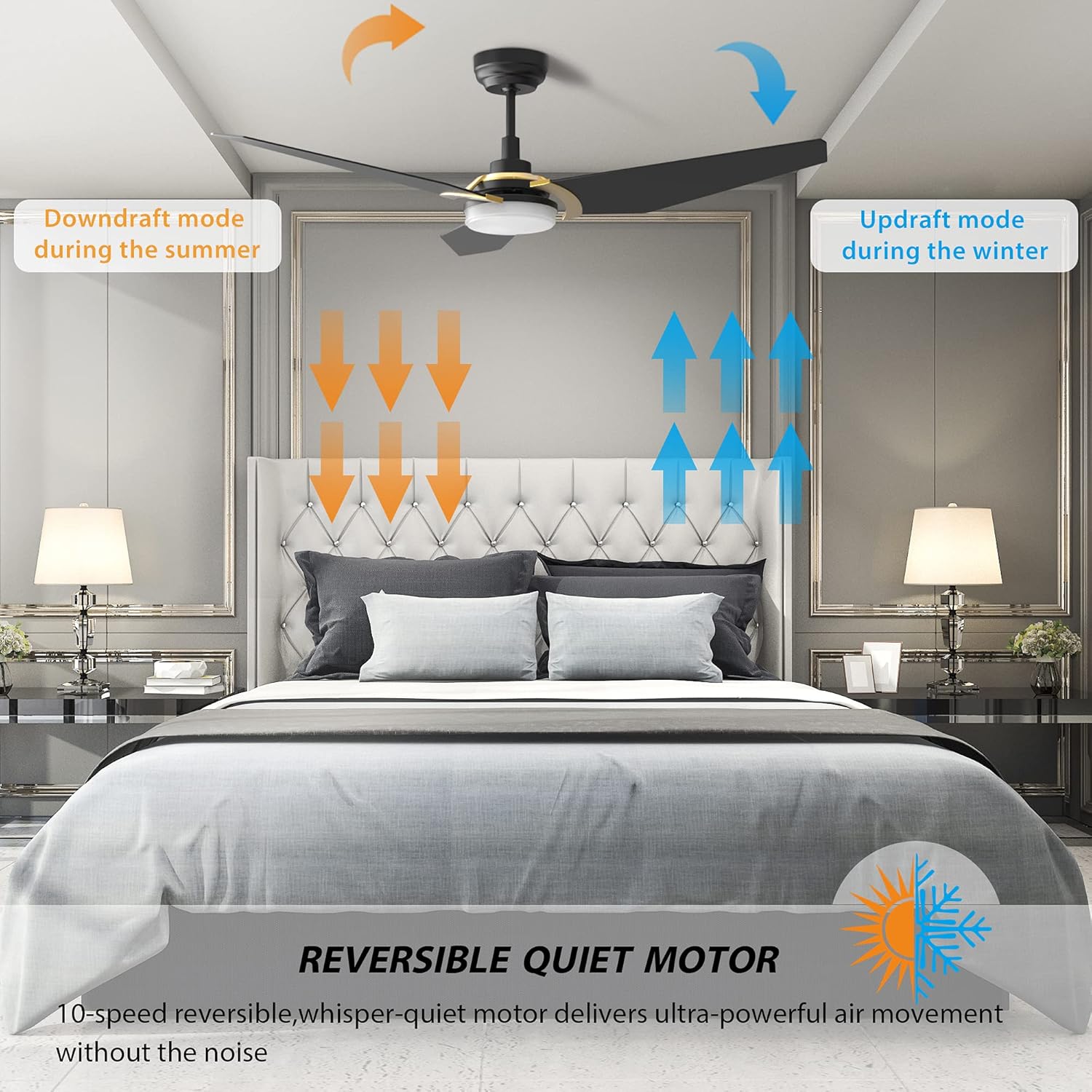
Image: A detailed diagram illustrating the dimensions of the 52-inch smart ceiling fan, including measurements for the blades, down-rod, and total fan height.
Smart Connectivity Setup
To enable smart features, connect the fan to your home Wi-Fi network. The fan requires a 2.4GHz Wi-Fi connection for initial setup. After connection, it can operate on a 5GHz network if available.
- Download the SMAAIR app from your device's app store.
- Follow the in-app instructions to add your new ceiling fan.
- Pair with voice assistants like Alexa, Google Assistant, or Siri through their respective apps.
Operating Instructions
Remote Control Operation
The included remote control allows for direct management of fan speed, light settings, and fan direction.
- Fan Speed: Adjust between 10 speeds for optimal airflow.
- Light Control: Turn the LED light on/off, dim the brightness, and change color temperature.
- Fan Direction: Switch between downdraft (summer) and updraft (winter) modes.
Smart Control (Voice & App)
Control your fan using voice commands via Alexa, Google Home, or Siri, or through the SMAAIR mobile application.

Image: A user demonstrating voice control functionality, speaking to an Amazon Echo device to adjust fan speed and light settings, highlighting compatibility with Alexa, Google Assistant, and Siri.
- Voice Commands: Use phrases like "Alexa, turn on the kitchen fan to speed 3," or "Hey Google, set the fan light to warm white."
- App Control: The SMAAIR app allows you to control the fan from anywhere, set schedules, and manage groups of fans.

Image: An illustration of a smart home setup, demonstrating how to set schedules for the ceiling fan and light in various rooms using a mobile application, enabling individual or group control.
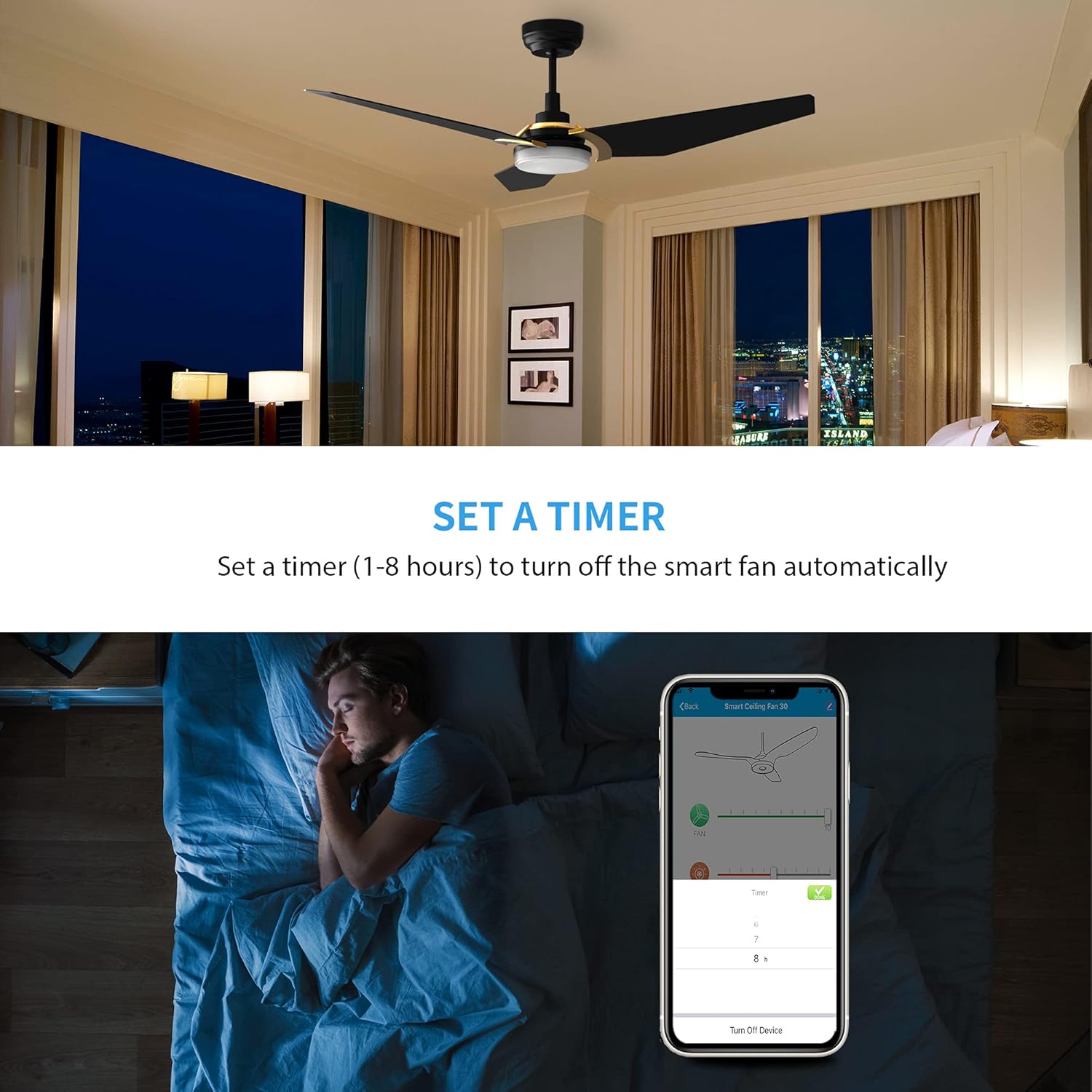
Image: A visual representation of the timer function, showing a user setting an automatic shut-off timer (1-8 hours) for the smart fan via the SMAAIR mobile application.
Dimmable LED Light
The integrated LED light offers 2154 lumens of brightness and a color temperature range of 2700K-4000K. You can adjust both brightness (0-100%) and color temperature (warm to cool white) to suit your preference.
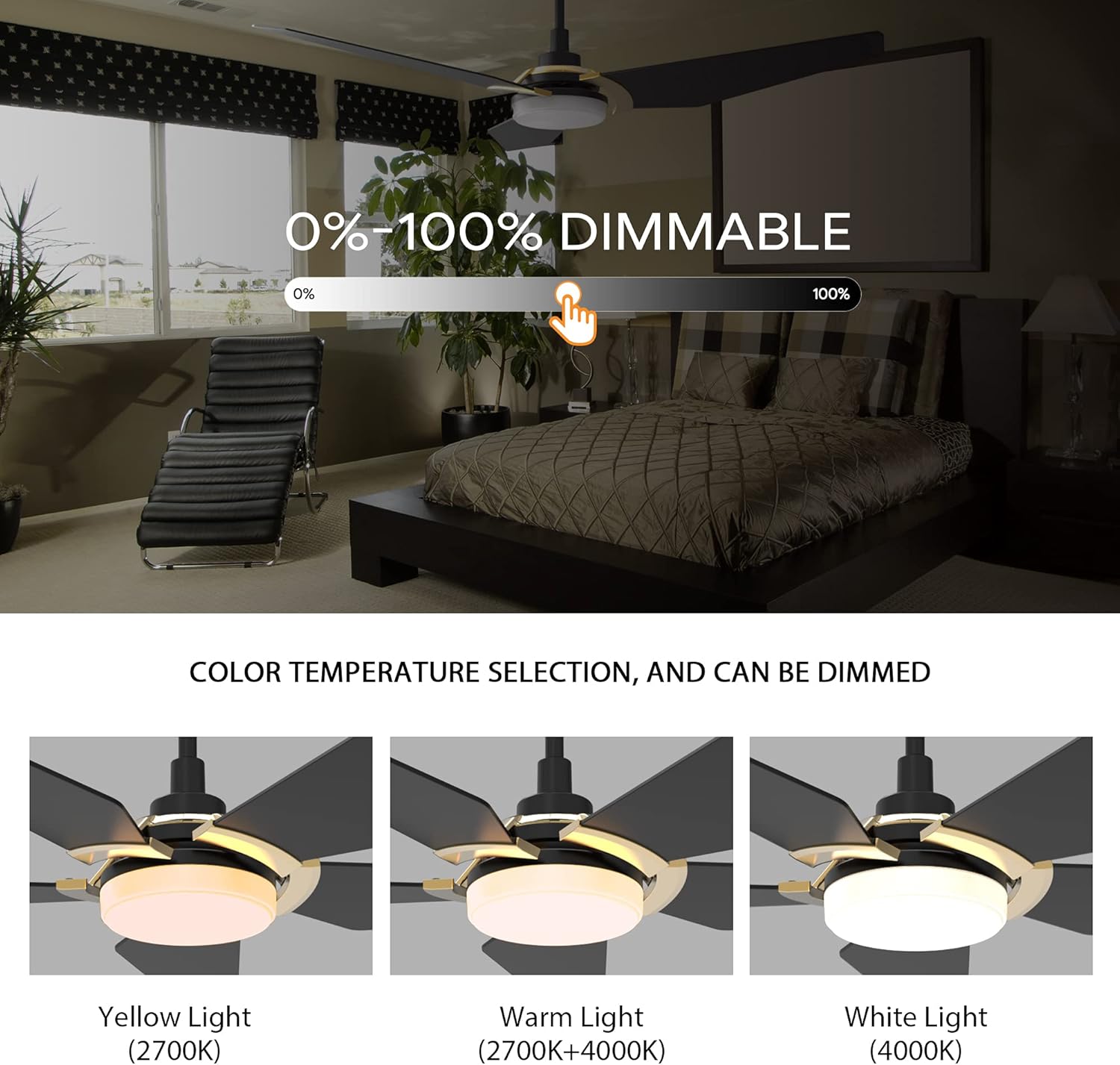
Image: A visual guide demonstrating the dimmable feature and color temperature selection of the fan's LED light, showing options for yellow (2700K), warm (2700K+4000K), and white (4000K) light.

Image: An energy efficiency chart highlighting the long lifespan of the LED light kit, rated for over 50,000 hours.
Reversible DC Motor
The 10-speed DC motor is reversible, allowing you to change the direction of airflow for seasonal comfort. In summer, the downdraft mode creates a cooling breeze. In winter, the updraft mode circulates warm air trapped near the ceiling.
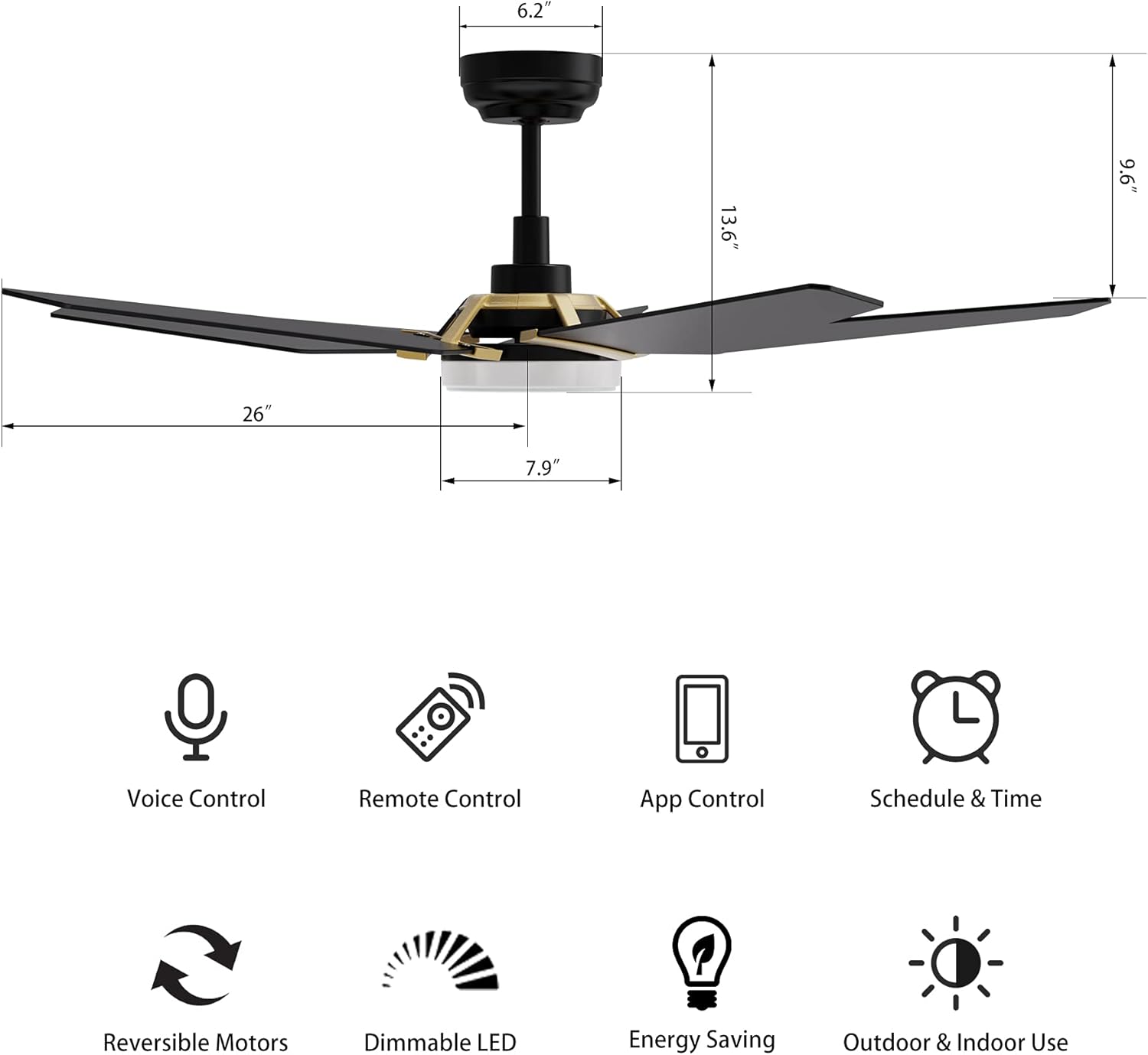
Image: An illustration demonstrating the reversible motor's function, showing how downdraft mode cools a room in summer and updraft mode circulates warm air in winter, ensuring year-round comfort.
Maintenance
Regular maintenance ensures the longevity and optimal performance of your ceiling fan.
- Cleaning: Dust the fan blades and motor housing periodically with a soft, damp cloth. Do not use abrasive cleaners or solvents.
- Blade Care: Check blade screws for tightness annually. Loose blades can cause wobbling and noise.
- Light Kit: The LED light kit is designed for long life and typically does not require bulb replacement. If issues arise, consult the troubleshooting section or contact support.
- Motor: The DC motor is permanently lubricated and requires no additional oiling.
Troubleshooting
| Problem | Possible Cause | Solution |
|---|---|---|
| Fan does not start | No power to the fan; Loose wire connections; Remote control battery low. | Check circuit breaker; Ensure all wire connections are secure; Replace remote control battery. |
| Fan wobbles | Loose blade screws; Improperly balanced blades; Loose mounting bracket. | Tighten all blade screws; Use a balancing kit (not included) to balance blades; Ensure mounting bracket is securely fastened. |
| Light does not work | Loose wire connection to light kit; LED driver issue. | Check light kit wiring; Contact customer support if LED driver is suspected. |
| Remote control not working | Low battery; Not paired with fan. | Replace battery; Refer to pairing instructions in the SMAAIR app or contact support. |
| Smart features not connecting | Incorrect Wi-Fi network (not 2.4GHz for setup); Incorrect password; Router too far. | Ensure 2.4GHz Wi-Fi during setup; Verify Wi-Fi password; Move router closer or use a Wi-Fi extender. |
Specifications
| Brand | SMAAIR |
| Model Number | CES-J3L |
| Product Dimensions | 52"D x 52"W x 14.5"H |
| Size | 52 INCH |
| Item Weight | 15.32 pounds |
| Number of Blades | 3 |
| Motor Type | 10-speed DC Motor (Reversible) |
| Light Kit | Dimmable LED (2154 lumens, 2700K-4000K) |
| Control Method | Remote, Voice (Alexa, Google Home, Siri), App Control |
| Power Source | AC/DC |
| Indoor/Outdoor Usage | Indoor/Outdoor (Damp-rated) |
| Mounting Type | Ceiling Mount (Standard and Angled) |
| Assembly Required | Yes |
| Batteries Required (for remote) | Yes |
Warranty and Support
For specific warranty details, please refer to the warranty card included with your product or visit the official SMAAIR website. Keep your purchase receipt as proof of purchase.
If you encounter any issues not covered in the troubleshooting section or require further assistance, please contact SMAAIR customer support:
- Online Support: Visit SMAAIR Store on Amazon for contact information or FAQs.
- Email/Phone: Refer to your product packaging or the SMAAIR website for the most current contact details.