
1. Introduction
The Anbull DT-500VA Voltage Converter Transformer is designed to convert electrical voltage between 110V/120V and 220V/230V/240V. This device allows you to use appliances from different regions safely, whether you need to step up voltage from 110V to 220V or step down from 220V to 110V. It features a maximum power capacity of 500 Watts, making it suitable for various household and commercial applications.
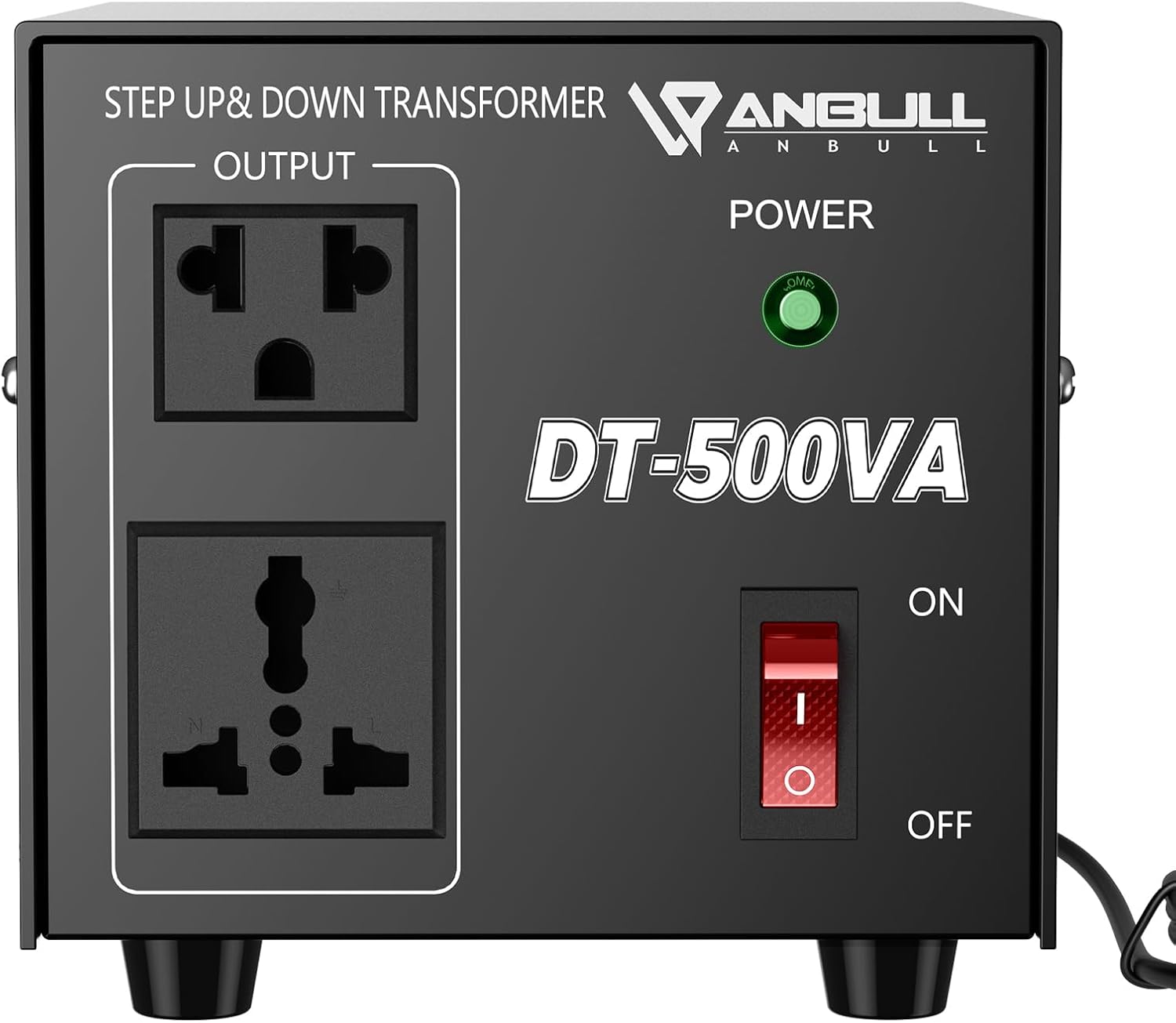
Image 1.1: Front view of the Anbull DT-500VA Voltage Converter Transformer, showing output sockets, power indicator, and power switch.

Image 1.2: The Anbull DT-500VA Voltage Converter supporting various appliances up to 500 Watts, including blenders, hair dryers, and coffee makers.
2. Safety Information
Please read all safety instructions carefully before operating this device. Failure to do so may result in electric shock, fire, or damage to the product or connected appliances.
- Voltage Matching: Before connecting any appliance, ensure the "AC INPUT SELECTOR" switch on the back of the converter is set to match your local input voltage (110V or 220V). Incorrect selection can cause severe damage to the converter and connected devices.
- Wattage Capacity: This 500W voltage converter is designed for appliances with a power consumption of up to 330W if they do not have a motor or heating element. For appliances with motors (e.g., blenders, power tools) or heating elements (e.g., coffee makers, hair dryers), the starting or peak power can be 2 to 5 times the rated power. To ensure safety, always select a converter with a maximum wattage capacity at least 50% higher than your appliance's rated power, and significantly higher (2-4 times) for motor-driven or heating appliances.
- Frequency: This transformer converts voltage but does not convert frequency (Hertz). Ensure your appliance is compatible with the local frequency (50Hz or 60Hz).
- Circuit Breaker Protection: The unit features a Miniature Circuit Breaker (MCB) that trips to protect against overload. If the MCB trips, disconnect the appliance, reduce the load, and press the MCB button to reset.
- Fuse Protection: The converter is equipped with a fuse for additional protection. If the unit fails to power on, check and replace the fuse if necessary (refer to Maintenance section).
- Indoor Use Only: Do not expose the converter to rain or moisture. Use in a dry, well-ventilated area.
- Ventilation: Ensure adequate airflow around the unit. Do not block the ventilation openings.
- North American 220V: This converter is designed for European/Asian single-phase 220V. Do not use it with North American dual or tri-phase 220V systems.
3. Product Features and Components
The Anbull DT-500VA Voltage Converter is built with user convenience and safety in mind. Key components are:
- Front Panel:
- Output Sockets: Two universal output sockets (one 110V US standard, one 230V Universal) for connecting your appliances.
- Power Indicator Light: Illuminates green when the unit is powered on.
- Power Switch: Toggles the unit ON/OFF.
- Rear Panel:
- AC Input Selector: A red switch to select the input voltage (110V or 220V) based on your local power supply.
- Fuse Holder: Contains the protective fuse.
- Cooling Vents: Located on the sides to ensure proper heat dissipation and stable operation.

Image 3.1: Detailed view of the Anbull DT-500VA, highlighting the power switch, output sockets, power indicator light, and double row cooling vents.

Image 3.2: Close-up of the AC Input Selector switch on the rear panel, used to select between 110V and 220V input.
4. Setup Instructions
Follow these steps for initial setup:
- Verify Appliance Wattage: Ensure your appliance's wattage is within the safe operating limits of the 500W converter (max 330W for non-motor/heating, significantly less for motor/heating appliances).
- Set Input Voltage: Locate the red "AC INPUT SELECTOR" switch on the back of the converter. Use a small tool (like a screwdriver) to slide the switch to match your local wall outlet voltage (e.g., 110V for North America, 220V for Europe/Asia). This step is critical and must be done before plugging the converter into a wall outlet.
- Connect to Power: Plug the converter's power cord into your wall outlet.
- Power On: Flip the red power switch on the front panel to the "ON" position. The green power indicator light should illuminate.
- Connect Appliance: Plug your appliance into the appropriate output socket on the front panel. If converting 110V to 220V, use the 230V output socket. If converting 220V to 110V, use the 110V output socket.

Image 4.1: Visual guide for converting 110V to 220V, showing the input selector setting and appliance connection.
5. Operating Instructions
Once the converter is set up, operating it is straightforward:
- Step-Up Operation (110V/120V to 220V/230V/240V):
- Ensure the AC Input Selector on the rear is set to 110V.
- Plug the converter into a 110V/120V wall outlet.
- Turn on the converter using the front power switch.
- Plug your 220V/230V/240V appliance into the 230V output socket on the front panel.
- Step-Down Operation (220V/230V/240V to 110V/120V):
- Ensure the AC Input Selector on the rear is set to 220V.
- Plug the converter into a 220V/230V/240V wall outlet.
- Turn on the converter using the front power switch.
- Plug your 110V/120V appliance into the 110V output socket on the front panel.
- Always turn off the converter and unplug appliances when not in use.

Image 5.1: Illustration of the Anbull Voltage Converter's versatility, demonstrating both 220V input to 110V output and 110V input to 230V output scenarios.
6. Maintenance
Proper maintenance ensures the longevity and safe operation of your Anbull Voltage Converter.
- Cleaning: Disconnect the converter from the power source before cleaning. Use a dry, soft cloth to wipe the exterior. Do not use liquid cleaners or immerse the unit in water.
- Ventilation: Periodically check that the cooling vents on the sides are free from dust and obstructions. Blocked vents can lead to overheating.
- Fuse Replacement: If the converter does not power on, the fuse may have blown. To replace:
- Unplug the converter from the wall outlet.
- Locate the fuse holder on the rear panel.
- Unscrew the fuse cap and carefully remove the old fuse.
- Insert a new fuse of the correct rating (check the unit's specifications or the original fuse for rating).
- Screw the fuse cap back on securely.
- Storage: When not in use for extended periods, store the converter in a cool, dry place away from direct sunlight and moisture.

Image 6.1: Close-up view of the fuse holder, located on the rear panel of the converter.
7. Troubleshooting
If you encounter issues with your Anbull Voltage Converter, refer to the following common problems and solutions:
| Problem | Possible Cause | Solution |
|---|---|---|
| Converter does not power on (no green light). |
|
|
| Appliance does not work or converter trips. |
|
|
| Converter gets excessively hot. |
|
|
8. Specifications
Technical specifications for the Anbull DT-500VA Voltage Converter Transformer:
| Feature | Specification |
|---|---|
| Model | DT-500VA |
| Maximum Wattage | 500 Watts |
| Input Voltage | 110V/120V or 220V/230V/240V (selectable) |
| Output Voltage | 110V/120V and 220V/230V/240V |
| Frequency | 50-60Hz (Pass-through, not converted) |
| Product Dimensions | 6.4"D x 4.8"W x 4.7"H (16.26 x 12.19 x 11.94 cm) |
| Item Weight | 5.04 pounds (2.29 kg) |
| Certifications | CE |

Image 8.1: Product dimensions of the Anbull DT-500VA Voltage Converter.
9. Warranty and Support
Anbull is committed to providing reliable products. This product comes with a 12-month warranty from the date of purchase, covering manufacturing defects.
For any questions, technical assistance, or warranty claims, please contact Anbull customer support through the retailer where the product was purchased. Please have your purchase receipt and product model number (DT-500VA) ready when contacting support.