
1. Introduction
Thank you for choosing the STANLEY FatMax SFMCF800M2K 18V Cordless Impact Driver. This manual provides essential information for the safe and efficient operation, maintenance, and troubleshooting of your new tool. Please read this manual thoroughly before first use and keep it for future reference. Proper understanding and adherence to these instructions will ensure optimal performance and extend the life of your impact driver.
2. Safety Information
WARNING: Read all safety warnings, instructions, illustrations, and specifications provided with this power tool. Failure to follow all instructions listed below may result in electric shock, fire, and/or serious injury.
General Power Tool Safety
- Work Area Safety: Keep your work area clean and well-lit. Cluttered or dark areas invite accidents. Do not operate power tools in explosive atmospheres, such as in the presence of flammable liquids, gases, or dust.
- Electrical Safety: Avoid body contact with earthed or grounded surfaces such as pipes, radiators, ranges, and refrigerators. There is an increased risk of electric shock if your body is earthed or grounded.
- Personal Safety: Always wear eye protection. Use personal protective equipment such as dust masks, non-skid safety shoes, hard hats, or hearing protection when appropriate. Stay alert, watch what you are doing, and use common sense when operating a power tool.
- Tool Use and Care: Do not force the power tool. Use the correct power tool for your application. It will do the job better and safer at the rate for which it was designed. Disconnect the plug from the power source and/or remove the battery pack from the power tool before making any adjustments, changing accessories, or storing power tools.
Battery Tool Use and Care
- Recharge only with the charger specified by the manufacturer. A charger that is suitable for one type of battery pack may create a risk of fire when used with another battery pack.
- Use power tools only with specifically designated battery packs. Use of any other battery packs may create a risk of injury and fire.
- When battery pack is not in use, keep it away from other metal objects, like paper clips, coins, keys, nails, screws or other small metal objects, that can make a connection from one terminal to another. Shorting the battery terminals together may cause burns or a fire.
3. Package Contents
Your STANLEY FatMax SFMCF800M2K Impact Driver package includes the following items:
- STANLEY FatMax SFMCF800 Impact Driver
- Two (2) STANLEY FatMax V20 18V 4.0 Ah Lithium-Ion Batteries
- STANLEY FatMax V20 Fast Charger
- Carrying Case

Image: The STANLEY FatMax SFMCF800M2K Impact Driver kit, including the tool, two batteries, a charger, and a durable carrying case for storage and transport.
4. Product Features
The STANLEY FatMax SFMCF800 Impact Driver is designed for demanding fastening applications, offering a blend of power, control, and ergonomic design.
- Powerful Variable Speed Motor: Provides enhanced control across various applications, delivering up to 2800 RPM.
- High Torque Output: Delivers a maximum torque of 165 Nm for challenging fastening tasks.
- Lightweight and Compact Design: Ensures comfortable use and reduces user fatigue during extended operation.
- Ergonomic Grip: Designed for improved handling and control.
- Integrated LED Light: Illuminates the work area for better visibility in dimly lit conditions.
- V20 Lithium-Ion System: Part of the STANLEY FATMAX V20 18V Lithium-Ion cordless system, ensuring compatibility with other V20 tools and batteries.
- Quick-Change Hex Chuck: 6.35 mm (1/4") hex attachment for fast and easy bit changes.

Image: The STANLEY FatMax SFMCF800 Impact Driver, showcasing its compact design and ergonomic handle.

Image: The integrated LED light on the STANLEY FatMax SFMCF800 Impact Driver illuminating the work surface, demonstrating its utility in low-light conditions.
5. Setup
Battery Installation and Removal
- To install the battery, align the battery pack with the slot in the tool's handle. Slide the battery pack into the handle until it clicks securely into place.
- To remove the battery, press the release button located on the battery pack and slide the battery out of the handle.
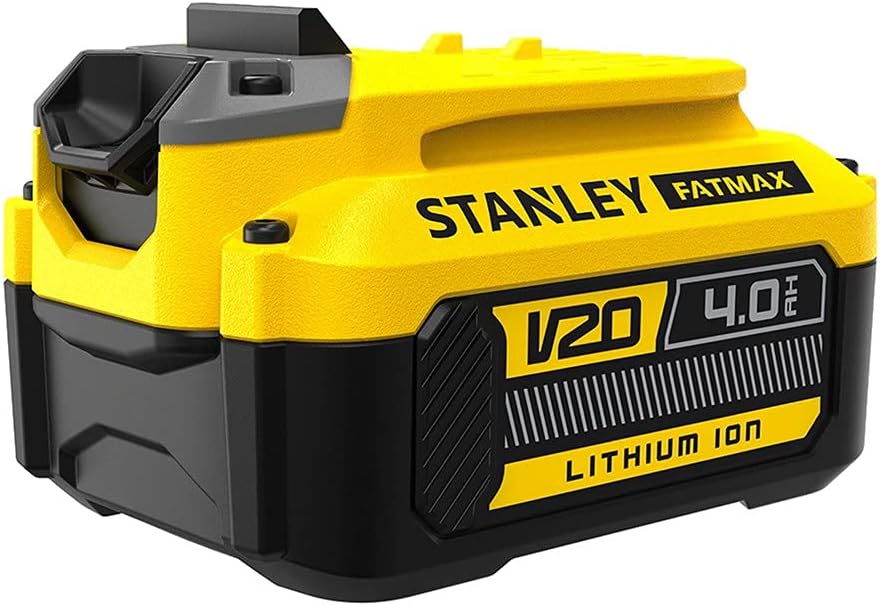
Image: A STANLEY FatMax V20 18V 4.0 Ah Lithium-Ion battery pack, ready for installation into the impact driver or charger.
Charging the Battery
Before first use, fully charge the battery pack. Refer to the charger's instruction manual for detailed charging procedures.
- Plug the STANLEY FatMax V20 Fast Charger into a standard electrical outlet.
- Slide the battery pack onto the charger until it is fully seated. The charger's indicator light will show the charging status.
- Once charging is complete, remove the battery pack from the charger.
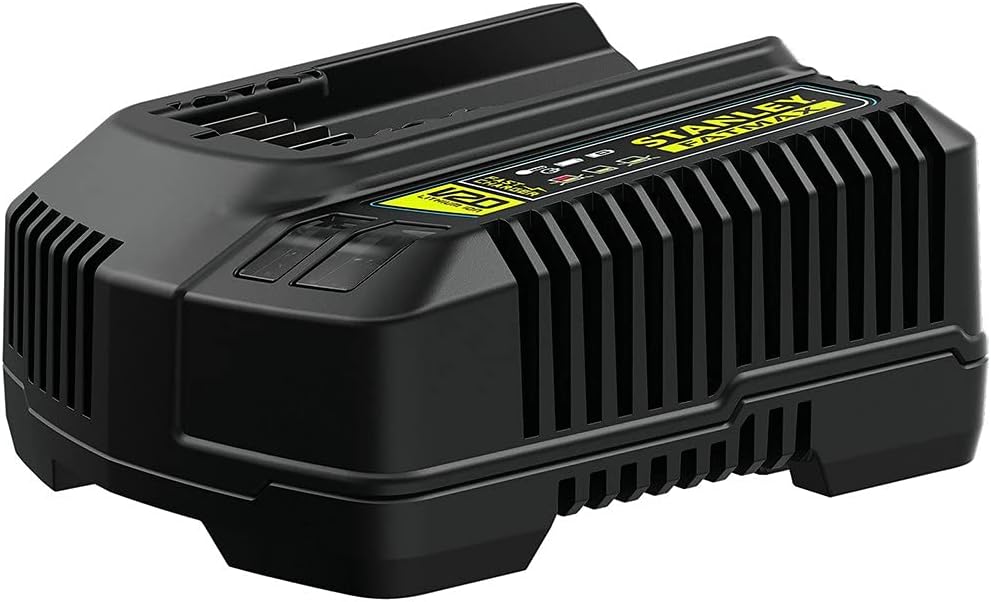
Image: The STANLEY FatMax V20 Fast Charger, designed for quick and efficient charging of V20 Lithium-Ion batteries.
Video: An official video demonstrating features of the Stanley Fatmax 18V 4.0 Ah battery, including its reduced self-discharge for long duration and compatibility with the Stanley Fatmax 18V range.
Bit Installation and Removal
- To install a bit, pull the chuck collar forward and insert the hex shank of the bit fully into the chuck. Release the chuck collar to lock the bit in place. Tug on the bit to ensure it is securely fastened.
- To remove a bit, pull the chuck collar forward and pull the bit straight out. Release the chuck collar.
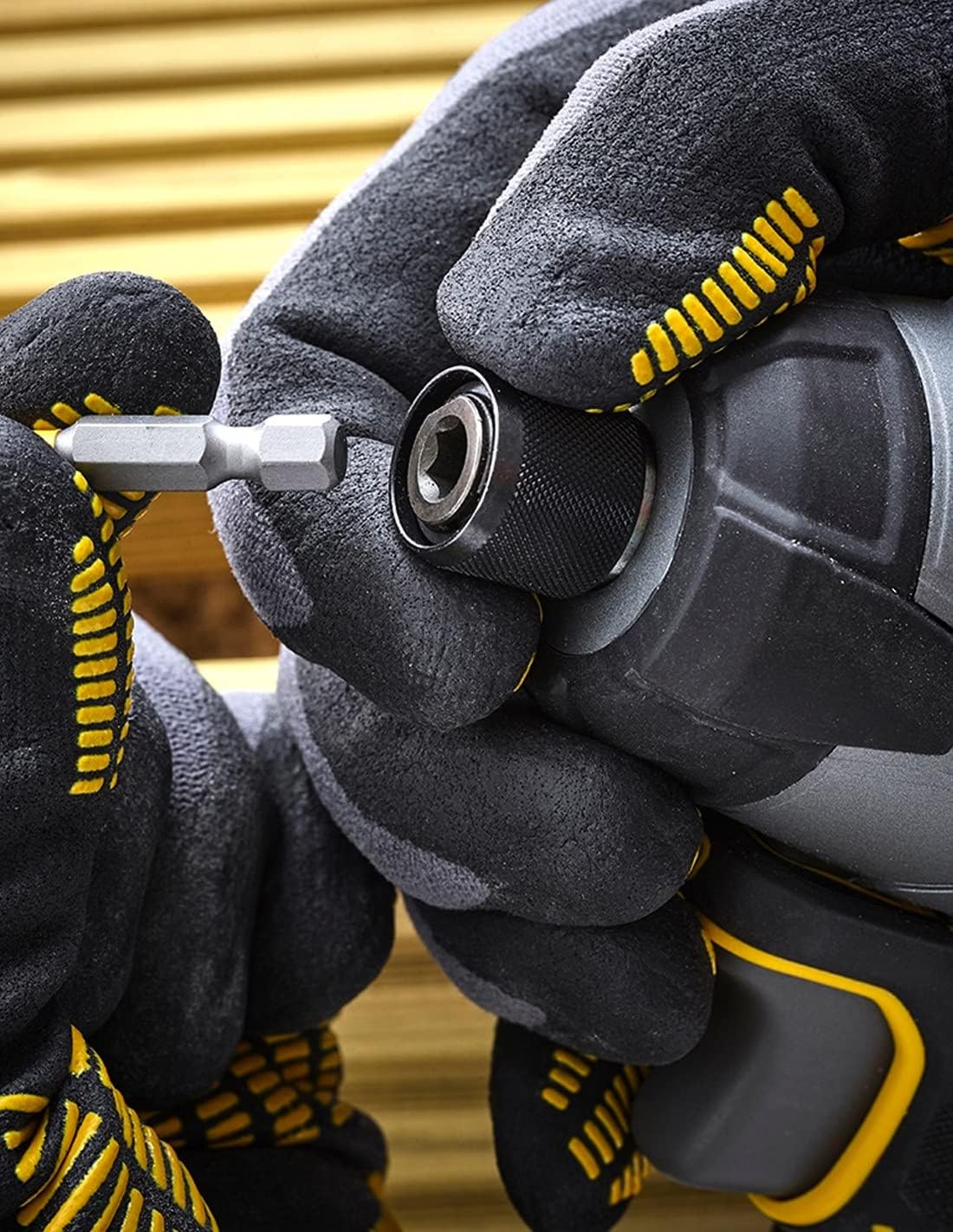
Image: A close-up view of a hand inserting a hex drive bit into the 6.35 mm (1/4") quick-change chuck of the impact driver.
6. Operating Instructions
Turning On/Off and Variable Speed Control
- To turn the tool ON, squeeze the trigger switch. The tool speed is controlled by the amount of trigger depression; the more the trigger is pressed, the faster the tool operates.
- To turn the tool OFF, release the trigger switch.
Direction Control (Forward/Reverse)
The forward/reverse button is located above the trigger. Push the button to the left for forward rotation (tightening) and to the right for reverse rotation (loosening). Ensure the tool has come to a complete stop before changing direction.
Using the LED Work Light
The integrated LED work light automatically activates when the trigger is pressed, illuminating the work surface for improved visibility. It remains on for a short period after the trigger is released.
General Usage Tips
- Always hold the tool firmly with both hands, especially when applying high torque.
- Ensure the fastener is properly seated before starting the impact action.
- For optimal performance and safety, use only genuine STANLEY FatMax accessories.

Image: A user demonstrating the STANLEY FatMax SFMCF800 Impact Driver in action, highlighting its ergonomic design and ease of use during fastening tasks.
7. Maintenance
Cleaning
- Keep the ventilation slots of the tool clean to prevent overheating.
- Use a soft, damp cloth to clean the tool casing. Do not use abrasive cleaners or solvents.
- Regularly remove dust and debris from the chuck area.
Storage
- Store the tool and batteries in a cool, dry place, away from direct sunlight and extreme temperatures.
- Ensure the battery is removed from the tool before storage.
- Store batteries with a partial charge (around 50%) if storing for extended periods to prolong battery life.
Battery Care
- Do not expose batteries to water or moisture.
- Do not attempt to open or modify battery packs.
- Dispose of old or damaged batteries responsibly according to local regulations.
8. Troubleshooting
If you encounter issues with your STANLEY FatMax SFMCF800 Impact Driver, refer to the following common problems and solutions:
| Problem | Possible Cause | Solution |
|---|---|---|
| Tool does not start | Battery not charged or improperly installed. | Ensure battery is fully charged and correctly inserted until it clicks. |
| Reduced power or speed | Battery charge is low. | Recharge the battery pack. |
| Bit not holding securely | Bit not fully inserted or chuck collar not released properly. | Pull chuck collar forward, fully insert bit, then release collar. Tug to confirm security. |
| Tool overheats | Overloading the tool or blocked ventilation slots. | Reduce load, allow tool to cool. Clean ventilation slots. |
If the problem persists after attempting these solutions, please contact customer support.
9. Technical Specifications
The following are the technical specifications for the STANLEY FatMax SFMCF800 Impact Driver:
| Feature | Specification |
|---|---|
| Model Number | SFMCF800 |
| Brand | STANLEY FatMax |
| Power Source | Battery Powered |
| Voltage | 18 V |
| Battery Capacity | 4.0 Ah |
| Max Torque | 165 Nm |
| No-Load Speed | 0-2800 RPM (Revolutions per minute) |
| Impact Rate | 0-3100 IPM (Impacts per minute) |
| Chuck Size | 6.35 mm (1/4") Hex |
| Materials (Suitable for) | Wood, Metal |
| Country of Origin | China |
10. Warranty and Support
Warranty Information
This STANLEY FatMax product is covered by a limited warranty. Please refer to the warranty card included with your purchase or visit the official STANLEY FatMax website for detailed warranty terms and conditions. Keep your proof of purchase for warranty claims.
Customer Support
For technical assistance, spare parts, or service, please contact STANLEY FatMax customer support. Contact information can typically be found on the official STANLEY FatMax website or on the product packaging.
Online Resources: For additional information, product registration, and FAQs, visit the official STANLEY FatMax website.

