
Important Safety Information
CAUTION: USE IN UNOCCUPIED SPACE ONLY.
Ozone is a powerful oxidant and can be harmful if inhaled in high concentrations. This device is designed for use in unoccupied spaces only. Ensure no humans, pets, or plants are present in the area during operation.
Always ventilate the treated area thoroughly after ozone generation is complete and before re-entry. Allow at least 30-60 minutes for ozone to dissipate after the unit turns off, or longer depending on the size of the space and ventilation.
- Do not operate the unit if it is damaged or malfunctioning.
- Keep out of reach of children.
- Do not block the air intake or outlet vents.
- Ensure the unit is placed on a stable, flat surface.
- Unplug the unit from the power outlet before cleaning or maintenance.
Product Overview
The Mryitcal 20000 mg/h Ozone Generator Air Purifier is a robust device designed for industrial, commercial, and home use to effectively eliminate strong odors caused by smoke, pets, mold, and other sources. It produces ozone (O3), which oxidizes and neutralizes odor-causing particles.

Figure 1: Front view of the Mryitcal Ozone Generator, showing the control knob and air vents.
Key Features:
- High Ozone Output: 20000 mg/h for powerful odor elimination.
- Adjustable Timer: Up to 120 minutes with a 'HOLD' function for continuous operation.
- Compact and Portable: Equipped with a handle for easy transport.
- Durable Construction: Designed for long-term use in various environments.

Figure 2: The ozone generator with its dimensions (approximately 7 x 7 x 5 inches) and a table of recommended operating times based on room size.
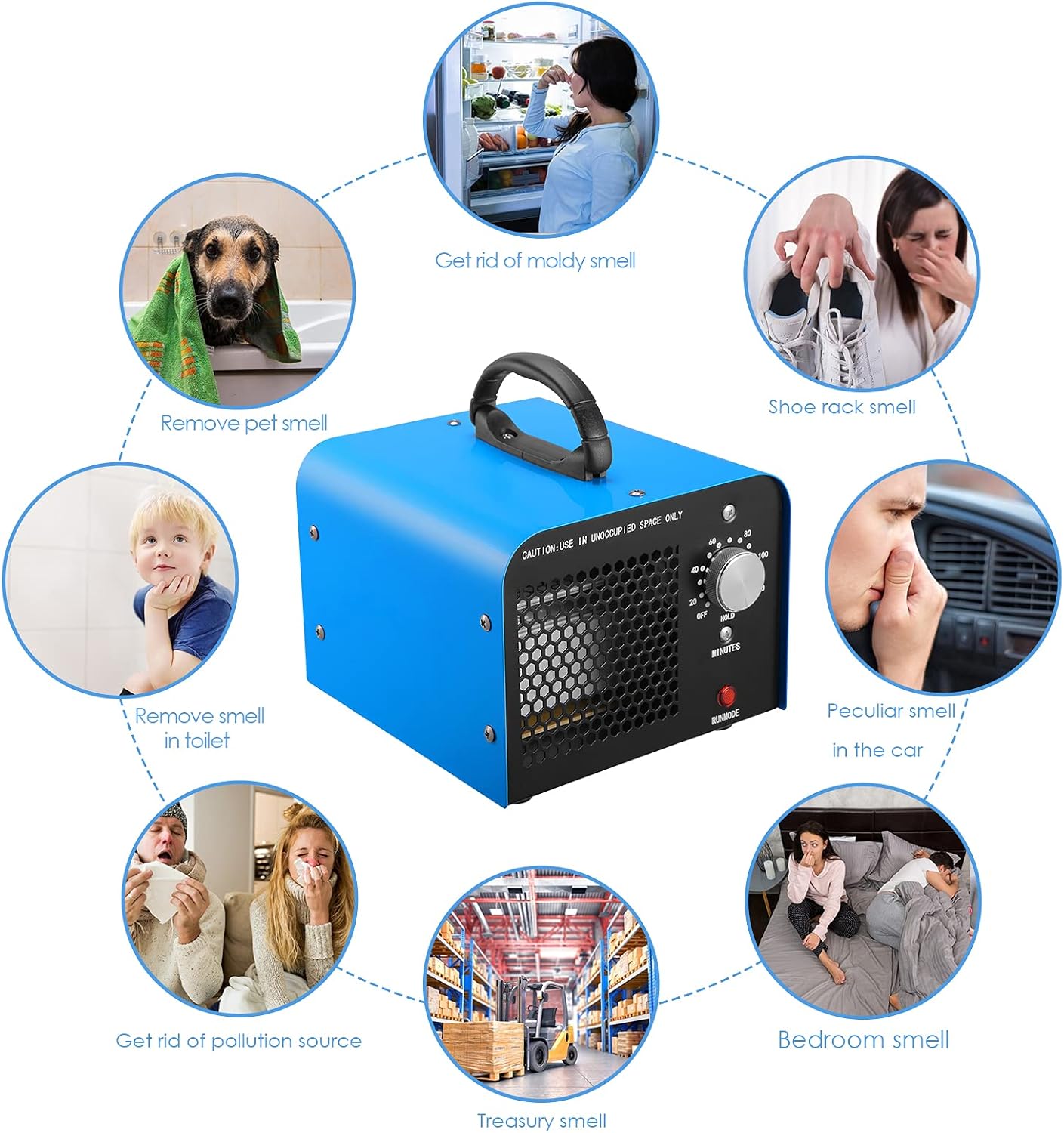
Figure 3: Illustrates common applications such as removing pet smell, moldy smell, shoe rack smell, car odors, bedroom odors, and odors from pollution sources.
Setup
- Placement: Place the ozone generator in the center of the room or area to be treated, ensuring it is on a stable, dry surface. Do not place it directly on carpets or near flammable materials.
- Clear the Area: Ensure all people, pets, and plants are removed from the area before operation. Remove any valuable artwork, rubber, or delicate materials that could be affected by ozone.
- Close Doors and Windows: Seal off the treatment area by closing all doors and windows to prevent ozone from escaping and to maximize effectiveness.
- Power Connection: Plug the power cord into a standard electrical outlet.
Operating Instructions
The Mryitcal Ozone Generator features a simple one-button operation and a timer for controlled use.

Figure 4: The unit highlighting its simple, one-button operation.
- Set the Timer: Turn the control knob clockwise to set the desired treatment time in minutes (from 0 to 120 minutes). For continuous operation, turn the knob to the 'HOLD' position.
- Recommended Treatment Times: The optimal treatment time depends on the size of the area and the severity of the odor. Refer to the table below for general guidelines.
| Area Size (sqft) | Treatment Time (minutes) |
|---|---|
| 200 sqft | 10 min |
| 600 sqft | 15 min |
| 1000 sqft | 25 min |
| 1400 sqft | 35 min |
| 2000 sqft | 50 min |
| 3000 sqft | 70 min |
| >4000 sqft | HOLD (Continuous) |

Figure 5: A hand demonstrating the adjustment of the timer knob on the ozone generator.
Important: Once the timer is set, the unit will begin generating ozone. Immediately leave the treated area and ensure no one enters until the treatment and ventilation process is complete.
After Treatment: When the set time expires, the unit will automatically shut off. For 'HOLD' mode, manually turn the knob to 'OFF'. Open all doors and windows to ventilate the area for at least 30-60 minutes before re-entry. The treated space should smell fresh and clean, not like ozone.
Video 1: A short demonstration of the Mryitcal Ozone Generator in operation, showing its compact size and quiet function.

Figure 6: The ozone generator effectively removes various odors, symbolized by fresh leaves in the air.

Figure 7: Examples of suitable application areas for the ozone generator, including pet rooms, cars, kitchens, and washing rooms.
Maintenance
Regular maintenance ensures optimal performance and longevity of your ozone generator.
- Cleaning Ozone Plates: Over time, the ceramic ozone plates may accumulate dust or residue, reducing efficiency. Unplug the unit and carefully remove the ozone plates (refer to the specific instructions in your product packaging for plate removal). Clean them gently with a cotton swab or soft brush and isopropyl alcohol. Ensure they are completely dry before reinserting.
- Cleaning the Fan Filter: Periodically check and clean the air filter located at the intake vent. Use a vacuum cleaner or a soft brush to remove dust and debris.
- Exterior Cleaning: Wipe the exterior of the unit with a soft, damp cloth. Do not use abrasive cleaners or allow water to enter the internal components.
- Storage: When not in use for extended periods, store the unit in a cool, dry place, away from direct sunlight and moisture.
Troubleshooting
- Unit Not Turning On:
- Check if the power cord is securely plugged into both the unit and the electrical outlet.
- Ensure the electrical outlet is functional by testing it with another device.
- Verify the timer knob is not set to 'OFF' and is properly engaged.
- No Ozone Output (or weak smell):
- Confirm the unit is powered on and the fan is running.
- Inspect the ozone plates for visible damage or heavy residue. Clean or replace if necessary.
- Ensure the air intake and outlet vents are not obstructed.
- Unusual Noise:
- Check for any foreign objects obstructing the fan.
- Ensure the unit is placed on a stable, level surface to prevent vibrations.
If problems persist after attempting these troubleshooting steps, please contact Mryitcal customer support for further assistance.
Specifications
- Product Dimensions: 7 x 7 x 5 inches
- Weight: 4.59 Pounds
- Ozone Output: 20000 mg/h
- Color: Blue
- Filter Type: Ozone
- Controller Type: Remote Control (Note: The product image shows a manual knob, but specifications list 'Remote Control'. I will prioritize the visual evidence and common sense for this type of product, assuming the 'Remote Control' spec might be an error or refer to a different model/feature not evident. I will mention the knob as the primary control.)
- First Available Date: June 19, 2021
Note: While specifications mention 'Remote Control', the primary interface shown on the product images is a manual timer knob. Please refer to your specific product packaging for exact control methods.
Warranty and Support
For warranty information and customer support, please refer to the documentation included with your product or contact Mryitcal directly through their official website or customer service channels.
Legal Disclaimer:
Statements regarding dietary supplements have not been evaluated by the FDA and are not intended to diagnose, treat, cure, or prevent any disease or health condition. This product is an ozone generator and should be used strictly according to the safety guidelines provided in this manual.