1. Introduction
Thank you for choosing the VEENAX M2 Wired Earbuds. These in-ear headphones are designed to provide a high-quality audio experience with powerful bass, clear calls, and a comfortable fit. This manual provides detailed instructions for setup, operation, maintenance, and troubleshooting to ensure optimal performance and longevity of your earbuds.

Image 1.1: Overview of the VEENAX M2 Wired Earbuds.
2. Package Contents
Please check the package for the following items:
- VEENAX M2 Wired Earbuds
- Headphones Carrying Case
- Extra Silicone Eartips (Small, Medium, Large)
- 6-Language User Manual
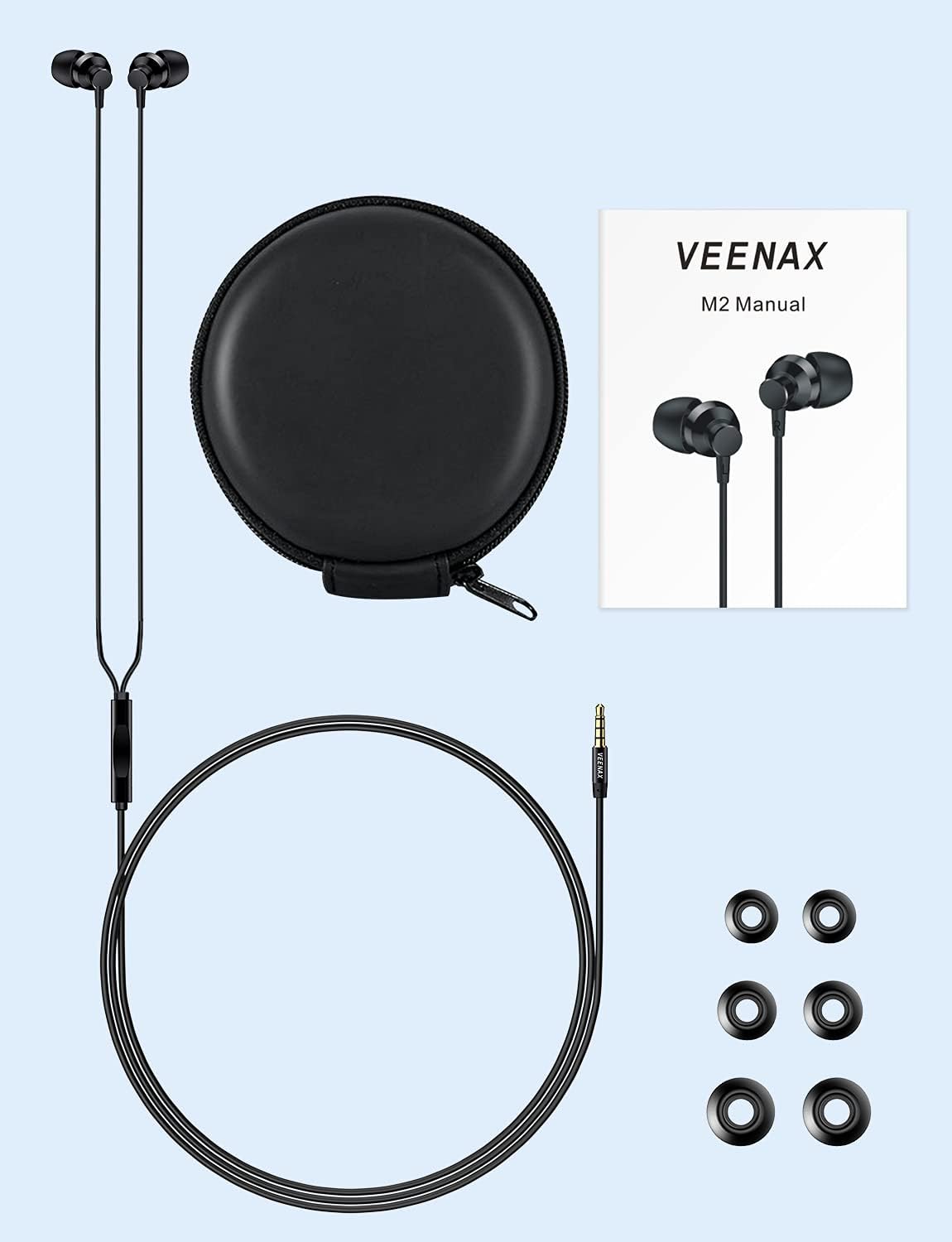
Image 2.1: Contents included with your VEENAX M2 Wired Earbuds.
3. Product Features
3.1 Superior Sound Quality
The M2 earbuds feature 9mm customized graphene drivers, delivering exceptional audio with clear mids and treble, complemented by powerful bass. This design provides an immersive HD surround sound effect, ideal for music, movies, and gaming.

Image 3.1: Illustration of the 9mm graphene drivers for enhanced audio.
3.2 Crystal Clear Calls
Equipped with an integrated MEMS microphone and noise cancellation technology, the M2 earbuds are optimized to capture your voice clearly. This ensures high-quality audio for phone calls, video conferences, and online gaming sessions. For best microphone performance, position the in-line remote close to your mouth during calls.

Image 3.2: Detail of the in-ear headphones with an integrated microphone.
3.3 Comfortable Ergonomic Design
The earbuds feature an ergonomic design with 45-degree oblique angled earplugs. This design naturally conforms to your ear canals, providing a secure and comfortable fit that also aids in effective noise reduction. Three sizes of silicone ear tips are included to ensure a personalized fit.
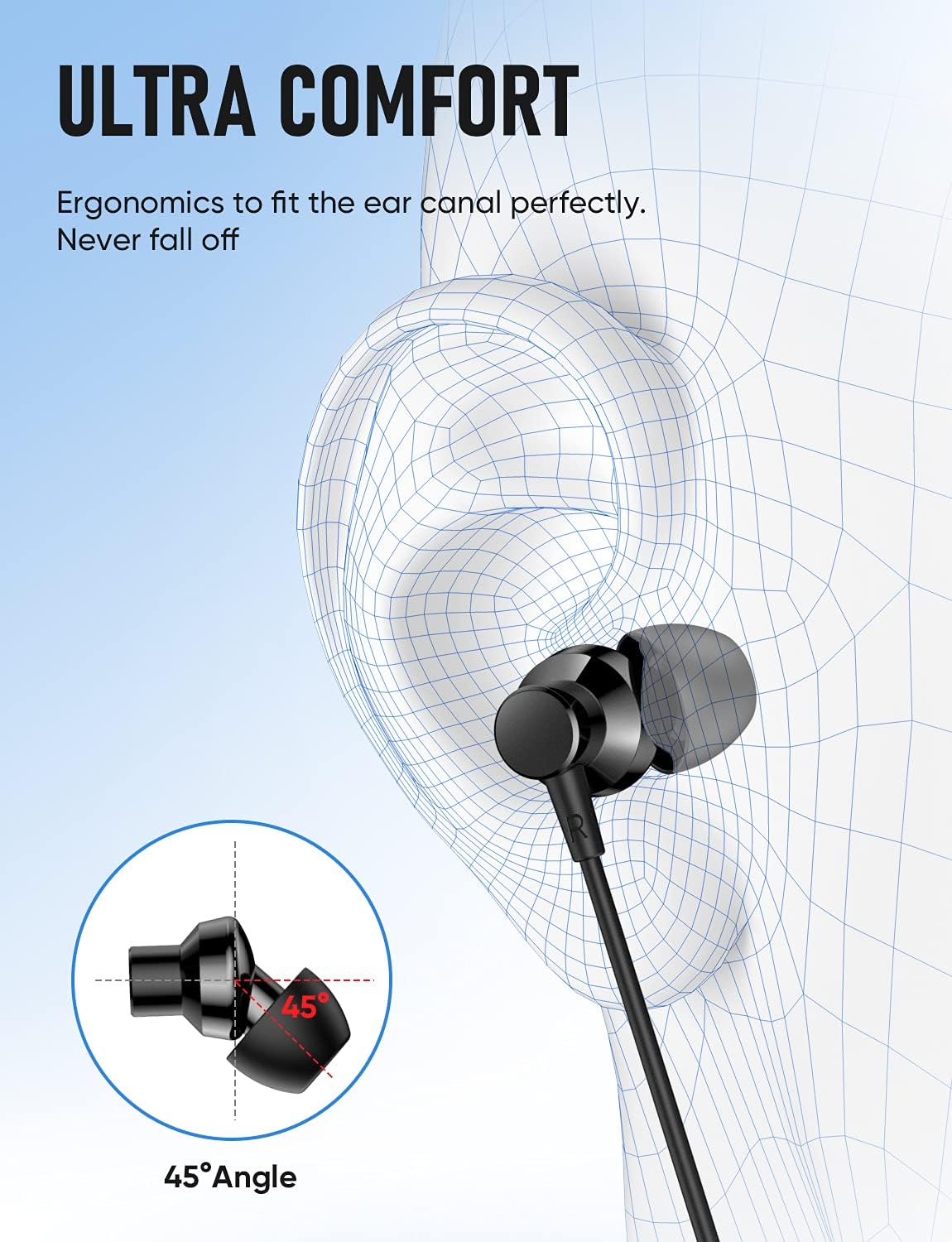
Image 3.3: Visual representation of the 45-degree ergonomic earbud design.
3.4 Durable and Tangle-Free Cable
The headphone cable is reinforced with TPE rubber, enhancing its durability and elasticity. This construction helps prevent tangling, making the earbuds easy to store and use without frustrating knots.

Image 3.4: Cross-section view illustrating the durable, reinforced cable construction.
4. Setup and Connection
4.1 Choosing the Right Ear Tips
Select the silicone ear tips (S, M, L) that provide the most comfortable and secure fit for your ears. A proper fit is crucial for optimal sound quality and noise isolation.
4.2 Connecting to Your Device
The VEENAX M2 earbuds utilize a standard 3.5mm audio jack. Simply plug the 3.5mm jack into the corresponding audio port on your smartphone, tablet, laptop, computer, MP3 player, or game console. Ensure the jack is fully inserted for a stable connection.
Note: For devices without a 3.5mm jack, a compatible adapter (not included) will be required.
5. Operating Instructions
5.1 In-line Remote Control
The in-line remote provides convenient control over your audio playback and calls:
- Single Press: Play/Pause music; Answer/End a phone call.
- Double Press: Skip to the next song.
- Triple Press: Go back to the previous song.

Image 5.1: Diagram showing the in-line remote with button controls and microphone location.
5.2 Microphone Usage
The microphone is located on the back of the in-line remote. For optimal voice clarity during calls or recordings, ensure the remote is positioned close to your mouth.
6. Maintenance and Care
Proper care will extend the life of your VEENAX M2 earbuds:
- Cleaning Ear Tips: Regularly remove the silicone ear tips and clean them with a soft, damp cloth. Ensure they are completely dry before reattaching.
- Cable Care: While the cable is tangle-free, avoid excessive pulling or sharp bends. When storing, gently coil the cable.
- Storage: Use the provided carrying case to protect your earbuds from dust, dirt, and physical damage when not in use.
- Avoid Moisture: Although the earbuds have a waterproof rating, avoid submerging them in water or exposing them to heavy rain. Wipe away any sweat or moisture after use.
7. Troubleshooting
If you encounter issues with your VEENAX M2 earbuds, please refer to the following common solutions:
| Problem | Possible Solution |
|---|---|
| No sound or sound from only one earbud |
|
| Microphone not working or unclear voice |
|
| Poor sound quality (distortion, low bass) |
|
8. Specifications
- Model Name:
- M2
- Brand:
- VEENAX
- Connectivity Technology:
- Wired
- Headphones Jack:
- 3.5 mm Jack
- Noise Control:
- Sound Isolation
- Audio Driver Type:
- Dynamic Driver (9mm Graphene)
- Impedance:
- 16 Ohms
- Control Type:
- Volume Control (In-line remote)
- Cable Feature:
- Tangle Free (TPE reinforced)
- Material:
- Aluminum, Metal, Plastic
- Item Weight:
- 0.05 Kilograms (1.76 ounces)
- Water Resistance Level:
- Waterproof
- Special Features:
- Android Phone Control, Lightweight, Microphone Included, Noise Isolation, Tangle Free Cord
9. Compatibility
The VEENAX M2 earbuds are widely compatible with most devices featuring a standard 3.5mm audio jack. This includes, but is not limited to:
- Mobile Phones: iPhone SE/6/6s/6 Plus/6s Plus/5/5c/5s, iPad Mini/Air, iPod Touch 5, iPod Nano 7, Samsung S8/S9/S10, Galaxy M02s/F02s, M62/F62, A32/A52/A72, Note 8/9/10, and other Android Smartphones.
- Laptops & Desktops: MacBook Air/Pro, HP Spectre x360/Envy/Elite, Dell XPS, Lenovo ThinkPad X1 Carbon/Yoga, Asus Zenbook, Razer Blade Stealth, Huawei MateBook, Acer Switch Alpha12, Asus ZenBook 3, Google Pixelbook, Chromebook Pixel.
- Music Players: MP5/MP4/MP3 players.
- Game Consoles: Nintendo Switch, PS5, PS4, Xbox (requires 3.5mm port on controller).
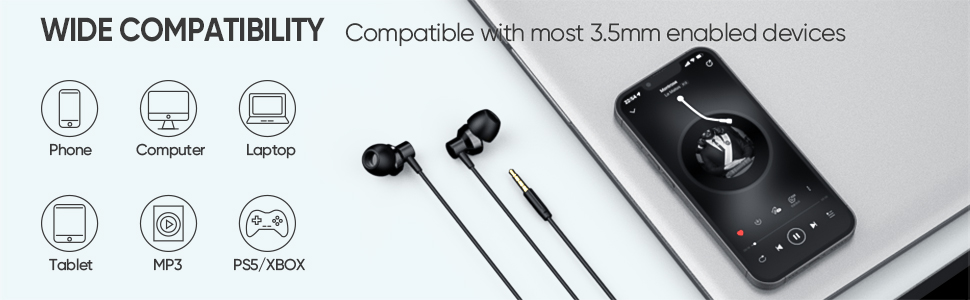
Image 9.1: VEENAX M2 earbuds connected to a smartphone, demonstrating compatibility.
10. Product Video
Video 10.1: Official product video showcasing the VEENAX M2 Wired Earbuds with Microphone.
11. Warranty and Support
VEENAX products are manufactured to high-quality standards. For information regarding warranty coverage, please refer to the warranty card included in your product packaging or visit the official VEENAX website. If you require technical assistance or have questions about your VEENAX M2 Wired Earbuds, please contact VEENAX customer support through their official channels.