Introduction
This manual provides comprehensive instructions for the setup, operation, and maintenance of your VEENAX X11 True Wireless Earbuds. Designed for superior acoustics and comfortable fit, these earbuds offer a seamless audio experience with advanced features. Please read this manual thoroughly before use to ensure optimal performance and longevity of your device.
Package Contents
- VEENAX X11 Wireless Earphones
- Charging Case
- USB-C to USB 3.0 Charging Cable
- S/M/L Extra Eartips
- User Manual

Image: The VEENAX X11 True Wireless Earbuds and their charging case, illustrating the complete package contents.
Setup
1. Initial Charging
Before first use, fully charge the earbuds and the charging case. Connect the provided USB-C cable to the charging port on the case and the other end to a compatible USB power source. The LED indicators on the case will show the charging status.

Image: The VEENAX X11 earbuds resting in their charging case, displaying the battery percentage on an LED screen.
2. Pairing with a Device
- Ensure the earbuds are charged.
- Open the charging case. The earbuds will automatically power on and enter pairing mode.
- On your device (smartphone, tablet, etc.), enable Bluetooth.
- Search for available Bluetooth devices and select "X11" from the list.
- Once connected, you will hear a confirmation prompt, and the LED indicator on the earbuds will change.
The earbuds will automatically connect to the last paired device when removed from the case, if Bluetooth is enabled on that device.

Image: A smartphone displaying its Bluetooth settings, showing the "X11" earbuds as a connected device, indicating a stable connection.
Operating Instructions (Touch Controls)
The VEENAX X11 earbuds feature intuitive touch controls for easy management of music, calls, and voice assistant functions.
Music Playback
- Play/Pause: Single tap left or right earbud.
- Next Song: Double tap right earbud.
- Previous Song: Double tap left earbud.
Volume Control
- Volume +: Long press right earbud.
- Volume -: Long press left earbud.
Making Calls
- Answer/Hang up a Call: Single tap left or right earbud.
- Reject a Call: Long press left or right earbud for 2 seconds.
Activate Voice Assistant
- Activate: Triple tap left or right earbud.
Power On/Off
- Power On: Long press left or right earbud for 3 seconds.
- Power Off: Long press left or right earbud for 5 seconds.

Image: A visual guide detailing the various touch control functions for both the left and right VEENAX X11 earbuds, including play/pause, volume, track skipping, call management, and voice assistant activation.
Audio Features
Superior Acoustics and Deep Bass
The VEENAX X11 earbuds are equipped with customized diaphragm drivers that deliver dynamic stereo sound and enhanced deep bass, providing a rich audio experience for all your content.
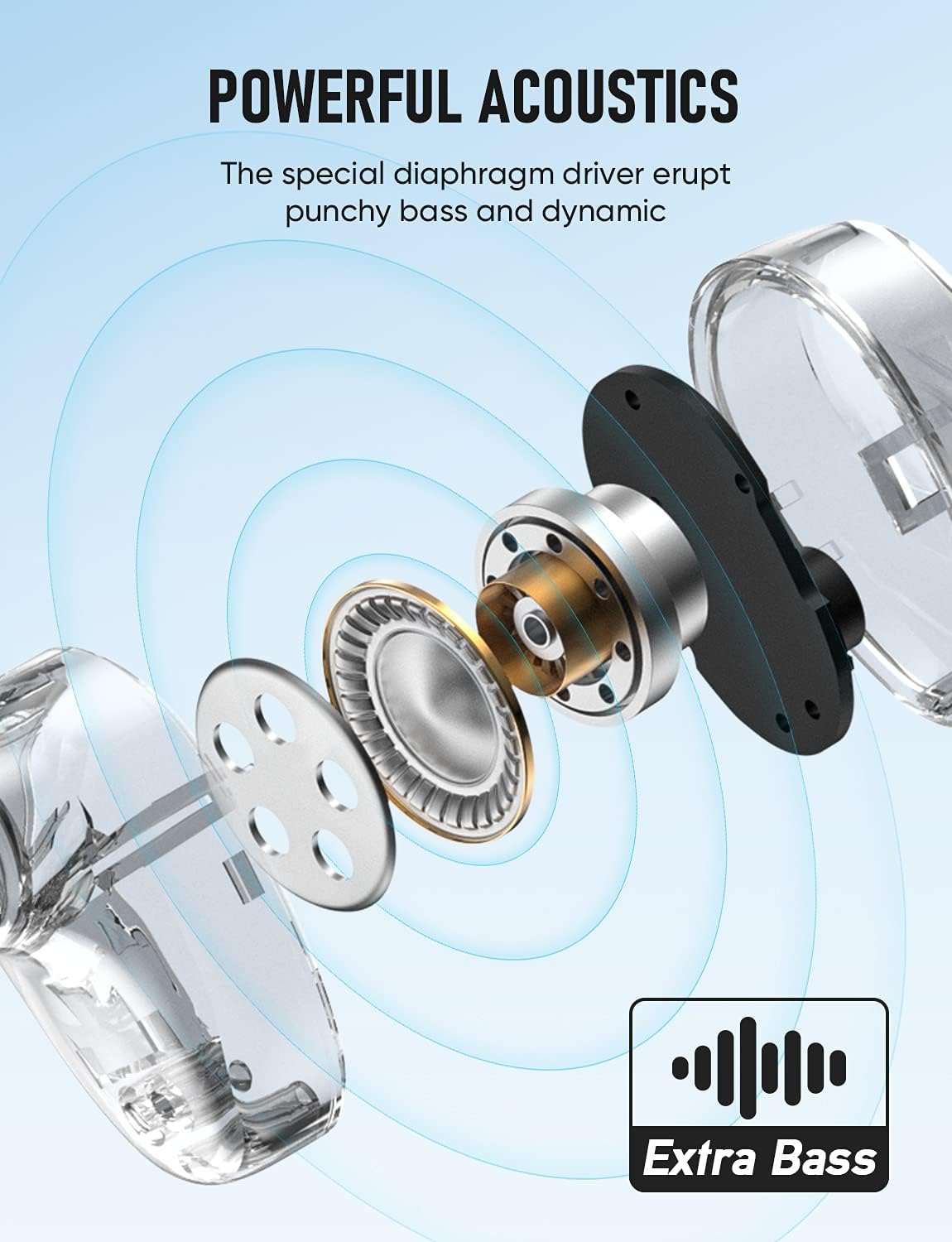
Image: An exploded diagram of an earbud, highlighting the special diaphragm driver responsible for powerful acoustics and extra bass.
Crystal Clear Calls with Noise Cancelling
Built-in MEMS microphones and cVc 8.0 noise cancelling technology work together to effectively reduce environmental noise. This enhances your voice during phone calls, ensuring high-quality and crystal-clear conversations even in noisy environments.
Battery Life & Charging
Enjoy extended listening with the VEENAX X11's impressive battery performance.
- Earbud Playtime: A single full charge provides up to 6 hours of continuous playback.
- Extended Playtime with Case: The portable charging case extends the total playtime to an impressive 150 hours.
- Quick Charge: A quick 10-minute charge can provide up to 1 hour of playtime.
- Charging Port: The charging case is powered via a USB-C charging cable.

Image: The VEENAX X11 earbuds and their charging case, visually representing the 6 hours of playtime per charge and the extended 150 hours of total playtime provided by the charging case.
Comfort and Fit
The X11 earbuds are designed for a secure and comfortable fit, ideal for extended wear and active lifestyles.
- Ergonomic Design: Specially designed earpieces fully fit the ear canal, ensuring stability.
- Customizable Fit: Includes S/M/L sizes of silicone eartips to provide a comfortable and secure fit for various ear shapes.
- Noise Isolation: The sealed in-ear ergonomic design contributes to effective passive noise isolation, enhancing sound clarity.
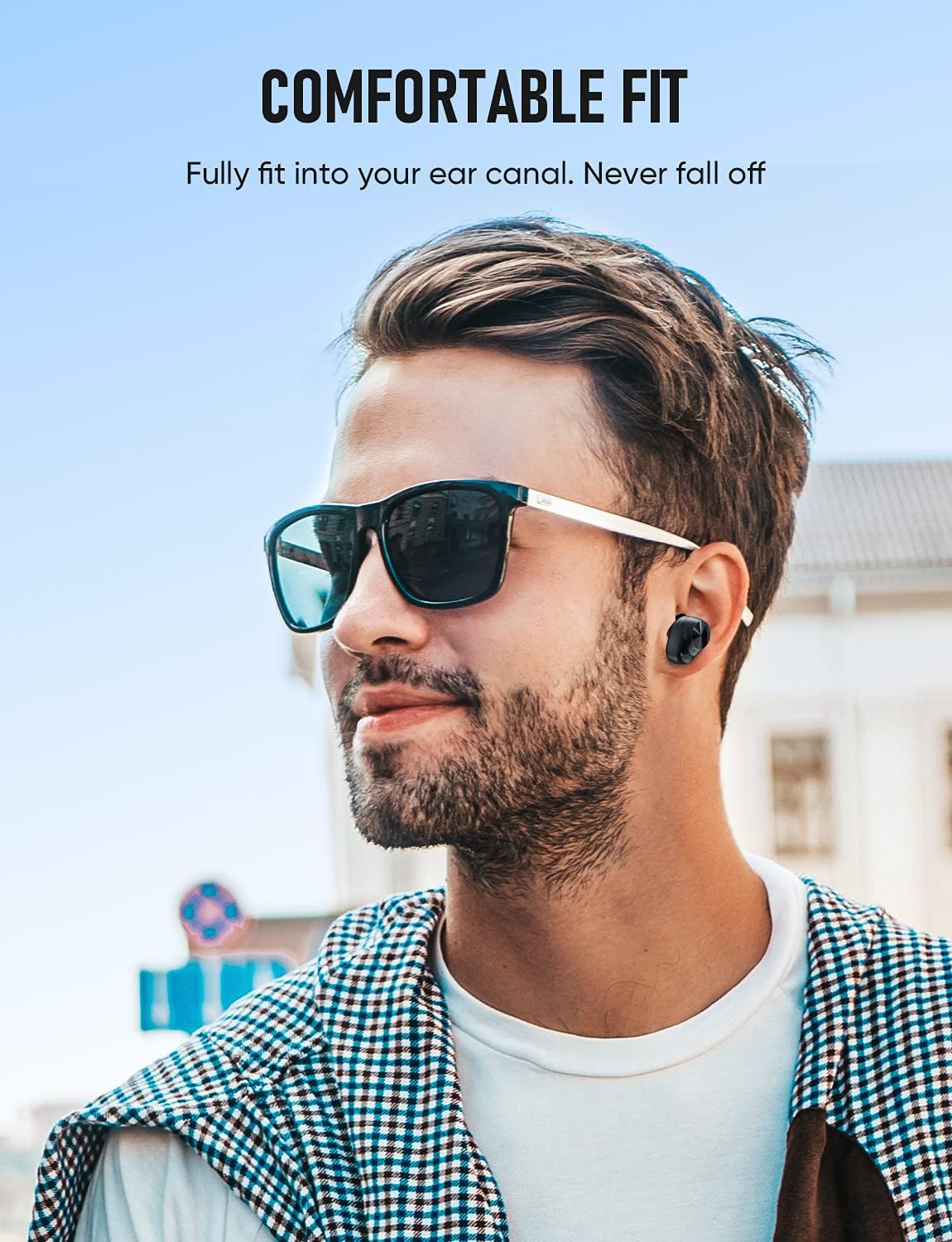
Image: A person wearing a VEENAX X11 earbud, demonstrating its comfortable and secure fit within the ear.
Maintenance
- Cleaning: Regularly clean the earbuds and charging case with a soft, dry cloth. Avoid using harsh chemicals or abrasive materials.
- Eartips: Remove and clean the silicone eartips periodically with mild soap and water. Ensure they are completely dry before reattaching.
- Water Resistance: The earbuds have a waterproof rating (refer to specifications for details). While resistant to splashes and sweat, avoid submerging them in water.
Troubleshooting
Reset Procedure
If the earbuds cannot be paired simultaneously or connected with your devices, follow these steps to reset them:
- Turn off the Bluetooth function on all your devices.
- Triple tap both the left and right earbuds simultaneously to remove pairing records and initiate a reset.
- Place the earbuds back in the charging case and ensure they are charging for a few hours.
- Reconnect the earbuds with your desired device via Bluetooth as per the "Pairing with a Device" instructions.
General Issues
- No Sound: Ensure volume is up on both the earbuds and the connected device. Check if earbuds are properly paired.
- Intermittent Connection: Ensure no obstructions between earbuds and device. Keep devices within the 15-meter Bluetooth range.
- Charging Issues: Verify the charging cable is securely connected and the power source is active. Clean charging contacts on earbuds and case if necessary.
Specifications
| Feature | Detail |
|---|---|
| Model Name | X11 |
| Connectivity Technology | Wireless (Bluetooth 5.0) |
| Wireless Communication Technology | Bluetooth |
| Ear Placement | In Ear |
| Form Factor | In Ear |
| Noise Control | Sound Isolation |
| Microphone Format | Built-In |
| Microphone Technology | Stereo |
| Control Type | Volume Control, Touch |
| Battery Average Life | 6 Hours (earbuds), 150 Hours (with charging case) |
| Charging Time | Approx. 10 minutes for 1 hour playtime |
| Charging Port | USB-C |
| Water Resistance Level | Waterproof (IPX7, from A+ content) |
| Item Weight | 0.13 Kilograms |
| Material | Plastic |
Official Product Videos
Below are videos demonstrating key features and usage of similar wireless earbuds. While not specific to the VEENAX X11 model, they illustrate common functionalities.
Advanced Wireless Earbuds Overview
Video: A general overview of advanced wireless earbuds, showcasing features such as sleek design, ergonomic fit, LED battery display, touch control system, and USB-C charging. This video provides a visual demonstration of functionalities common to many modern wireless earbuds.
YINPUTENGS Wireless Earbuds Features
Video: A demonstration of YINPUTENGS wireless earbuds, highlighting features like powerful noise-cancelling stereo surround sound, Bluetooth 5.3 compatibility, one-tap call answering, music control (next/previous song), voice assistance, and the charging case's power bank functionality. It also shows IPX7 waterproof capabilities.
Warranty and Support
For warranty information, technical support, or service inquiries, please refer to the contact details provided on the product packaging or visit the official VEENAX website. Keep your purchase receipt as proof of purchase for any warranty claims.