
GFI System Orca
GFI Systems Orca Stereo Delay Pedal Instruction Manual
Model: Orca
Introduction
Thank you for choosing the GFI Systems Orca Stereo Delay Pedal. This manual provides essential information for the proper setup, operation, and maintenance of your new effects pedal. The Orca pedal is designed to deliver four quintessential GFI System delay algorithms in a compact, user-friendly format, featuring an intuitive interface and an LCD screen for easy navigation.
Product Overview
The Orca pedal offers a versatile range of delay effects, supporting both mono and stereo input/output configurations. It also includes a multi-purpose jack for connecting an expression pedal or tap-tempo pedal, enhancing its functionality and creative potential.
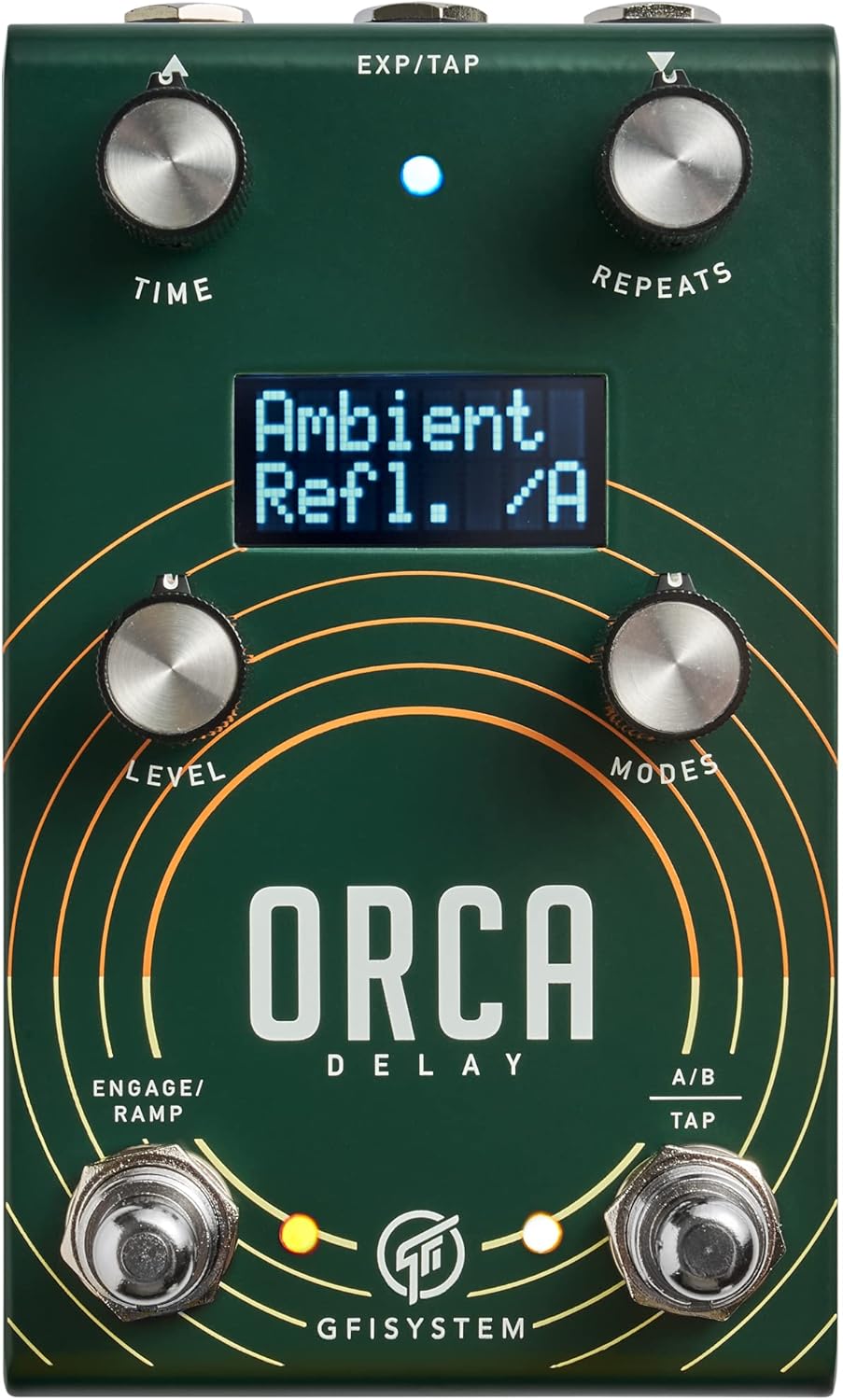
Image 1: Front view of the GFI Systems Orca Stereo Delay Pedal, showcasing the control knobs, footswitches, and LCD screen.
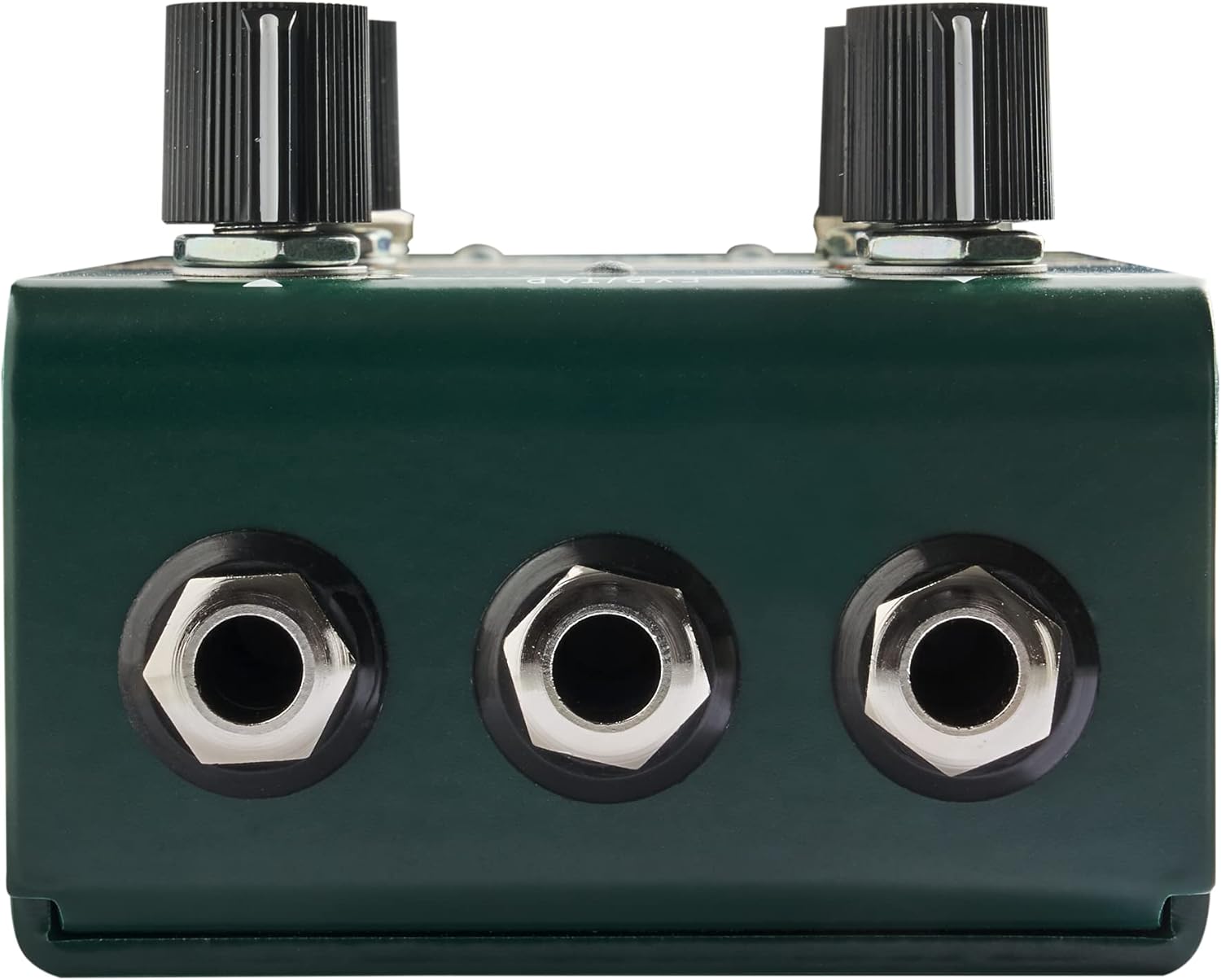
Image 2: Rear view of the GFI Systems Orca Stereo Delay Pedal, showing the input and output jacks for audio connections.
Setup
1. Power Connection
Connect a standard 9V DC power supply (not included) to the power input jack on the pedal. Ensure the power supply meets the pedal's requirements (300 Milliamps, center-negative polarity) to prevent damage.
2. Audio Connections
- For Mono Operation: Connect your instrument to the Input L (Mono) jack and your amplifier to the Output L (Mono) jack.
- For Stereo Operation: Connect your instrument to the Input L (Mono) and Input R jacks. Connect your amplifiers or stereo setup to the Output L (Mono) and Output R jacks.
3. Expression/Tap-Tempo Pedal (Optional)
Connect an expression pedal or tap-tempo pedal to the multi-purpose EXP/TAP jack for external control over various parameters or tap tempo functionality.
Operating Instructions
The Orca pedal features several controls and an LCD screen to navigate its extensive sonic palette.
Control Knobs:
- TIME: Adjusts the delay time.
- REPEATS: Controls the number of delay repeats (feedback).
- LEVEL: Sets the overall output level of the delayed signal.
- MODES: Selects between the four core GFI System delay algorithms and other features. The LCD screen will display the selected mode.
Footswitches:
- ENGAGE/RAMP: Activates/deactivates the effect. Can also be used for ramp functions depending on the selected mode.
- A/B TAP: Toggles between A and B presets or sets the tap tempo for the delay.
LCD Screen:
The LCD screen provides visual feedback on the currently selected delay mode, parameter values, and other operational information, making it easy to fine-tune your sound.
Delay Algorithms:
The Orca pedal includes four distinct delay algorithms, each offering unique tonal characteristics and modulation options. Refer to the detailed mode descriptions in the full product manual for specific parameter controls within each algorithm.
Maintenance
- Cleaning: Use a soft, dry cloth to clean the pedal's exterior. Avoid using abrasive cleaners or solvents.
- Storage: Store the pedal in a cool, dry place away from direct sunlight and extreme temperatures when not in use.
- Power: Disconnect the power supply when the pedal is not in use for extended periods to prolong its lifespan.
Troubleshooting
- No Sound:
- Ensure all audio cables are securely connected to the correct input/output jacks.
- Verify the power supply is properly connected and providing the correct voltage and current (9V DC, 300mA, center-negative).
- Check the "LEVEL" knob to ensure it is not set to minimum.
- Bypass the pedal to confirm your instrument and amplifier are working correctly.
- Unexpected Behavior:
- Ensure you are using the correct power supply specifications.
- Reset the pedal to factory settings (refer to the full product manual for instructions).
- Check for any loose connections or damaged cables.
Specifications
| Feature | Detail |
|---|---|
| Brand | GFI System |
| Model Number | Orca |
| Item Weight | 15.2 ounces (431 Grams) |
| Package Dimensions | 5.75 x 3.7 x 3.11 inches |
| Power Source | Corded Electric |
| Amperage | 300 Milliamps |
| Signal Format | Analog |
| Hardware Interface | 1/4-inch Audio |
| Color | Green, Silver |
Warranty and Support
GFI Systems products are covered by a manufacturer's warranty against defects in materials and workmanship. For detailed warranty information, product registration, or technical support, please visit the official GFI Systems website or contact their customer service. Keep your proof of purchase for warranty claims.
Ask a question about this manual
Ask about setup, troubleshooting, compatibility, parts, safety, or missing instructions. Manuals+ will review the question and use this page’s manual context to help answer it.