
Kenwood HFP30.000WH
KENWOOD Digital Air Fryer HFP30.000WH User Manual
Model: HFP30.000WH | Brand: Kenwood
Introduction
Thank you for purchasing the KENWOOD Digital Air Fryer HFP30.000WH. This appliance is designed to provide a healthier way to cook your favorite foods, utilizing rapid hot air circulation technology for frying, grilling, broiling, roasting, baking, and toasting with significantly less oil. Please read this manual thoroughly before operating the appliance and keep it for future reference.
Important Safety Instructions
When using electrical appliances, basic safety precautions should always be followed, including the following:
- Read all instructions before use.
- Do not touch hot surfaces. Use handles or knobs.
- To protect against electric shock, do not immerse cord, plugs, or appliance in water or other liquid.
- Close supervision is necessary when any appliance is used by or near children.
- Unplug from outlet when not in use and before cleaning. Allow to cool before putting on or taking off parts.
- Do not operate any appliance with a damaged cord or plug or after the appliance malfunctions or has been damaged in any manner.
- The use of accessory attachments not recommended by the appliance manufacturer may cause injuries.
- Do not use outdoors.
- Do not let cord hang over edge of table or counter, or touch hot surfaces.
- Do not place on or near a hot gas or electric burner, or in a heated oven.
- Extreme caution must be used when moving an appliance containing hot oil or other hot liquids.
- Always attach plug to appliance first, then plug cord into the wall outlet. To disconnect, turn any control to "off", then remove plug from wall outlet.
- Do not use appliance for other than intended use.
- This appliance is for household use only.
Product Overview and Components
Familiarize yourself with the main parts of your KENWOOD Digital Air Fryer.
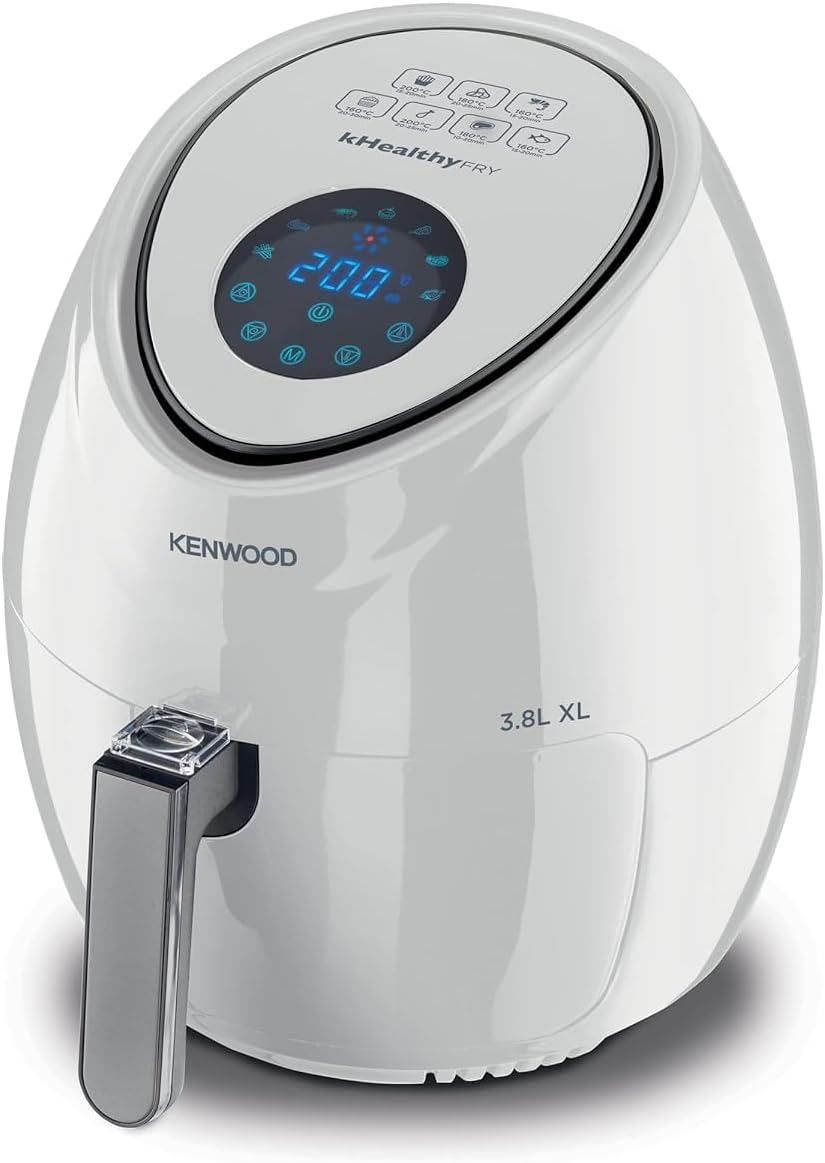
Figure 1: Front view of the KENWOOD Digital Air Fryer HFP30.000WH, showcasing its sleek white design and digital control panel.
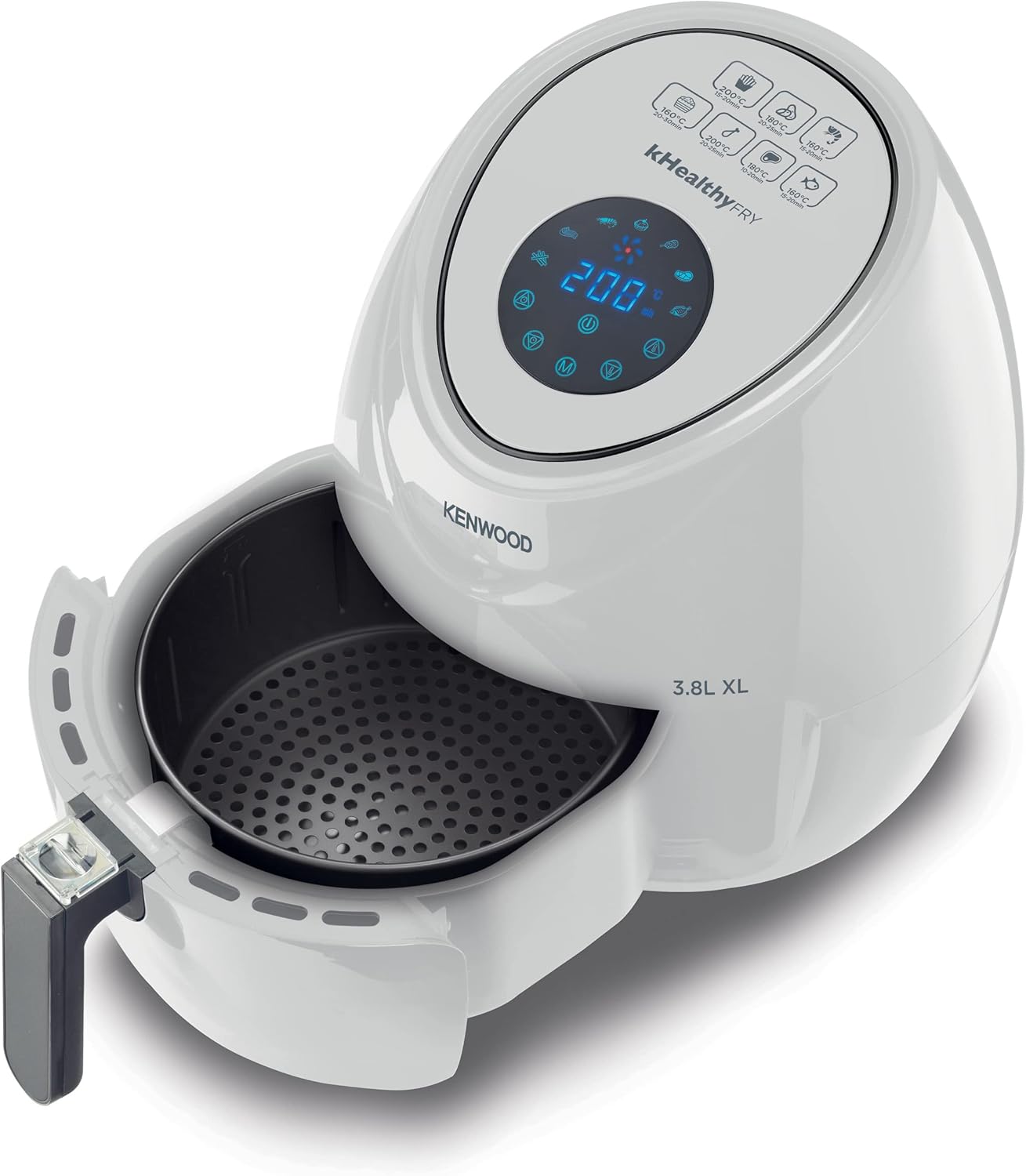
Figure 2: The air fryer with its cooking basket pulled out, revealing the non-stick perforated base designed for optimal air circulation.
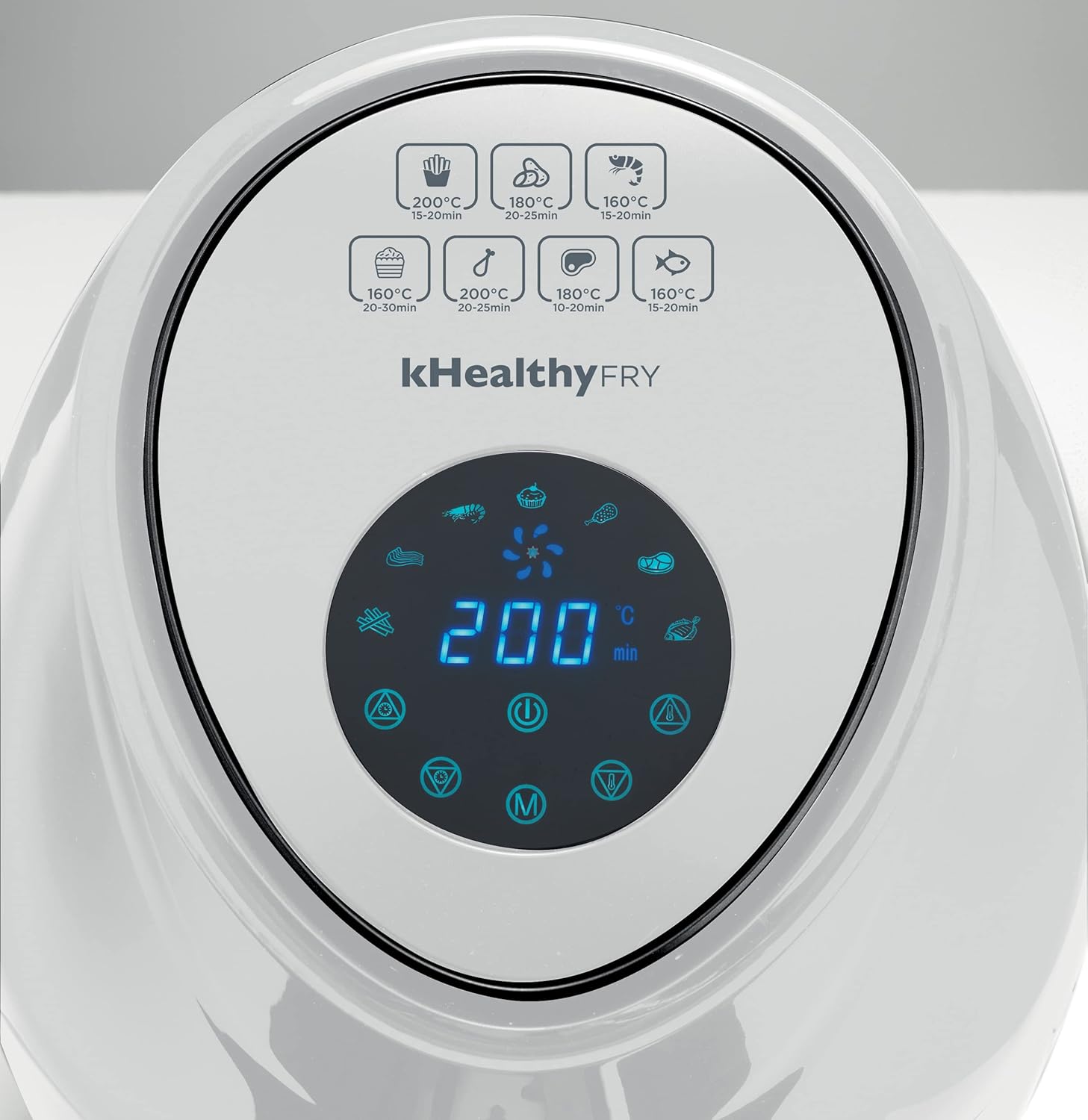
Figure 3: A close-up view of the digital touch screen display, showing temperature and time settings, along with various pre-set program icons.
Key Components:
- Main Unit: Houses the heating element and fan.
- Digital Touch Screen Display: For setting temperature, time, and selecting pre-set programs.
- Cooking Basket: Removable, non-stick basket for holding food.
- Basket Handle: For safe removal and insertion of the cooking basket.
- Air Inlet/Outlet: For proper air circulation during cooking.
Setup and First Use
- Unpacking: Carefully remove the air fryer and all packaging materials. Ensure all components are present and undamaged.
- Initial Cleaning: Before first use, clean the cooking basket and any removable parts with hot water, dish soap, and a non-abrasive sponge. Wipe the main unit with a damp cloth. Ensure all parts are completely dry before use.
- Placement: Place the air fryer on a stable, heat-resistant surface, away from walls or other appliances to allow for proper air circulation. Ensure there is at least 10 cm of free space on the back and sides, and 10 cm above the appliance.
- Power Connection: Plug the power cord into a grounded wall outlet.
- Pre-heating (Optional but Recommended): For the first use, it is recommended to run the air fryer empty for about 10-15 minutes at 180°C (350°F) to eliminate any manufacturing odors. A slight smell may be present, which is normal and will dissipate.
Operating Instructions
General Operation:
- Prepare Food: Place your ingredients into the cooking basket. Do not overfill the basket to ensure even cooking. For best results, toss food with a small amount of oil (approximately one spoon) if desired, though many foods cook well without added oil.
- Insert Basket: Slide the cooking basket back into the main unit until it clicks into place.
- Power On: Press the power button on the digital touch screen.
- Set Temperature and Time:
- Manual Setting: Use the temperature and time control buttons (+ / -) to adjust the desired cooking temperature (up to 200°C) and time (up to 60 minutes).
- Pre-set Programs: The air fryer features 7 pre-set programs for common dishes. Select the appropriate icon on the digital display. The appliance will automatically set the optimal temperature and time for that program.
- Start Cooking: Press the start button to begin the cooking process. The fan and heating element will activate.
- Shake Basket (Optional): For some foods, especially fries or smaller items, it is recommended to shake the basket halfway through the cooking time to ensure even browning. Carefully pull out the basket, shake, and reinsert. The air fryer will pause and resume cooking once the basket is reinserted.
- End of Cooking: The air fryer will beep when the set cooking time has elapsed. Carefully pull out the basket and transfer the cooked food to a plate using tongs.
Cooking Examples:
The KENWOOD Digital Air Fryer is versatile and can prepare a wide range of dishes.

Figure 4: The air fryer can prepare a variety of meals, including crispy fries, chicken, and baked goods.

Figure 5: Perfectly air-fried chicken pieces and golden fries, demonstrating the appliance's capability for crispy results.

Figure 6: Deliciously baked muffins, showcasing the air fryer's versatility beyond just frying.
Maintenance and Cleaning
Regular cleaning will ensure the longevity and optimal performance of your air fryer.
- Unplug and Cool: Always unplug the air fryer from the power outlet and allow it to cool completely before cleaning.
- Clean Basket and Pan: The cooking basket and pan are non-stick and can be cleaned with hot water, dish soap, and a non-abrasive sponge. For stubborn residue, soak in hot water for 10-15 minutes. These parts are generally dishwasher safe, but hand washing is recommended to prolong the non-stick coating.
- Clean Interior: Wipe the interior of the appliance with a damp cloth. Do not use abrasive cleaners or steel wool.
- Clean Exterior: Wipe the exterior of the air fryer with a damp cloth.
- Storage: Ensure all parts are clean and dry before storing the appliance in a cool, dry place.
Troubleshooting
If you encounter any issues with your air fryer, refer to the following common problems and solutions:
| Problem | Possible Cause | Solution |
|---|---|---|
| Air fryer does not turn on. | Appliance not plugged in; basket not inserted correctly. | Ensure the power cord is securely plugged into a working outlet. Make sure the cooking basket is fully inserted and clicked into place. |
| Food is not cooked evenly. | Basket is overfilled; food not shaken. | Do not overfill the basket. Shake the basket halfway through cooking for even results. |
| White smoke coming from the appliance. | Grease residue from previous use; fatty ingredients. | Clean the basket and pan thoroughly after each use. For fatty foods, place a piece of aluminum foil at the bottom of the basket to catch excess grease. |
| Fries are not crispy. | Too much oil; not enough shaking; wrong potato type. | Use only a small amount of oil (1 spoon). Shake fries frequently. Ensure potatoes are dry before adding oil. |
Specifications
| Feature | Detail |
|---|---|
| Brand | Kenwood |
| Model Number | HFP30.000WH |
| Color | White |
| Capacity | 3.8 Liters (1.7 kg) |
| Power / Wattage | 1500 Watts |
| Voltage | 220 Volts |
| Product Dimensions | 35 x 30 x 30 cm |
| Item Weight | 1.7 Kilograms |
| Material | Plastic Aluminum |
| Special Features | Programmable, Digital Touch Screen Display with 7 Pre-set Programs |
Warranty and Support
For information regarding the product warranty, please refer to the warranty card included with your purchase or contact Kenwood customer support directly.
For technical support, spare parts, or service, please visit the official Kenwood website or contact their authorized service centers in your region.
Note: The protection plans mentioned on the product page are extended warranty or accidental damage plans available for separate purchase and are not part of the standard manufacturer's warranty.
Related Documents - HFP30.000WH
 |
Kenwood BM350 Rapid Bake Bread Maker User Manual Comprehensive user manual for the Kenwood BM350 Rapid Bake bread maker, providing setup instructions, operating guides, recipes, and troubleshooting tips for optimal bread making. |
 |
Kenwood HMP50 Hand Mixer User Manual and Instructions This user manual provides comprehensive instructions, safety guidelines, cleaning tips, troubleshooting advice, and recipes for the Kenwood HMP50 Hand Mixer. Master your kitchen tasks with this versatile appliance. |
 |
Kenwood kMix KMX Series User Manual and Instructions Comprehensive user manual for the Kenwood kMix KMX Series kitchen machine, covering setup, operation, safety, troubleshooting, and maintenance. |
 |
Kenwood Rapid Bake BM250/BM256 Bread Maker User Manual Comprehensive user manual for the Kenwood Rapid Bake BM250 and BM256 bread makers, covering setup, operation, recipes, troubleshooting, and care. |
 |
Kenwood HMP50 Hand Mixer User Manual and Guide Comprehensive user manual for the Kenwood HMP50 hand mixer, detailing safety, operation, cleaning, troubleshooting, and recipes. Learn to use your Kenwood kitchen appliance effectively. |
 |
Kenwood HFM20 Air Fryer User Manual - Instructions and Safety Guide Comprehensive user manual for the Kenwood HFM20 air fryer. Includes detailed operating instructions, safety precautions, cooking tips, and maintenance guidelines for healthy and delicious meals. |