
MOVSSOU E7 Basic C
MOVSSOU E7 Active Noise Cancelling Headphones User Manual
Model: E7 Basic C | Brand: MOVSSOU
Introduction
The MOVSSOU E7 Active Noise Cancelling Headphones are designed to provide a superior audio experience with advanced noise cancellation, deep bass, and comfortable wear. This manual provides detailed instructions for setup, operation, and maintenance of your headphones, ensuring you get the most out of your device.
What's in the Box
Verify that all items are present in the packaging:
- 1 * MOVSSOU E7 Active Noise Cancelling Bluetooth Wireless Headphones
- 1 * Charge Cable
- 1 * Audio Cable (3.5mm)
- User Manual

Image: The MOVSSOU E7 headphones in black, along with their charging cable and audio cable, as typically found in the product packaging.
Product Overview
Familiarize yourself with the main components and controls of your MOVSSOU E7 headphones.

Image: A close-up of the headphone ear cup highlighting key features: Active Noise Cancelling, 30 Hours Playtime, and Built-in Microphone.

Image: Detailed view of the headphone's control panel, showing buttons for power, volume, and ANC, along with ports.
Controls and Indicators
- Power Button: Press and hold to power on/off.
- Volume Up (+): Short press to increase volume. Long press for next track.
- Volume Down (-): Short press to decrease volume. Long press for previous track.
- Multi-function Button: Play/Pause music, Answer/End/Reject calls.
- ANC Button: Activates/deactivates Active Noise Cancelling.
- LED Indicator: Displays power, pairing, and charging status.
- 3.5mm Audio Jack: For wired audio connection.
- USB-C Charging Port: For charging the headphones.
Setup
Charging the Headphones
Before first use, fully charge the headphones to ensure optimal battery performance.
- Connect the provided USB charging cable to the charging port on the headphones.
- Connect the other end of the cable to a USB power adapter (not included) or a computer's USB port.
- The LED indicator will show charging status (e.g., red while charging, off when fully charged).
- A full charge takes approximately 4 hours and provides up to 30 hours of playtime.
Bluetooth Pairing
To connect your MOVSSOU E7 headphones to a Bluetooth-enabled device:
- Ensure the headphones are powered off.
- Press and hold the Power button until the LED indicator flashes blue and red alternately, indicating pairing mode.
- On your device, enable Bluetooth and search for available devices.
- Select "MOVSSOU E7" from the list.
- Once connected, the LED indicator will turn solid blue or flash slowly.

Image: The MOVSSOU E7 headphones demonstrating Bluetooth 5.0 connectivity with a phone, tablet, laptop, desktop, and TV, highlighting versatile compatibility.
Operating Instructions
Power On/Off
- To power on, press and hold the Power button for approximately 2 seconds.
- To power off, press and hold the Power button for approximately 3 seconds.
Active Noise Cancelling (ANC)
The ANC function reduces ambient noise for an immersive listening experience.
- Press the ANC button once to activate noise cancellation. The ANC indicator light will illuminate.
- Press the ANC button again to deactivate noise cancellation.
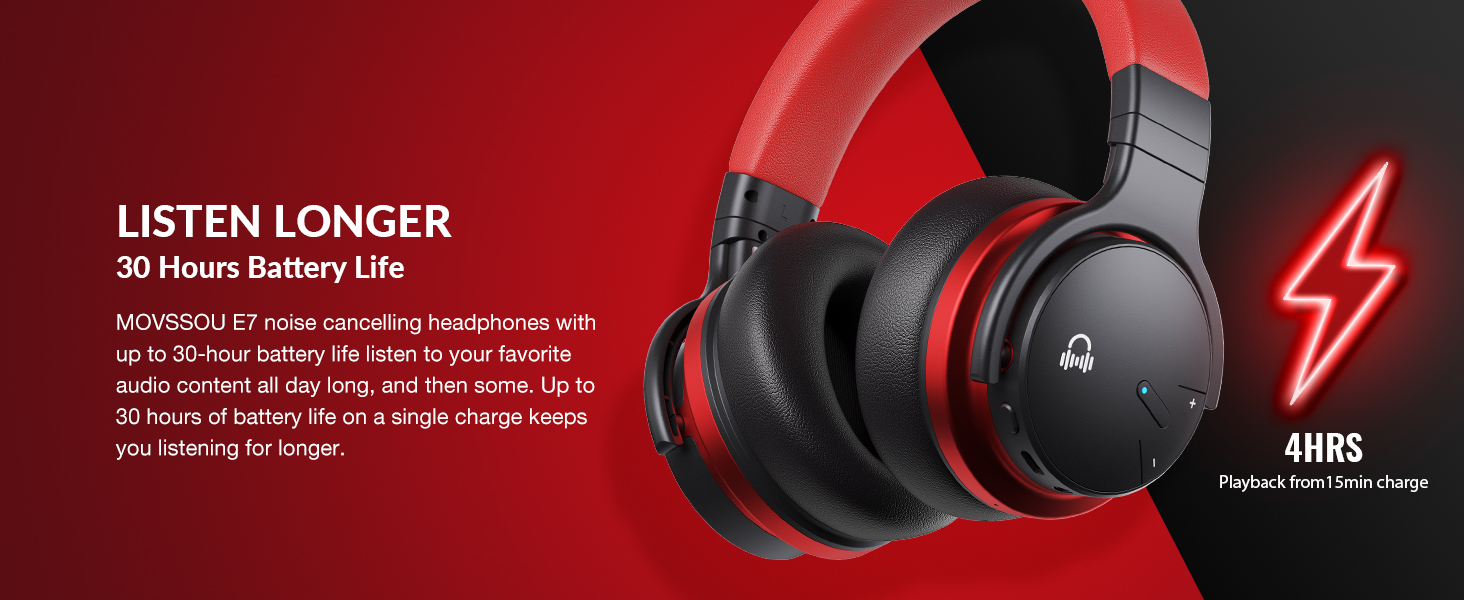
Image: A person wearing MOVSSOU E7 headphones, illustrating the activation of ANC mode with a single touch for a quieter personal audio experience.
Music Playback
- Press the Multi-function button once to Play/Pause music.
- Short press Volume Up (+) to increase volume.
- Short press Volume Down (-) to decrease volume.
- Long press Volume Up (+) for the next track.
- Long press Volume Down (-) for the previous track.
Call Management
- To answer an incoming call, press the Multi-function button once.
- To end a call, press the Multi-function button once.
- To reject an incoming call, press and hold the Multi-function button for 2 seconds.
- To redial the last number, double-press the Multi-function button.

Image: A woman wearing MOVSSOU E7 headphones, demonstrating clear hands-free calling capabilities with the built-in microphone.
Maintenance and Care
Proper care will extend the lifespan of your MOVSSOU E7 headphones.
- Clean the headphones regularly with a soft, dry cloth. Do not use abrasive cleaners or solvents.
- Avoid exposing the headphones to extreme temperatures, humidity, or direct sunlight.
- Store the headphones in a cool, dry place when not in use, preferably in a protective case.
- Do not attempt to disassemble or modify the headphones, as this will void the warranty.
- Keep the charging port free of dust and debris to ensure proper charging.
Troubleshooting
If you encounter any issues with your headphones, refer to the table below for common problems and solutions.
| Problem | Solution |
|---|---|
| Headphones do not power on. | Ensure the headphones are charged. Connect to a power source and try again. |
| Cannot pair with device. | Ensure headphones are in pairing mode (flashing blue/red). Turn off and on Bluetooth on your device. Move headphones closer to the device. |
| No sound or low volume. | Check volume levels on both headphones and connected device. Ensure headphones are properly paired. Try restarting both devices. |
| ANC not working effectively. | Ensure ANC is activated. ANC is most effective for low-frequency, constant noises. Ensure earcups form a good seal around your ears. |
Specifications
Detailed technical specifications for the MOVSSOU E7 headphones.
| Feature | Detail |
|---|---|
| Model Name | E7 Wireless Noise Cancelling Headphones |
| Connectivity Technology | Wireless (Bluetooth 5.0) |
| Audio Driver Size | 45 Millimeters |
| Battery Life | Up to 30 Hours |
| Charging Time | 4 Hours |
| Frequency Response | 20Hz - 20kHz |
| Bluetooth Range | 33 Feet (10 meters) |
| Noise Control | Active Noise Cancellation |
| Headphones Jack | 3.5 mm Jack |
| Item Weight | 13.8 ounces (0.86 Pounds) |
| Product Dimensions | 7.68 x 7.2 x 2.17 inches |
| Material | Plastic |
| Control Type | Noise Control, Voice Control, Call Control, Volume Control |
Warranty and Support
MOVSSOU products are designed and manufactured to the highest quality standards. For detailed warranty information and technical support, please refer to the warranty card included with your product or visit the official MOVSSOU website.
For further assistance, you may contact MOVSSOU customer support through their official channels. Please have your product model (E7 Basic C) and purchase information ready when contacting support.
Related documentsE7 Basic C

Ask a question about this manual
Ask about setup, troubleshooting, compatibility, parts, safety, or missing instructions. Manuals+ will review the question and use this page’s manual context to help answer it.