
OM008S513-220G5
User Manual
Flomec Oval Gear 3/8 FNPT Flowmeter
Model: OM008S513-220G5
1. Introduction
This manual provides essential information for the proper installation, operation, and maintenance of your Flomec Oval Gear 3/8 FNPT Flowmeter. Please read this manual thoroughly before using the device to ensure safe and efficient performance. This flowmeter is designed for accurate measurement of various fluids including oil, chemicals, high viscosity liquids, thick fluids, and lubricants.
2. Safety Information
Always observe the following safety precautions to prevent injury or damage to the flowmeter:
- Precision Instrument: Handle the flowmeter with care. Avoid dropping or subjecting it to severe impacts.
- Fluid Compatibility: Ensure the fluid being measured is compatible with the wetted materials (316 Stainless Steel, Carbon, PTFE) to prevent corrosion or damage.
- Pressure and Temperature Limits: Do not exceed the maximum pressure rating of 495 PSI or the fluid temperature range of 5°F to 140°F (-20°C to 60°C).
- Electrical Safety: If connecting to external systems, ensure proper electrical grounding and follow all local electrical codes.
- Calibration: Verify calibration regularly as per the instructions in this manual to maintain accuracy.
- Battery Replacement: Exercise caution when replacing the battery. Refer to the maintenance section for instructions.
3. Product Overview
The Flomec Oval Gear Flowmeter is a robust and accurate device for measuring fluid flow. It features a 316 Stainless Steel housing and 3/8 FNPT fittings, making it suitable for industrial applications. The integrated electronic digital meter provides clear readings on an LCD display.
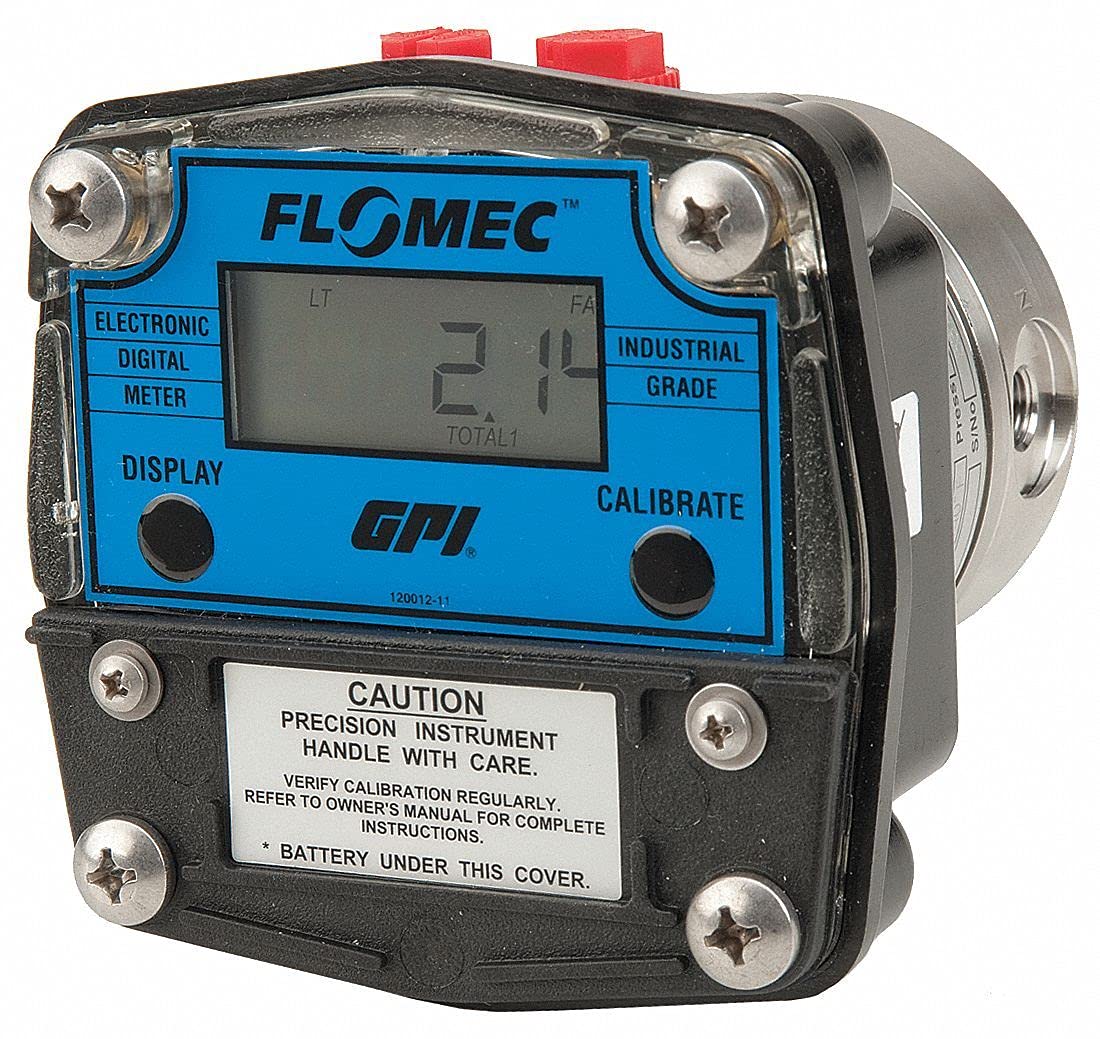
Figure 1: Front view of the Flomec Oval Gear Flowmeter. The blue display panel shows the digital readout and branding. A caution label at the bottom warns about handling with care and checking the battery under the cover.
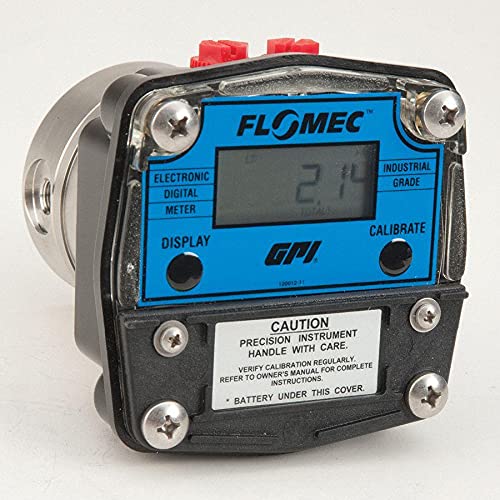
Figure 2: Angled view of the Flomec Oval Gear Flowmeter, highlighting its compact design and the stainless steel body. The display and control buttons are clearly visible.
Key Features:
- Type: Oval Gear Flowmeter
- Housing Material: 316 Stainless Steel
- Fitting Size: 3/8 FNPT
- Flow Material Compatibility: Oil, Chemicals, High Viscosity, Thick Fluids, Lubricants
- Display: LCD with Gallon/Liter units, showing Totals (Cumulative and Batch) and Rate of Flow
- Output Type: NPN Open Collector Pulse
- Accuracy: +/- 1%
- Repeatability: +/- 0.03% of Reading
4. Setup and Installation
Proper installation is crucial for accurate measurements and long-term reliability.
- Unpacking: Carefully remove the flowmeter from its packaging. Inspect for any visible damage.
- Mounting: The flowmeter can be mounted in any orientation, but ensure the display is easily readable.
- Piping Connection: Connect the flowmeter to your piping system using the 3/8 FNPT fittings. Use appropriate thread sealant to ensure a leak-free connection. Ensure the flow direction matches the arrow on the flowmeter body.
- Fluid Preparation: Ensure the fluid is free of large particulates that could damage the oval gears. Consider installing a filter upstream if necessary.
- Electrical Connection: If utilizing the NPN Open Collector Pulse output, connect the appropriate wiring according to your system requirements. Refer to the wiring diagram (not provided in this manual, consult product datasheet for details).
- Initial Fill: Before operation, slowly fill the system with fluid to purge any air from the flowmeter.
5. Operating Instructions
The flowmeter's electronic display provides real-time flow rate and totalized volume information.
Display Functions:
- Rate of Flow: Shows the instantaneous flow rate (e.g., GPH or LPH).
- Cumulative Total: Displays the total volume of fluid that has passed through the meter since its last reset (or factory setting).
- Batch Total: Displays the volume of fluid for a specific batch, which can be reset for each measurement cycle.
- Units: The display can typically switch between Gallons and Liters. Refer to the buttons on the display panel for unit selection and total reset.
Calibration:
The flowmeter is factory calibrated. However, periodic verification and recalibration may be necessary to maintain accuracy, especially after prolonged use or if the fluid properties change significantly. The display panel includes a "CALIBRATE" button. Consult the detailed product datasheet or manufacturer's website for specific calibration procedures, as these can be complex and require specialized equipment.
6. Maintenance
Regular maintenance ensures the longevity and accuracy of your flowmeter.
- Cleaning: Keep the exterior of the flowmeter clean. Use a soft, damp cloth. Do not use abrasive cleaners or solvents that could damage the display or housing.
- Internal Cleaning: If the flowmeter's accuracy degrades due to internal fouling from the fluid, it may require disassembly and cleaning of the oval gears. This should only be performed by qualified personnel.
- Battery Replacement: The display unit is powered by a battery located under the cover (as indicated on the caution label). When the display becomes dim or erratic, replace the battery.
- Carefully remove the screws securing the display cover.
- Gently lift the cover to access the battery compartment.
- Replace the old battery with a new one of the same type (refer to the battery type specified on the battery itself or in the product datasheet).
- Ensure the O-ring seal is properly seated before reattaching the cover and tightening the screws to maintain the seal integrity.
- Periodic Inspection: Regularly inspect the flowmeter for leaks, corrosion, or physical damage. Address any issues promptly.
7. Troubleshooting
This section addresses common issues you might encounter.
| Problem | Possible Cause | Solution |
|---|---|---|
| No display or dim display | Dead or low battery | Replace the battery (refer to Maintenance section). |
| Inaccurate readings |
|
|
| No flow reading despite fluid movement |
|
|
| Leaks at connections | Improperly sealed fittings | Tighten fittings and reapply thread sealant if necessary. |
8. Specifications
Detailed technical specifications for the Flomec Oval Gear Flowmeter, Model OM008S513-220G5.
| Parameter | Value |
|---|---|
| Item | Flowmeter |
| Type | Oval Gear |
| Housing Material | 316 Stainless Steel |
| Fitting Size | 3/8 FNPT |
| Flow Material | Oil, Chemicals, High Viscosity, Thick Fluids, Lubricants |
| Flow Range @ GPH | 4 to 145 gph |
| Flow Range @ LPH | 15 to 550 LPH |
| Flow Range (GPM) | 0.067 to 2.43 GPM |
| Flow Range (LPM) | 0.25 to 9.17 LPM |
| Accuracy | +/- 1% |
| Wetted Materials | 316 Stainless Steel, Carbon, PTFE |
| Pressure Rating | 495 PSI |
| Fluid Temp. Range | 5°F to 140°F (-20°C to 60°C) |
| Max. Viscosity | 1000 cps |
| Length | 2.7 inches |
| Frequency Range | 3 to 108.9 Hz |
| Sensor Type | Reed Switch and Hall Effect |
| Rotor Type | Stainless Steel Oval Gears |
| O-Ring | PTFE |
| Output Type | NPN Open Collector Pulse |
| Display Units | Gallon/Liter |
| Display Type | LCD |
| Flow Range @ <5 cps | 14.5 to 145 gph (55 to 550 LPH) |
| Repeatability | +/- 0.03% of Reading |
| Ambient Temperature | -20°C to 60°C |
| Typical K Factor (Reed Switch) | 1345 Pulses Per Gallon |
| Typical K Factor (Hall Effect) | 2690 Pulses Per Gallon |
| Special Features | Totals (Cumulative and Batch), Rate of Flow, Pulse Output, Battery Powered |
| Manufacturer | Generic |
| Part Number | OM008S513-222G5 |
| ASIN | B0956XYWJH |
| Date First Available | December 24, 2020 |
9. Warranty and Support
For warranty information, technical support, or service inquiries, please contact the manufacturer or your authorized distributor. Keep your purchase receipt and product model number (OM008S513-220G5) readily available when seeking support.
Manufacturer: Generic