
FADACHY F30
FADACHY Portable Fan Instruction Manual
Model: F30
Product Overview
The FADACHY Portable Fan (Model F30) is a versatile 3-in-1 electric fan designed for personal cooling during travel, camping, or daily use. It functions as a handheld fan, desktop fan, and neck fan, and also includes a 3000mAh power bank feature. Its compact, foldable design and 180° rotatable head make it highly portable and adaptable to various situations.
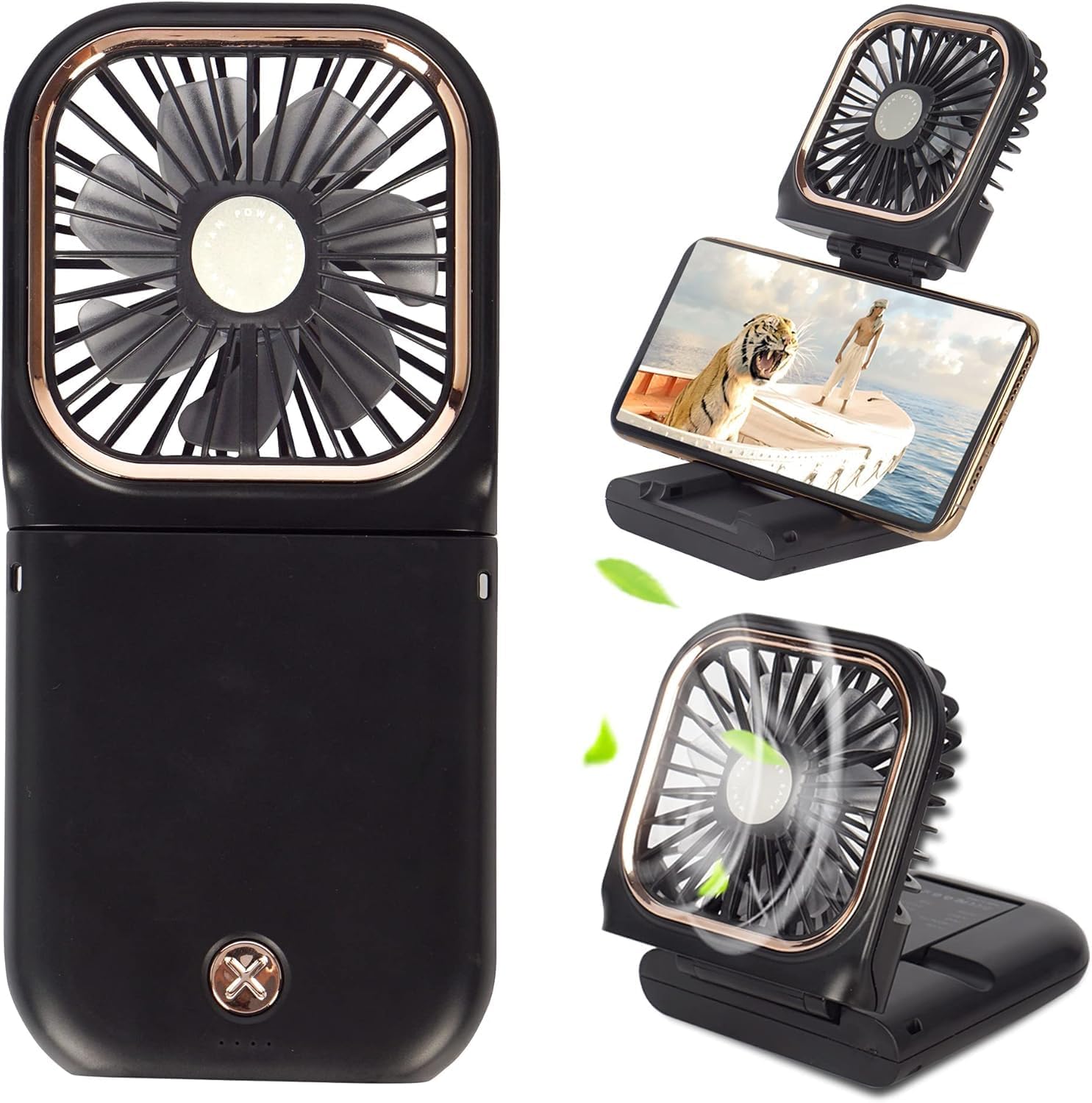
Image: The FADACHY Portable Fan showcasing its various modes: handheld, desktop, and with a phone mounted as a holder.
What's in the Box
- FADACHY Portable Fan (Model F30)
- USB Charging Cable (Type-C)
- Lanyard (with detachable clips)
- User Manual (this document)
Key Features
- 3-in-1 Design: Functions as a handheld fan, desktop fan, and neck fan.
- Mobile Phone Holder: Integrated stand allows the fan to hold a smartphone for hands-free viewing.
- Power Bank Functionality: Equipped with a 3000mAh battery, capable of charging other devices via its USB port.
- Three-Speed Adjustment: Easily switch between low, medium, and high wind speeds with a single button.
- Long Battery Life: Provides approximately 20 hours (Speed 1), 12 hours (Speed 2), or 7 hours (Speed 3) of cooling on a full charge.
- Strong & Quiet Airflow: Utilizes a brushless motor and 7 fan blades for powerful yet quiet operation (low noise to 40dB).
- 180° Rotatable Fan Head: Allows for adjustable airflow direction to suit various angles and needs.
- Compact & Foldable: Measures 0.7"D x 3.15"W x 6.5"H when folded, making it highly portable for pockets, backpacks, or purses.
- USB Powered: Conveniently rechargeable via USB adapter, power bank, computer, or car charger.
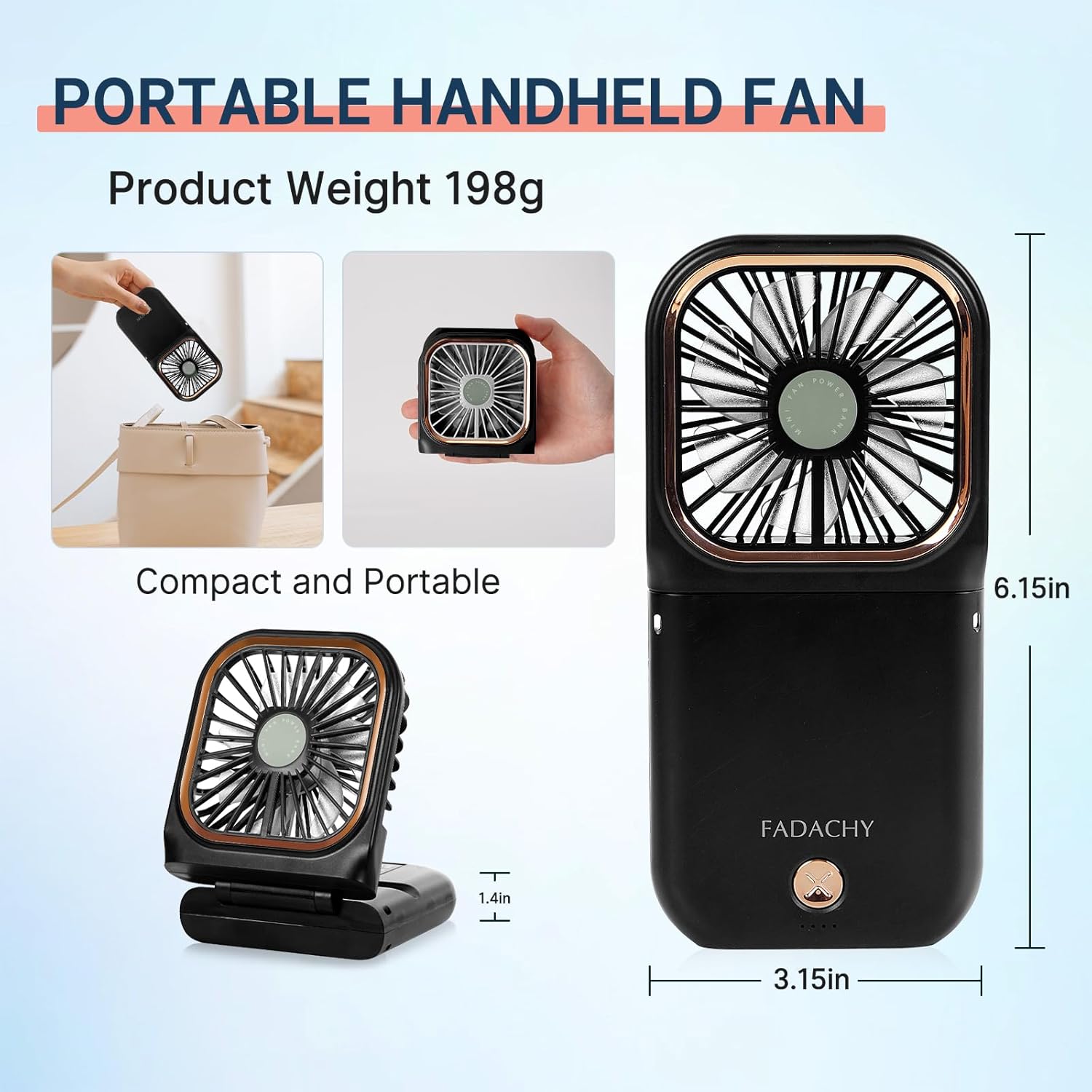
Image: The FADACHY Portable Fan highlighting its compact size and portability, showing it fitting into a small bag.
Setup
- Initial Charge: Before first use, fully charge the fan using the provided USB Type-C cable. Connect the cable to the fan's charging port (located at the bottom) and a compatible USB power source (e.g., USB adapter, power bank, computer). The charging indicator lights will show the battery level. A full charge typically takes 3-4 hours.
- Attach Lanyard (Optional): If desired, attach the lanyard to the designated loops on the fan. The lanyard features detachable clips for quick removal.
- Unfold and Position:
- For Handheld Use: Keep the fan folded in its compact form.
- For Desktop Use: Unfold the fan to create a stable base. The fan head can be rotated 180° to direct airflow.
- For Neck Fan Use: Attach the lanyard and wear the fan around your neck. Adjust the fan head for optimal airflow.
- For Mobile Phone Holder: Unfold the fan to its desktop configuration. The base can securely hold a smartphone.

Image: The FADACHY Portable Fan demonstrating its 180-degree adjustable angle and its use as a phone holder.
Operating Instructions
- Power On/Off: Press the power button (located on the front of the fan) once to turn the fan on to Speed 1 (low). Press again to cycle through speeds. Press a fourth time to turn the fan off.
- Adjust Fan Speed:
- 1st Press: Speed 1 (Low) - approx. 20 hours runtime
- 2nd Press: Speed 2 (Medium) - approx. 12 hours runtime
- 3rd Press: Speed 3 (High) - approx. 7 hours runtime
- 4th Press: Power Off
- Check Battery Level: The four LED indicator lights next to the power button show the current battery charge. Four lights indicate a full charge, while one light indicates low battery and requires charging.
- Use as Power Bank: Connect your device's charging cable to the USB-A output port on the bottom of the fan. The fan's internal 3000mAh battery will provide power to your device.

Image: The FADACHY Portable Fan demonstrating its power bank capability, charging a smartphone.
Maintenance
- Cleaning: Use a soft, dry cloth to wipe the exterior of the fan. Do not use abrasive cleaners or immerse the fan in water.
- Storage: When not in use for extended periods, fully charge the fan and store it in a cool, dry place away from direct sunlight and extreme temperatures.
- Battery Care: To prolong battery life, avoid completely draining the battery frequently. Recharge when the battery indicator shows low charge.
Troubleshooting
| Problem | Possible Cause / Solution |
|---|---|
| Fan does not turn on. | Battery may be depleted. Charge the fan fully. Ensure the power button is pressed correctly. |
| Fan is not charging. | Check the USB cable and power source connection. Try a different cable or power adapter. Ensure the charging port is clean. |
| Weak airflow. | Battery may be low. Recharge the fan. Ensure the fan head is not obstructed. Increase the fan speed setting. |
| Power bank function not working. | Ensure the fan has sufficient charge. Check the connection of the device being charged to the USB-A output port. Try a different charging cable for your device. |
Specifications
- Brand: FADACHY
- Model Name: F30
- Color: Black
- Electric Fan Design: Wearable Fan
- Power Source: Battery Powered
- Battery Capacity: 3000mAh (Lithium Polymer, included)
- Product Dimensions (Folded): 0.7"D x 3.15"W x 6.5"H
- Item Weight: 6.7 ounces
- Number of Blades: 7
- Number of Power Levels: 3
- Voltage: 5 Volts
- Control Method: Touch
- Connector Type: USB Type C (for charging fan), USB-A (for power bank output)
- Blade Material: Plastic
- Special Features: Portable, Quiet Operation, Lightweight, Foldable, Phone Holder, Power Bank
- Recommended Uses: Cooling, Travel, Camping, Office
Official Product Videos
FADACHY Portable Handheld Fan Overview
Video: A detailed overview of the FADACHY Portable Handheld Fan, demonstrating its features, accessories, and various modes of use including handheld, desktop, and neck fan. It also highlights the power bank functionality and ease of control.
FADACHY Portable Fan Rechargeable, Mini Handheld Fan in Use
Video: This video showcases the FADACHY Portable Fan in various real-world scenarios, emphasizing its portability, ease of use, and multi-functional design as a handheld, neck, and desktop fan, including its phone holder and charging capabilities.
Warranty and Support
For warranty information or technical support, please refer to the product packaging or contact FADACHY customer service directly. Contact details are typically available on the official FADACHY website or through your point of purchase.
Ask a question about this manual
Ask about setup, troubleshooting, compatibility, parts, safety, or missing instructions. Manuals+ will review the question and use this page’s manual context to help answer it.