
1. Introduction
This manual provides essential information for the safe and effective use of your LG CordZero Cordless Stick Vacuum Cleaner, model A927. Please read all instructions carefully before operating the appliance and retain this manual for future reference.

Figure 1: LG CordZero A927 Cordless Stick Vacuum Cleaner with charging stand and various attachments.
2. Safety Information
Always follow basic safety precautions when using electrical appliances to reduce the risk of fire, electric shock, or injury. This includes, but is not limited to:
- Do not use outdoors or on wet surfaces.
- Do not allow to be used as a toy. Close attention is necessary when used by or near children.
- Use only as described in this manual. Use only manufacturer’s recommended attachments.
- Do not use with damaged cord or plug. If appliance is not working as it should, has been dropped, damaged, left outdoors, or dropped into water, return it to a service center.
- Do not pull or carry by cord, use cord as a handle, close a door on cord, or pull cord around sharp edges or corners. Do not run appliance over cord. Keep cord away from heated surfaces.
3. Package Contents
Your LG CordZero A927 package includes the following components:
- LG CordZero A927 Main Body
- Telescoping Wand
- Universal Power Nozzle
- Power Punch Nozzle
- Portable Charging Stand
- 2 Lithium Ion Batteries
- Crevice Tool
- Combination Tool
- Filters (Pre-filter, Fine Dust Filter, Metal Dust Filter)

Figure 2: All components included with the LG CordZero A927 vacuum cleaner.
4. Setup
4.1 Assembly
- Attach the desired nozzle (Universal Power Nozzle or Power Punch Nozzle) to the end of the Telescoping Wand.
- Connect the Telescoping Wand to the main body of the vacuum cleaner.
- Ensure both connections click securely into place.
4.2 Charging
The Portable Charging Stand allows for convenient storage and charging of your vacuum and an extra battery.
- Place the assembled vacuum onto the charging stand.
- Insert the second battery into the designated charging slot on the stand.
- Connect the charging stand to a power outlet. The battery indicator lights on the vacuum and stand will illuminate during charging.

Figure 3: The LG CordZero A927 charging on its portable stand.
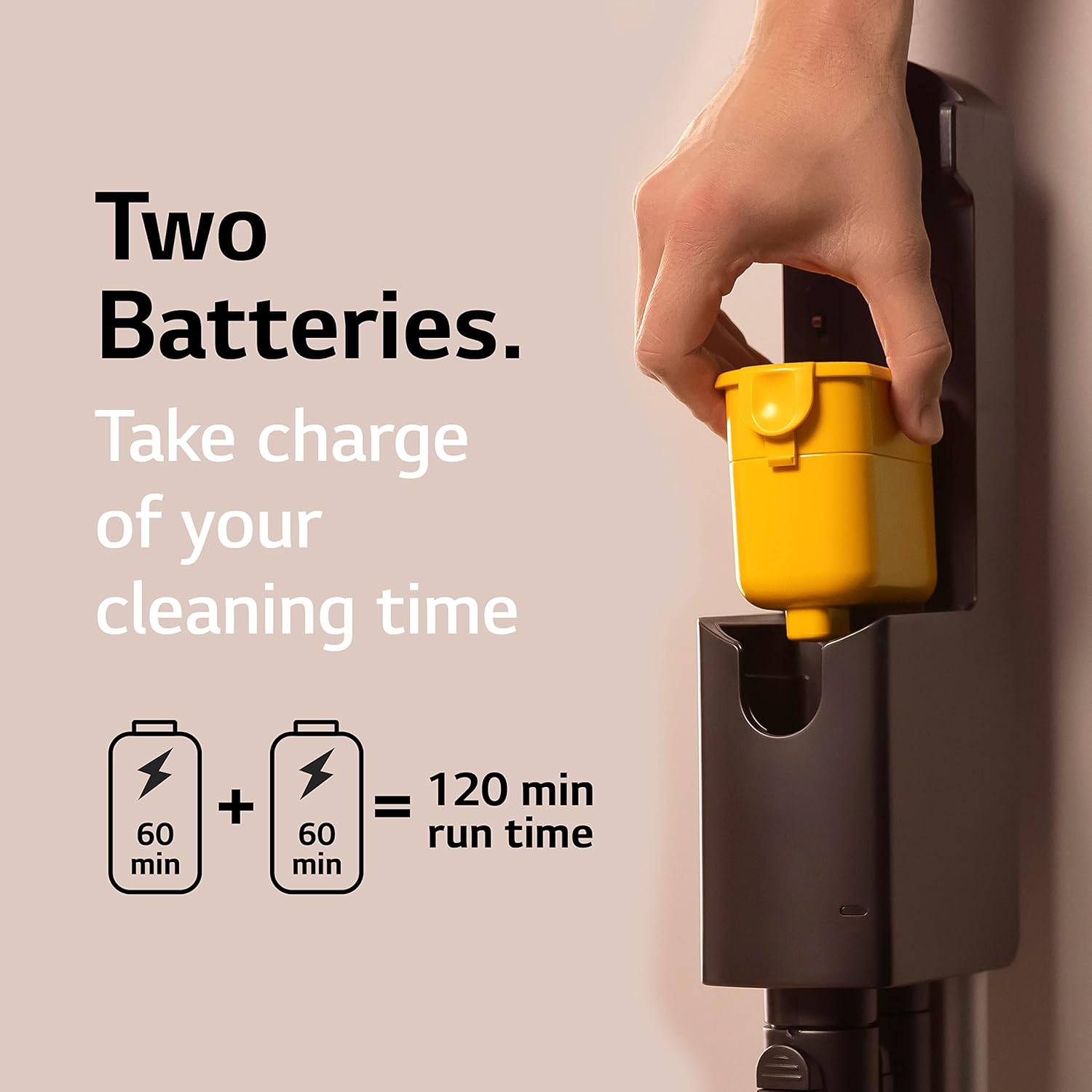
Figure 4: The LG CordZero A927 comes with two batteries for extended cleaning time.
5. Operating Instructions
5.1 Power On/Off and Mode Selection
The LG CordZero A927 features one-touch control for ease of use.
- Press the power button (⏻) to turn the vacuum on or off.
- Use the '+' and '-' buttons to cycle through the three power levels: Normal, Power, and Turbo.

Figure 5: One-touch control for power and suction modes.
5.2 Using Attachments and Cleaning Surfaces
The vacuum is designed for versatile cleaning across various surfaces.
- Universal Power Nozzle: Ideal for both carpets and hard floors. Its design ensures efficient debris pickup in a single pass.
- Power Punch Nozzle: Use this nozzle for deep cleaning upholstery and mattresses to remove hidden dirt and dust.
- Crevice Tool: Perfect for narrow spaces, corners, and edges in your home or car.
- Combination Tool: Features a brush that slides up and down, suitable for shelves, baseboards, and blinds.

Figure 6: The Power Punch Nozzle is effective for deep cleaning upholstery.

Figure 7: LED headlights illuminate dust on the floor for thorough cleaning.
5.3 Kompressor Technology
The Kompressor lever allows you to compress collected dirt, dust, and pet hair in the bin, effectively increasing its capacity by 2.4 times compared to previous models. This means less frequent emptying during cleaning sessions.

Figure 8: Kompressor technology compresses debris for increased bin capacity.
5.4 Adjustable Wand Length
The telescoping wand can be adjusted to suit your height and reach, making it comfortable for various cleaning tasks, including high-up areas.
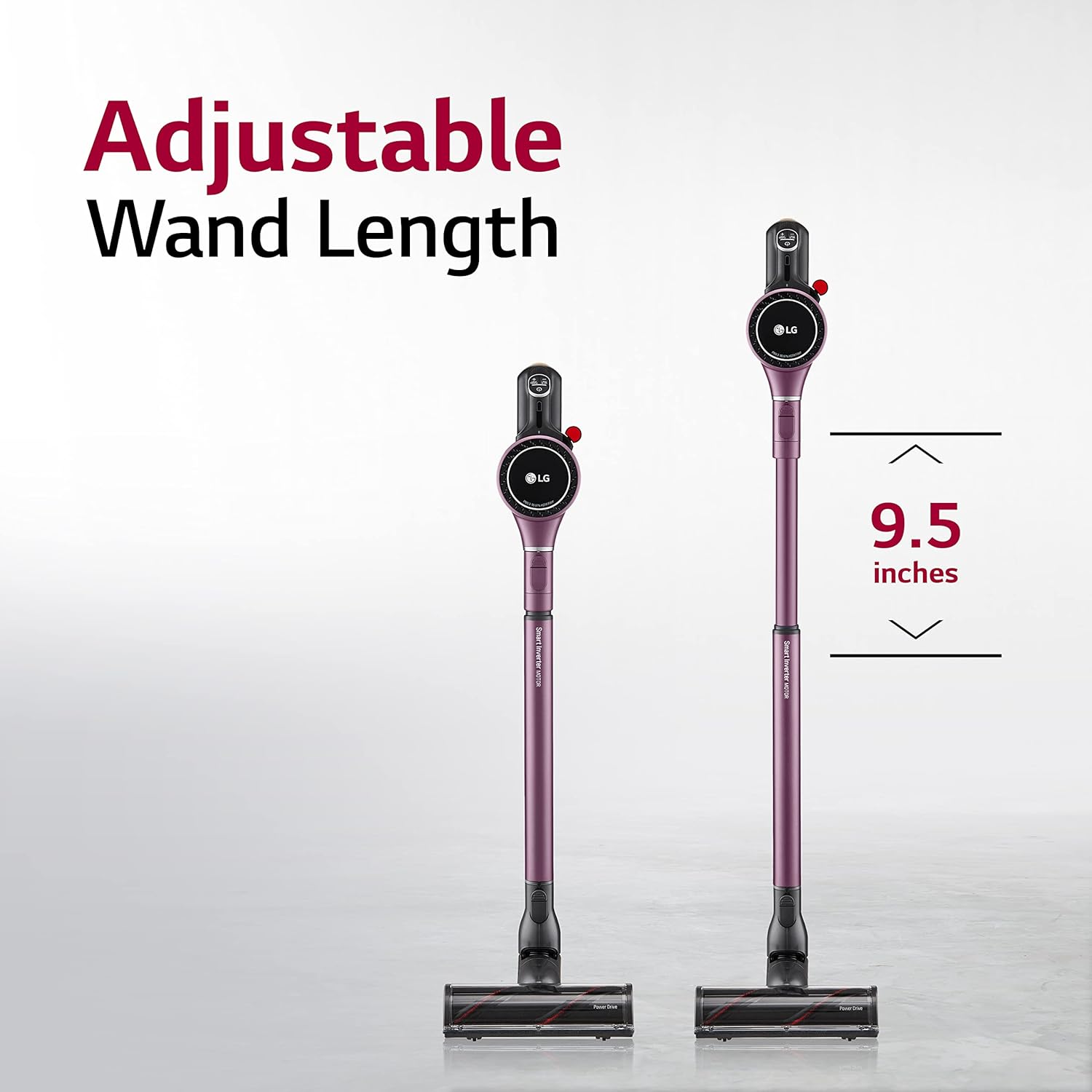
Figure 9: The adjustable wand provides flexibility for different cleaning needs.
6. Maintenance
6.1 Emptying the Dust Bin
Regularly empty the dust bin to maintain optimal suction performance. The Kompressor technology helps to keep your hands clean during this process.
- Remove the main body from the wand.
- Locate the dust bin release button and press it to open the bin.
- Empty contents into a waste bin.
- Close the dust bin securely.
6.2 Cleaning Filters
The 5-Step HEPA Filtration System helps filter 99.99% of dust. Filters are removable and washable for easy maintenance.
- Twist and remove the filters (Metal Dust Filter, 1st & 2nd Cyclones, Pre-filter, Fine Dust Filter) from the main body.
- Rinse filters under running water until clean.
- Allow filters to air dry completely for at least 24 hours before reassembling.

Figure 10: Washable filters ensure long-lasting performance and hygiene.

Figure 11: Exploded view of the 5-Step HEPA Filtration System.
6.3 Battery Care
The Lithium-Ion batteries are designed for repeated charges. Always charge batteries fully before storage and avoid extreme temperatures.
7. Troubleshooting
If your vacuum cleaner is not operating as expected, please refer to the following common issues and solutions:
- No Power: Ensure the battery is fully charged and correctly inserted. Check if the charging stand is properly connected to a power outlet.
- Reduced Suction: Empty the dust bin. Clean all filters as per maintenance instructions. Check for blockages in the nozzle, wand, or main body.
- Brush Roll Not Spinning: Check for tangled hair or debris around the brush roll and remove any obstructions. Ensure the nozzle is correctly attached.
For further assistance, please contact LG customer support.
8. Specifications
| Feature | Detail |
|---|---|
| Brand | LG |
| Model Name | CordZero A927 |
| Item Model Number | A927KVMS |
| Special Features | Cordless, Kompressor Technology, Portable, Up to 120 Min Battery Life, Washable Filter |
| Filter Type | 5-Step Filtration System |
| Is Cordless? | Yes |
| Capacity | 2.1 Pounds (Dust Bin) |
| Recommended Uses | Carpet, Furniture, Hardwood |
| Form Factor | Stick |
| Product Dimensions | 10.6"L x 10.2"W x 44.1"H |
| Battery Type | Lithium-Ion (2 included) |
| Battery Life | Up to 120 minutes (in normal mode without Power Nozzles using two batteries) |
| Noise Level | 84 Decibels |
| Connectivity Technology | Wi-Fi (ThinQ App enabled) |
| Item Weight | 15.87 pounds |
| UPC | 048231029070 |
9. Warranty and Support
Your LG CordZero A927 comes with a 1-year limited warranty on the product and a 10-year limited warranty on the Smart Inverter Motor. For warranty claims or technical support, please refer to the contact information provided in your product packaging or visit the official LG website.
The vacuum also features built-in Wi-Fi connectivity, allowing it to connect to the LG ThinQ app to track cleaning history, run diagnostics, and more.

Figure 12: Monitor your vacuum with the LG ThinQ app.