1. Introduction
Thank you for choosing the ThruNite TW10 Weaponlight. This compact and powerful tactical flashlight is designed for reliable performance, featuring USB-C recharging, dual-switch operation, and robust construction. Please read this manual carefully before use to ensure proper operation and maintenance.
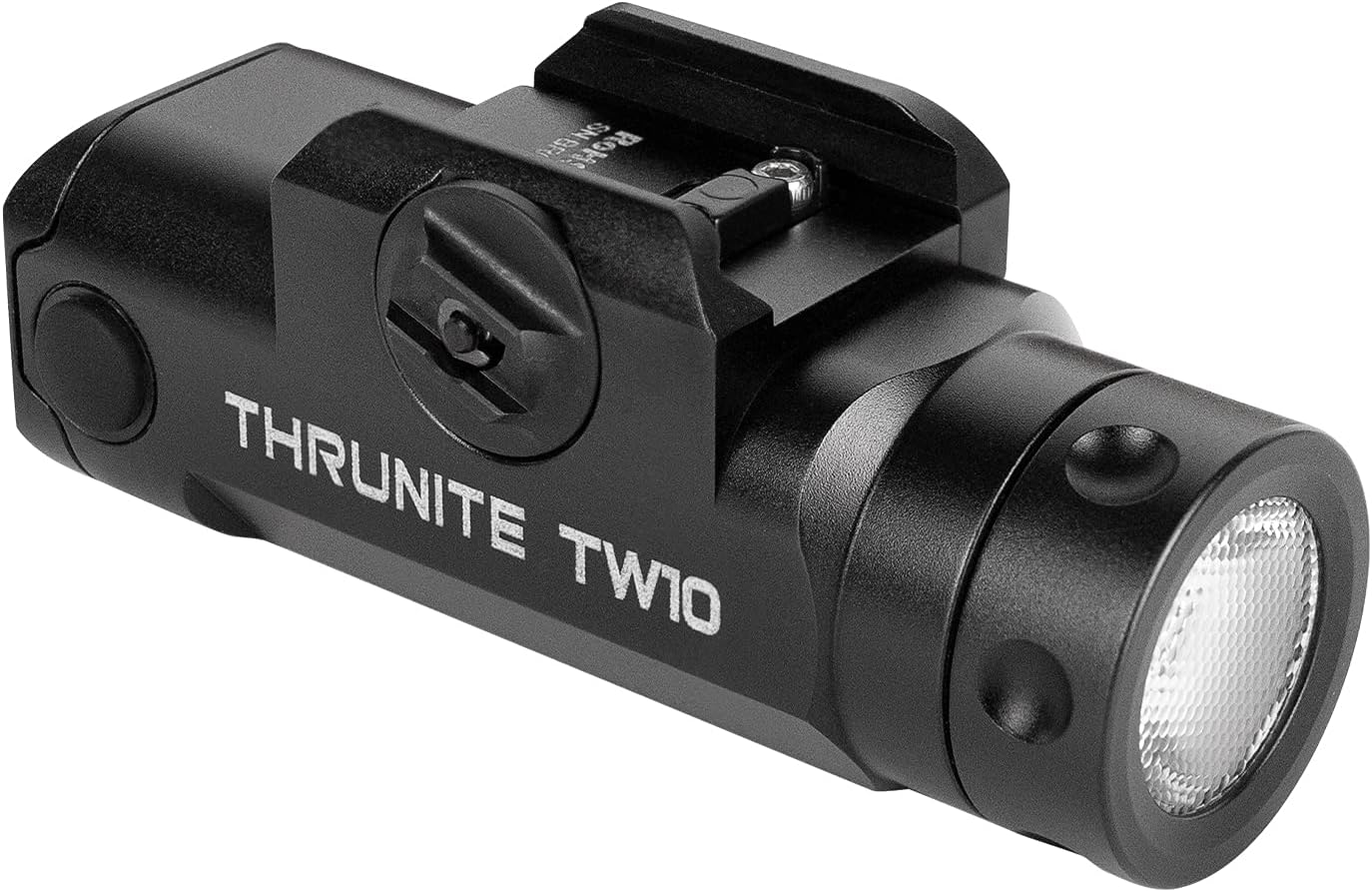
Figure 1: ThruNite TW10 Weaponlight
2. Safety Information
- Eye Safety: Do not shine the light directly into eyes. The powerful beam can cause temporary vision impairment or permanent eye damage.
- Heat Warning: The flashlight may become hot during prolonged use at high output levels. Handle with care to avoid burns.
- Battery Safety: Use only the specified rechargeable battery. Do not attempt to disassemble, short-circuit, or dispose of batteries in fire. Keep batteries away from children.
- Mounting: Ensure the weaponlight is securely mounted to prevent accidental detachment during use. Verify compatibility with your rail system before installation.
- Children: Keep the flashlight and its accessories out of reach of children.
3. Package Contents
Verify that all items are present in your package:
- ThruNite TW10 Weaponlight
- USB-C Charging Cable
- GL Rail Adapter
- 1913 Rail Adapter
- Spare O-rings
- Spare USB Port Cover
- Hex Key & Screws
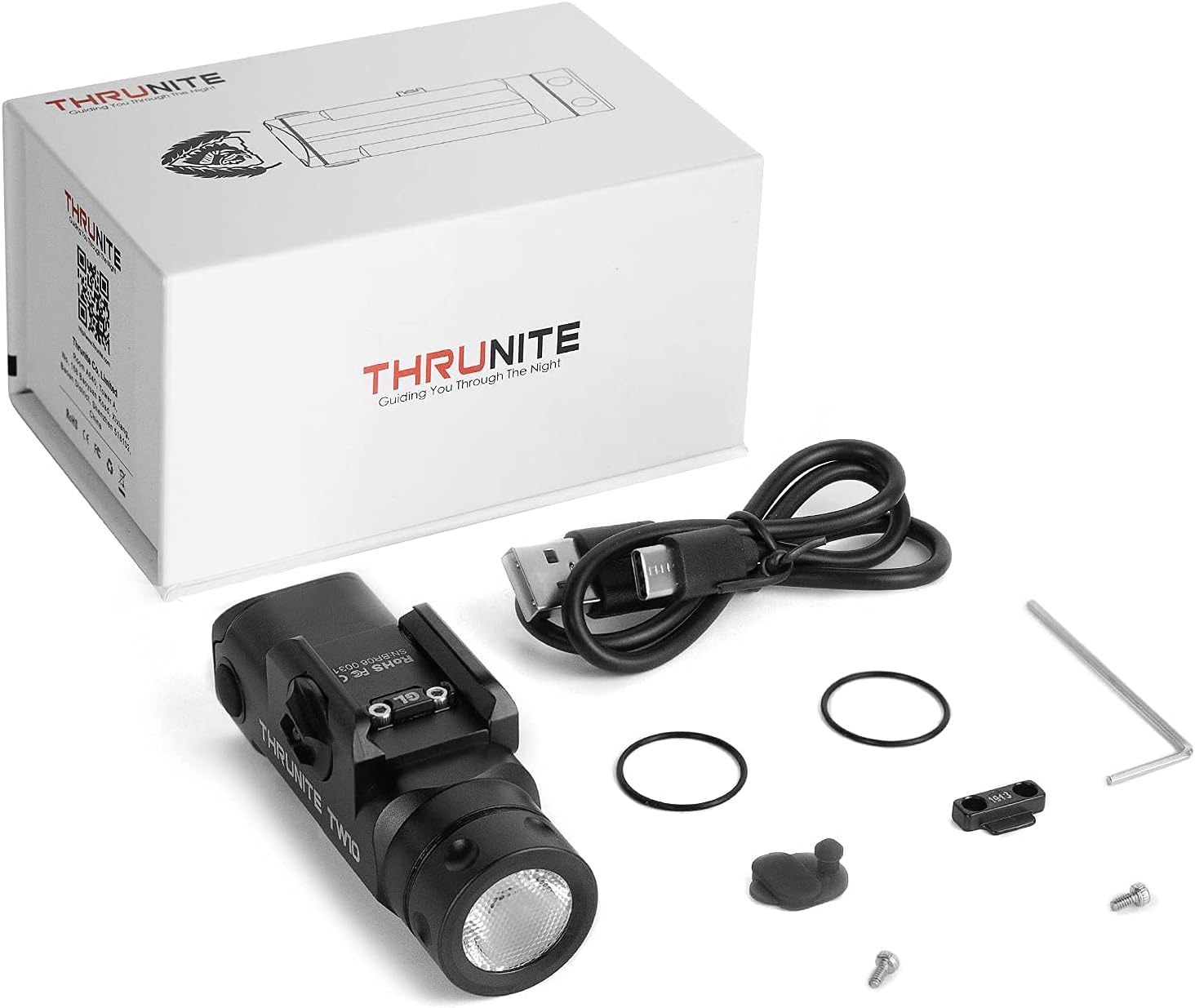
Figure 2: Included accessories with the TW10 Weaponlight
4. Specifications
| Feature | Detail |
|---|---|
| Max Output | 900 Lumens |
| Max Runtime | 130 Minutes |
| Max Beam Distance | 125 Meters |
| Power Source | USB-C Rechargeable Battery |
| Battery Type | 1 x 1100mAh 18350 Lithium Ion (included) |
| Material | Anodized Aviation Aluminum Alloy, Rubber |
| Water Resistance | IPX8 (Waterproof) |
| Impact Resistance | 1.5 Meters |
| Mounting Type | Gun Mount (GL & 1913 Rail Adapters included) |
| Item Weight | 78 Grams / 2.75 Ounces |

Figure 3: Key performance specifications
5. Setup
5.1 Mounting the Weaponlight
- Loosen the screw: Use the provided hex key to loosen the mounting screw on the weaponlight.
- Open the clamp: Push the screw to open the clamp mechanism.
- Insert adapter: Select the appropriate GL or 1913 rail adapter and slide it into the guide rail slot on your firearm.
- Tighten the screw: Once positioned correctly, tighten the screw firmly to secure the weaponlight. Ensure it is stable and does not wobble.
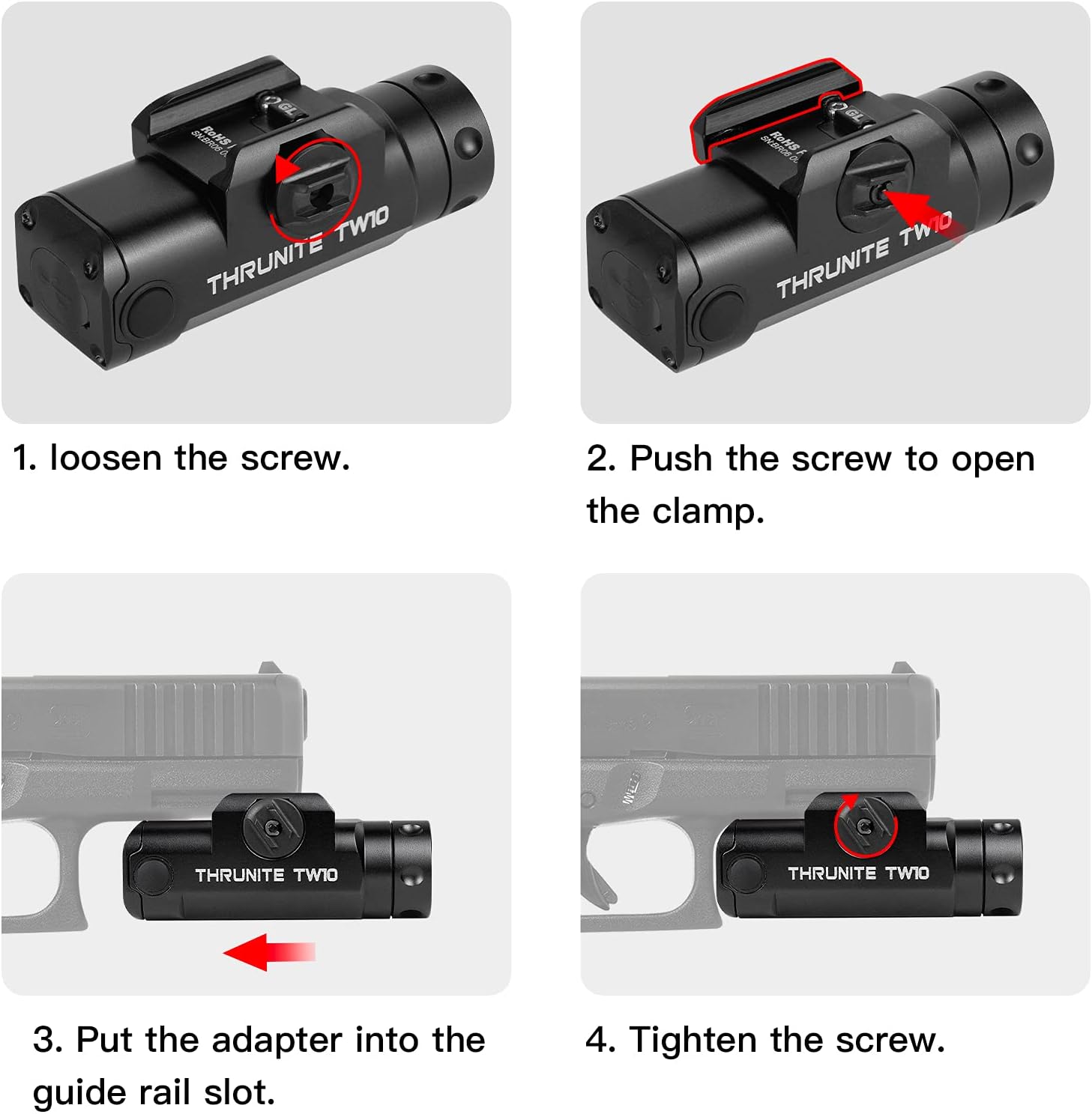
Figure 4: Weaponlight mounting instructions
5.2 Charging the Battery
The TW10 Weaponlight features a built-in rechargeable battery with a USB-C charging port.
- Locate the USB-C port: The USB-C charging port is located at the rear of the weaponlight, protected by a rubber cover.
- Open the cover: Gently lift the rubber cover to expose the USB-C port.
- Connect the cable: Plug the provided USB-C charging cable into the port and connect the other end to a USB power source (e.g., wall adapter, computer).
- Charging Indicator: The indicator light (if present) will typically show red during charging and turn green when fully charged.
- Close the cover: After charging, ensure the rubber cover is securely closed to maintain water resistance.

Figure 5: USB-C Charging
6. Operating Instructions
The TW10 Weaponlight is equipped with dual side switches for easy operation.
6.1 Light Modes
- Stay-on Mode: Single press either side switch for constant illumination. Press the switch again to turn the light off.
- Momentary On: Press and hold down either side switch for momentary illumination. The light will turn off when the switch is released.
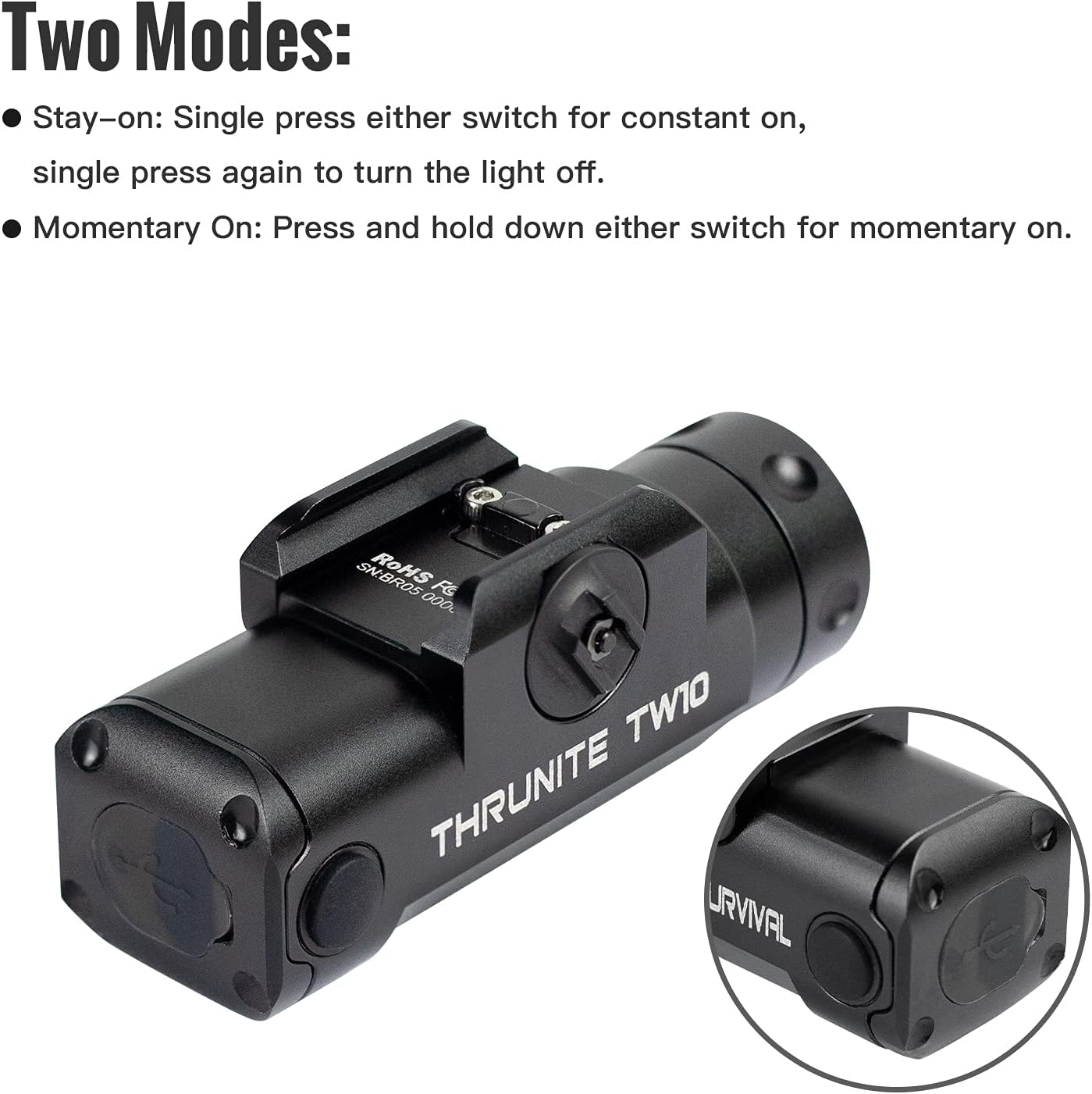
Figure 6: Operating modes
6.2 Official Product Videos
THRUNITE TW10 Tactical Flashlight
Video 1: A brief overview of the ThruNite TW10 Tactical Flashlight, showcasing its design and basic features.
THRUNITE TW10 Light
Video 2: Another short demonstration of the ThruNite TW10 Light, highlighting its compact size and illumination.
THRUNITE TW10 tactical light
Video 3: A detailed look at the ThruNite TW10 tactical light, including its features and functionality.
BSS V6 Tactical Flashlight Nightshot Testing
Video 4: Nightshot testing of a ThruNite BSS V6 Tactical Flashlight, demonstrating beam performance in low-light conditions. While not the exact TW10 model, it provides a general idea of ThruNite's tactical flashlight capabilities.
7. Maintenance
- Cleaning: Clean the lens and body of the flashlight with a soft, clean cloth. Avoid using abrasive materials or harsh chemicals.
- O-rings: Periodically inspect the O-rings for wear and tear. Replace them with the provided spares if necessary to maintain water resistance. Apply silicone grease to O-rings to keep them supple.
- Charging Port: Keep the USB-C charging port clean and free of debris. Ensure the rubber cover is always sealed when not charging.
- Storage: Store the flashlight in a cool, dry place when not in use. For long-term storage, it is recommended to charge the battery periodically to maintain its health.
8. Troubleshooting
- Light not turning on:
- Ensure the battery is charged.
- Check if the switches are functioning correctly.
- Light flickering or dim:
- The battery may be low; recharge it.
- Ensure the battery is properly seated.
- Water ingress:
- Check the O-rings for damage or improper seating.
- Ensure the USB-C port cover is fully closed.
9. Warranty and Support
ThruNite products are typically covered by a manufacturer's warranty. For specific warranty details, including duration and coverage, please refer to the warranty card included in your product packaging or visit the official ThruNite website.
For technical support, troubleshooting assistance, or any other inquiries, please contact ThruNite customer service through their official channels. Contact information can usually be found on their website or on the product packaging.
ThruNite Official Website: www.thrunite.com


