1. Introduction
This manual provides detailed instructions for the installation, operation, and maintenance of your Crunch SA-2100.4 Smash Series 4-Channel Class AB Car Audio Amplifier. Please read this manual thoroughly before attempting installation or operation to ensure proper use and to prevent damage to the unit or your vehicle's audio system.
The Crunch SA-2100.4 amplifier is designed to deliver reliable power and performance for your car audio setup, featuring a robust design and flexible configuration options.
2. Safety Information
- Always disconnect the vehicle's battery negative terminal before starting any electrical work.
- Ensure all wiring is properly routed and secured to prevent pinching, cutting, or short circuits.
- Use appropriate gauge wiring for power and ground connections as specified in this manual.
- Install the amplifier in a location that allows for adequate ventilation to prevent overheating.
- Avoid mounting the amplifier in areas exposed to moisture or excessive vibration.
- If you are unsure about any part of the installation process, consult a professional car audio installer.
3. Package Contents
Verify that all items are present in the package:
- Crunch SA-2100.4 4-Channel Class AB Amplifier
- User Manual (this document)
- Mounting Hardware (screws, etc.)
- Note: The Gravity Magnet Phone Holder is a separate bundled item and not part of the amplifier's core package.
4. Amplifier Features
The Crunch SA-2100.4 amplifier offers the following key features:
- 4 channels x 85 watts at 2 ohms
- 4 channels x 65 watts at 4 ohms
- 2 channels x 130 watts (mono bridged) at 4 ohms
- Operates in 4-channel stereo, dual stereo bridged, stereo + bridged mono, or dual bridged mono configurations.
- Fully adjustable variable electronic crossover: 12 dB per octave.
- Integrated heat sink for thermal management.
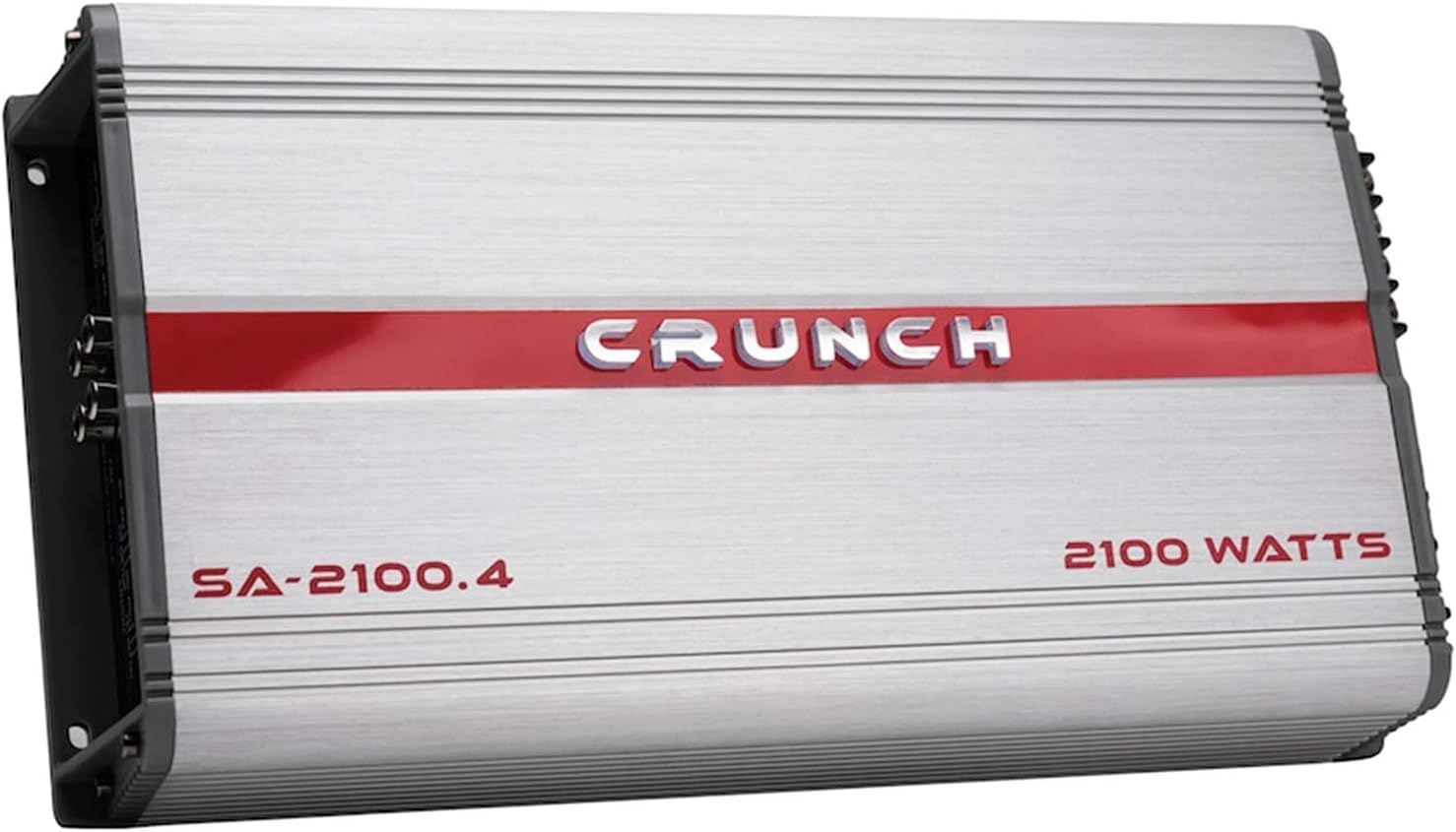
Image 4.1: Top view of the Crunch SA-2100.4 amplifier, showcasing its brushed aluminum finish and red Crunch logo. This view highlights the compact design and robust casing.
5. Installation
5.1 Mounting Location
Choose a mounting location that is dry, well-ventilated, and protected from direct sunlight or excessive heat. Common locations include under seats, in the trunk, or behind panels. Ensure the amplifier is securely fastened to a solid surface to prevent movement during vehicle operation.
5.2 Wiring Connections
Refer to the diagrams below for proper wiring connections. Use high-quality wiring components for optimal performance and safety.

Image 5.1: Rear panel of the Crunch SA-2100.4 amplifier, showing power input terminals (GND, REM, +12V), dual 30A fuses, and speaker output terminals for channels 1-4, including bridged options.
5.2.1 Power Connections
- GND (Ground): Connect to a clean, bare metal point on the vehicle chassis. Ensure a solid connection to prevent noise and ensure proper operation. Use a wire of the same gauge as the +12V power wire.
- REM (Remote Turn-On): Connect to the remote turn-on output of your head unit. This wire signals the amplifier to turn on and off with your audio system.
- +12V (Power): Connect directly to the positive terminal of the vehicle's battery. Install an in-line fuse holder (not supplied) within 18 inches (45 cm) of the battery, with a fuse rating appropriate for the amplifier (e.g., 60A total for two 30A fuses).
5.2.2 Speaker Output Connections
Connect your speakers to the appropriate terminals. The amplifier supports 4-channel stereo, dual stereo bridged, stereo + bridged mono, or dual bridged mono configurations. Ensure correct polarity (+ to + and - to -) for all speakers.
- CH1, CH2, CH3, CH4: Individual speaker outputs for stereo operation.
- Bridged (CH1/CH2, CH3/CH4): For higher power output to a single speaker (e.g., a subwoofer), connect to the designated bridged terminals. Minimum impedance for bridged operation is 4 ohms.
5.2.3 Input Connections
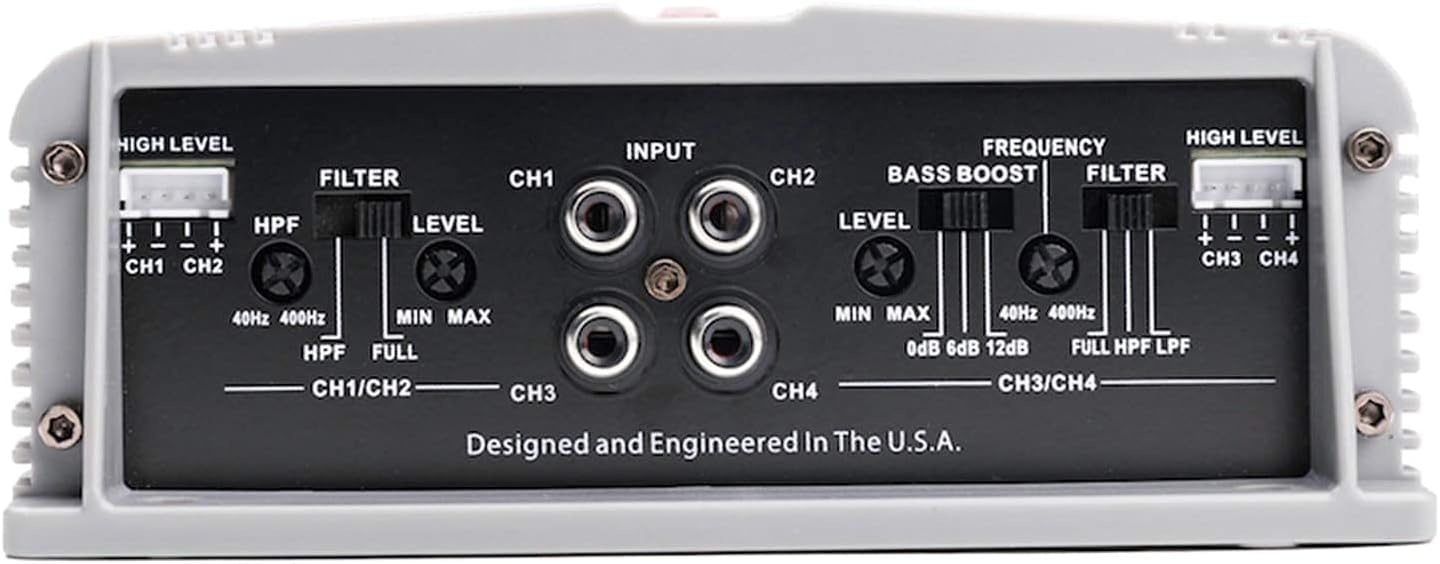
Image 5.2: Front panel of the Crunch SA-2100.4 amplifier, displaying RCA input jacks for channels 1-4, high-level input connectors, and various control knobs for filter, level, bass boost, and frequency adjustments.
- RCA Inputs (CH1, CH2, CH3, CH4): Connect RCA cables from your head unit's pre-amp outputs to these jacks.
- High Level Input (CH1/CH2, CH3/CH4): If your head unit does not have RCA outputs, use the high-level input connectors. Connect speaker-level wires from your head unit's speaker outputs to these inputs.
6. Controls and Adjustments
The front panel of the amplifier features several controls for fine-tuning your audio system (refer to Image 5.2):
- FILTER (HPF/FULL/LPF):
- HPF (High Pass Filter): Allows frequencies above the set frequency to pass through. Useful for protecting smaller speakers from low bass.
- FULL: Allows the full frequency range to pass through.
- LPF (Low Pass Filter): Allows frequencies below the set frequency to pass through. Useful for subwoofers.
- LEVEL (Min/Max): Adjusts the input sensitivity of the amplifier to match the output voltage of your head unit. Start at minimum and slowly increase until desired volume is achieved without distortion.
- BASS BOOST (0dB/6dB/12dB): Provides an adjustable bass enhancement at a specific frequency. Use sparingly to avoid distortion.
- FREQUENCY (40Hz-400Hz): Adjusts the cutoff frequency for the High Pass and Low Pass filters.
7. Operating Instructions
- Ensure all connections are secure and correct before powering on the system.
- Turn on your vehicle's ignition and head unit. The amplifier should power on automatically via the remote turn-on wire.
- Start with the amplifier's LEVEL control at its minimum setting.
- Play a familiar piece of music through your head unit at about 75% of its maximum volume.
- Slowly increase the amplifier's LEVEL control until you hear slight distortion, then back it off slightly until the sound is clear.
- Adjust the FILTER, FREQUENCY, and BASS BOOST controls to achieve your desired sound balance.
- When turning off the system, the amplifier will power down automatically with the head unit.
8. Maintenance
- Cleaning: Periodically wipe the amplifier's exterior with a soft, dry cloth. Do not use harsh chemicals or abrasive cleaners.
- Connections: Regularly check all power, ground, remote, and speaker connections to ensure they are tight and free from corrosion. Loose connections can lead to poor performance or damage.
- Ventilation: Ensure that the amplifier's heat sink fins are free from dust and debris to maintain proper cooling.
- Fuses: If the amplifier fails to power on, check the fuses on the rear panel (Image 5.1). Replace blown fuses only with fuses of the same type and rating (30A).
9. Troubleshooting
| Problem | Possible Cause | Solution |
|---|---|---|
| No Power / Amplifier does not turn on |
|
|
| No Sound Output |
|
|
| Distorted Sound |
|
|
| Amplifier Overheating |
|
|
10. Specifications
| Feature | Specification |
|---|---|
| Model | SA-2100.4 |
| Channels | 4 |
| Class | AB |
| RMS Power (4 Ohms) | 4 x 65 Watts |
| RMS Power (2 Ohms) | 4 x 85 Watts |
| RMS Power (4 Ohms Bridged) | 2 x 130 Watts |
| Crossover | Variable Electronic (12 dB/octave) |
| Filter Range | 40Hz - 400Hz |
| Bass Boost | 0dB, 6dB, 12dB |
| Fuses | 2 x 30A |
| Material | Metal |
| Item Weight | 5.5 pounds |
| Dimensions (L x W x H) | Approx. 15.94 x 8.43 x 4.25 inches (Package Dimensions) |
| UPC | 789591810068 |
11. Warranty and Support
Crunch products are designed for reliability and performance. For specific warranty terms and conditions, please refer to the warranty card included with your product or visit the official Crunch website. For technical support or service inquiries, please contact Crunch customer service through their official channels.
Keep your purchase receipt as proof of purchase for warranty claims.


