
1. Introduction
This manual provides comprehensive instructions for the installation, usage, and maintenance of your new Lelukee 6.25U OEM Profile PBT Spacebar Keycap. Designed for DIY mechanical keyboards, this keycap offers enhanced durability and a unique aesthetic.
2. What's in the Box
- One (1) Lelukee 6.25U OEM Profile PBT Spacebar Keycap (kit15)
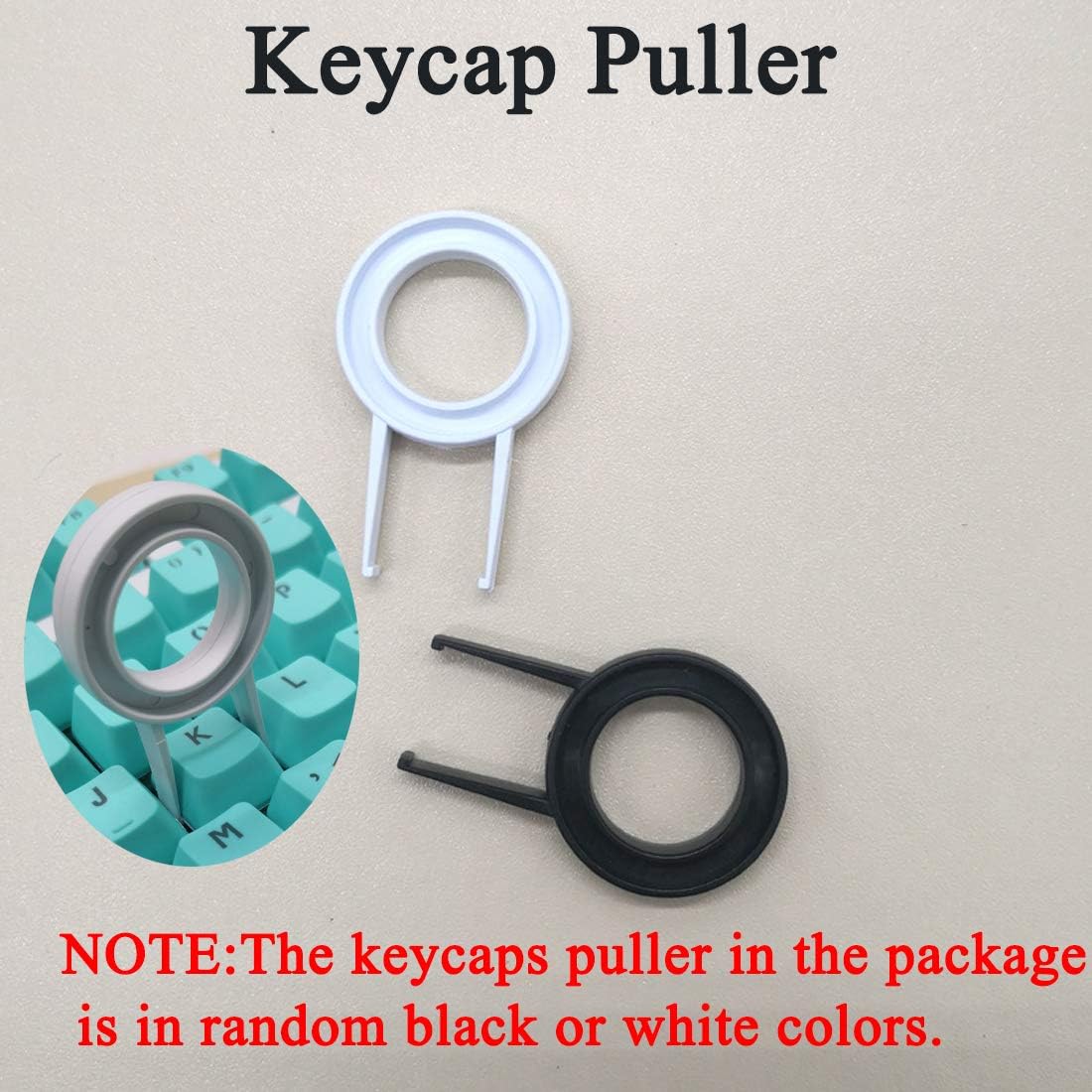
- One (1) Keycap Puller

3. Features
- DIY Mechanical Keyboard Compatibility: This kit includes a 6.25U Space Keycap and a Keycap Puller, ideal for customizing your mechanical keyboard.
- PBT Material: Constructed from Polybutylene Terephthalate (PBT) for superior durability and a comfortable typing feel. The matte finish resists shine and fading over time.
- OEM Profile: Designed with OEM height, ensuring compatibility with most mechanical keyboards. Features a five-sided sublimation process for a smooth tactile experience.
- Decorative Design: Ergonomic design with elegant, personalized patterns to enhance your keyboard's aesthetic. Easy to install and use.
4. Setup and Installation
- Identify the Spacebar: Locate the existing spacebar on your mechanical keyboard. Ensure your keyboard uses a standard 6.25U spacebar for compatibility.
- Remove Existing Keycap: Gently use the provided keycap puller to remove your current spacebar. Position the puller's wires under opposite sides of the keycap and pull straight up with even pressure.
- Align New Keycap: Take your new Lelukee PBT Spacebar Keycap. Align the cross-shaped stem mounts on the underside of the new keycap with the corresponding switches on your keyboard.
- Install New Keycap: Press the new keycap down firmly and evenly until it clicks securely into place. Ensure it is level and stable.
- Test Functionality: Press the newly installed spacebar a few times to confirm it is properly seated and functioning correctly.
Note: The keyboard itself is not included and is shown for demonstration purposes only. This kit contains only the spacebar keycap and the keycap puller.
5. Operating Instructions
Once installed, your Lelukee PBT Spacebar Keycap operates identically to any standard spacebar. The PBT material provides a durable and pleasant typing experience. The five-sided sublimation ensures the design is integrated into the keycap material, preventing wear and fading during regular use.
6. Maintenance
To maintain the appearance and feel of your PBT keycap, follow these simple guidelines:
- Regular Cleaning: Use a soft, lint-free cloth to wipe down the keycap regularly to remove dust and fingerprints.
- Deep Cleaning: For more thorough cleaning, remove the keycap using the provided puller. Wash it gently with mild soap and lukewarm water. Rinse thoroughly and ensure it is completely dry before re-installing.
- Avoid Harsh Chemicals: Do not use abrasive cleaners, solvents, or harsh chemicals, as these can damage the PBT material and the sublimated design.
7. Troubleshooting
- Keycap Does Not Fit: Ensure your mechanical keyboard uses a standard 6.25U spacebar. This keycap is designed for OEM profile switches. Incompatible switch types or non-standard layouts will prevent proper installation.
- Keycap Feels Loose: Re-install the keycap, ensuring it is pressed down firmly and evenly onto the switch stem until it is fully seated.
- Design Appears Faded: The five-sided sublimation process ensures high color fastness. If the design appears faded, verify the keycap is clean. Significant fading is unlikely under normal use.
8. Specifications
| Attribute | Detail |
|---|---|
| Brand | Lelukee |
| Model | kit15 |
| Material | Polybutylene Terephthalate (PBT) |
| Keycap Size | 6.25U Spacebar |
| Profile | OEM Profile |
| Process | Five-sided Sublimation |
| Compatible Devices | Mechanical Keyboards (with 6.25U spacebar and OEM profile switches) |
| Package Dimensions | 5.43 x 3.86 x 0.67 inches |
| Item Weight | 0.422 ounces |
9. Warranty and Support
For warranty information, product support, or any inquiries regarding your Lelukee Spacebar Keycap, please contact the seller directly through the platform where the purchase was made. Keep your purchase receipt as proof of purchase.