
1. Introduction
Thank you for choosing the Cecotec ForceClima 7450 Touch Connected Portable Air Conditioner. This manual provides essential information for the safe and efficient operation, maintenance, and troubleshooting of your new appliance. Please read it thoroughly before use and keep it for future reference.

Figure 1.1: Cecotec ForceClima 7450 Touch Connected Portable Air Conditioner
The ForceClima 7450 Touch Connected is designed to provide effective cooling, ventilation, and dehumidification for spaces up to 15 m². It features a powerful 7000 BTU cooling capacity, a user-friendly touch control panel, a remote control, and Wi-Fi connectivity for convenient operation via your smartphone.
2. Safety Instructions
To reduce the risk of fire, electrical shock, or injury when using your air conditioner, follow these basic precautions:
- Always connect the unit to a grounded power outlet with the correct voltage (230 Volts).
- Do not operate the air conditioner with a damaged cord or plug.
- Ensure proper ventilation around the unit. Do not block air inlets or outlets.
- Do not insert fingers or foreign objects into the air inlets/outlets.
- Keep the unit away from water and other liquids. Do not use it in bathrooms or very humid environments.
- Unplug the appliance before cleaning or performing any maintenance.
- Do not attempt to repair or modify the unit yourself. Contact qualified service personnel for repairs.
- Ensure the exhaust hose is properly installed to expel hot air outside.
- Supervise children to ensure they do not play with the appliance.
3. Package Contents
Carefully unpack your air conditioner and check that all items are present and in good condition:
- Cecotec ForceClima 7450 Touch Connected Portable Air Conditioner Unit
- Remote Control
- Exhaust Hose
- Window Sealing Kit
- Drainage Hose
- User Manual
4. Product Features
The Cecotec ForceClima 7450 Touch Connected offers a range of features for optimal comfort:
- Cooling Capacity: 7000 BTU, suitable for rooms up to 15 m².
- Power: 790 Watts.
- Control Options: Intuitive touch control panel, remote control, and Wi-Fi connectivity via smartphone app.
- Display: Clear LED screen showing current settings.
- Operating Modes:
- Cooling Mode: For effective temperature reduction.
- Fan Mode: Circulates air without cooling.
- Dehumidification Mode: Removes up to 20 liters of moisture per day, improving air quality.
- Night Mode: Operates quietly for undisturbed sleep.
- Fan Speeds: Two adjustable speeds (Low and High).
- Timer Function: Programmable for up to 24 hours.
- Portability: Equipped with wheels for easy movement.
5. Setup
Follow these steps to set up your portable air conditioner:
5.1 Positioning the Unit
Place the air conditioner on a flat, stable surface, ensuring there is at least 30 cm of clear space around the unit for proper airflow. Position it near a window or opening for exhaust hose installation.
5.2 Installing the Exhaust Hose
- Attach one end of the exhaust hose to the air outlet on the back of the unit.
- Extend the exhaust hose and attach the window adapter to the other end.
- Open the window and install the window sealing kit. Secure the window adapter into the opening of the sealing kit to ensure hot air is expelled outside and warm air does not re-enter the room.
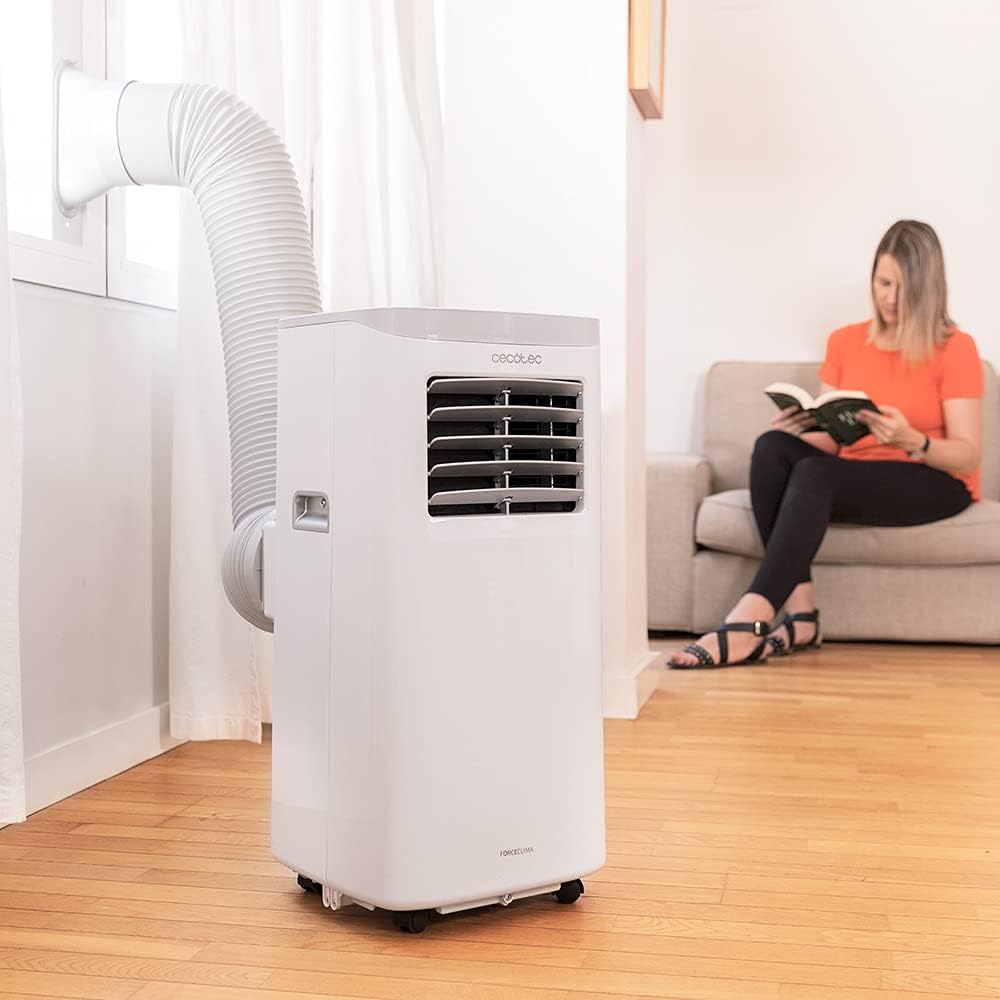
Figure 5.1: Proper installation of the exhaust hose in a window
5.3 Power Connection
Plug the power cord into a standard 230V grounded electrical outlet. Ensure the outlet is suitable for the appliance's power requirements.
6. Operating Instructions
Your Cecotec ForceClima 7450 Touch Connected can be operated using the touch control panel, the remote control, or the dedicated smartphone app.
6.1 Control Panel Operation

Figure 6.1: Touch Control Panel

Figure 6.2: Interacting with the Control Panel
- Power Button: Press to turn the unit ON or OFF.
- Mode Button: Cycle through Cooling, Fan, Dehumidification, and Night modes. The selected mode will be indicated on the LED display.
- Temperature Adjustment Buttons (Up/Down): Adjust the desired temperature in Cooling mode.
- Fan Speed Button: Toggle between Low and High fan speeds.
- Timer Button: Set the auto-off timer (up to 24 hours).
6.2 Remote Control Operation
The remote control allows you to operate all functions of the air conditioner from a distance. Ensure there are no obstructions between the remote control and the unit's receiver.
- The buttons on the remote control correspond to the functions on the control panel.
- Insert 2x AAA batteries (not included) into the remote control before first use.
6.3 Wi-Fi Control (Smartphone App)
The Cecotec ForceClima 7450 Touch Connected can be controlled remotely via a smartphone app. This allows you to manage settings from anywhere with an internet connection.
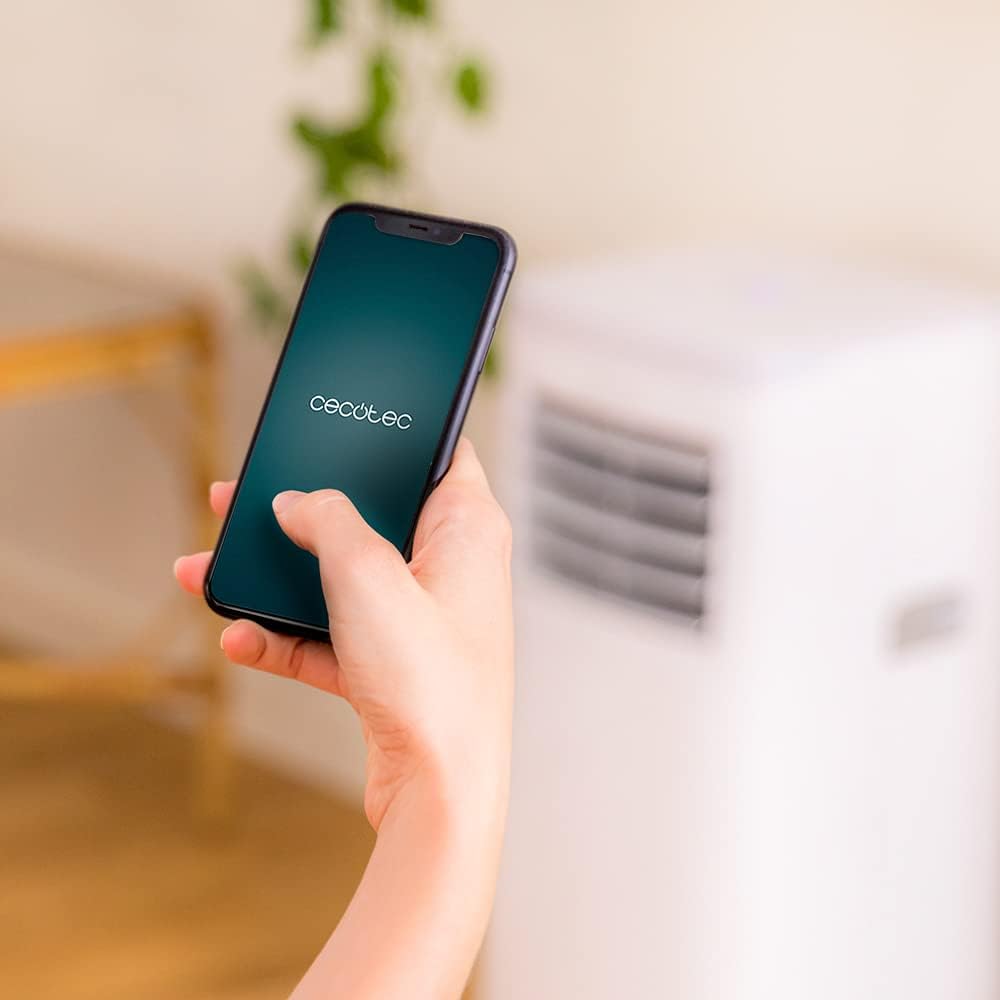
Figure 6.3: Controlling the unit via the Cecotec App
- Download the official Cecotec app from your smartphone's app store (iOS or Android).
- Register an account or log in.
- Follow the in-app instructions to add your ForceClima 7450 Touch Connected unit. This typically involves putting the unit into pairing mode and connecting it to your home Wi-Fi network.
- Once connected, you can control all functions, including power, mode, temperature, fan speed, and timer, directly from your smartphone.
7. Maintenance
Regular maintenance ensures optimal performance and extends the lifespan of your air conditioner.
7.1 Cleaning the Air Filter
The air filter should be cleaned every two weeks or more frequently depending on usage and air quality. A dirty filter can reduce cooling efficiency and airflow.
- Unplug the air conditioner from the power outlet.
- Locate and remove the air filter from the back or side of the unit (refer to the diagram in your quick start guide if unsure).
- Clean the filter using a vacuum cleaner to remove dust. For stubborn dirt, wash it gently with lukewarm water and a mild detergent.
- Allow the filter to dry completely before reinserting it into the unit. Do not expose it to direct sunlight.
7.2 Draining Accumulated Water
During cooling and dehumidification, water will accumulate inside the unit. The unit has an internal water tank, but for continuous operation or high humidity, manual drainage may be required.
- When the internal tank is full, the unit may stop operating and display an indicator.
- Unplug the unit.
- Place a shallow pan or bucket under the drainage outlet at the bottom rear of the unit.
- Remove the drain plug and allow all water to drain out.
- For continuous drainage, attach the provided drainage hose to the outlet and direct it to a floor drain or suitable container.
- Replace the drain plug securely after draining.
7.3 Cleaning the Unit Exterior
Wipe the exterior of the unit with a soft, damp cloth. Do not use harsh chemicals, abrasive cleaners, or solvents, as these can damage the surface.
8. Troubleshooting
Before contacting customer service, please refer to the following common issues and solutions:
| Problem | Possible Cause | Solution |
|---|---|---|
| Unit does not turn on | No power; Power cord not plugged in; Full water tank | Check power supply; Plug in power cord; Drain water tank |
| Unit does not cool effectively | Dirty air filter; Exhaust hose not properly installed; Room too large; Doors/windows open | Clean air filter; Ensure proper hose installation; Close doors/windows; Check room size (max 15 m²) |
| Unit is noisy | Unit not on a flat surface; Obstruction in fan; Normal operating sound (65 dB) | Place on flat surface; Check for obstructions; Note that some noise is normal for portable ACs |
| Wi-Fi connection fails | Incorrect Wi-Fi password; Router too far; App issues | Verify password; Move unit closer to router; Restart app/unit; Consult app's troubleshooting guide |
| Water leakage | Drain plug loose; Drainage hose not properly connected | Secure drain plug; Ensure drainage hose is tightly connected |
9. Specifications
| Feature | Specification |
|---|---|
| Model Number | 05957 |
| Cooling Capacity | 7000 BTU |
| Power Consumption | 790 Watts |
| Voltage | 230 Volts |
| Noise Level | 65 dB |
| Coverage Area | Approx. 15 m² |
| Dehumidification Capacity | Up to 20 liters/day |
| Dimensions (D x W x H) | 30.5 x 32.8 x 67.8 cm |
| Weight | 20 kg |
10. Warranty and Support
Cecotec products are manufactured to high-quality standards. This product is covered by a manufacturer's warranty against defects in materials and workmanship from the date of purchase. Please retain your proof of purchase for warranty claims.
For technical support, spare parts, or warranty service, please contact Cecotec customer service through their official website or the contact information provided in your product's packaging. Do not attempt to repair the unit yourself, as this may void the warranty.


