
1. Product Overview
The UMEKEN 60-Position Digital Key Cabinet is a robust and secure solution designed for organizing and protecting keys in various environments such as offices, property management, apartment complexes, and car repair shops. Constructed from heavy-duty welded steel with a scratch-resistant finish, this key box offers both digital keypad access and traditional backup key entry for enhanced security and convenience.
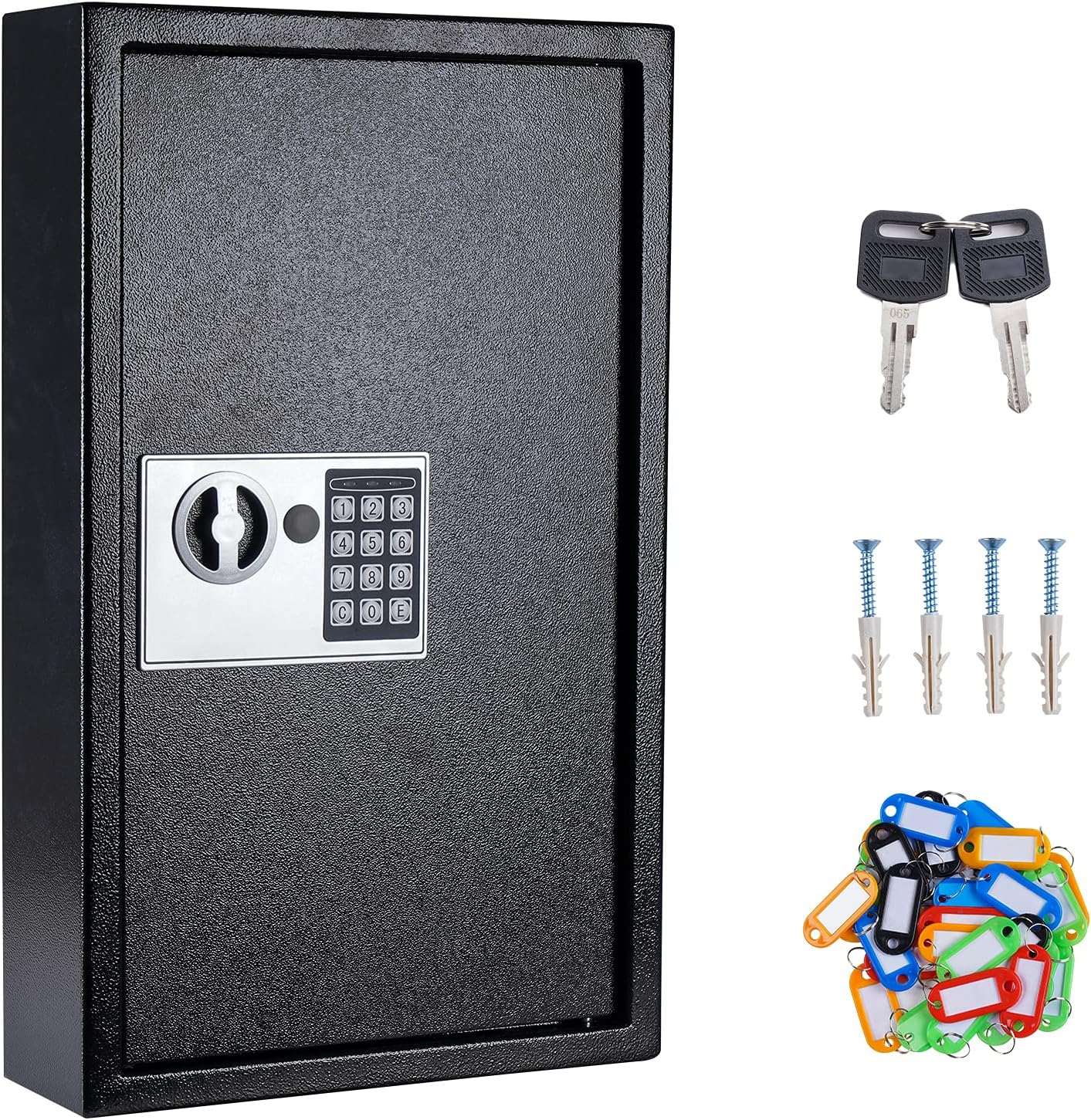
Image 1.1: UMEKEN 60-Position Digital Key Cabinet and accessories.
Key Features:
- 60-Position Capacity: Features hook-style organization for individual or multiple keys with included key tags.
- Digital Keypad Lock: Programmable, battery-operated keypad eliminates the need for physical keys for daily access.
- Backup Key Access: Includes two backup keys for manual entry in case of power failure or forgotten code.
- Durable Construction: Made of heavy-duty welded-steel with a powder-coated, scratch-resistant black finish for long-lasting security.
- Wall Mount Design: Pre-drilled mounting holes and included hardware ensure easy and secure installation.

Image 1.2: Examples of environments where the UMEKEN Key Cabinet can be used.
2. Setup and Installation
2.1 Package Contents
Before beginning installation, please verify that all components are present:
- UMEKEN 60-Position Digital Key Cabinet
- 60 Colored Key Tags
- 4 x AA Batteries
- 2 x Backup Keys
- Mounting Hardware (screws and wall anchors)

Image 2.1: Digital Key Locker components including batteries and key tags.
2.2 Battery Installation
The digital lock requires 4 AA batteries for operation. To install:
- Use one of the backup keys to open the key cabinet door. The keyhole is located on the digital keypad.
- Locate the battery compartment on the inside of the cabinet door, typically behind a removable cover.
- Insert the 4 AA batteries, ensuring correct polarity (+/-).
- Replace the battery compartment cover.
For a visual guide on battery installation and setting the user code, please refer to the video below:
Video 2.2: How to Set Up User Code of UMEKEN Digital Key Cabinet. This video demonstrates opening the box with the key, battery installation, and setting the digital code.
2.3 Wall Mounting
The key cabinet is designed for wall mounting to ensure security and stability. It is recommended to mount the cabinet into wall studs for maximum security.
- Choose a suitable location on a sturdy wall.
- Hold the key cabinet against the wall at the desired height and mark the positions of the four pre-drilled mounting holes on the back of the cabinet.
- Drill pilot holes at the marked locations. If mounting into drywall without a stud, use the included wall anchors.
- Align the cabinet with the drilled holes and secure it to the wall using the provided screws.

Image 2.3: Rear view of the key cabinet showing pre-drilled mounting holes and included hardware.
3. Operation Guide
3.1 Opening with Backup Key
In case of forgotten code, dead batteries, or initial setup, the key cabinet can be opened using the provided backup keys.
- Insert the backup key into the keyhole located on the digital keypad.
- Turn the key clockwise to unlock.
- Rotate the handle to open the door.
3.2 Setting User Code
To program your personal digital access code:
- With the door open, locate the small red button on the inside of the battery compartment (or near it).
- Press the red button. You should hear a short beep, and the yellow light on the keypad will illuminate.
- Within 5 seconds, enter your desired code (3-8 digits) on the keypad.
- Press the 'E' button to confirm. You should hear a confirmation beep, and the yellow light will turn off.
- Test your new code with the door open to ensure it works correctly before closing the cabinet.
Refer to Video 2.2 for a demonstration of setting the user code.
3.3 Opening with Digital Code
To open the key cabinet using your programmed digital code:
- Enter your 3-8 digit user code on the keypad.
- Press the 'E' button.
- If the code is correct, the green light will illuminate with a short beep.
- Within 5 seconds, rotate the handle to open the door.
3.4 Locking the Key Box
To lock the key cabinet:
- Close the cabinet door firmly.
- Rotate the handle to the locked position. The digital lock will automatically engage.
4. Maintenance
Regular maintenance ensures the longevity and proper functioning of your UMEKEN Key Cabinet.
4.1 Cleaning
Wipe the exterior of the cabinet with a soft, damp cloth. Avoid using abrasive cleaners or solvents that could damage the finish or electronic components.
4.2 Battery Replacement
When the batteries are low, the keypad may emit a warning sound or the lights may dim. Replace all 4 AA batteries promptly to ensure continuous operation. Follow the battery installation steps in Section 2.2.
5. Troubleshooting
If you encounter issues with your key cabinet, refer to the following common problems and solutions:
- Keypad not responding:
- Check if batteries are correctly installed and have sufficient charge. Replace if necessary.
- Ensure no buttons are stuck.
- Code not working:
- Ensure you are entering the correct 3-8 digit code followed by 'E'.
- If unsure of the code, use the backup keys to open the cabinet and reset the code (refer to Section 3.2).
- Door not locking/closing properly:
- Ensure no obstructions are preventing the door from closing fully.
- Check that the handle is rotated completely to the locked position.
- Lost backup keys:
- It is highly recommended to keep backup keys in a secure location separate from the key cabinet. If both keys are lost, contact UMEKEN customer support for assistance.
6. Product Specifications
Detailed specifications for the UMEKEN 60-Position Digital Key Cabinet:
| Brand | UMEKEN |
| Model Number | 2adb2178-facb-4982-ae73-988e9d901511 |
| ASIN | B094VVHC3D |
| UPC | 755291749120 |
| Lock Type | Digital with Backup Keys |
| Color | Black |
| Capacity | 60 Units |
| Material | Alloy Steel |
| Special Feature | Durable |
| Mounting Type | Wall Mount |
| Included Components | Keys, Key Tags, Batteries, Mounting Hardware |
| Alarm | Lock |
| Water Resistance Level | Not Water Resistant |
| Product Dimensions | 12" x 3.94" x 19.69" (Cabinet) / 21.25 x 13.58 x 5.5 inches (Shipping) |
| Item Weight | 19.76 pounds |
| First Available Date | May 12, 2021 |

Image 6.1: Product dimensions.

Image 6.2: Interior features and durable construction details.
7. Warranty and Support
UMEKEN is committed to providing premium products and caring service. While specific warranty details are not provided in this manual, please retain your proof of purchase for any warranty claims.
Customer Support:
If you have any questions, require technical assistance, or need to report an issue with your UMEKEN Key Cabinet, please feel free to contact UMEKEN customer support through the retailer where the product was purchased or visit the official UMEKEN brand store for contact information.
Your satisfaction is of the utmost importance to us.