
1. Introduction
Welcome to the user manual for your new boho office® Easydesk. This electric height-adjustable desk is designed to provide a dynamic and ergonomic workspace, allowing you to effortlessly switch between sitting and standing positions. Featuring smart app control, memory functions, and robust construction, the Easydesk is built for comfort, efficiency, and durability in any home or professional office environment. Please read this manual carefully before assembly and operation to ensure safe and optimal use of your desk.

Figure 1: The boho office Easydesk in white.
2. Safety Information
To ensure safe operation and prevent damage, please observe the following safety guidelines:
- Always ensure there are no obstacles above or below the desk when adjusting its height.
- Keep hands and fingers clear of moving parts during height adjustment.
- The desk is equipped with a Desk Sensor 1 collision protection system. This highly sensitive gyroscope will stop the desk's movement if it encounters an obstacle. However, always exercise caution.
- Do not overload the desk. The maximum load capacity of the table frame is 100 kg, and the tabletop can withstand loads up to 120 kg.
- Only use the desk indoors in a dry environment.
- Do not allow children to operate the desk unsupervised.
- If any unusual noises or movements occur, immediately stop operation and consult the troubleshooting section or contact customer support.
3. Package Contents
Please check that all components are present in your package:
- Electric Height Adjustable Desk Frame (including two powerful electric motors)
- Control Unit (LED display with memory function)
- Tabletop (160 x 80 cm, white, 2.5 cm thick, melamine resin-coated)
- Assembly Materials (screws, tools if applicable)
- Assembly Instructions
4. Setup & Assembly
The boho office Easydesk is designed for quick and easy assembly thanks to its practical Kick & Click connections. Follow these general steps:
- Unpack Components: Carefully remove all parts from the packaging and lay them out on a clean, soft surface to prevent scratches.
- Assemble Frame: Connect the central traverse to the two lifting columns using the Kick & Click mechanism. Ensure all connections are secure. The stable central traverse provides optimal lateral stability.
- Attach Motors: The powerful electric motors are integrated into the lifting columns, providing 80 mm/sec adjustment speed. Ensure they are properly aligned.
- Mount Control Unit: Secure the LED control unit to the underside of the tabletop or frame as indicated in the detailed assembly instructions.
- Attach Tabletop: Carefully place the tabletop onto the assembled frame. Align the pre-drilled holes (if any) and secure the tabletop to the frame using the provided screws. Note: Once the tabletop is screwed on, it is not exchangeable.
- Connect Power: Plug the power cable into the control unit and then into a suitable power outlet.

Figure 2: Illustration of the Easydesk's stable frame and easy assembly.

Figure 3: Technical drawing showing dimensions and load capacity.
5. Operating Instructions
Your Easydesk offers intuitive control for seamless height adjustment and smart features.
5.1. Manual Height Adjustment
Use the up and down arrows on the LED control unit to adjust the desk to your desired height. The current height will be displayed on the LED screen.

Figure 4: The intuitive LED control unit.
5.2. Memory Functions
The control unit allows you to save up to 4 memory positions for quick height changes. To save a position:
- Adjust the desk to your desired height.
- Press the 'M' button (or equivalent memory button) on the control unit.
- Press the desired number button (1-4) to save the current height to that position.
To recall a saved position, simply press the corresponding number button.
5.3. Soft Start/Stop Function
The Easydesk features a Soft Start/Stop function, ensuring smooth and quiet transitions when adjusting height. The two powerful electric motors operate at a maximum of 39 dB, providing a very quiet experience.
5.4. Smart App Control
Enhance your experience by downloading the free boho office app. The app offers:
- Intuitive Height Adjustment: Control the desk directly from your smartphone.
- Standing Position Reminder: The app encourages you to stand during the day, promoting a more active and dynamic work style.
- Usage Statistics: Get personal statistics on your table usage.
- Additional Memory Positions: Save up to 4 memory positions directly within the app.
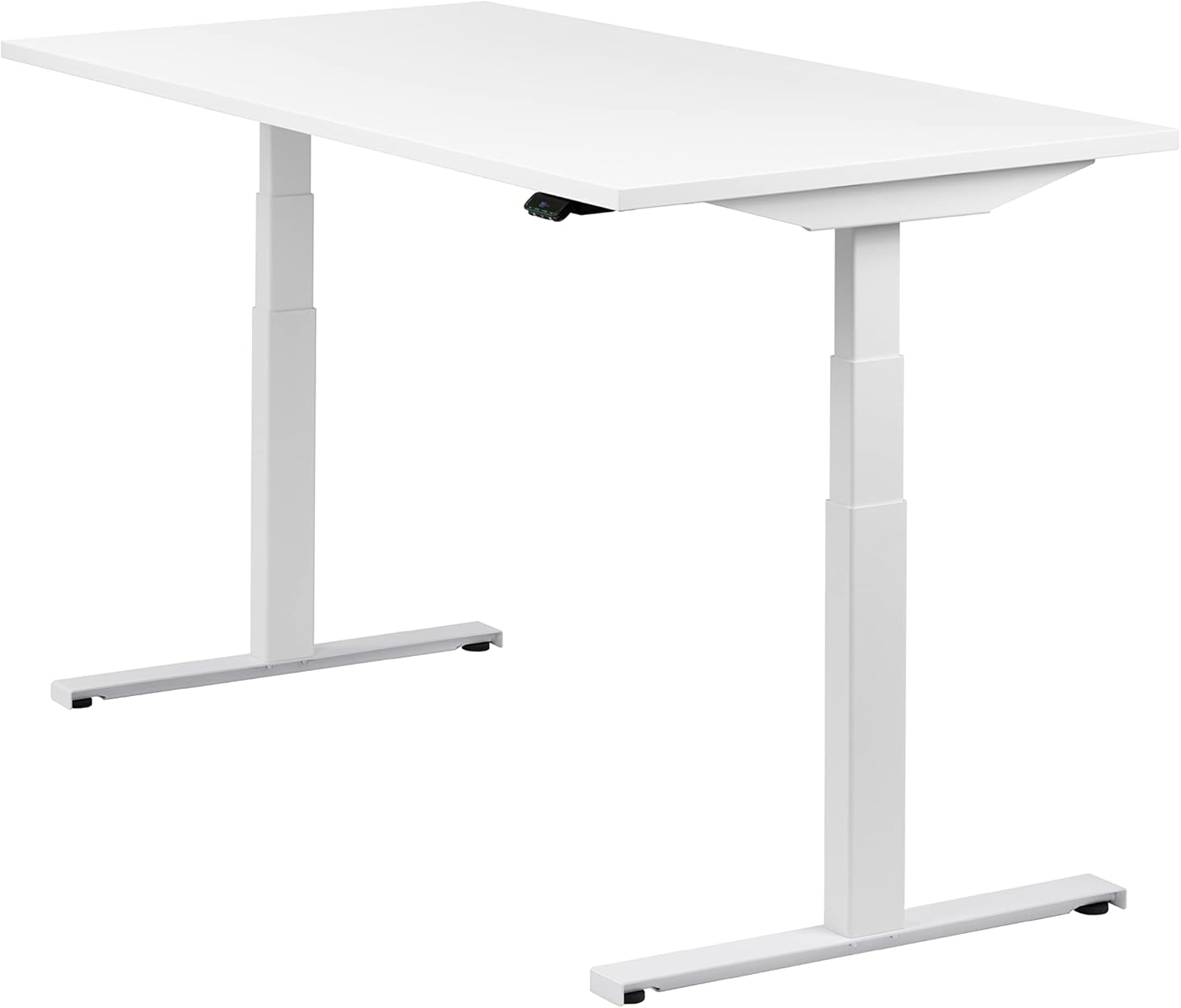
Figure 5: Smart app control and powerful motors.

Figure 6: The Easydesk in standing position, promoting active work.
6. Maintenance
The Easydesk is designed for durability and easy care. The 2.5 cm thick melamine resin-coated tabletop is non-porous, scratch-resistant, and easy to clean.
- Cleaning: Wipe the tabletop and frame with a soft, damp cloth. For stubborn marks, use a mild, non-abrasive cleaner. Avoid harsh chemicals or abrasive materials that could damage the surface.
- Inspection: Periodically check all screws and connections to ensure they remain tight.
- Motor Care: The electric motors are maintenance-free. Do not attempt to open or lubricate them.

Figure 7: Close-up of the durable and easy-to-clean tabletop.
7. Troubleshooting
If you encounter any issues with your Easydesk, please refer to the following common solutions:
- Desk Not Moving:
- Check if the power cable is securely plugged into both the desk and the wall outlet.
- Ensure there are no obstructions preventing movement. The collision protection system will stop movement if an obstacle is detected. Remove any obstacles and try again.
- Uneven Movement or Noise:
- Ensure the desk is not overloaded and the weight is evenly distributed.
- Check all assembly connections to ensure they are tight.
- Control Unit Not Responding:
- Try unplugging the desk from the power outlet for 30 seconds and then plugging it back in to reset the system.
If the problem persists after attempting these solutions, please contact boho office customer support for assistance.
8. Specifications
| Feature | Specification |
|---|---|
| Brand | boho office |
| Model | Easydesk |
| Color | White (RAL9016) |
| Product Dimensions (L x W x H) | 160 x 80 x 128.5 cm (max height) |
| Tabletop Dimensions | 160 x 80 x 2.5 cm |
| Tabletop Material | Melamine resin-coated |
| Weight | 51 kg |
| Height Adjustment Range | 59 - 126 cm (approx.) |
| Adjustment Speed | 80 mm/sec |
| Noise Level | Max. 39 dB |
| Load Capacity (Frame) | 100 kg |
| Load Capacity (Tabletop) | 120 kg |
| Features | App Control, Memory Function (4 positions), Soft Start/Stop, Collision Protection (Desk Sensor 1) |
| Assembly Required | Yes |
9. Warranty & Support
boho office is committed to providing high-quality products and excellent customer service.
9.1. Extended Warranty
Your Easydesk comes with a 5-year extended warranty on the table base, including free spare parts supply. This warranty covers manufacturing defects and ensures long-term reliability.
9.2. 60-Day Trial & Returns
We offer a 60-day non-binding trial period for the table base. If you are not satisfied, you can return the table base for free within 60 days. Please note that screwed-on tabletops are not exchangeable.
9.3. TÜV Certification
The Easydesk frame is independently certified and tested by TÜV Rheinland LGA Products GmbH, ensuring high safety and quality standards.
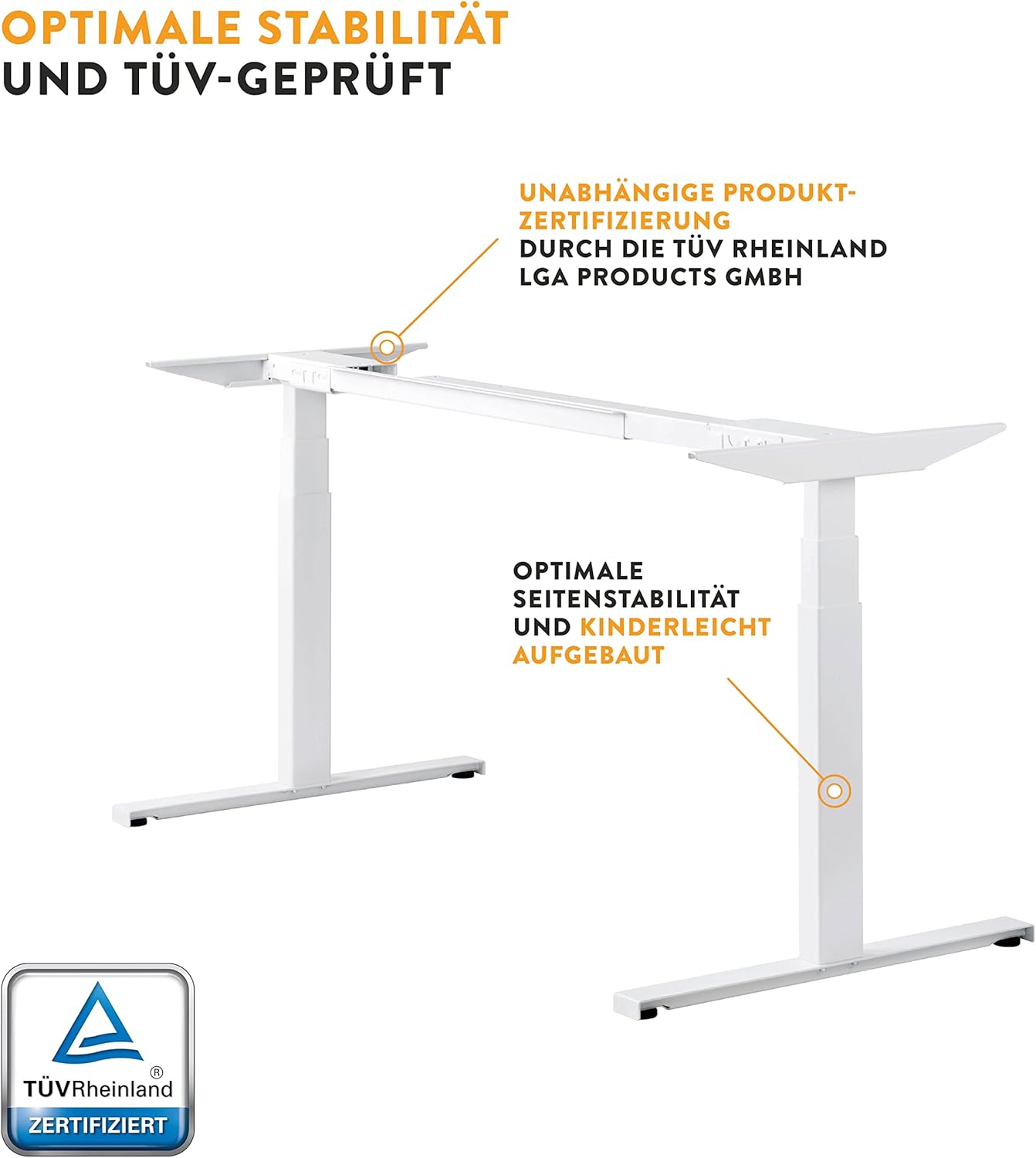
Figure 8: TÜV Rheinland certification for the Easydesk.
9.4. Customer Support
For any questions, assistance, or warranty claims, please contact boho office customer support. We are available to assist you even after your purchase.

Figure 9: boho office commitment to extended service and support.