
Introduction
Welcome and thank you for choosing the EVTSCAN Multifunctional Digital Projection Alarm Clock. This manual provides detailed instructions for the setup, operation, and maintenance of your new device. Please read it carefully before use to ensure proper functionality and to maximize your user experience. Keep this manual for future reference.
Product Overview
Key Features
- Digital Time Projection & Adjustable Angle: Projects time onto walls or ceilings for clear visibility. The projection angle is adjustable for optimal alignment.
- Temperature Display & Voice Time Broadcast: Displays temperature in Celsius or Fahrenheit. A voice feature announces the current time and temperature.
- Dual Alarm with Snooze Function: Allows setting two separate alarms with 5 distinct alarm tones and 60dB volume. Includes a one-button snooze for temporary silence.
- Compact Design: Constructed from durable ABS material, measuring approximately 8 x 8 x 10 cm (3.1 x 3.1 x 3.9 inches).
- Dual Power Modes: Operates on 3 AAA batteries (not included) or via USB cable (included).
Package Contents
- 1 x EVTSCAN Digital Projection Alarm Clock
- 1 x USB Cable
- 1 x User Manual

Image: Front view of the EVTSCAN Digital Projection Alarm Clock displaying 12:00 and 50°F, with a red projected time above.

Image: Labeled diagram highlighting the projection show, time report, alarm, snooze function, and temperature display areas on the clock.
Safety Information
- Do not expose the device to extreme temperatures, direct sunlight, or high humidity.
- Avoid dropping or subjecting the device to strong impacts.
- Do not attempt to disassemble or modify the clock. This will void the warranty.
- Use only the specified power sources (3 AAA batteries or the included USB cable).
- Keep out of reach of children.
Setup
Powering the Device
The alarm clock can be powered by either 3 AAA batteries (not included) or by connecting the included USB cable to a compatible USB power adapter (not included) or port.
Battery Installation
- Locate the battery compartment on the bottom of the clock.
- Open the battery compartment cover.
- Insert 3 new AAA batteries, ensuring correct polarity (+/-).
- Close the battery compartment cover securely.
USB Power Connection
- Connect the small end of the USB cable to the DC 5V port on the back of the clock.
- Connect the larger end of the USB cable to a USB power adapter or a powered USB port.
Note: When operating on batteries, the projection and backlight display will automatically turn off after approximately 8 seconds to conserve power. For continuous projection and backlight, use USB power.
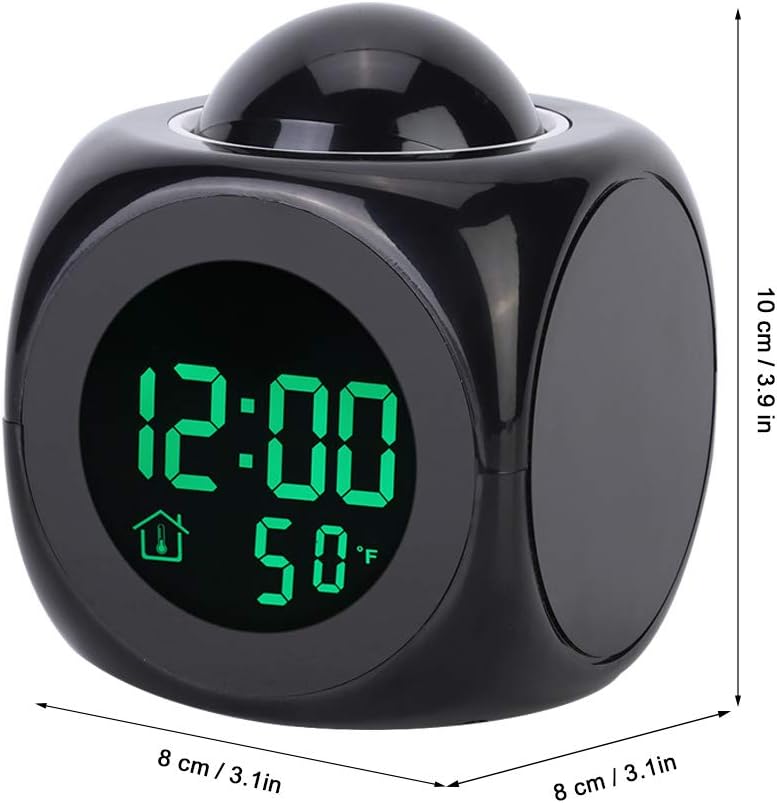
Image: Bottom of the clock showing the battery compartment and function buttons (HR, MIN, MODE, TALKING, SOUND).
Operating Instructions
Setting the Time
- Press the MODE button once to enter time setting mode. The hour digits will flash.
- Press the HR button to adjust the hour.
- Press the MIN button to adjust the minute.
- Press the MODE button again to confirm and exit time setting.
- To switch between 12-hour and 24-hour format, press the 12/24 button (located in the battery compartment area).
Setting Alarms (Dual Alarm)
The clock supports two independent alarms.
- Press the MODE button twice to enter Alarm 1 setting mode. The alarm hour digits will flash.
- Press the HR button to adjust the alarm hour.
- Press the MIN button to adjust the alarm minute.
- Press the MODE button again to enter Alarm 2 setting mode (if desired) or to confirm Alarm 1.
- Repeat steps 2-3 for Alarm 2.
- Press the MODE button again to confirm and exit alarm setting.
- To activate or deactivate an alarm, press the AL button (located on the bottom of the clock). An alarm icon will appear on the display when active.
- To change alarm tones, press the SOUND button (located on the bottom of the clock) while in alarm setting mode. There are 5 alarm tones available.
Snooze Function
When an alarm sounds, press the large button on top of the clock to activate the snooze function. The alarm will temporarily stop and sound again after 10 minutes.
Projection Function
To project the current time onto a wall or ceiling, press the large button on top of the clock. The projection will display for approximately 8 seconds when on battery power, or continuously when powered by USB.
The projection lens can be rotated to adjust the angle of the projected time for optimal viewing.
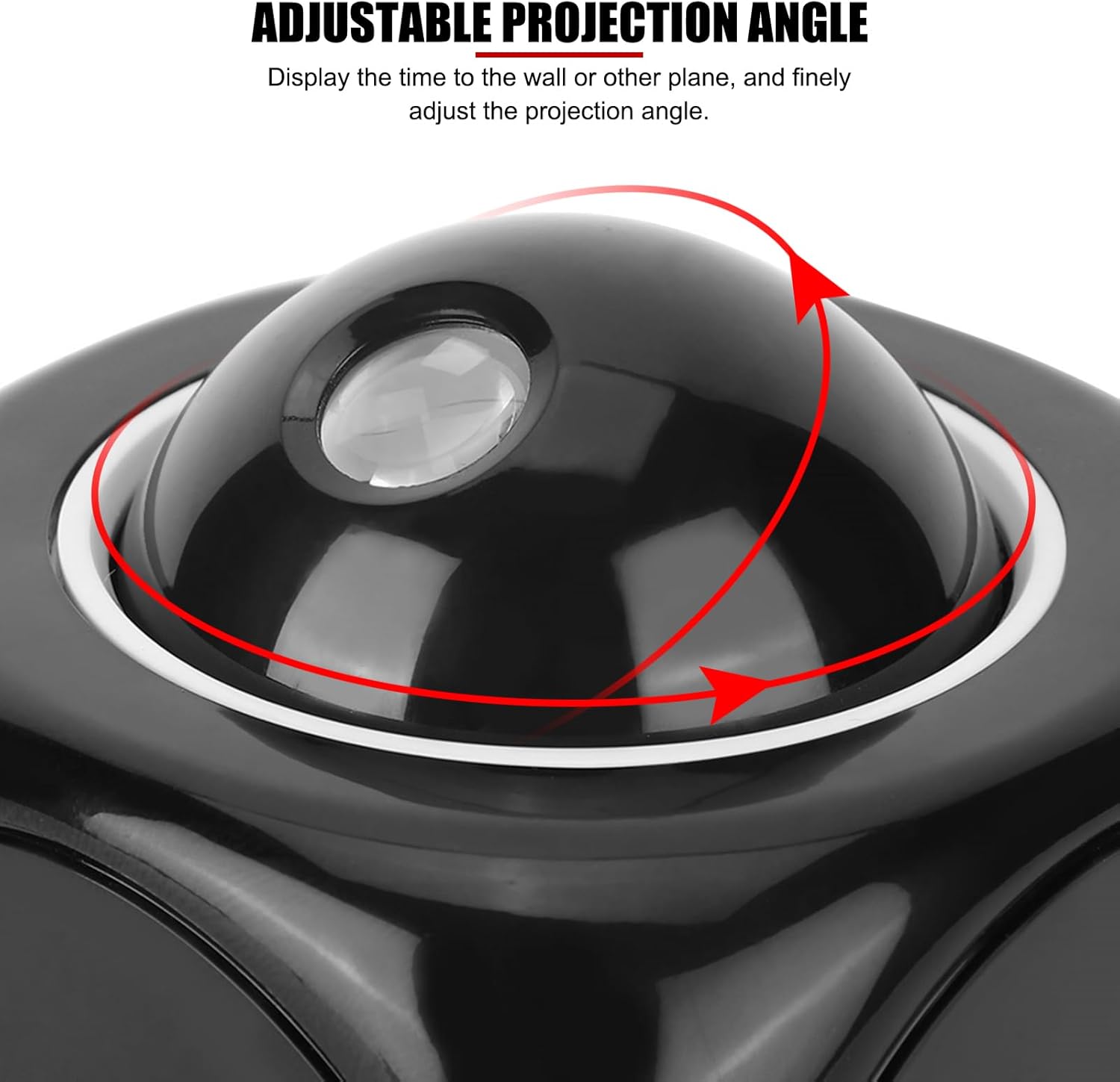
Image: Top view of the clock showing the projection dome with arrows indicating adjustable rotation.
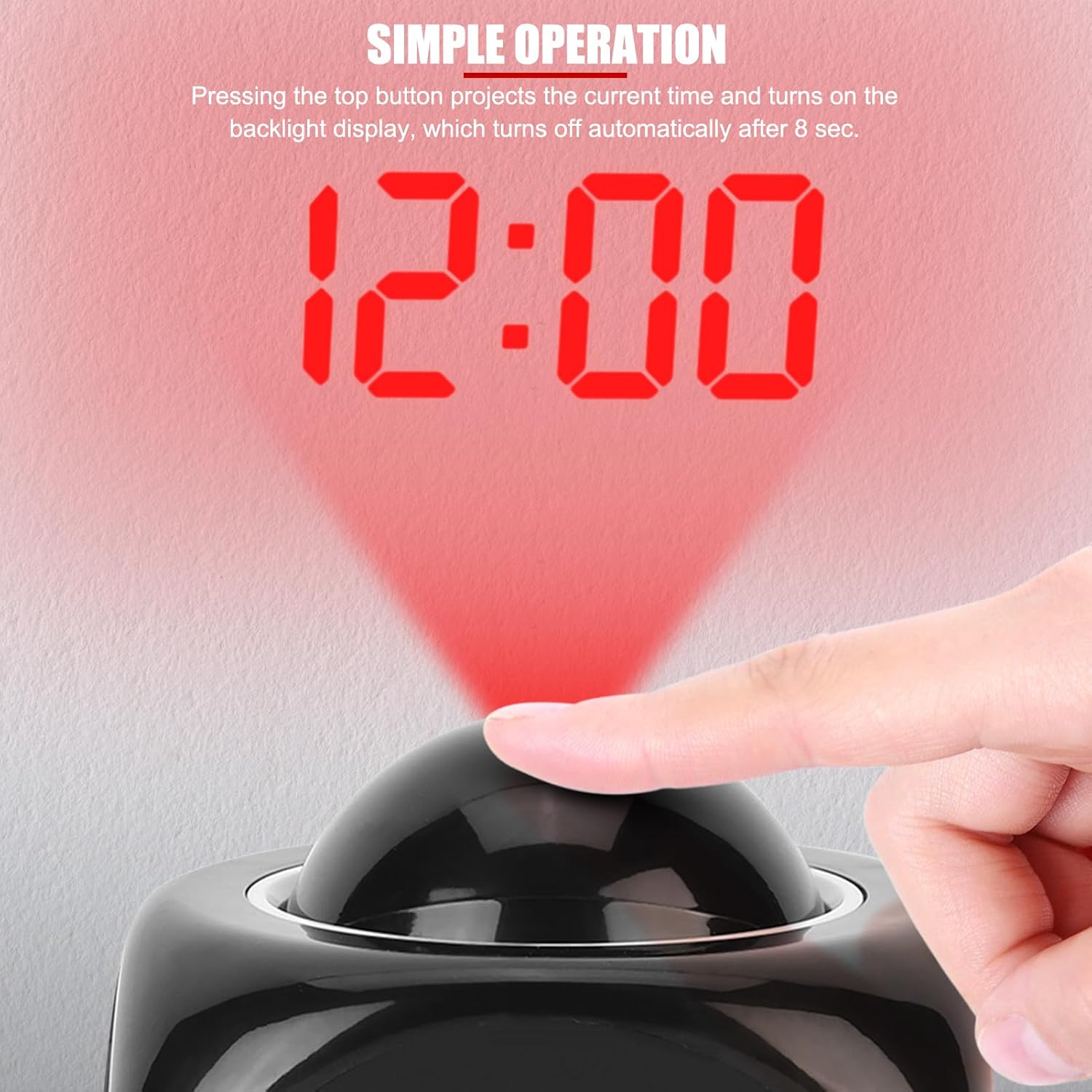
Image: A hand pressing the top button to activate the time projection, showing '12:00' projected in red.

Image: Multiple examples of the projected time on different surfaces, including a wall and ceiling.
Temperature Display
The clock displays the ambient temperature. To switch between Celsius (°C) and Fahrenheit (°F), press the MIN button (located on the bottom of the clock) while the clock is in normal time display mode.

Image: The clock displaying time and temperature, with an inset showing the temperature display in Celsius.
Voice Time Broadcast
To hear the current time and temperature announced, press the TALKING button (located on the bottom of the clock). To turn the voice function ON/OFF, use the switch labeled TALKING ON/OFF (located on the bottom of the clock).
