1. Introduction
This manual provides instructions for the proper installation, operation, and maintenance of your MAG Turntable Titanium Cartridge Headshell. This headshell is designed to provide a secure and high-quality connection for your phono cartridge to compatible Marantz turntables.
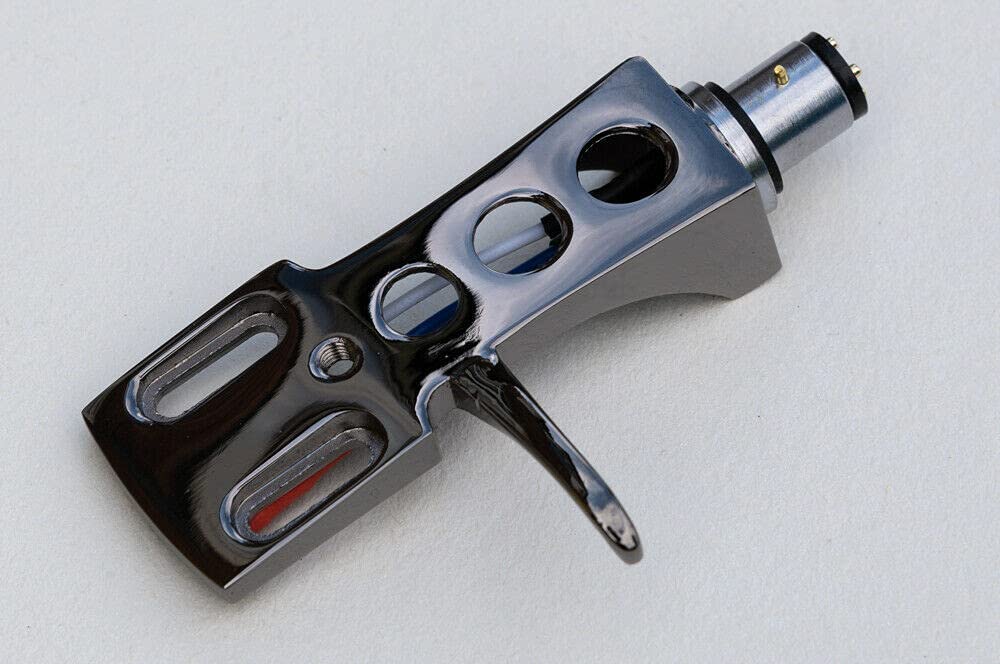
Image 1.1: The MAG Turntable Titanium Cartridge Headshell. This image displays the headshell with its titanium finish and gold-plated terminals, ready for cartridge mounting.
2. Setup and Installation
Follow these steps to correctly install your new cartridge headshell onto your turntable's tonearm.
2.1 Unpacking
Carefully remove the headshell from its packaging. Inspect for any visible damage. Ensure all included components, such as the oxygen-free copper wires, are present.
2.2 Attaching the Phono Cartridge
- Gently attach your phono cartridge to the underside of the headshell using the screws provided with your cartridge. Do not overtighten.
- Connect the four color-coded oxygen-free copper wires from the headshell to the corresponding pins on your phono cartridge. Ensure a firm connection. The standard color code is:
- Red: Right Channel Positive (R+)
- Green: Right Channel Ground (R-)
- White: Left Channel Positive (L+)
- Blue: Left Channel Ground (L-)
2.3 Mounting to the Tonearm
- Hold the headshell firmly and align its connector with the tonearm's receptacle.
- Push the headshell into the tonearm's receptacle until it is fully seated.
- Rotate the locking collar on the tonearm clockwise until the headshell is securely fastened. Do not overtighten.
2.4 Compatibility
This headshell is compatible with the following Marantz turntable models:
- Marantz 6300
- Marantz 6100
- Marantz 6200
- Marantz 6025
- Marantz TT-8001
- Marantz 6370Q
3. Operation
Once the headshell and cartridge are properly installed, your turntable is ready for use. Ensure that the cartridge is correctly aligned according to your cartridge manufacturer's recommendations for optimal sound reproduction and to prevent record wear.
The gold-plated terminals and oxygen-free copper wiring are designed to provide a clean signal path from your cartridge to the tonearm, contributing to improved audio quality.
4. Maintenance
Regular maintenance ensures the longevity and performance of your headshell.
4.1 Cleaning
- Use a soft, dry, lint-free cloth to wipe the headshell body.
- Avoid using liquid cleaners or solvents, as these can damage the finish or internal components.
- Periodically inspect the gold-plated terminals for any dust or corrosion. If necessary, gently clean with a specialized contact cleaner designed for audio equipment.
4.2 Inspection
Periodically check the tightness of the cartridge mounting screws and the tonearm locking collar. Ensure all wire connections remain secure. If you notice any loose connections or damage, address them promptly to maintain sound quality and prevent further issues.
5. Troubleshooting
If you experience issues, refer to the following common problems and solutions.
5.1 No Sound or Intermittent Sound
- Check Connections: Ensure all four wires from the headshell are securely connected to the cartridge pins and that the headshell is firmly seated and locked into the tonearm.
- Verify Cartridge Installation: Confirm the cartridge is correctly mounted and its pins are clean.
5.2 Distorted Sound
- Cartridge Alignment: Incorrect cartridge alignment is a common cause of distortion. Refer to your cartridge's manual for proper alignment procedures (e.g., overhang, azimuth, vertical tracking angle).
- Tracking Force: Ensure your turntable's tracking force is set correctly for your specific cartridge.
5.3 Loose Headshell
- Tighten Locking Collar: Ensure the tonearm's locking collar is fully tightened clockwise.
- Inspect Tonearm Receptacle: Check the tonearm's receptacle for any debris or damage that might prevent a secure fit.
6. Specifications
| Material | Titanium (plated construction) |
| Special Features | Gold Plated Terminals |
| Included Components | Oxygen Free Copper Wire |
| Compatibility | Marantz 6300, 6100, 6200, 6025, TT-8001, 6370Q |
7. Warranty & Support
7.1 Warranty Information
Specific warranty details for this product are not provided in the available information. Please refer to your purchase documentation or contact your retailer for warranty terms and conditions.
7.2 Customer Support
For technical assistance or inquiries regarding your MAG Turntable Titanium Cartridge Headshell, please contact your point of purchase or the MAG Turntable customer service department if contact information was provided with your product packaging.