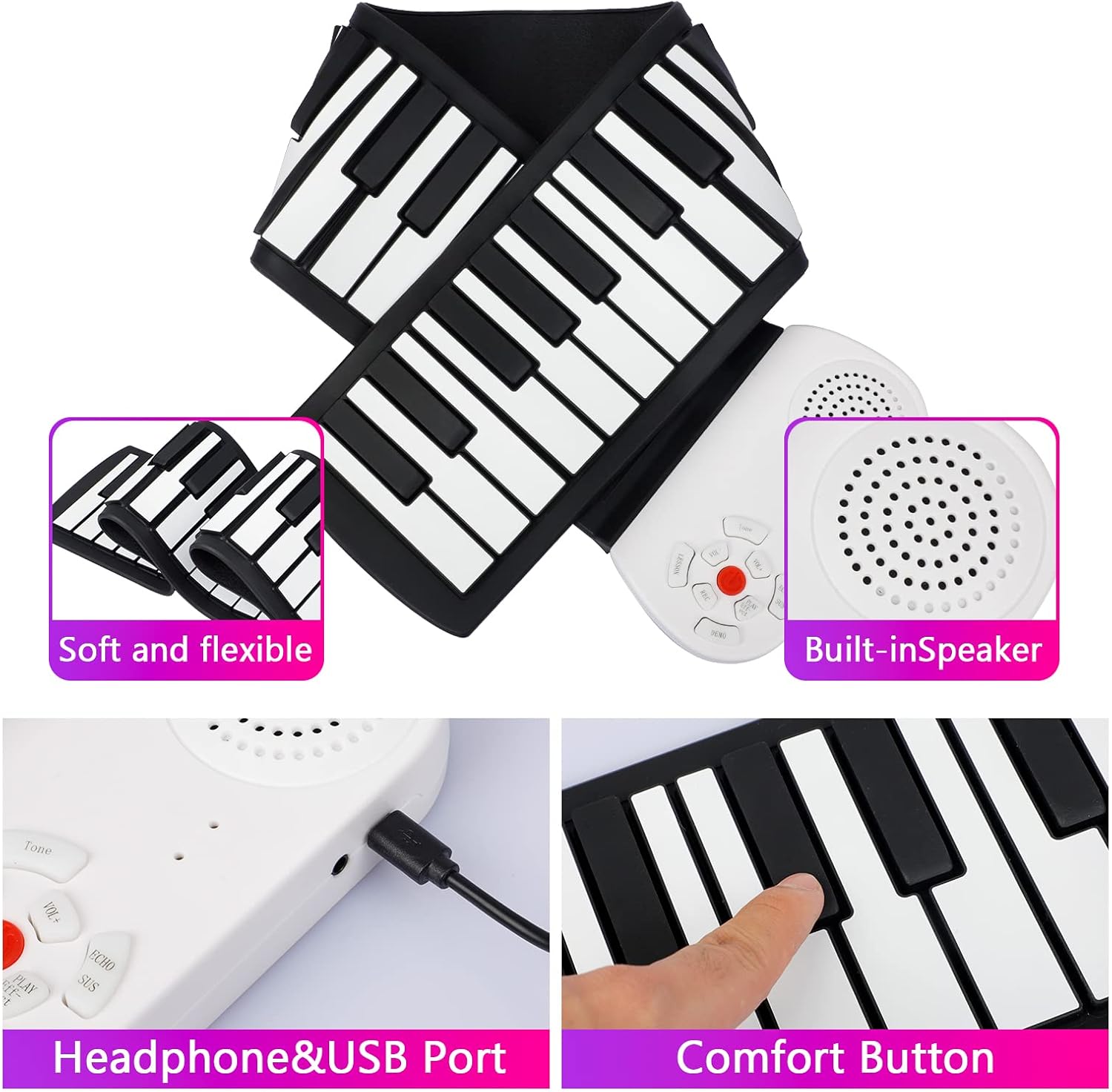
Thank you for choosing the Vhffoso 49 Keys Roll Up Piano. This portable electronic keyboard is designed for convenience and musical exploration, featuring 49 standard keys, 8 different tones, built-in 2W speakers, and a rechargeable lithium battery. Its flexible, roll-up design makes it ideal for travel and easy storage. This manual provides essential information for setting up, operating, maintaining, and troubleshooting your new instrument.
Image: The Vhffoso 49 Keys Roll Up Piano, showcasing its compact rolled-up form and its full length when laid flat, ready for play.
Setup
1. Unboxing and Initial Inspection
Carefully remove all components from the packaging. Ensure the following items are present:
49 Keys Roll Up Piano
Carrying Bag
USB Charging Cable
Instruction Manual (this document)
Inspect the piano and accessories for any signs of damage. If any items are missing or damaged, please contact customer support.
Video: A demonstration of unboxing the 49 Key Roll Up Keyboard Piano, showing the contents and initial setup steps.
2. Laying Out the Piano
Unroll the piano on a flat, stable surface. The silicone keys are designed to lay flat without creasing. Ensure the control panel is positioned conveniently for access.
Image: The roll-up piano fully extended on a flat surface, showing the 49 keys and the integrated control panel.
3. Charging the Battery
The Vhffoso Roll Up Piano features a built-in rechargeable lithium battery. Before first use, fully charge the device.
Locate the USB charging port on the control panel.
Connect the provided USB charging cable to the piano and a compatible USB power adapter (not included) or computer USB port.
The charging indicator light will illuminate. Charging typically takes 1.5-2 hours.
Once fully charged, the indicator light may change or turn off, depending on the model. Disconnect the charger.
Image: A detailed view of the piano's control panel, highlighting the headphone jack and USB charging port for easy access.
4. Applying Note Stickers (Optional)
If your package includes note stickers, you can apply them to the keys to assist with learning. Follow the instructions provided with the stickers for proper placement.
Operating Instructions
1. Power On/Off
Locate the power switch on the control panel. Slide it to the "ON" position to power on the piano. Slide it to "OFF" to power off. The piano also features an automatic shutdown function to conserve battery life.
2. Playing the Keys
Press the silicone keys to produce sound. The piano is designed to respond to touch across the entire key surface. The 49 standard keys cover a range from C3 to C8.
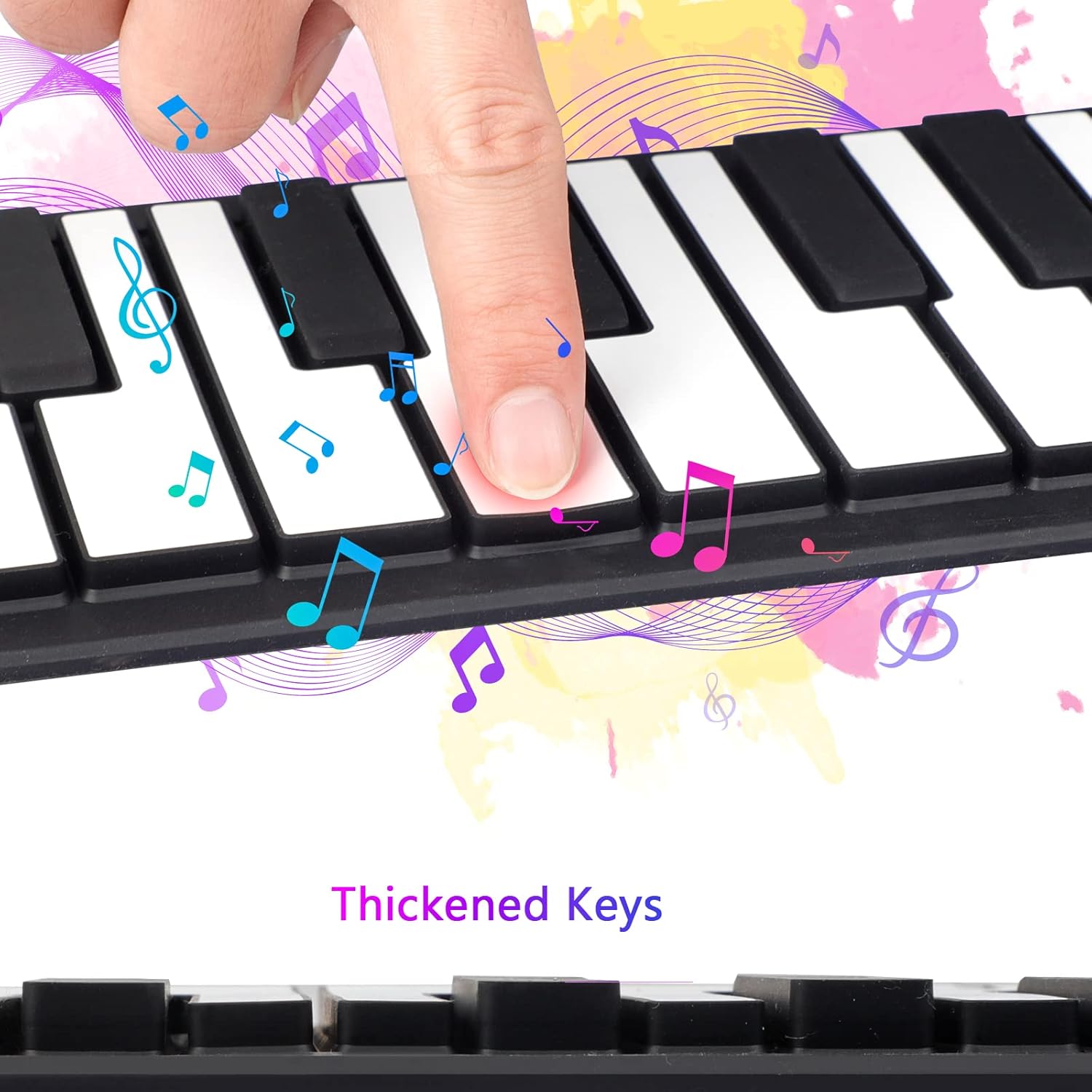
Image: A close-up shot illustrating fingers pressing the thickened keys of the roll-up piano, emphasizing the tactile experience.
3. Adjusting Volume
Use the volume control buttons (VOL+ / VOL-) on the control panel to adjust the output volume. There are 8 levels of volume control.
4. Changing Tones
Press the "TONE" button to cycle through the 8 different available tones, including Acoustic Grand Piano, Orchestral Harp, Church Organ, Tubular Bell, Electric Guitar (jazz), Violin, String Ensemble 1, and Acoustic Guitar (steel).
5. Sound Effects
The piano includes sound effects such as sustain, echo, and vibrato. Refer to the control panel buttons for activating these features.
6. Demonstration Songs
Press the "DEMO" button to play one of the 6 built-in demonstration songs. These include "For Elise," "Dream Wedding," "Kand Ding Love Song," "Hear Rain," "The Qinghai-Tibet Plateau," and "There the Peach Blossom are in Full Bloom."
7. Recording and Playback
The recording function allows you to capture your performances. Press the "REC" button to start recording. Play your desired melody. Press "PLAY" to listen to your recorded piece. The piano also features a one-key teaching function for guided learning.
8. External Connections
Headphones: Connect 3.5mm headphones to the headphone jack for private practice.
External Speaker: Connect to an external speaker via the 2.5mm jack for amplified sound.
Video: A demonstration of the Vhffoso 49 Keys Roll Up Piano being played by a child, showcasing its functionality and ease of use for young learners. The video highlights the piano's sound quality and responsiveness.
Maintenance
1. Cleaning
The silicone keyboard is made from food-grade material and is waterproof. To clean, gently wipe the keys and surface with a soft, damp cloth. Avoid using harsh chemicals or abrasive cleaners. Ensure the control panel and ports do not come into contact with excessive moisture.
Image: A hand wiping the surface of the roll-up piano, demonstrating its easy-to-clean, waterproof silicone material.
2. Storage
When not in use, roll up the piano and store it in its carrying bag. Store in a cool, dry place away from direct sunlight and extreme temperatures. Avoid placing heavy objects on top of the rolled-up piano to prevent damage.
Image: The roll-up piano in its compact, rolled-up state, ready for storage or transport in its carrying bag.
3. Battery Care
To prolong battery life, avoid fully discharging the battery frequently. Charge the piano regularly, even if not in constant use. Do not attempt to replace the built-in lithium battery yourself.
Troubleshooting
Problem
Possible Cause
Solution
No sound when keys are pressed.
Piano is off.
Volume is too low or muted.
Headphones are connected.
Battery is low.
Ensure power switch is ON.
Increase volume using VOL+ button.
Disconnect headphones if using built-in speakers.
Charge the piano.
Keys are unresponsive or inconsistent.
Piano not laid flat.
Foreign objects on keys.
Low battery.
Ensure piano is on a completely flat, hard surface.
Clean the keys and surrounding area.
Charge the piano.
Piano does not charge.
Loose cable connection.
Faulty USB cable or adapter.
Check all cable connections.
Try a different USB cable or power adapter.
Ensure the power source is active.
Specifications
Feature
Detail
Number of Keys
49
Key Range
C3-C8
Tones
8 (Acoustic Grand Piano, Orchestral Harp, Church Organ, Tubular Bell, Electric Guitar (jazz), Violin, String Ensemble 1, Acoustic Guitar (steel))
Demonstration Songs
6
Sound Effects
Sustain, Echo, Vibrato
Functions
Recording, One-key Teaching, Automatic Shutdown, Tone Editing, Volume Control
Speakers
Built-in 2W high-quality speaker
Battery
Built-in 450 mAh Lithium Battery (rechargeable)
Charging Time
Approx. 1.5-2 hours
Connectivity
3.5mm Headphone Jack, 2.5mm External Speaker Jack, USB (for charging/MIDI)
Material
Food-grade Silicone, Plastic
Dimensions (Package)
8.58 x 8.19 x 3.54 inches
Item Weight
1.77 pounds (0.8 Kilograms)
Warranty
Please refer to the product packaging or contact Vhffoso customer support for specific warranty information regarding your 49 Keys Roll Up Piano. Typically, electronic products come with a limited manufacturer's warranty covering defects in materials and workmanship.
Customer Support
For any questions, technical assistance, or warranty claims, please contact Vhffoso customer support through the retailer where you purchased the product or visit the official Vhffoso website for contact details.
Ask about setup, troubleshooting, compatibility, parts, safety, or missing instructions. Manuals+ will review the question and use this page’s manual context to help answer it.