
Introduction
The NOVADIGITAL SRW-002 is a smart infrared (IR) universal remote control designed to integrate various home entertainment and appliance devices into a single control system. This device allows you to manage televisions, DVD players, Blu-ray players, home theater systems, air conditioners, and other IR-controlled equipment directly from your smartphone. It features a cloud-based configuration with over 4,000 control profiles and an intelligent learning function to copy signals from existing remote controls. The SRW-002 supports voice control through Amazon Alexa and Google Home, providing a convenient and modern way to interact with your devices. For optimal functionality, the device requires a stable 2.4GHz Wi-Fi internet connection.
Package Contents
Please verify that all items are present in the package:
- 1 x NOVADIGITAL SRW-002 Smart IR Wi-Fi Universal Remote Control
- 1 x Micro USB Cable (V8 - Android compatible)
- 1 x User Manual (this document)
Safety Information
Read all safety instructions before using the device. Failure to follow these instructions may result in electric shock, fire, or other hazards.
- Do not expose the device to water or moisture.
- Do not disassemble or attempt to repair the device yourself. Refer all servicing to qualified personnel.
- Use only the provided Micro USB cable or a certified equivalent for power.
- Keep the device away from direct sunlight, heat sources, and flammable materials.
- Ensure the device is placed on a stable surface to prevent falling.
- This device is intended for indoor use only.
Setup
Follow these steps to set up your NOVADIGITAL SRW-002 Smart IR Wi-Fi Universal Remote Control:
- Power Connection: Connect the provided Micro USB cable to the SRW-002 device and plug the other end into a 5V/1A USB power adapter (not included) or a USB port. The device will power on.
- App Installation: Download the "Tuya Smart" or "Smart Life" app from your smartphone's app store (Google Play Store for Android or Apple App Store for iOS). Create an account or log in if you already have one.
- Wi-Fi Network Requirements: Ensure your Wi-Fi network is 2.4GHz. The device does not support 5GHz Wi-Fi networks.
- Add Device:
- Open the Tuya Smart app.
- Tap the "+" icon in the top right corner to add a device.
- Select "Universal Remote Control" or search for "IR Remote".
- Follow the on-screen instructions to connect the device to your 2.4GHz Wi-Fi network. This usually involves putting the device into pairing mode (often indicated by a rapidly blinking LED) and entering your Wi-Fi password.
- Positioning: Place the SRW-002 in a central location within the room, ensuring it has a clear line of sight to all IR-controlled devices you wish to manage. Avoid placing it behind obstacles or inside cabinets.

Image: The NOVADIGITAL SRW-002 Smart IR Wi-Fi Universal Remote Control. This image shows the compact, black, oval-shaped device, which serves as the central hub for infrared control.
Operating Instructions
Once the SRW-002 is set up and connected to the app, you can begin controlling your devices.
- Adding Devices to Control:
- In the Tuya Smart app, select your SRW-002 device.
- Tap "Add Remote Control" or a similar option.
- Choose the type of device you want to control (e.g., TV, Air Conditioner, DVD Player).
- The app will prompt you to select a brand from its cloud database (over 4,000 profiles available). Test the provided remote profiles until you find one that works for your device.
- Using the Learning Function: If your device's brand or model is not found in the app's database, you can use the learning function:
- In the app, select the option to "DIY" or "Learn" a new remote control.
- Follow the app's instructions to point your original remote control at the SRW-002 and press the desired button (e.g., Power, Volume Up). The SRW-002 will capture the IR signal.
- Assign a name to the learned button in the app. Repeat for all necessary functions.
- Voice Control Integration (Alexa/Google Home):
- Ensure your Amazon Alexa or Google Home device is set up and connected to the same network.
- Open the Alexa or Google Home app.
- Enable the "Tuya Smart" or "Smart Life" skill/action.
- Link your Tuya Smart account.
- Discover devices. Your IR-controlled devices added to the SRW-002 will now appear in Alexa/Google Home.
- You can now use voice commands like "Alexa, turn on the TV" or "Hey Google, set the AC to 22 degrees."
- Scheduling and Automation: Use the Tuya Smart app to create schedules for your devices (e.g., turn on the AC at a specific time) or set up automations based on conditions (e.g., turn off TV when leaving home).
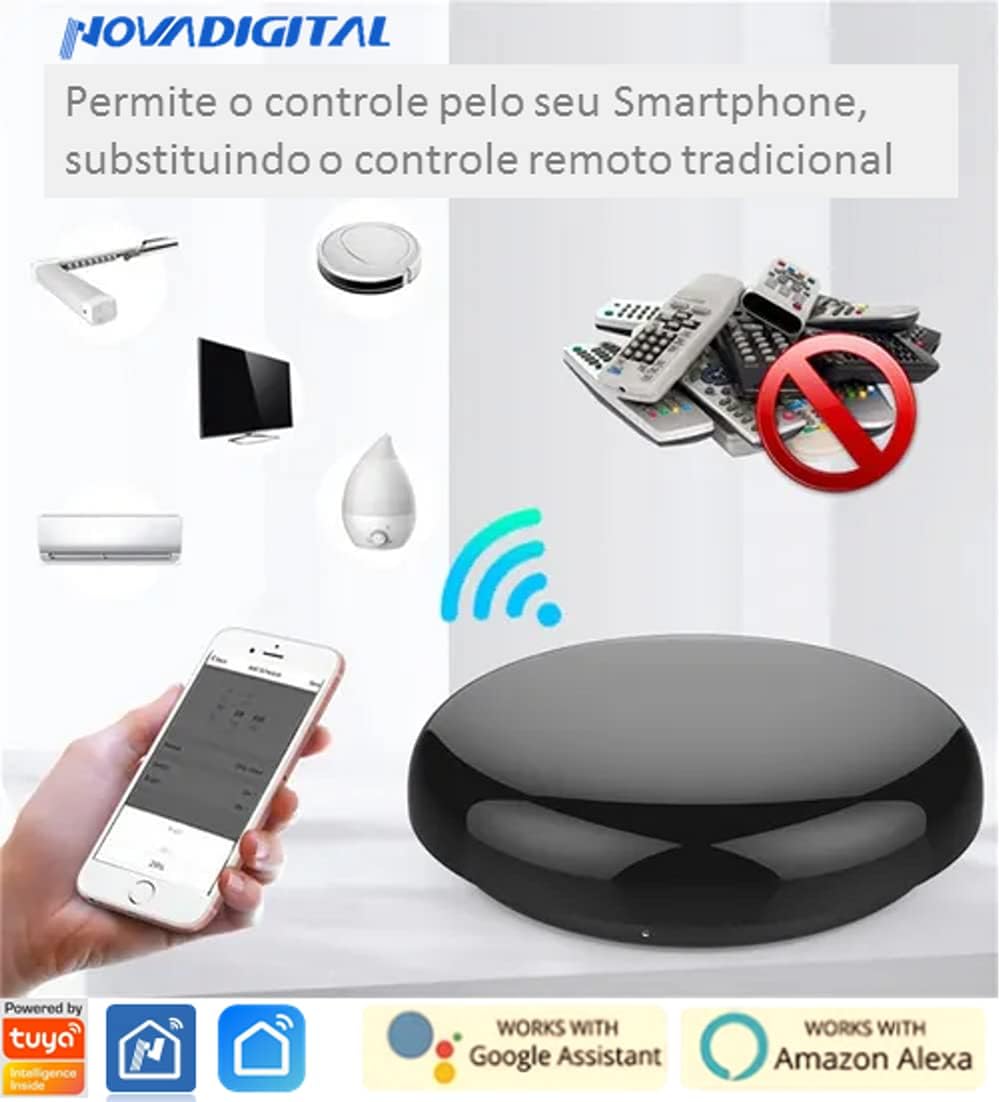
Image: The NOVADIGITAL SRW-002 device shown with a smartphone displaying control options, alongside various appliances like a TV, air conditioner, and robot vacuum, illustrating its universal control capability.
Maintenance
Proper maintenance ensures the longevity and optimal performance of your SRW-002 device.
- Cleaning: Use a soft, dry cloth to wipe the device. Do not use liquid cleaners, aerosols, or abrasive materials.
- Storage: When not in use for extended periods, store the device in a cool, dry place, away from direct sunlight and extreme temperatures.
- Firmware Updates: Periodically check the Tuya Smart app for any available firmware updates for the SRW-002. Updates can improve performance and add new features.
Troubleshooting
If you encounter issues with your SRW-002, refer to the following common solutions:
| Problem | Possible Cause | Solution |
|---|---|---|
| Device not powering on. | No power supply or faulty cable. | Ensure the Micro USB cable is securely connected to a working power source. Try a different USB cable or power adapter. |
| Cannot connect to Wi-Fi. | Incorrect Wi-Fi band (5GHz), wrong password, or weak signal. | Verify your Wi-Fi network is 2.4GHz. Double-check the Wi-Fi password. Move the SRW-002 closer to the router. Reset the device and try pairing again. |
| IR control not working. | No line of sight, incorrect remote profile, or device not in range. | Ensure the SRW-002 has a clear line of sight to the target device. Try different remote profiles in the app. Use the learning function if a suitable profile is not found. Ensure the SRW-002 is within effective IR range of the device. |
| Voice control not responding. | Alexa/Google Home skill not linked, device not discovered, or incorrect commands. | Verify the "Tuya Smart" or "Smart Life" skill/action is enabled and linked in your Alexa/Google Home app. Redo device discovery. Use the exact names assigned to your devices in the Tuya app. |
Specifications
| Feature | Detail |
|---|---|
| Model | SRW-002 |
| Brand | NOVADIGITAL |
| Connectivity | Wi-Fi 2.4GHz b/g/n |
| Control Type | Infrared (IR) |
| Compatibility | Universal (Learning Function), over 4000 cloud profiles |
| Voice Assistant Support | Amazon Alexa, Google Home |
| Material | Plastic and Electronic Circuit |
| Color | Black |
| Dimensions (Packaging) | 5 x 5 x 2 cm |
| Weight (Packaging) | 200 g |
| Maximum Supported Devices | 4000 (profiles) |
| Compatible Devices | TV, DVD/Blu-ray Player, Air Conditioner, Home Theater, etc. (any IR-controlled device) |
Warranty and Support
NOVADIGITAL products are manufactured to high-quality standards. While specific warranty details are not provided in this manual, please retain your proof of purchase for any warranty claims.
For technical support, troubleshooting assistance beyond this manual, or warranty inquiries, please contact your retailer or the NOVADIGITAL customer service through their official website or contact channels. Refer to the product packaging or the seller's information for specific contact details.

Image: A family using smartphones to control smart home devices, demonstrating the sharing and multi-user capabilities of the NOVADIGITAL SRW-002 Smart IR Wi-Fi Universal Remote Control.