
ZIK ZIK Ruby
ZIK Ruby Ergonomic Office Chair User Manual
Model: ZIK Ruby
Important Safety Information
Please read this manual carefully before assembling and using your ZIK Ruby Ergonomic Office Chair. Keep this manual for future reference.
- Ensure all components are present and undamaged before assembly.
- Do not use the chair if any parts are missing or broken. Contact customer support immediately.
- Do not stand on the chair.
- Do not use the chair for purposes other than its intended use as an office chair.
- Keep children and pets away during assembly.
- Maximum weight capacity: 150 kg (330 lbs). Do not exceed this limit.
Assembly Instructions
The ZIK Ruby Ergonomic Office Chair is designed for straightforward assembly. Most components are partially pre-assembled, and the necessary tools are included in the package.
- Unpack Components: Carefully remove all parts from the packaging. Verify that all components listed in the packing list are present.
- Attach Casters to Base: Insert the five casters into the holes at the end of each leg of the chair base. Push firmly until they click into place.
- Insert Gas Lift: Place the gas lift cylinder into the center hole of the chair base.
- Attach Mechanism to Seat: Align the seat mechanism with the pre-drilled holes on the underside of the seat cushion. Secure it using the provided screws and wrench. Ensure the front of the mechanism faces the front of the seat.
- Connect Seat to Gas Lift: Carefully place the assembled seat (with mechanism) onto the gas lift cylinder. Press down firmly to secure.
- Attach Backrest: Align the backrest with the mounting points on the seat mechanism. Secure with the provided screws.
- Install Armrests: Attach the armrests to the designated points on the seat or backrest, securing them with screws.
- Install Headrest: Slide the headrest into its slot at the top of the backrest.
- Final Check: Once assembled, ensure all screws are tightened and the chair is stable before use.

Figure 1: Chair Dimensions and Assembly Overview. This diagram illustrates the key measurements of the chair and provides a visual reference for component placement during assembly.
Operating Instructions
The ZIK Ruby Ergonomic Office Chair offers multiple adjustment features to ensure optimal comfort and support for prolonged use.
1. Seat Height Adjustment
To adjust the seat height, locate the lever on the right side, beneath the seat. While seated, pull the lever upwards to lower the seat. To raise the seat, stand up slightly and pull the lever upwards. Release the lever at the desired height to lock it in place. The Class 4 gas lift ensures smooth and reliable height changes.
2. Backrest Tilt and Lock
The backrest features an oscillating tilt function. To recline, pull the lever on the left side, beneath the seat. Lean back to the desired angle. To lock the backrest in position, push the lever downwards. To unlock and allow recline, pull the lever upwards again.
3. Armrest Adjustment
The armrests are both inclinable and rotatable for personalized comfort.
- Rotation: Gently twist the armrest pads to rotate them inwards or outwards, adapting to your arm position.
- Incline: The armrests can be tilted to provide optimal support.
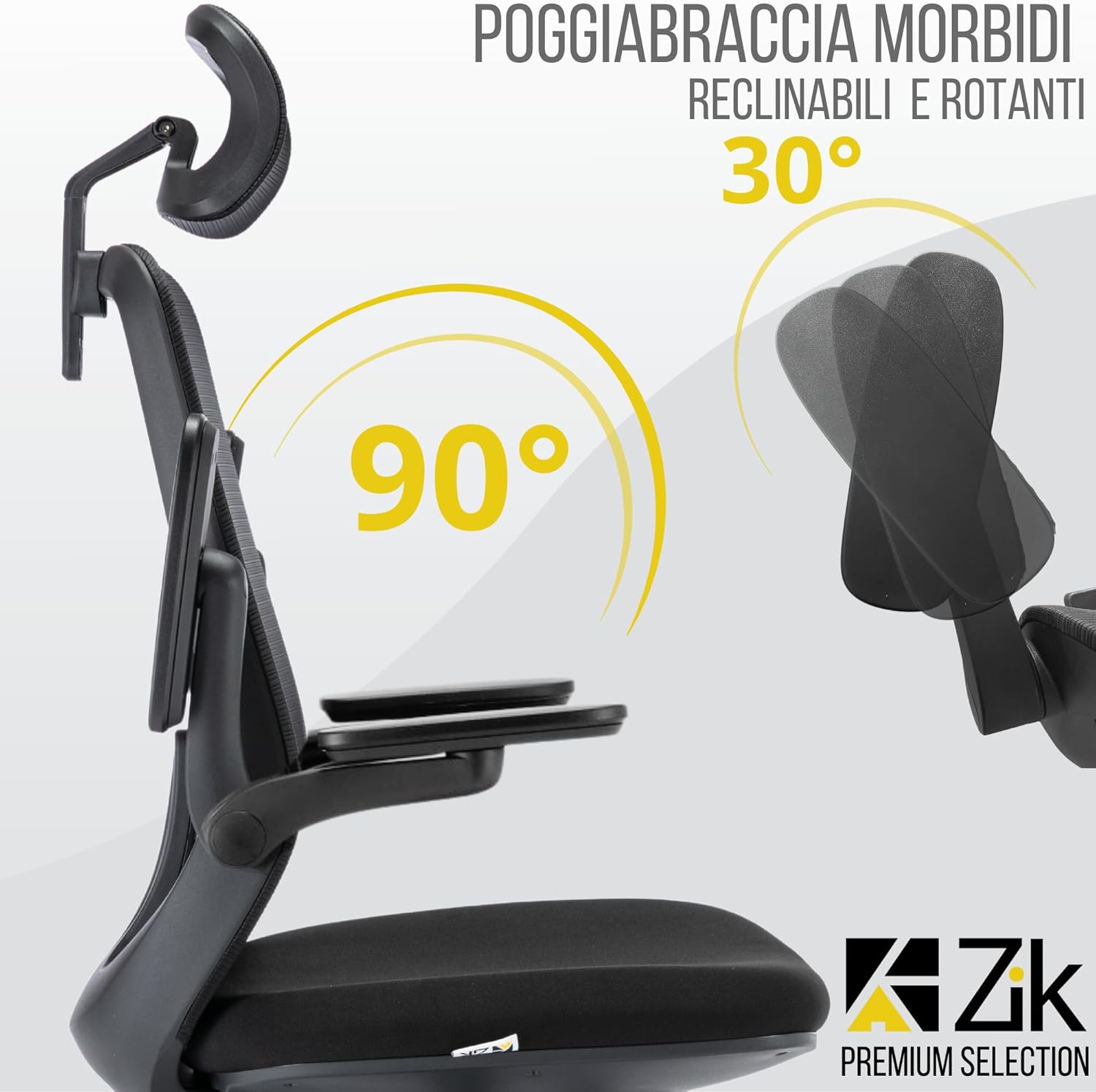
Figure 2: Armrest Adjustments. This image highlights the flexibility of the armrests, allowing users to recline and rotate them for ergonomic positioning.
4. Lumbar Support Adjustment
The adjustable lumbar support helps maintain the natural curve of your spine. To adjust, gently slide the lumbar support mechanism up or down on the backrest to find the position that best supports your lower back.

Figure 3: Lumbar Support Adjustment. This image demonstrates how to adjust the lumbar support vertically to provide tailored comfort for the lower back.
5. Headrest Adjustment
The headrest is both oscillating and height-adjustable. To adjust the height, gently pull the headrest upwards or push it downwards. To adjust the angle, tilt the headrest forward or backward to support your neck and head comfortably.

Figure 4: Headrest Adjustments. This image illustrates the range of motion for the headrest, allowing for both height and angle adjustments.
Maintenance and Care
Regular maintenance will extend the life and performance of your ZIK Ruby Ergonomic Office Chair.
- Cleaning: For the mesh backrest and fabric seat, use a soft, damp cloth with mild soap and water. Avoid harsh chemicals or abrasive cleaners. Wipe dry immediately.
- Casters: Periodically check the casters for accumulated dust, hair, or debris. Clean them to ensure smooth and silent movement and to prevent scratching floors.
- Fasteners: Every few months, check all screws and bolts to ensure they are tight. Re-tighten if necessary to maintain stability and prevent squeaking.
- Gas Lift: The gas lift is designed for durability. If you notice any issues with height adjustment or stability, refer to the troubleshooting section.
Troubleshooting
Here are some common issues and their potential solutions:
| Problem | Possible Cause | Solution |
|---|---|---|
| Chair does not stay at desired height / Sinks slowly. | Gas lift malfunction or leak. | This indicates a faulty gas lift. Contact ZIK customer support for a replacement under warranty. |
| Chair squeaks or wobbles. | Loose screws or connections. | Check and tighten all assembly screws, especially those connecting the seat, backrest, and mechanism. |
| Casters do not roll smoothly. | Debris caught in casters or damaged casters. | Remove any hair or debris from the caster wheels. If damaged, replacement casters may be needed. |
| Backrest does not recline or lock. | Mechanism lever not engaged correctly. | Ensure the tilt lever is fully pulled up to recline or pushed down to lock. Check for any obstructions. |
Specifications
- Brand: ZIK
- Model: ZIK Ruby
- Color: Black
- Material: Mesh (backrest), Fabric (seat)
- Dimensions (L x W x H): 70 x 65 x 127 cm (27.5 x 25.6 x 50 inches)
- Weight: 19 kg (41.9 lbs)
- Maximum Load Capacity: 150 kg (330 lbs)
- Special Features: Adjustable lumbar support, reclining backrest, rotating and inclinable armrests, height-adjustable and oscillating headrest, Class 4 gas lift.
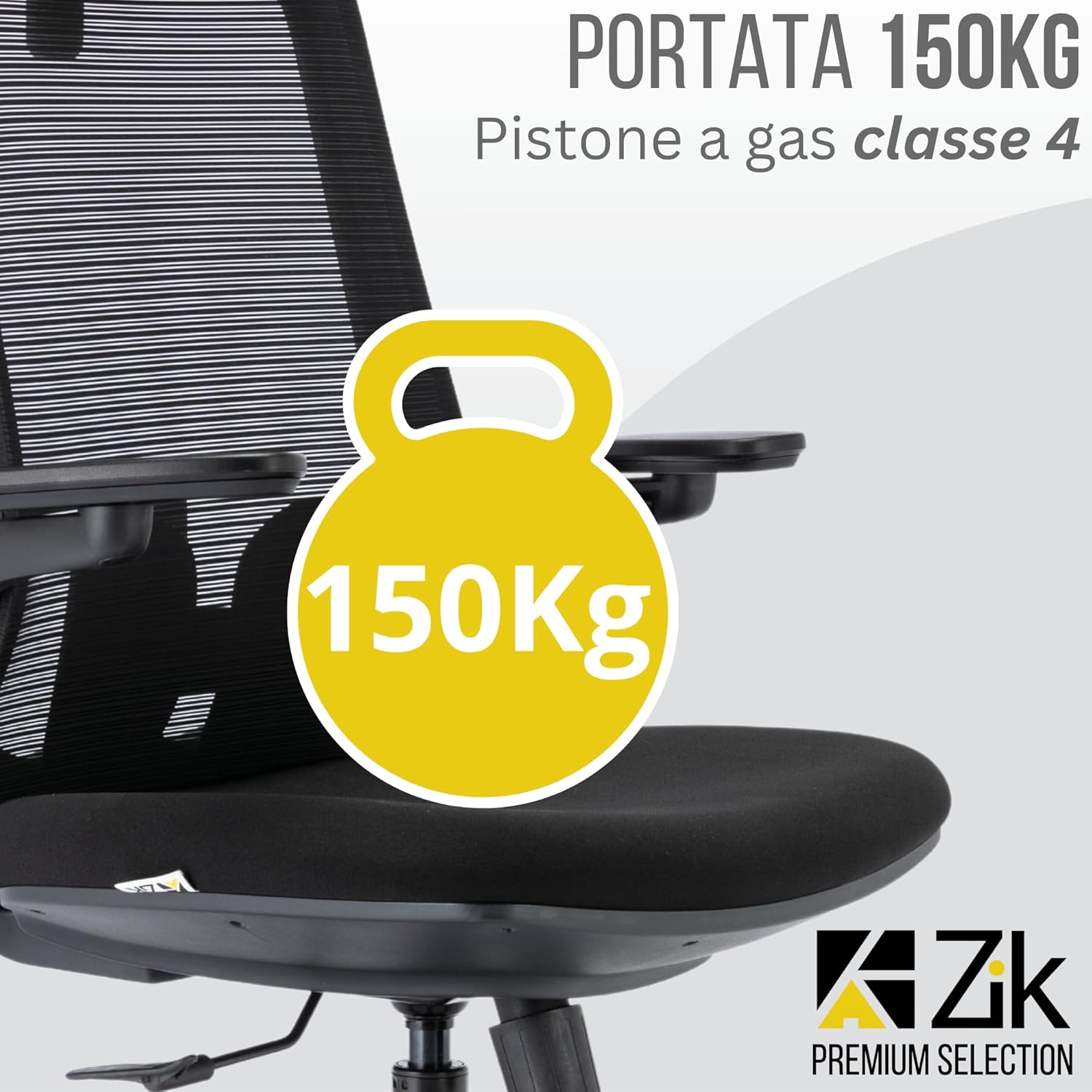
Figure 5: Maximum Load Capacity. This image highlights the chair's robust design, capable of supporting up to 150 kg.

Figure 6: ZIK Ruby Ergonomic Office Chair. A complete view of the chair, showcasing its design and features.
Warranty and Support
Your ZIK Ruby Ergonomic Office Chair comes with a 3-year warranty from the date of purchase.
This warranty covers manufacturing defects and material faults under normal use. It does not cover damage caused by misuse, accidents, unauthorized repairs, or normal wear and tear.
For warranty claims, technical assistance, or any questions regarding your product, please contact ZIK customer support. Multilingual telephone support is available 365 days a year.
Please have your purchase receipt and product model number (ZIK Ruby) ready when contacting support.
For further information, visit the official ZIK website or contact your retailer.
Ask a question about this manual
Ask about setup, troubleshooting, compatibility, parts, safety, or missing instructions. Manuals+ will review the question and use this page’s manual context to help answer it.