1. Introduction
The VIJIM Camera Desk Mount Stand (Model LS03) is a versatile and robust solution designed to securely mount various camera equipment, lighting, and mobile devices to your desk. Its extendable telescopic pole and stable C-clamp provide flexibility and stability for content creators, streamers, and anyone needing an organized and efficient workspace.
2. Key Features
- Super Long Adjustable Range: The 3-section telescopic pole offers an adjustable range from 18.3 inches (46.5 cm) to 48.8 inches (124 cm), accommodating various setups and heights for cameras, lights, and webcams.
- 360° Ball Head: Equipped with a removable 360° panoramic ball head featuring an industry-standard 1/4" screw, allowing for precise positioning and compatibility with a wide range of devices.
- Stable Aluminum Padded Desk Clamp: The durable aluminum C-clamp is expandable up to 1.97 inches (5 cm), ensuring maximum stability and compatibility with most desk thicknesses. The padded design protects your desk surface.
- Included Phone Mount: Comes with a quick-clamping phone mount that fits phones with a maximum width of 3.94 inches (10 cm). Padded grips secure and protect your smartphone.
- Space-Saving Design: Constructed from high-quality aluminum alloy, this desk mount is stable enough to support various devices while minimizing desk clutter, making it ideal for studio setups.
3. What's in the Box
- VIJIM Camera Desk Mount Stand
- Phone Mount
- Ball Head

Figure 1: Included components of the VIJIM Camera Desk Mount Stand.
4. Setup Instructions
- Attach the C-Clamp: Position the C-clamp base of the main pole onto the edge of your desk. Turn the screw knob clockwise to tighten the clamp securely to the desk surface. Ensure it is firm and stable before proceeding.
- Install the Ball Head: Screw the 360° panoramic ball head onto the 1/4" screw at the top of the main pole. Tighten it firmly.
- Attach Your Device:
- For cameras, ring lights, or panel lights: Directly screw your device onto the 1/4" screw on the ball head.
- For smartphones: Attach the included phone mount to the ball head's 1/4" screw, then secure your phone within the quick-clamping grips.
- Adjust Height: Loosen the locking rings on the telescopic pole sections. Extend or retract the pole to your desired height. Once adjusted, tighten the locking rings clockwise to secure the pole sections.
- Adjust Angle: Use the knob on the ball head to adjust the angle and orientation of your mounted device. Tighten the knob to lock the angle in place.

Figure 2: The 3-section telescopic pole allows for extensive height adjustment.

Figure 3: The 360° panoramic ball head provides flexible positioning.
5. Operating Instructions
The VIJIM Camera Desk Mount Stand is designed for straightforward operation once set up. Follow these guidelines for optimal use:
- Secure Mounting: Always ensure the desk clamp is tightly secured to a stable surface before attaching any equipment. This prevents accidental tipping or damage.
- Weight Capacity: While robust, avoid exceeding the stand's practical weight capacity. Distribute weight evenly if mounting multiple accessories using additional arms (sold separately).
- Adjusting On-the-Fly: For minor adjustments, loosen the respective locking rings or ball head knob just enough to allow movement, then re-tighten immediately after positioning.
- Cable Management: Utilize cable ties or clips (not included) to manage any cables from your mounted devices along the pole to maintain a tidy and safe workspace.

Figure 4: The stand with a phone mount, ideal for various applications.
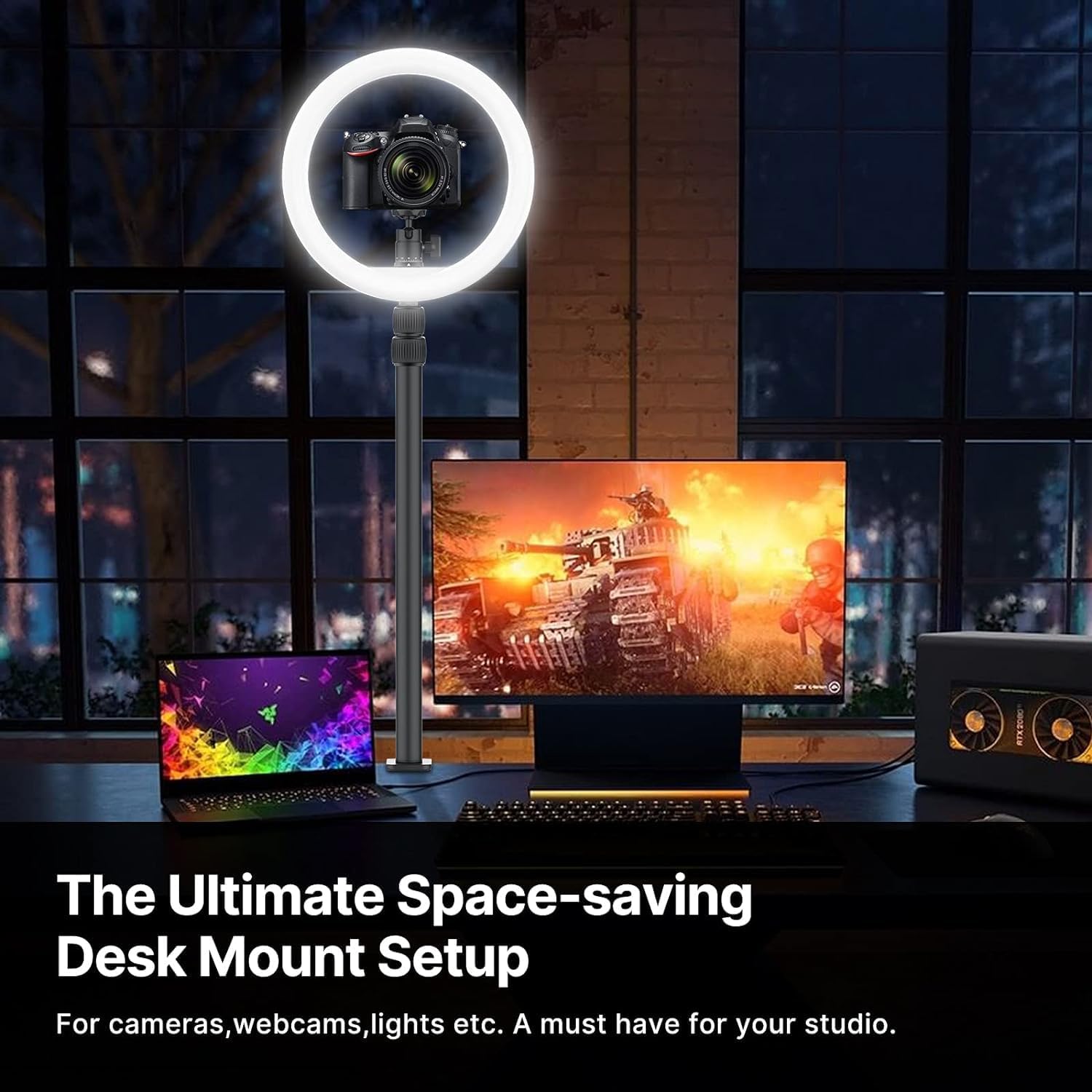
Figure 5: An example of a space-saving desk mount setup with a ring light and camera.

Figure 6: Versatile applications of the VIJIM desk mount stand.
6. Maintenance
To ensure the longevity and optimal performance of your VIJIM Camera Desk Mount Stand, follow these simple maintenance tips:
- Cleaning: Wipe the stand with a soft, dry cloth to remove dust and debris. For stubborn marks, a slightly damp cloth can be used, followed by immediate drying. Avoid abrasive cleaners or solvents.
- Inspecting Connections: Periodically check all screw connections and locking rings to ensure they are tight and secure. Re-tighten if any looseness is detected.
- Storage: If storing the stand for an extended period, ensure it is clean and dry. Store in a cool, dry place away from direct sunlight or extreme temperatures.
7. Troubleshooting
If you encounter any issues with your VIJIM Camera Desk Mount Stand, refer to the following common troubleshooting steps:
- Stand is Wobbly:
- Ensure the C-clamp is fully tightened to the desk surface.
- Check that all telescopic pole locking rings are securely tightened.
- Verify that the mounted device is within the stand's weight capacity.
- Device Slips or Changes Angle:
- Tighten the knob on the 360° ball head.
- Ensure the device is properly screwed onto the 1/4" thread.
- Phone Mount Not Holding Securely:
- Confirm your phone's width is within the 3.94-inch maximum.
- Ensure the phone is centered and fully seated within the padded grips.
If problems persist, please contact customer support for further assistance.
8. Specifications
| Model Number | LS03 |
| Brand | PICTRON |
| Adjustable Height Range | 18.3 to 48.8 inches (46.5 cm to 124 cm) |
| Desk Clamp Max Opening | 1.97 inches (5 cm) |
| Item Weight | 1.82 pounds (0.82 kg) |
| Compatible Devices | Cameras, Cellphones, Ring Lights, Panel Lights, Webcams |
| Mounting Type | Tabletop C-Clamp |
| Material | Aluminum Alloy |
9. Warranty and Support
For warranty information and customer support, please refer to the product packaging or contact PICTRON directly through their official website or the retailer where the product was purchased. Keep your proof of purchase for any warranty claims.


