
1. Introduction
This manual provides detailed instructions for the installation, operation, and maintenance of your Pyle PT696BT.7 5.2 Channel Home Theater Receiver. Please read this manual thoroughly before using the product to ensure proper function and to prevent damage. Keep this manual for future reference.

The Pyle PT696BT.7 receiver and its remote control.
2. Safety Instructions
To reduce the risk of electric shock, fire, or injury, always follow these basic safety precautions:
- Do not expose this appliance to rain or moisture.
- Do not remove the cover. No user-serviceable parts are inside. Refer servicing to qualified personnel.
- Ensure proper ventilation. Do not block ventilation openings.
- Do not place the unit near heat sources such as radiators, heat registers, stoves, or other apparatus that produce heat.
- Protect the power cord from being walked on or pinched, particularly at plugs, convenience receptacles, and the point where they exit from the apparatus.
- Only use attachments/accessories specified by the manufacturer.
- Unplug this apparatus during lightning storms or when unused for long periods.
3. Package Contents
Verify that all items are present in the box:
- Pyle PT696BT.7 AV Receiver
- Remote Control
- Power Cable
- AM/FM Stereo Antenna
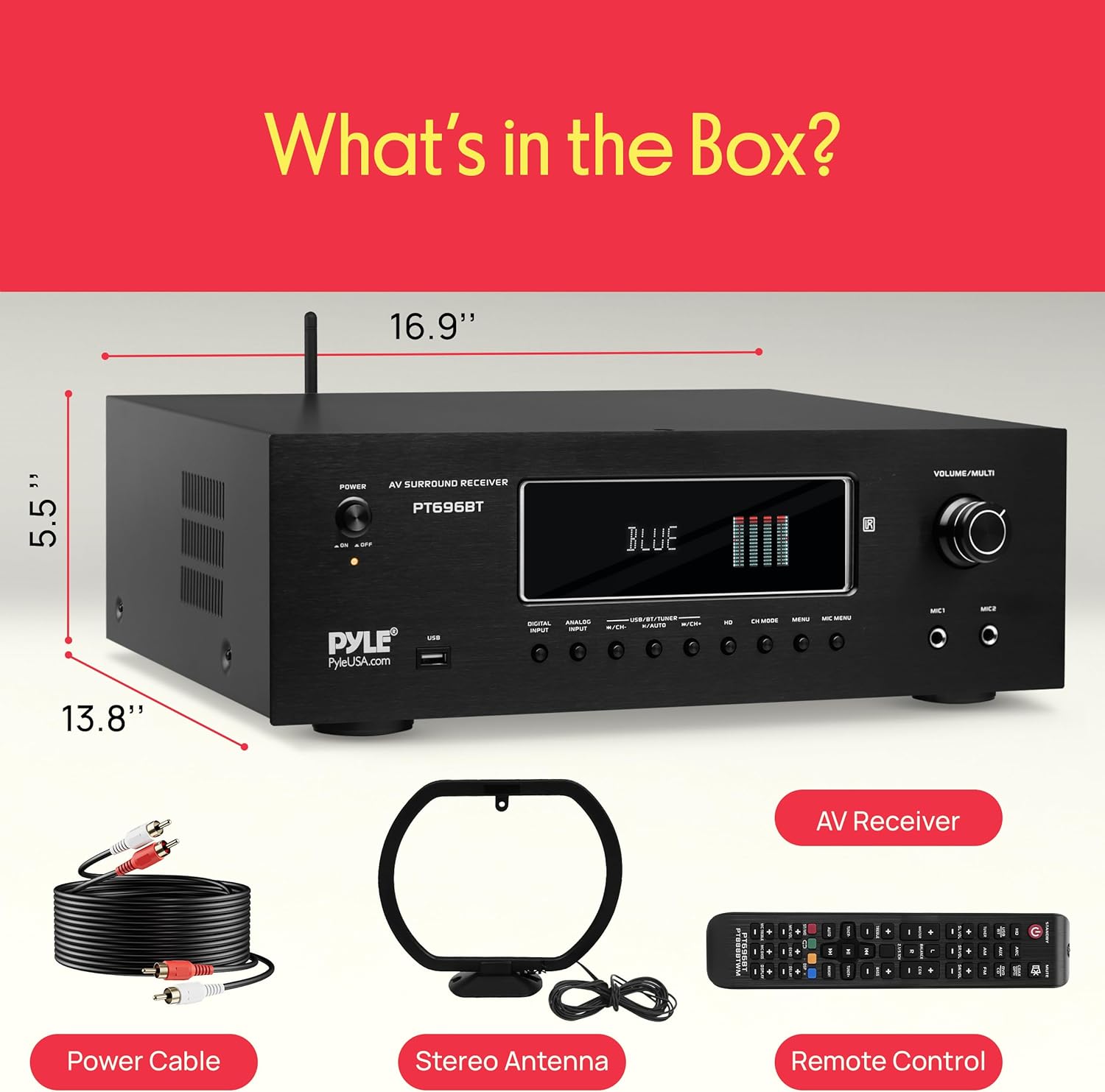
The package includes the AV receiver unit, remote control, power cable, and a stereo antenna.
4. Product Features
The Pyle PT696BT.7 receiver offers a range of features for a comprehensive home theater experience:
- 1000 Watt Peak Power: Provides substantial power for speakers and subwoofers with 4-16 ohm impedance.
- Bluetooth Connectivity: Integrated Bluetooth for wireless audio streaming from smartphones, tablets, and computers (Bluetooth Version 5.0, Range: 30'+ ft).
- 4K Ultra HD TV Pass-Through: Supports 4K Ultra HD TV, 3D Video, and Blu-Ray video pass-through.
- Multiple Inputs: HDMI, Optical/COAX Digital Audio, RCA, USB Flash Drive Reader, and AM/FM Radio.
- Microphone Inputs: Two 1/4-inch microphone inputs with independent input source selection and controls for echo, bass, treble, and volume.
- Digital VFD Display: Features a built-in VFD display with AM/FM radio and digital graphic audio output level display.
- Protection Features: Includes over current, short circuit, and over voltage protection.
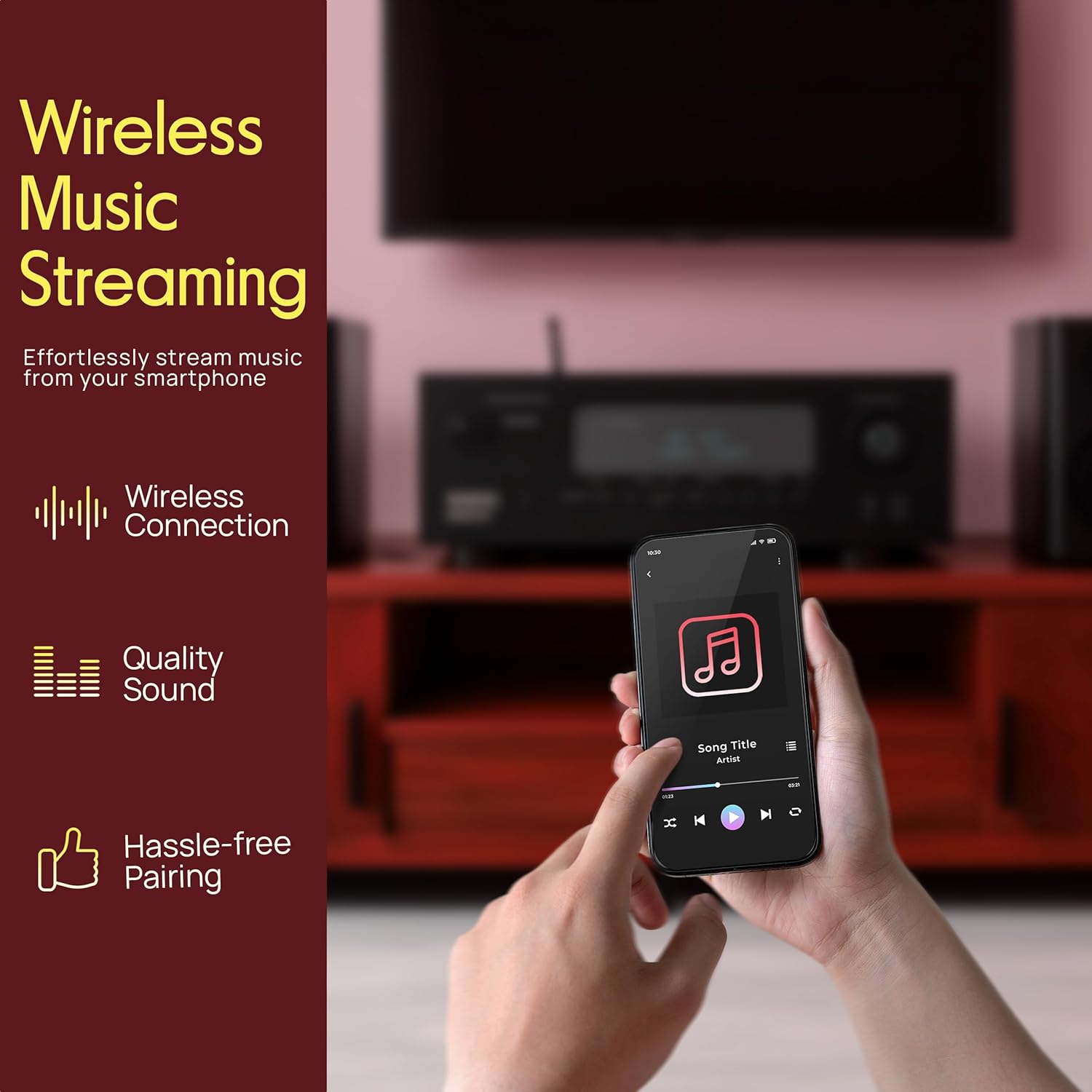
The receiver supports wireless music streaming from compatible devices like smartphones.
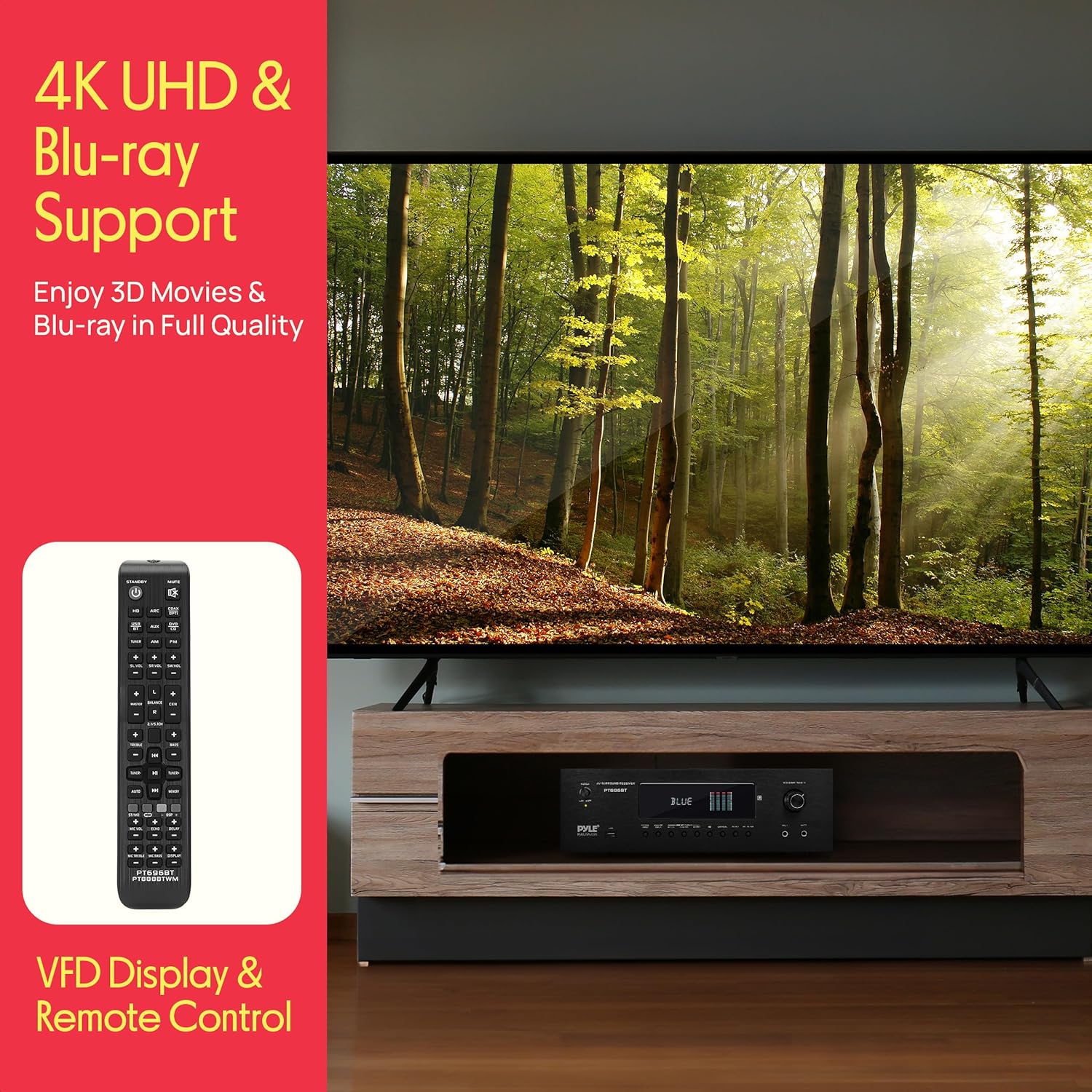
The receiver supports 4K Ultra HD and Blu-ray video pass-through for high-quality video output.
5. Controls and Connections
Familiarize yourself with the front and rear panel layouts for optimal use.
5.1 Front Panel Controls
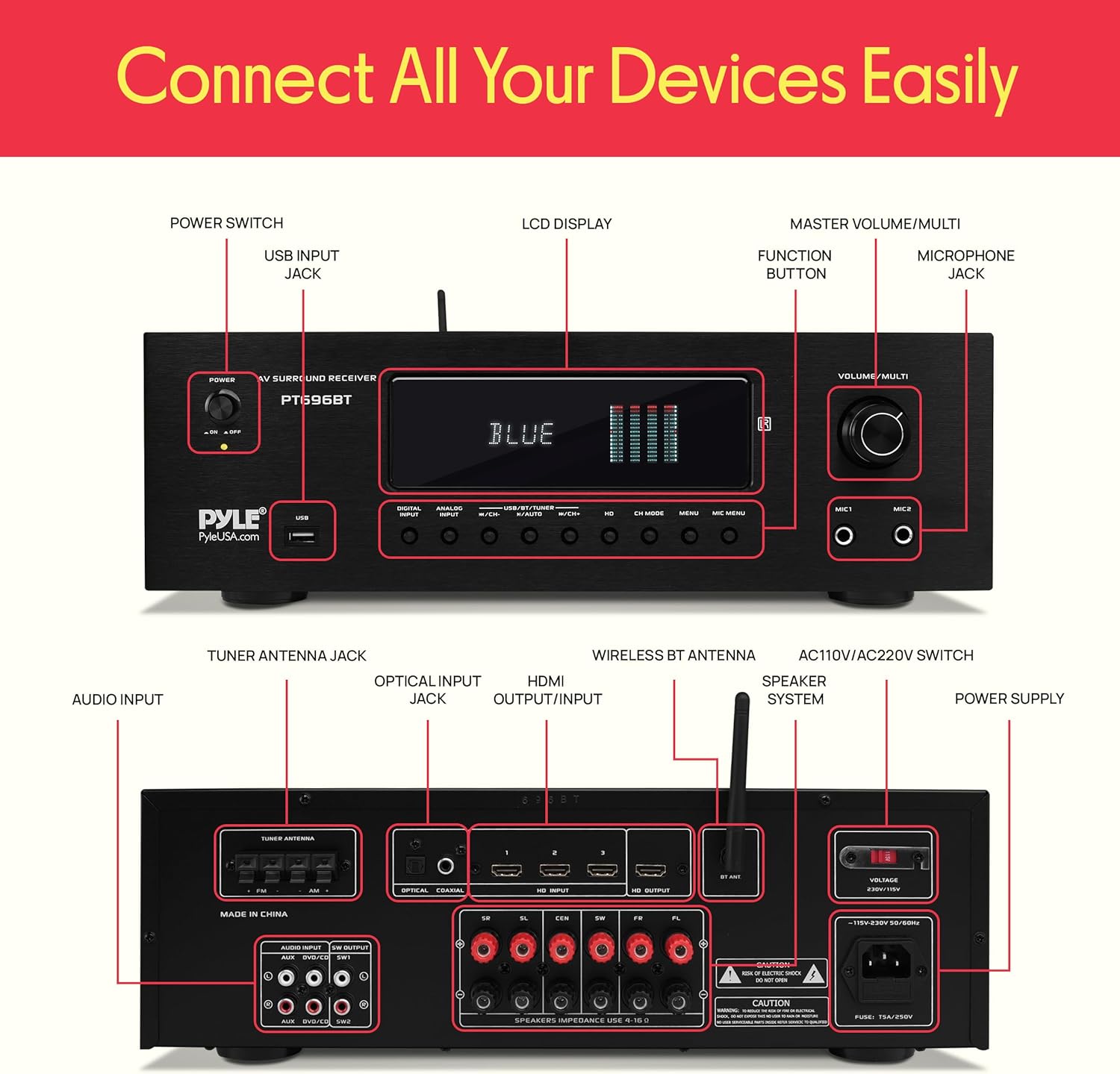
- Power Switch: Turns the unit on or off.
- USB Input Jack: For connecting USB flash drives.
- LCD Display: Shows current status, input, and settings.
- Function Buttons: For input selection (Digital Input, Analog Input, USB/BT/Tuner), channel mode, and menu navigation.
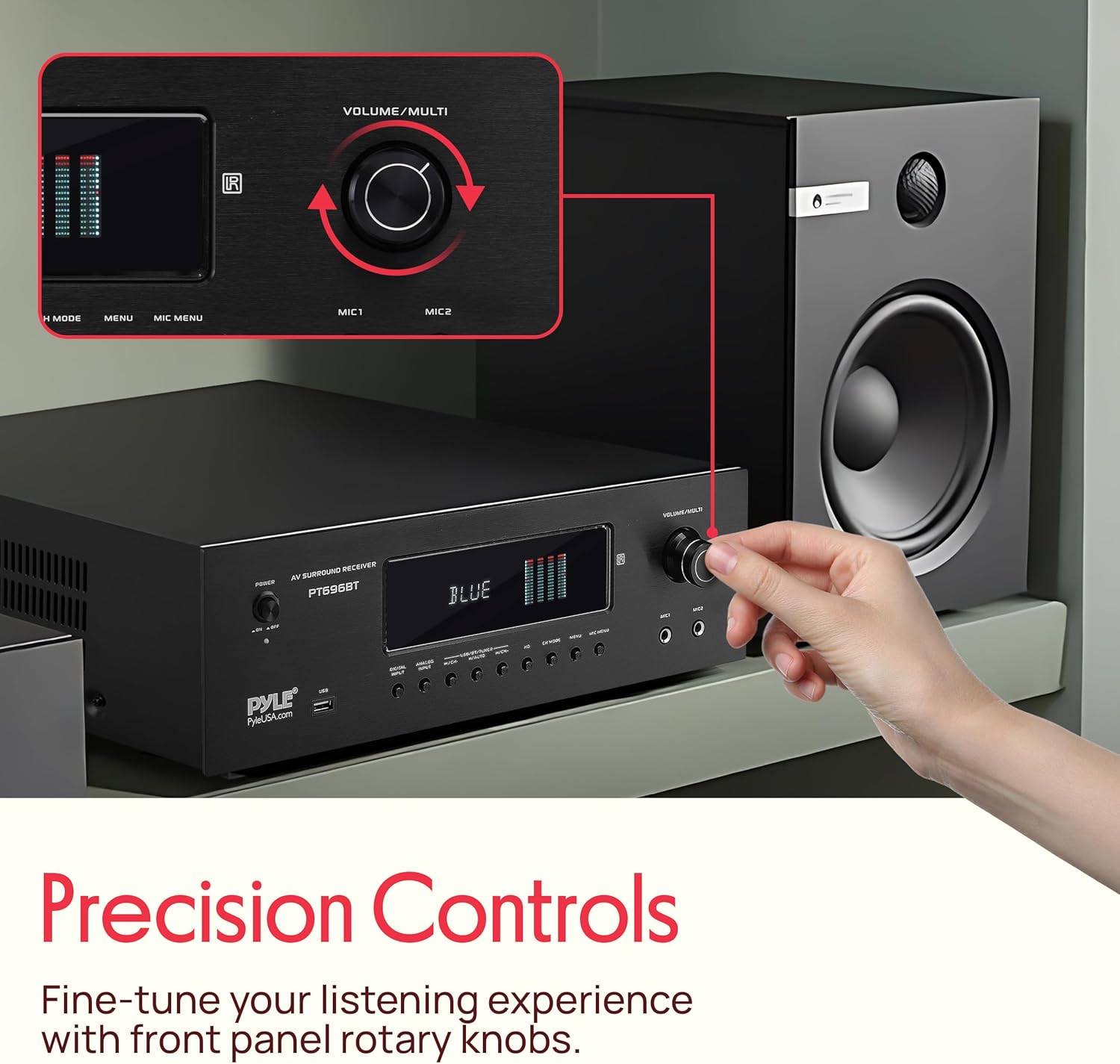
- Master Volume/Multi Knob: Adjusts overall volume and navigates menu options.
- Microphone Jacks (MIC1, MIC2): 1/4-inch inputs for microphones.
The front panel features a rotary knob for precise volume and multi-function control.
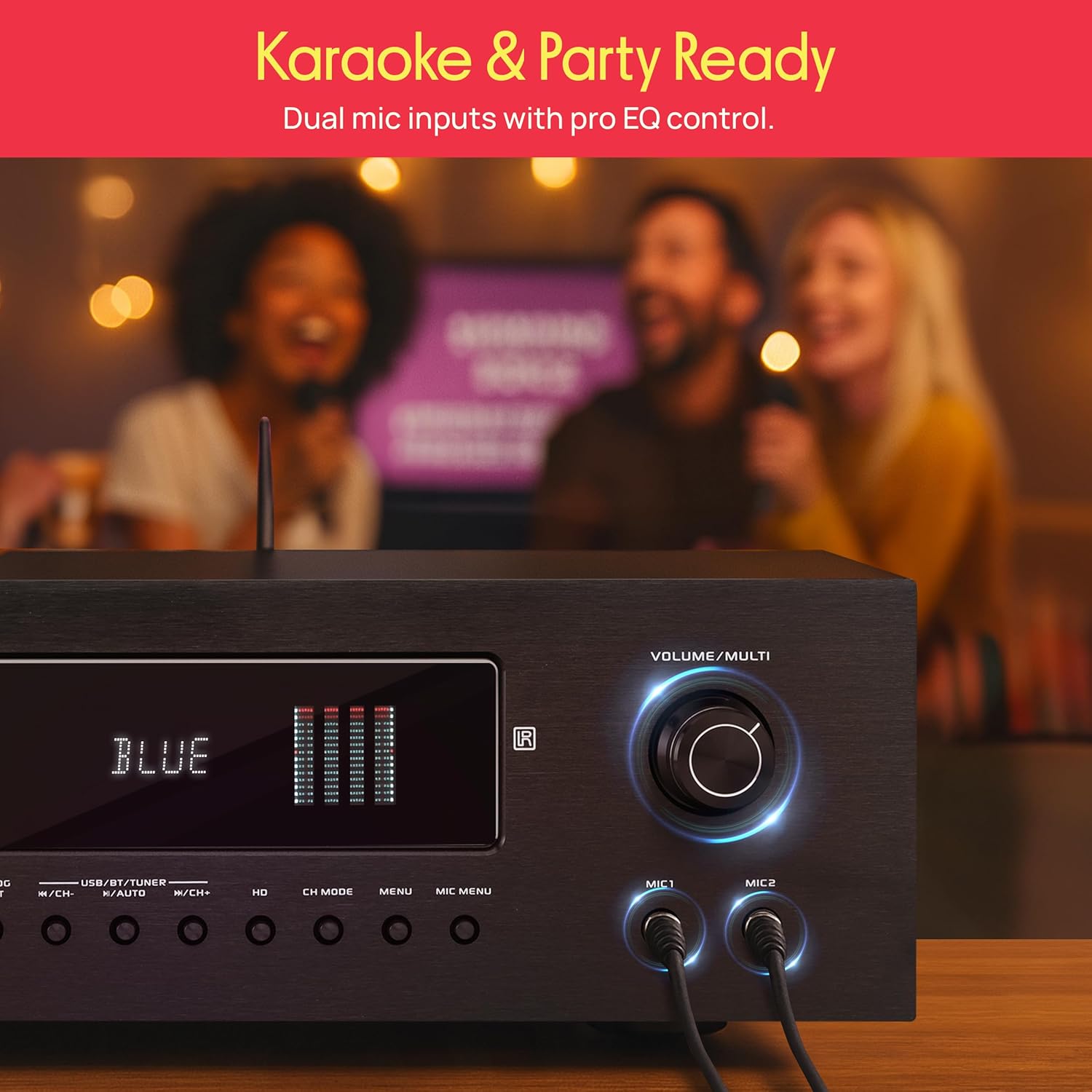
Dual microphone inputs allow for karaoke and vocal performances, with independent EQ controls.

Connecting a microphone to one of the front panel microphone inputs.
5.2 Rear Panel Connections
- Tuner Antenna Jack: For connecting AM/FM antennas.
- Optical/Coaxial Input Jacks: For digital audio sources.
- HDMI Output/Input: For connecting HDMI compatible devices.
- Wireless BT Antenna: For Bluetooth signal reception.
- AC110V/AC220V Switch: Voltage selector (ensure correct setting for your region).
- Speaker System Terminals: Binding posts for connecting speakers.
- Power Supply: AC power input.
- Audio Input (RCA): For analog audio sources.
- Dedicated RCA Subwoofer Output: For connecting a powered subwoofer.
Detailed diagram illustrating the various input and output ports, as well as front panel controls on the Pyle PT696BT.7 receiver.

Connecting external audio devices using RCA cables to the receiver's rear panel.
6. Setup
6.1 Connecting Speakers
Connect your speakers to the speaker binding posts on the rear panel. Ensure correct polarity (+ to + and - to -) for each speaker. The receiver supports speakers with an impedance of 4-16 Ohms. For a 5.2 channel setup, connect front left, front right, center, surround left, and surround right speakers. Connect a powered subwoofer to the dedicated RCA subwoofer output.
6.2 Connecting Audio/Video Sources
- HDMI: Connect HDMI cables from your source devices (e.g., Blu-ray player, game console) to the HDMI input ports. Connect your TV or display to the HDMI output port.
- Digital Audio (Optical/Coaxial): Connect digital audio cables from your TV or other digital audio sources to the Optical or Coaxial input jacks.
- Analog Audio (RCA): Connect RCA cables from analog audio sources (e.g., CD player, turntable with pre-amp) to the RCA audio input jacks.
- USB: Insert a USB flash drive into the front panel USB port for MP3/WMA/APE/FLAC playback.
6.3 Antenna Connection
Connect the included AM/FM stereo antenna to the respective jacks on the rear panel for radio reception.
7. Operating Instructions
7.1 Power On/Off
Press the POWER button on the front panel or the remote control to turn the receiver on or off.
7.2 Input Source Selection
Press the corresponding input buttons on the front panel (e.g., DIGITAL INPUT, ANALOG INPUT, USB/BT/TUNER) or use the remote control to select your desired audio/video source.
7.3 Bluetooth Pairing
- Select the 'BT' input source on the receiver. The display will show 'BLUE' and indicate pairing mode.
- On your mobile device, enable Bluetooth and search for available devices.
- Select 'PYLE PRO' from the list of devices.
- Once connected, the receiver will confirm the pairing, and you can stream audio wirelessly.

The receiver's Bluetooth connectivity allows for wireless audio streaming from mobile devices.
7.4 AM/FM Radio Operation
- Select the 'TUNER' input source.
- Use the tuning buttons on the front panel or remote to scan for stations.
- Save preferred stations to presets for quick access.
7.5 USB Playback
- Insert a USB flash drive containing compatible audio files (MP3/WMA/APE/FLAC) into the front USB port.
- Select the 'USB' input source.
- Use the navigation buttons to browse and play tracks.
7.6 Microphone Use
- Connect microphones to the MIC1 or MIC2 jacks on the front panel.
- Adjust microphone volume, echo, bass, and treble using the dedicated controls on the front panel or remote.
8. Troubleshooting
If you encounter issues with your receiver, refer to the following common problems and solutions:
| Problem | Possible Cause | Solution |
|---|---|---|
| No power | Power cord disconnected; Power switch off; Voltage selector incorrect. | Check power cord connection; Ensure power switch is on; Verify AC110V/AC220V switch is set correctly for your region. |
| No sound output | Incorrect input source selected; Speaker wires disconnected or incorrect polarity; Volume too low; Mute function active. | Select correct input source; Check speaker connections and polarity; Increase volume; Deactivate mute. |
| Bluetooth not connecting | Receiver not in BT mode; Device too far; Interference; Device not 'PYLE PRO'. | Ensure receiver is in BT input mode; Move device closer; Reduce interference; Confirm 'PYLE PRO' is selected on your device. |
| Static or distorted audio | Poor signal quality; Loose connections; Speaker impedance mismatch; Damaged cables. | Check antenna connection for radio; Secure all audio cables; Ensure speaker impedance is 4-16 Ohms; Replace damaged cables. |
| Remote control not working | Batteries depleted; Obstruction between remote and receiver; Incorrect remote mode. | Replace batteries (2 x 'AAA'); Remove obstructions; Ensure remote is pointed at the receiver's sensor. |
9. Specifications
- Power Output: 1000 Watt MAX
- Amplifier Receiver Type: 5.2-Channel
- Speaker Impedance: 4-16 Ohm
- S/N Ratio: >80dB
- T.H.D.: <0.05%
- Frequency Response: 20Hz-20kHz
- Radio Station Memory: 30 Presets
- Digital Audio File Support: MP3 / WMA / APE / FLAC
- Maximum USB Flash Support: Up to 1 TB
- Bluetooth Version: 5.0
- Wireless Range: 30'+ ft.
- Power Supply: 120V/240V, switchable
- Total Unit Dimensions (L x W x H): 16.9'' x 13.8'' x 5.5'' -inches
- Item Weight: 23.4 pounds
10. Warranty and Support
Pyle products are designed and manufactured to the highest quality standards. For warranty information or technical support, please refer to the documentation included with your purchase or visit the official Pyle website. Keep your proof of purchase for warranty claims.


