
Introduction
Thank you for purchasing the Samsung HW-Q600A 3.1.2 Ch Dolby Atmos Soundbar with Wireless Subwoofer. This manual provides essential information for the safe and efficient use of your new audio system. Please read it thoroughly before operating the device and retain it for future reference.
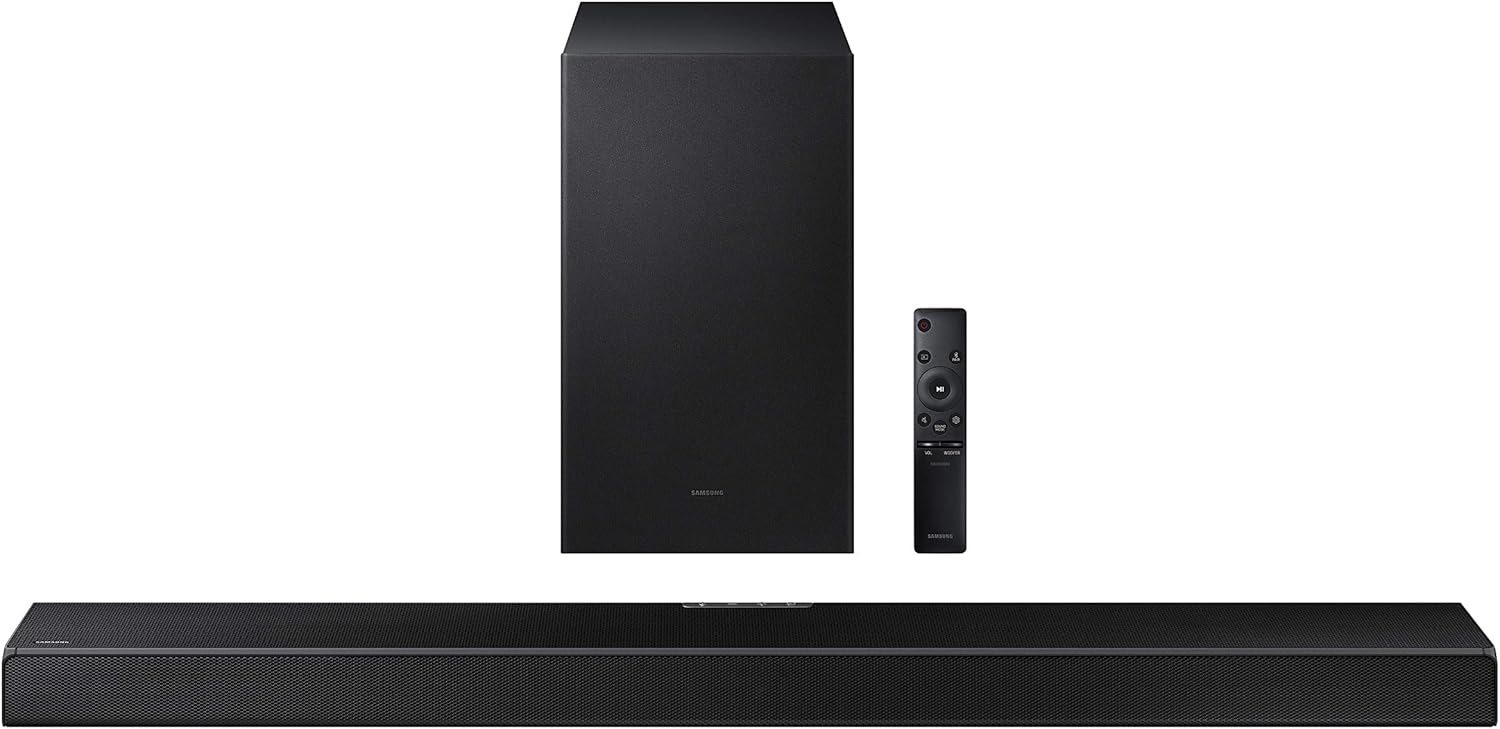
Figure 1: Samsung HW-Q600A Soundbar system components including the soundbar, wireless subwoofer, and remote control.
Safety Information
To reduce the risk of electric shock, fire, or damage to the unit, please observe the following safety precautions:
- Do not expose this apparatus to rain or moisture.
- Do not place objects filled with liquids, such as vases, on the apparatus.
- Ensure proper ventilation. Do not block any ventilation openings.
- Only use attachments/accessories specified by the manufacturer.
- Refer all servicing to qualified service personnel.
Package Contents
Verify that all items are included in your package:
- Soundbar (HW-Q600A)
- Wireless Subwoofer
- Remote Control with Batteries
- Power Cord for Soundbar
- Power Cord for Subwoofer
- HDMI Cable
- Wall Mount Bracket (optional)
- User Manual (this document)
Setup
1. Placement
Place the soundbar centrally below your TV. The wireless subwoofer can be placed anywhere in the room, ideally within 10 meters (33 feet) of the soundbar, for optimal bass performance.

Figure 2: Recommended placement of the soundbar directly in front of the television and the wireless subwoofer to the side.
2. Connections
Connect the soundbar to your TV using one of the following methods:
- HDMI ARC (Recommended): Connect an HDMI cable from the soundbar's HDMI OUT (TV-ARC) port to your TV's HDMI IN (ARC) port. This allows audio to be sent from the TV to the soundbar and enables control with a single remote.
- Optical Cable: Connect an optical cable from the soundbar's DIGITAL AUDIO IN (OPTICAL) port to your TV's Optical Digital Audio Out port.
- Bluetooth: For wireless audio from a mobile device, refer to the 'Bluetooth Pairing' section under Operating.
3. Power Connection
Connect the power cords to the soundbar and the wireless subwoofer, then plug them into a wall outlet. The subwoofer will automatically connect to the soundbar when both are powered on.

Figure 3: The wireless subwoofer, designed for flexible placement within the room.
Operating
1. Basic Controls
Use the included remote control to manage your soundbar. The remote allows you to power on/off, adjust volume, change input sources, and select sound modes.

Figure 4: The included remote control for the soundbar, featuring intuitive buttons for various functions.
2. Sound Modes
The HW-Q600A supports various sound modes to optimize your listening experience:
- Standard: Delivers original sound without special effects.
- Game: Provides an immersive gaming experience with optimized sound effects.
- Adaptive Sound: Analyzes content and optimizes sound settings in real-time.
- Dolby Atmos/DTS:X: Experience three-dimensional surround sound with overhead effects.

Figure 5: The soundbar adapts to various content types, offering optimized sound modes for dialogue, sports, news, and movies.
3. Bluetooth Pairing (Tap Sound)
To play audio from your mobile device via Bluetooth:
- Enable Bluetooth on your mobile device.
- On the soundbar remote, press the Source button to select the "BT" (Bluetooth) input.
- On your mobile device, search for and select "[AV] Samsung Soundbar Q600A" from the list of available devices.
- For Tap Sound, ensure your mobile device has NFC enabled. Gently tap your mobile device to the soundbar's NFC tag (usually on the top or side). The soundbar will automatically connect.

Figure 6: Illustrates the 'Tap Sound' feature, allowing quick Bluetooth pairing by tapping a compatible smartphone to the soundbar.
4. One Remote Control
If connected via HDMI ARC, you can often control the soundbar's volume and power using your Samsung TV's remote control, simplifying your home entertainment setup.

Figure 7: The One Remote Control feature allows a single TV remote to manage both the television and the soundbar for convenience.
Maintenance
Proper maintenance ensures the longevity and performance of your soundbar system:
- Cleaning: Use a soft, dry cloth to clean the surfaces of the soundbar and subwoofer. Do not use liquid cleaners or abrasive materials.
- Ventilation: Ensure that the ventilation openings are not blocked by dust or debris. Regularly clean around the vents.
- Storage: If storing the unit for an extended period, disconnect it from power and store it in a cool, dry place away from direct sunlight and extreme temperatures.
Troubleshooting
If you encounter issues with your soundbar, try the following solutions:
| Problem | Possible Solution |
|---|---|
| No power | Check if the power cords are securely connected to the soundbar/subwoofer and the wall outlet. |
| No sound | Verify the input source is correct. Check volume levels on both the soundbar and TV. Ensure cables are properly connected. |
| Subwoofer not connecting | Ensure both soundbar and subwoofer are powered on. If issues persist, manually pair the subwoofer (refer to the full user manual for specific steps). |
| Bluetooth connection issues | Ensure the soundbar is in BT mode. Delete the soundbar from your device's Bluetooth list and re-pair. Move closer to the soundbar. |
For more detailed troubleshooting or persistent issues, please refer to the comprehensive online user manual or contact Samsung customer support.
Specifications
Key technical specifications for the Samsung HW-Q600A Soundbar:
- Model Name: HW-Q600A
- Brand: SAMSUNG
- Audio Output Mode: Surround
- Connectivity Technology: Bluetooth, HDMI, Optical, USB
- Subwoofer Connectivity: Wireless
- Product Dimensions: 14"D x 39"W x 12"H (approximate, combined)
- Item Weight: 26.3 pounds (approximate, combined)
- Woofer Diameter: 6 Inches
- Bluetooth Range: 10 Meters
Warranty and Support
Your Samsung HW-Q600A Soundbar comes with standard manufacturer's warranty. Additionally, this specific product includes an Additional 1 Year Coverage by Epic Protect, extending your peace of mind.

Figure 8: The product includes an additional 1-year extended warranty provided by Epic Protect.
For warranty claims or technical support, please contact Epic Protect directly for the extended coverage, or Samsung customer service for standard warranty and product inquiries. Visit the official Samsung support website for the most up-to-date contact information and resources.

Figure 9: The logo for Epic Protect, the provider of the additional 1-year coverage.