
CHADWICK CW-8182 (M810-8182)
CHADWICK Car Alarm System
Model: CW-8182 (M810-8182)
Universal Car Alarm Security Protection System
Product Overview
The CHADWICK Car Alarm System is a multi-level security device designed to protect your vehicle from theft and unauthorized access. It features high reliability and a 7-level adjustable sensitivity to suit various environments and user preferences. This system is universally compatible with different types of DC12V cars, offering a practical anti-theft solution.

Image: The CHADWICK Car Alarm System package contents, showing the main siren unit, two remote controls, and the instruction manual.
Package Contents
- 1x Main Control Unit (Siren)
- 2x Remote Controls
- 1x English User Manual

Image: Close-up of the two remote controls included with the CHADWICK car alarm system.
Installation Guide
The CHADWICK Car Alarm System is designed for non-destructive installation, making it accessible for self-installation. However, professional installation by a certified car electrician is recommended for optimal performance and safety.
Steps for Basic Connection:
- Identify the positive (+) and negative (-) terminals of your vehicle's 12V DC battery.
- Connect the red wire from the main control unit to the positive (+) terminal of the battery.
- Connect the black wire from the main control unit to the negative (-) terminal of the battery.
- Ensure all connections are secure and properly insulated.
- Mount the siren unit in a suitable location, such as the engine compartment, ensuring the bell mouth faces downwards to prevent water accumulation.
Important Note: This product is designed for 12V DC car systems and does not control central door lock functions or vehicle lights. Do not attempt to modify original vehicle wiring harnesses.
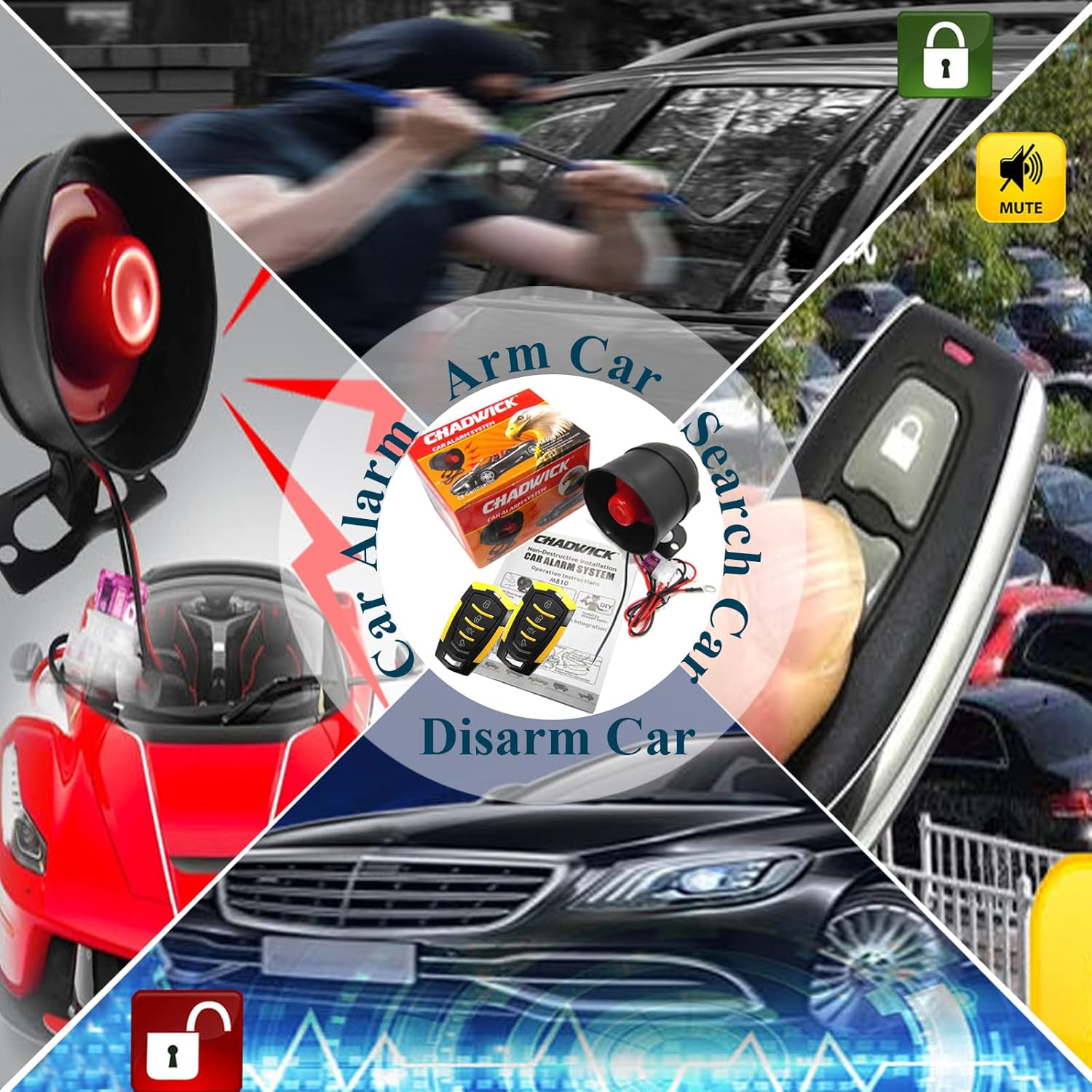
Image: Diagram illustrating the simple two-wire connection of the alarm system to the car battery's positive and negative terminals.

Image: A close-up view of the car battery, showing the red wire connected to the positive terminal and the black wire to the negative terminal for installation.

Image: An internal view of the siren unit, highlighting the integrated alarm module and its simple wiring connections.
Operating Instructions
The CHADWICK Car Alarm System operates via the provided remote controls. Familiarize yourself with the button functions for optimal use.
Remote Control Functions:
- Arming (Lock Button): Press the "lock" button once. The siren will sound once, and the system will enter the anti-theft state in 5 seconds.
- Disarming (Unlock Button): Press the "unlock" button. The siren will sound twice, and the unit will disarm.
- Car Search Function (Mute/Bell Button): Press the "mute" or "bell" button. The siren will sound for 30 seconds to help locate your vehicle. Press any button to stop the sound.

Image: A detailed view of the remote control, showing the distinct buttons for locking, unlocking, muting, and activating the bell function.
Sensitivity Adjustment:
The system has 7 sensitivity levels. Level 7 is the highest sensitivity, and Level 1 is the lowest. The default setting is Level 4.
- Increase Sensitivity: Press the "lock" and "bell" buttons simultaneously for 3 seconds. If the siren sounds 4 times, it indicates the 4th gear. Press the "lock" button once to increase sensitivity (e.g., to 5th gear).
- Decrease Sensitivity: Press the "unlock" and "bell" buttons simultaneously for 3 seconds. If the siren sounds 5 times, it indicates the 5th gear. Press the "unlock" button once to decrease sensitivity (e.g., to 4th gear).

Image: An instructional graphic detailing how to adjust the sensitivity of the alarm system using the remote control buttons.
Alarm Trigger Behavior:
- If triggered by vibration, the siren will sound for 5 seconds.
- If triggered again within 3 seconds, the siren will sound for 30 seconds with 6 tones circulated.

Image: Visual representation of the alarm siren activating when a car is impacted or an attempted break-in occurs.
Maintenance
To ensure the longevity and optimal performance of your CHADWICK Car Alarm System, consider the following maintenance tips:
- Regularly check the wiring connections for any signs of wear or corrosion.
- Keep the siren unit clean and free from debris.
- The remote control batteries (6V CR2016*2) are designed to last approximately one year without charging. Replace them when the remote's range or responsiveness decreases.
- Avoid exposing the remote controls to extreme temperatures or moisture.
Troubleshooting
If you encounter issues with your CHADWICK Car Alarm System, refer to the following common problems and solutions:
- Problem: Alarm is too sensitive or triggers frequently without apparent cause.
Solution: The vibration sensor needs to be connected to a stable and hard surface to reduce its sensitivity to vibrations. Refer to the "Sensitivity Adjustment" section in the Operating Instructions to adjust the sensitivity level downwards. Start by reducing it one level at a time until false alarms cease.
- Problem: Alarm does not trigger or is not sensitive enough.
Solution: Ensure the siren unit is securely mounted. Increase the sensitivity level as described in the "Sensitivity Adjustment" section. Verify that the unit is receiving proper power from the 12V DC source.
- Problem: Remote control is not working or has reduced range.
Solution: Check and replace the CR2016 batteries in the remote control. Ensure there are no obstructions between the remote and the main unit. If the issue persists, the remote may need to be re-paired with the main unit (refer to the full user manual for pairing instructions, if applicable).
Specifications
| Feature | Detail |
|---|---|
| Brand | CHADWICK |
| Model Number | M810-8182 |
| Working Voltage (Main Unit) | DC 12 ±3V |
| Static Current (Main Unit) | 10 mA |
| Siren Current | 10A |
| Working Frequency | 433.92MHZ |
| Remote Control Voltage | DC 12V |
| Remote Control Static Current | 0 mA |
| Remote Control Battery | 6V CR2016*2 (included) |
| Noise Level | 110 dB |
| Product Dimensions | 3.15 x 2.36 x 4.17 inches |
| Item Weight | 11.7 ounces |
| Compatibility | Universal for DC12V cars |
Warranty and Support
For warranty information, technical support, or further assistance, please refer to the contact details provided in your product's English User Manual or visit the official CHADWICK store on Amazon.
CHADWICK Store: Visit the CHADWICK Store