1. Introduction
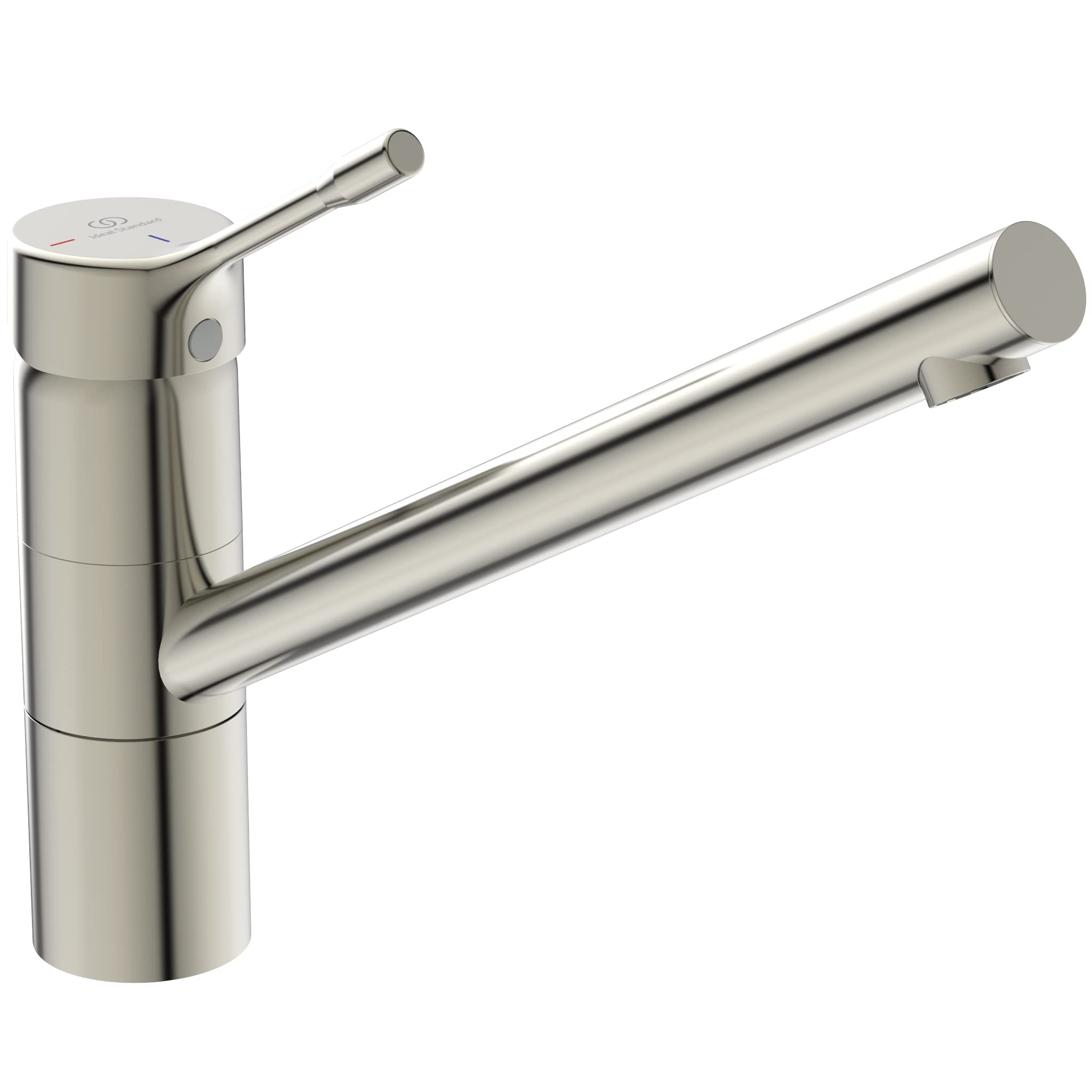
This manual provides detailed instructions for the safe and efficient installation, operation, and maintenance of your Ideal Standard CERALOOK BC295GN High Spout Basin Mixer Faucet. Please read this manual thoroughly before installation and retain it for future reference. This faucet is designed for basin use and features a high, orientable spout for enhanced functionality.
Key Features:
- Orientable Spout: Provides flexibility and convenience for various basin tasks.
- EKO Cartridge (38mm): Ensures excellent performance and pressure levels while promoting water and energy savings.
- Bluestart Technology: Opens to cold water first, heating water only when necessary to reduce energy consumption and costs.
- Easy Fix System: Facilitates quick and straightforward installation, saving time.
- Durable Material: Constructed from stainless steel with a polished finish for longevity and aesthetic appeal.
2. Safety Information
Always observe the following safety precautions during installation and operation:
- Ensure the main water supply is turned off before beginning any installation or maintenance work.
- If you are unsure about any part of the installation process, consult a qualified plumber.
- Do not use abrasive cleaners or harsh chemicals on the faucet's surface, as this may damage the finish.
- Protect the faucet from freezing temperatures, which can cause damage to internal components.
3. Package Contents
Verify that all components are present before starting installation:
- 1 x Ideal Standard CERALOOK BC295GN High Spout Basin Mixer Faucet
- 2 x Instruction Manuals
- Mounting hardware (Easy Fix system components)
- Flexible connection hoses (2x G3/8)
4. Specifications

Image: Technical drawing showing the dimensions and components of the BC295GN faucet.
| Feature | Detail |
|---|---|
| Manufacturer | Ideal Standard Italia |
| Product Dimensions (L x W x H) | 35 x 28.5 x 7.2 cm |
| Item Model Number | BC295GN |
| Color | Stainless Steel (Inox) |
| Style | Orientable Spout |
| Finish | Polished |
| Material | Stainless Steel |
| Number of Handles | 1 |
| Handle/Lever Material | Stainless Steel |
| Mounting Type | Deck Mounted |
| Special Features | Water Saving System (EKO Cartridge, Bluestart) |
| Item Weight | 1.44 Kilograms |
| Spout Reach (Center to Body) | 230 mm |
| Spout Height | 170 mm |
5. Setup and Installation
The Ideal Standard CERALOOK BC295GN faucet features an Easy Fix System for simplified installation. Follow these general steps:
- Prepare the Installation Area: Ensure the basin or countertop has a suitable mounting hole (typically Ø35mm). Clean the area thoroughly.
- Secure the Faucet: Place the faucet into the mounting hole. From underneath the basin, use the Easy Fix system components (washer, nut) to securely fasten the faucet. Tighten firmly but do not overtighten.
- Connect Water Supply: Attach the flexible connection hoses (2x G3/8) to the hot and cold water supply lines. Ensure all connections are tight to prevent leaks. Use appropriate sealing materials if necessary.
- Check for Leaks: Slowly turn on the main water supply and check all connections for any signs of leakage. If leaks are detected, turn off the water supply and re-tighten the connections.
- Test Operation: Once secure and leak-free, test the faucet's operation, including hot and cold water flow and spout movement.

Image: Icon representing the Easy Fix installation system, highlighting ease and speed.
6. Operating Instructions
Your CERALOOK BC295GN faucet is designed for intuitive use and incorporates water and energy-saving technologies:
- Water Flow and Temperature Control: The single lever handle controls both water flow and temperature. Lift the handle to increase flow. Move the handle left for hot water and right for cold water.
- Bluestart Technology: When the handle is in the central position, the faucet will deliver cold water. Hot water is only activated when the handle is moved to the left, preventing unnecessary heating of water and saving energy.
- EKO Cartridge: The 38mm EKO cartridge is engineered to provide optimal water pressure while minimizing water consumption, contributing to environmental sustainability and lower utility bills.
- Orientable Spout: The high spout can be rotated to direct water flow as needed, offering greater flexibility for various basin tasks.

Image: Icon representing water-saving features.
7. Maintenance and Care
To ensure the longevity and pristine appearance of your Ideal Standard faucet, follow these care guidelines:
- Regular Cleaning: Clean the faucet regularly with a soft cloth and mild soap or a non-abrasive liquid cleaner specifically designed for stainless steel.
- Avoid Harsh Chemicals: Do not use abrasive sponges, scouring pads, or cleaners containing alcohol, ammonia, bleach, or phosphoric acid, as these can damage the polished finish.
- Rinse and Dry: After cleaning, always rinse the faucet thoroughly with clean water and dry it with a soft cloth to prevent water spots and streaks.
- Aerator Maintenance: Periodically unscrew and clean the aerator to remove any mineral deposits or debris that may affect water flow.

Image: Icon representing the ShineBright feature, indicating easy cleaning and lasting shine.
8. Troubleshooting
If you encounter issues with your faucet, refer to the following common problems and solutions:
| Problem | Possible Cause | Solution |
|---|---|---|
| Low Water Flow | Clogged aerator; partially closed stopcock; low water pressure. | Clean or replace aerator; ensure stopcock is fully open; check household water pressure. |
| Leaking from Spout | Worn cartridge; debris in cartridge. | Replace the cartridge; clean the cartridge. |
| Leaking from Base | Loose mounting nut; damaged O-ring. | Tighten mounting nut; replace O-ring. |
| No Hot/Cold Water | Stopcock closed; issue with water heater. | Ensure stopcocks are open; check water heater functionality. |
If the problem persists after attempting these solutions, please contact customer support.
9. Warranty Information
Ideal Standard products are manufactured to the highest quality standards and are covered by a limited warranty against manufacturing defects. Please refer to the warranty card included with your purchase for specific terms, conditions, and duration of coverage. Keep your proof of purchase for warranty claims.
10. Support
For further assistance, technical support, or to inquire about spare parts, please contact Ideal Standard customer service:
- Website: www.idealstandard.com
- Email: Refer to your product documentation for regional contact information.
- Phone: Refer to your product documentation for regional contact information.
When contacting support, please have your model number (BC295GN) and purchase date available.


