
Monzana MZBC04
Monzana MZBC04 6V/12V Automatic Smart Battery Charger User Manual
Model: MZBC04
1. Product Overview
The Monzana MZBC04 is an intelligent 6V/12V-4A automatic battery charger designed for charging and maintaining various types of lead-acid batteries, including WET, MF, GEL, and AGM. It features a microprocessor-controlled 7-step charging process and 6 selectable charging programs to optimize battery health and longevity. The charger incorporates advanced safety features and an intuitive LCD display for easy monitoring.

Image: Diagram showing the Monzana MZBC04 charger, highlighting its components such as the LCD display, ABS housing, IP65 protection, 7 charging modes, and cable lengths (1.7m power cable, 1.4m charging cable with clamps).
2. Safety Information
WARNING! Always follow these instructions to ensure safe operation and prevent injury or damage.
- Read and understand all safety information before using this product.
- This device is for indoor use only. Do not expose to rain or moisture.
- Keep small parts and packaging materials away from children to prevent choking hazards.
- Ensure proper ventilation during charging. Do not operate in a closed area or restrict ventilation.
- Do not attempt to charge a frozen battery.
- The charger is equipped with protection against reverse polarity, overheating, overload, sparks, and short circuits. However, always ensure correct connection.
- If the power connection is interrupted during charging, the memory function will save the selected charging setting and resume automatically once reconnected.
3. Package Contents
The Monzana MZBC04 package includes:
- 1x Monzana MZBC04 Automatic Smart Battery Charger
- 1x Set of bipolar clamps (red for positive, black for negative)
- 1x User Manual (this document)
4. Product Features
- Universal Compatibility: Suitable for 6V and 12V WET, MF, GEL, and AGM lead-acid batteries.
- Advanced Safety: Features protection against reverse polarity, overheating, overload, sparks, and short circuits. IP65 rated for dust and water resistance.
- Memory Function: Retains charging settings after power interruptions.
- Battery Test Function: Allows battery testing without connecting to a power source.
- Maintenance Charging: Prevents overcharging, ideal for long-term connection.
- Temperature Compensation: Charging voltage adjusts automatically based on external temperature.
- Multiple Charging Programs: 6 selectable programs and a 7-step automatic charging process.
- LCD Display: Clear LCD with blue backlight for charging status and green light when fully charged.
- Low Standby Power Consumption: Consumes less than 1.5W in standby mode.
- Durable Construction: Impact-resistant ABS plastic casing.

Image: The Monzana MZBC04 charger with icons illustrating its key features: IP65 rating, 7-step charging, 6V/12V compatibility, 4A output, test function, memory function, 6 charging programs, microprocessor control, 1.2-120Ah capacity, and maintenance function.
5. Technical Specifications
| Specification | Value |
|---|---|
| Brand | Monzana |
| Model | MZBC04 |
| Power Output (Max) | 4A |
| Output Voltage | 6V/12V DC |
| Output Current | 4A/2A |
| Battery Capacity | 6-140 Ah |
| Protection Class | IP65 |
| Charging Cable Length | 1.4m |
| Power Cable Length | 1.7m |
| Dimensions (DxWxH) | 14P x 25.5l x 5.6H cm |
| Housing Material | Impact-resistant ABS plastic |
| Certifications | CE |
6. Setup
Before connecting the charger, ensure the battery terminals are clean and free of corrosion. The charger can be mounted on a wall using the four eyelets provided for convenience.

Image: The Monzana MZBC04 charger showing the four eyelets on its casing, indicating its suitability for wall mounting.
Connecting the Charger to the Battery:
- Connect the red (+) positive clamp to the positive terminal of the battery.
- Connect the black (-) negative clamp to the negative terminal of the battery.
- Ensure a secure connection to prevent sparks.
- Plug the charger's power cable into a suitable 230V AC wall outlet.

Image: The Monzana MZBC04 charger connected to a car battery under the hood, demonstrating the proper connection of the red and black clamps to the battery terminals.
7. Operating Instructions
Selecting a Charging Program:
Once connected to the battery and power outlet, the charger will automatically detect the battery type and voltage. Press the 'MODE' button to cycle through the available charging programs:
- 6V Motorcycle Mode (7.2V/1A): For 6V batteries.
- 6V Motorcycle Winter Mode (7.4V/1A): For 6V batteries in cold conditions.
- 12V Motorcycle Mode (14.4V/1A): For 12V batteries.
- 12V Motorcycle Winter Mode (14.7V/1A): For 12V batteries in cold conditions.
- 12V Car Mode (14.4V/4A): For 12V car batteries.
- 12V Car Winter Mode (14.7V/4A): For 12V car batteries in cold conditions.
The charger will automatically begin the 7-step charging process once a mode is selected.
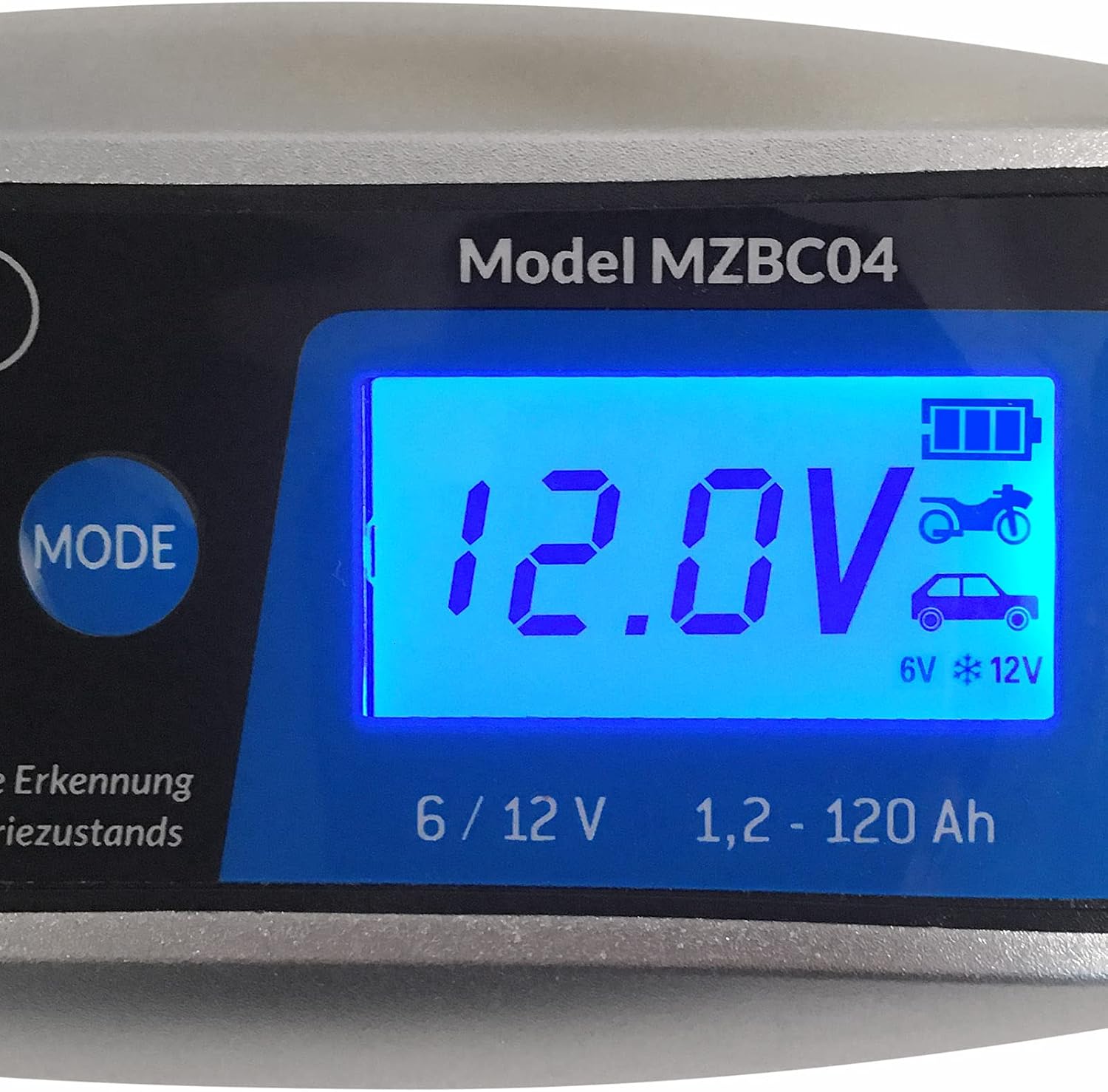
Image: A close-up view of the Monzana MZBC04's LCD display, showing a reading of 12.0V, indicating the current battery voltage during operation.
LCD Display Indicators:
- Blue Light: Indicates the battery is currently charging.
- Green Light: Indicates the battery is fully charged.

Image: Two views of the Monzana MZBC04 charger's LCD display. The top image shows a blue display, indicating the battery is charging. The bottom image shows a green display, indicating the battery is fully charged.
8. Battery Testing
The MZBC04 allows you to test the battery's condition without connecting the charger to a power outlet. Simply connect the bipolar clamps to the battery terminals, and the charger will provide a diagnostic reading.
9. Maintenance
The charger is designed for long-term maintenance charging. Once the battery is fully charged, the device automatically switches to a maintenance mode, preventing overcharging and keeping the battery in optimal condition. This is ideal for vehicles stored for extended periods.

Image: The Monzana MZBC04 charger illustrating its thermal compensation feature. It shows how the charging process adapts to both hot (40°C/104°F) and cold (-20°C/-4°F) external temperatures to prevent overcharging or undercharging.
10. Troubleshooting
If the charger is not operating as expected, check the following:
- No Display/Power: Ensure the charger is securely plugged into a working power outlet. Check the power cable for damage.
- No Charging Indication: Verify that the clamps are correctly connected to the battery terminals (red to positive, black to negative). Check if the battery is severely discharged or damaged.
- Error Indicators: The charger has built-in safety features. If an error occurs (e.g., reverse polarity, short circuit, overheating), the charger will stop operating and may display a specific error code or light pattern. Refer to the full manual for detailed error codes.
- Overheating: If the charger becomes excessively hot, it may temporarily stop charging to cool down. Ensure adequate ventilation around the charger.
If issues persist, contact customer support.
11. Warranty and Support
This product comes with a standard manufacturer's warranty. For warranty claims or technical support, please refer to the contact information provided in your purchase documentation or visit the official Monzana website.
Ask a question about this manual
Ask about setup, troubleshooting, compatibility, parts, safety, or missing instructions. Manuals+ will review the question and use this page’s manual context to help answer it.