
Introduction
This manual provides essential instructions for the safe and effective use of your CATEYE ORB USB Rechargeable Safety Light. Please read this manual thoroughly before using the product and retain it for future reference.

Image: The CATEYE ORB USB Rechargeable Safety Light, showcasing its compact design and clear lens.
Safety Information
Always prioritize safety when cycling. This light is designed to enhance your visibility to others, but it does not replace the need for caution and adherence to traffic laws. Ensure the light is securely mounted before each ride. Do not look directly into the light source as it may cause temporary vision impairment. Keep out of reach of children.
Package Contents
Verify that all items are present in the package:
- CATEYE ORB USB Rechargeable Safety Light (Front)
- Integrated Rubber Strap Mount
- Micro-USB Charging Cable
- Instruction Manual (this document)
Setup
1. Charging the Light
Before initial use, fully charge the ORB light. The light charges in approximately 3.5 hours.
- Locate the Micro-USB port on the back of the light.
- Connect the included Micro-USB cable to the light and to a USB power source (e.g., computer USB port, USB wall adapter).
- The indicator light will illuminate during charging and turn off when charging is complete.

Image: The CATEYE ORB light with its back cover removed, revealing the Micro-USB charging port.
2. Mounting the Light
The ORB light features an integrated rubber strap for versatile mounting. For optimal visibility, mount the front light on your handlebars.
- Position the light on your handlebar, seatpost, or helmet.
- Stretch the integrated rubber strap around the mounting surface.
- Hook the strap onto the designated hook on the light body to secure it firmly.
- Adjust the angle of the light to ensure it is visible to oncoming traffic.

Image: The CATEYE ORB light securely attached to a bicycle handlebar using its integrated rubber strap.
Operating the Light
The ORB light is operated using its push-button lens.
- Power On/Off: Press and hold the lens button for approximately 1 second to turn the light on or off.
- Change Modes: While the light is on, press the lens button briefly to cycle through the three lighting modes:
- Constant: Steady illumination.
- Rapid: Fast flashing pattern.
- Flashing: Slower, intermittent flashing pattern.

Image: The CATEYE ORB light actively illuminating while mounted on a bicycle handlebar.
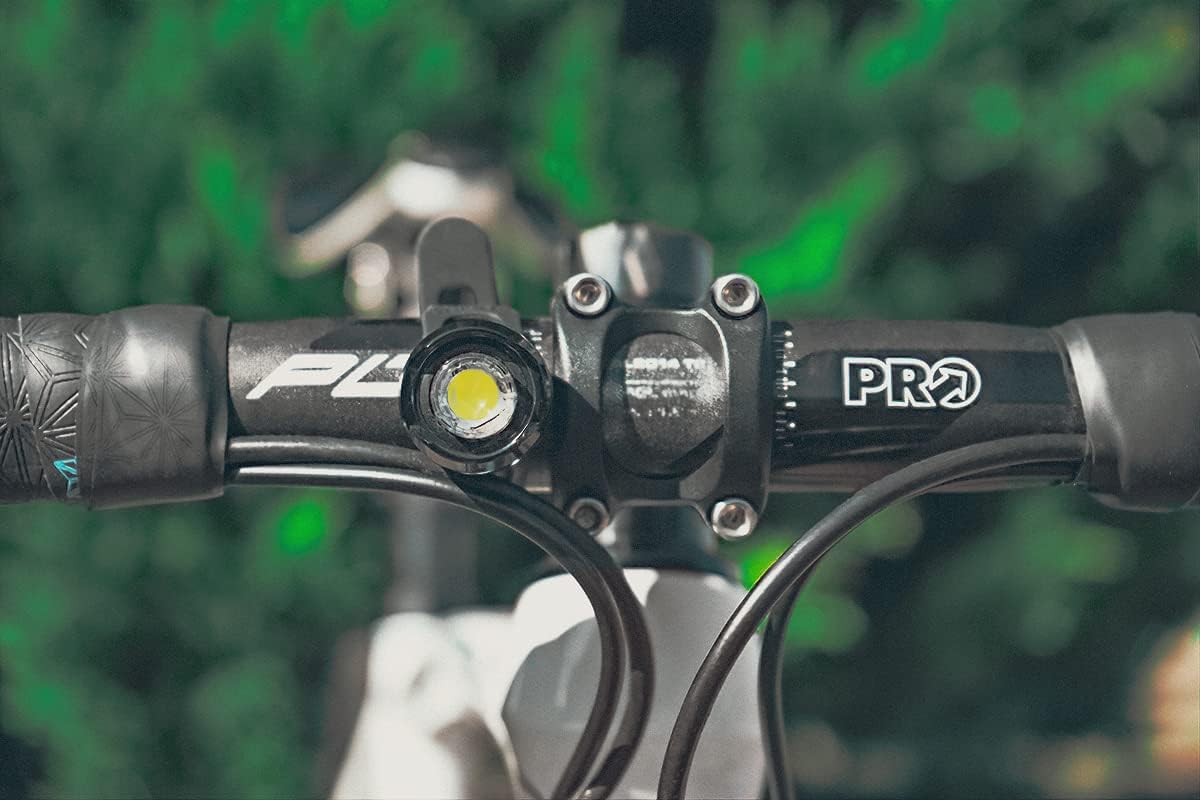
Image: A close-up view of the CATEYE ORB light's bright LED, mounted on a bicycle handlebar.
Maintenance
- Cleaning: Wipe the light body and lens with a soft, damp cloth. Do not use abrasive cleaners or solvents.
- Battery Care: To prolong battery life, avoid fully discharging the battery frequently. Recharge the light regularly, especially if it has not been used for an extended period.
- Water Resistance: The ORB light has an IPX5 water resistance rating, meaning it is protected against water jets from any direction. It is suitable for use in rainy conditions but should not be submerged in water.
Troubleshooting
| Problem | Possible Cause | Solution |
|---|---|---|
| Light does not turn on. | Battery is discharged. | Charge the light using the provided USB cable. |
| Light turns off unexpectedly. | Low battery. | Recharge the light. |
| Light modes do not change. | Button not pressed correctly. | Ensure a firm, brief press on the lens button to cycle modes. |
| Light is not securely mounted. | Strap not properly hooked. | Re-secure the rubber strap to the hook on the light body. |
Specifications
| Feature | Detail |
|---|---|
| Model Number | SL-LD160RC-F |
| Brand | CATEYE |
| Material | Aluminum |
| Power Source | Battery Powered (USB Rechargeable) |
| Charging Time | Approx. 3.5 hours |
| Water Resistance Rating | IPX5 |
| Lighting Modes | 3 (Constant, Rapid, Flashing) |
| Mounting Type | Integrated Rubber Strap (Handlebar Mount) |
| Color | Black |
| UPC | 725012034712 |
Warranty and Support
For warranty information or technical support, please refer to the official CATEYE website or contact CATEYE customer service directly. Keep your purchase receipt as proof of purchase.
Official CATEYE Website: www.cateyeamerica.com

