
SOUIDMY C-L260
SOUIDMY C-L260 61 Key Electric Keyboard Instruction Manual
Model: C-L260
1. Introduction
Welcome to the SOUIDMY C-L260 61 Key Electric Keyboard. This manual provides essential information for setting up, operating, and maintaining your new instrument. Please read these instructions carefully to ensure proper use and to maximize your musical experience. This keyboard is designed for beginners and experienced players alike, featuring lighted keys and various lesson modes to facilitate learning.

Image 1.1: A user engaging with the SOUIDMY C-L260 electric keyboard.
2. Product Overview
The SOUIDMY C-L260 is a versatile 61-key electric keyboard equipped with features designed for learning and creative expression. Key components include the 61 full-size keys, an advanced LCD display, control panel buttons, built-in speakers, and various input/output ports.
Key Features:
- 61 Full-Size Lighted Keys for interactive learning.
- 3 Lesson Modes to guide beginners.
- Advanced LCD Display for clear navigation.
- 255 Rhythms and 255 Timbres for diverse musical styles.
- 50 Preset Learning Songs.
- Smart Chords function for simplified chord playing.
- Dual Keyboard Mode for collaborative playing.
- USB Disk Support for background music and DEMO library.
- Microphone Input for vocal accompaniment.

Image 2.1: The SOUIDMY C-L260 electric keyboard with its main components visible.
3. Setup
3.1 Unpacking
Carefully remove all components from the packaging. Ensure all items listed in the packing list are present. Retain the packaging for future transport or storage.
3.2 Power Connection
- Locate the DC IN port on the rear panel of the keyboard.
- Connect the provided power adapter to the DC IN port.
- Plug the power adapter into a standard electrical outlet.
The keyboard operates on corded electric power.
3.3 Microphone Connection
If using an external microphone, connect it to the microphone input jack on the keyboard. Adjust microphone volume using the dedicated control, if available, or through the keyboard's main volume.
3.4 USB Disk Connection
To play background music or access the DEMO music library from a USB disk, insert the USB disk into the designated USB port on the keyboard.
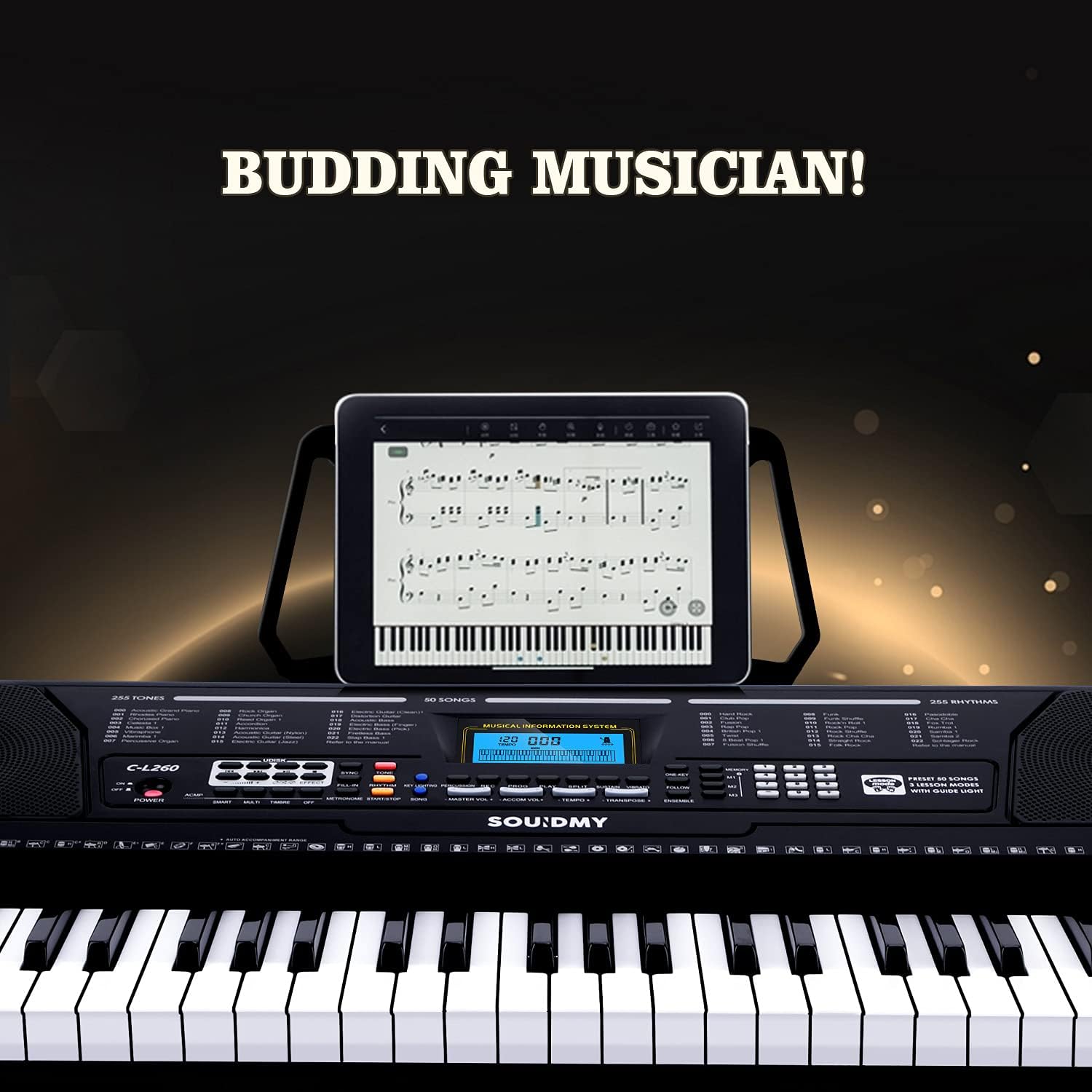
Image 3.1: The keyboard's control panel and tablet stand, illustrating readiness for use.
4. Operating Instructions
4.1 Power On/Off
Press the POWER button to turn the keyboard on or off. The LCD display will illuminate upon power-on.
4.2 Basic Play
- Volume Adjustment: Use the MASTER VOLUME controls to increase or decrease the overall sound level.
- Tone Selection: Press the TONE button, then use the number pad or +/- buttons to select from 255 available tones.
- Rhythm Selection: Press the RHYTHM button, then use the number pad or +/- buttons to select from 255 available rhythms. Press START/STOP to begin or end the rhythm.
4.3 Lesson Modes
The C-L260 features three lesson modes designed to assist in learning. These modes utilize the lighted keys to guide your playing.

Image 4.1: The lighted keys feature in action, guiding the user.
- 1-ONE KEY Mode: In this mode, the keyboard waits for you to press the correct lighted key before proceeding to the next note of the song. This allows you to learn at your own pace.

Image 4.2: Learning with '1-ONE KEY' lesson mode.
- 2-FOLLOW Mode: This mode guides you by lighting up the keys for the melody. You follow the lights to play the song, and the keyboard will wait for you to play the correct note.
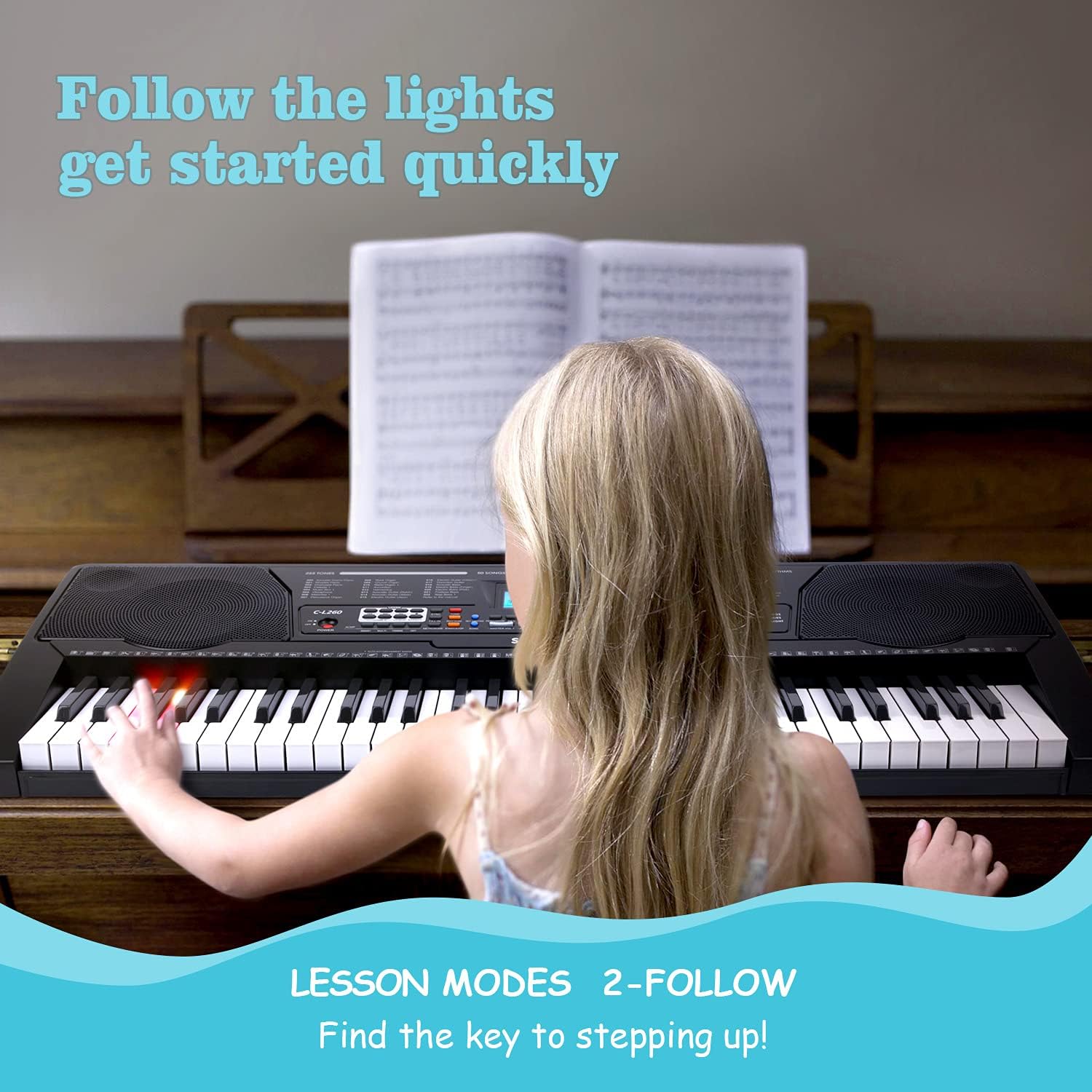
Image 4.3: Engaging with '2-FOLLOW' lesson mode.
- 3-ENSEMBLE Mode: In this mode, the keyboard plays the accompaniment, and you play the melody by following the lighted keys. The keyboard will not wait for you, encouraging rhythmic accuracy.

Image 4.4: Practicing with '3-ENSEMBLE' lesson mode.
4.4 Smart Chords
The Smart Chords feature allows you to play complex chords with simple fingerings, making it easier for beginners to create rich musical harmonies. Refer to the keyboard's LCD display for chord indications.
4.5 Dual Keyboard Mode
Activate Dual Keyboard Mode to split the keyboard into two independent sections, each with its own central C. This allows two players to use the keyboard simultaneously, or for a single player to practice with different tones on each side.
4.6 USB Disk Functionality
Once a USB disk is inserted, you can play background music files or access the keyboard's built-in DEMO music library. Use the dedicated USB controls on the panel to navigate and play tracks.
4.7 Microphone Usage
Plug in a microphone to sing along with your playing or with the keyboard's demo songs. Adjust the microphone volume as needed.
5. Maintenance
5.1 Cleaning
To clean the keyboard, use a soft, dry cloth. For stubborn dirt, slightly dampen the cloth with water and a mild soap solution, then wipe dry immediately. Avoid using abrasive cleaners, solvents, or waxes, as these can damage the finish and electronic components.
5.2 Storage
When not in use, store the keyboard in a cool, dry place away from direct sunlight, extreme temperatures, and high humidity. Protect it from dust by covering it with a cloth or placing it back in its original packaging.
5.3 Safety Precautions
- Do not expose the keyboard to water or other liquids.
- Avoid placing heavy objects on the keyboard.
- Do not attempt to disassemble or repair the keyboard yourself. Refer to qualified service personnel.
- Ensure proper ventilation to prevent overheating.
6. Troubleshooting
If you encounter any issues with your SOUIDMY C-L260 keyboard, please refer to the following common problems and solutions:
| Problem | Possible Cause | Solution |
|---|---|---|
| No power | Power adapter not connected; power outlet faulty; power button not pressed. | Ensure power adapter is securely connected and plugged into a working outlet. Press the POWER button. |
| No sound | Volume too low; headphones connected; tone not selected. | Increase MASTER VOLUME. Disconnect headphones if not needed. Select a tone. |
| Keys not lighting up in lesson mode | Lesson mode not activated; specific song does not use lighted keys. | Ensure a lesson mode is selected and active. Try a different learning song. |
| Rhythm/Tone selection not working | Incorrect button pressed; invalid number entered. | Press the correct TONE or RHYTHM button before entering a number. Ensure the number is within the valid range (1-255). |
If the problem persists, please contact SOUIDMY customer support for further assistance.
7. Specifications
| Feature | Specification |
|---|---|
| Model Number | C-L260 |
| Number of Keys | 61 |
| Special Features | Lighted Keys |
| Power Source | Corded Electric |
| Item Weight | 5.72 kg |
| Package Dimensions | 98.6 x 41.6 x 15.6 cm |
| Manufacturer | SOUIDMY |
8. Warranty and Support
For warranty information and customer support, please refer to the documentation included with your purchase or visit the official SOUIDMY website. Keep your proof of purchase for warranty claims.