
SWARK BLP729
SWARK BLP729 Replacement Battery User Manual
For Realme C3, C21Y, C21, Realme 5, and C11 Mobile Phones
1. Introduction
This manual provides essential information for the safe and effective use of your SWARK BLP729 replacement battery. This high-quality Li-Polymer battery is designed to be compatible with various Realme smartphone models, including Realme C3, Realme C21Y, Realme C21, Realme 5, and Realme C11. Please read this manual thoroughly before installation and use to ensure optimal performance and safety.
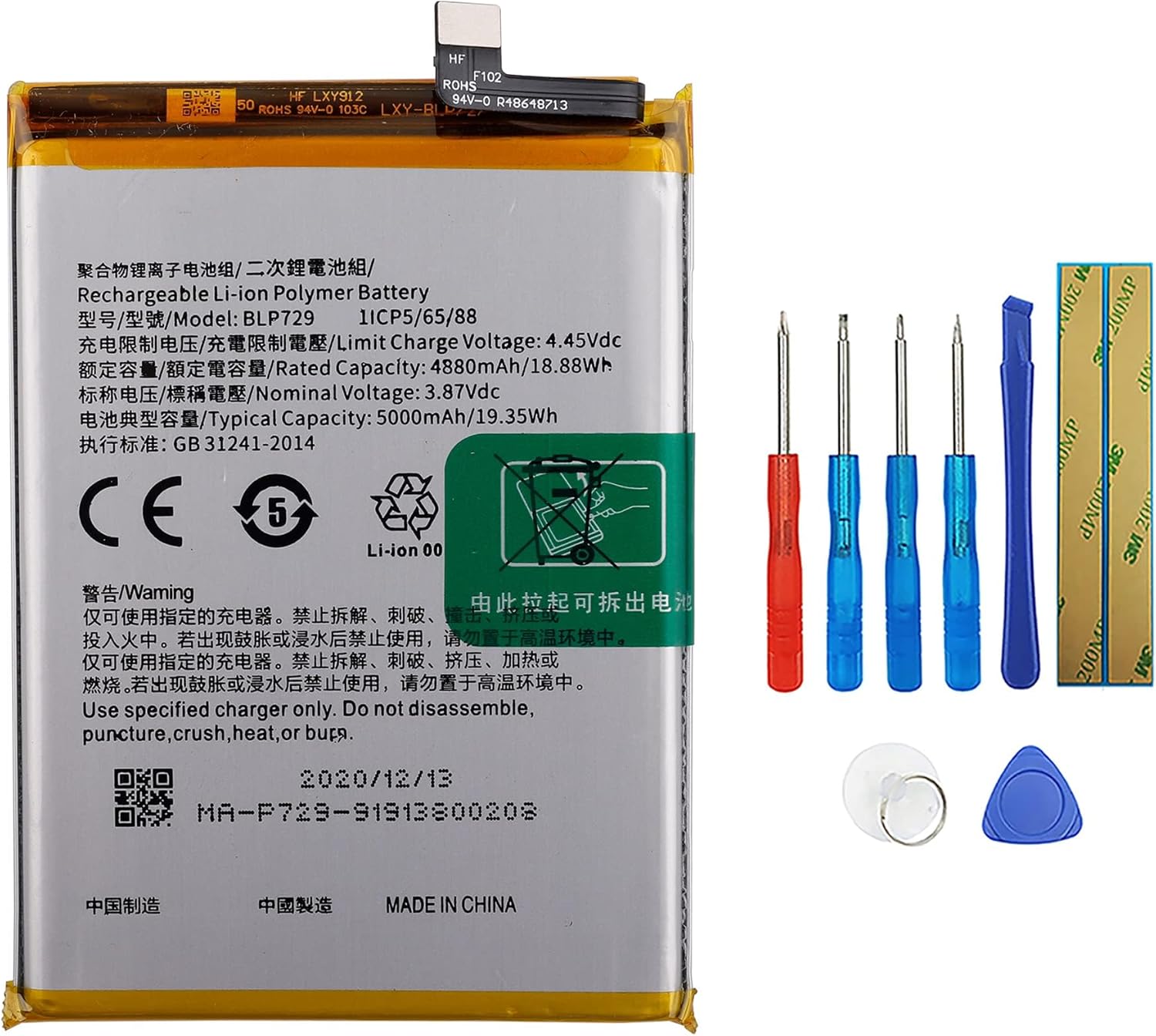
Figure 1: SWARK BLP729 Battery with a set of basic repair tools.
1.1 Safety Information
Lithium-ion polymer batteries are powerful and require careful handling. Failure to follow these safety guidelines may result in fire, personal injury, or property damage.
- Use only the specified charger for your device.
- Do not disassemble, puncture, crush, heat, or burn the battery.
- Keep the battery away from water and excessive heat.
- If the battery appears damaged, swollen, or leaks, discontinue use immediately and dispose of it properly.
- Keep out of reach of children.
1.2 What's Included
Your package should contain the following items:
- 1 x SWARK BLP729 Replacement Battery
- Basic installation tools (as shown in Figure 1)
2. Setup and Installation
Replacing a smartphone battery requires careful handling of delicate components. If you are not comfortable performing this procedure, it is recommended to seek professional assistance. Ensure your phone is powered off and disconnected from any power source before beginning.
- Power Off Device: Completely power off your Realme smartphone.
- Remove SIM Tray: Use a SIM ejector tool to remove the SIM card tray.
- Open Back Cover: Carefully open the back cover of your phone. This may require heating the edges slightly to loosen adhesive and using a thin prying tool. Proceed with caution to avoid damaging internal components or the cover itself.
- Disconnect Old Battery: Locate the battery connector on the motherboard. Gently disconnect it using a plastic spudger to avoid short circuits.
- Remove Old Battery: The old battery may be secured with adhesive strips. Carefully pull the adhesive tabs or gently pry the battery out, ensuring not to bend or puncture it.
- Install New Battery: Place the new SWARK BLP729 battery into the battery compartment. Ensure it sits flat and securely.
- Connect New Battery: Reconnect the new battery's flex cable to the motherboard connector.
- Reassemble Device: Carefully reattach the back cover, ensuring all clips and adhesive (if applicable) are properly aligned. Reinsert the SIM tray.
- Initial Charge: After reassembly, connect your phone to its charger and allow it to charge fully before powering it on.
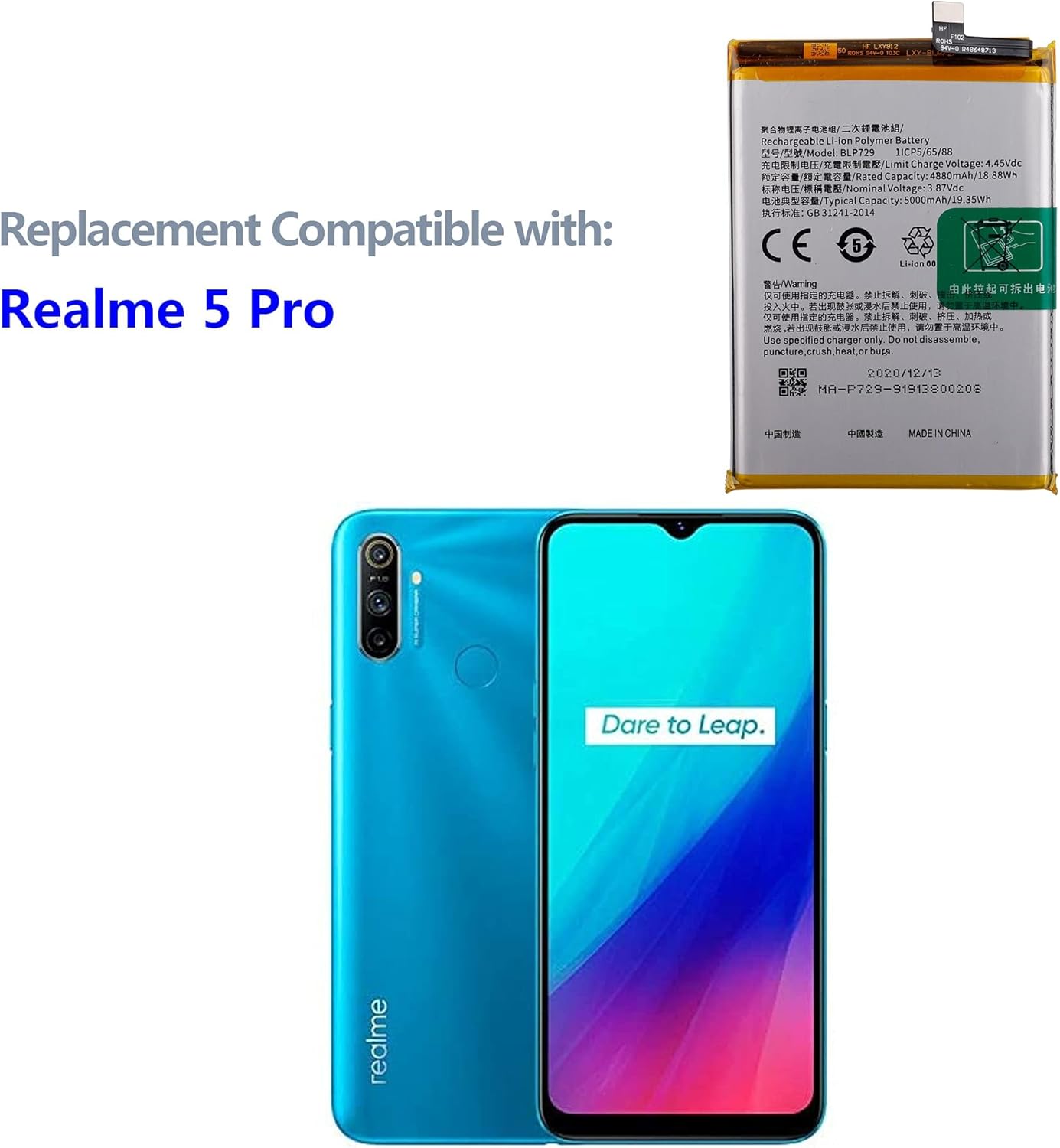
Figure 2: The BLP729 battery is compatible with various Realme models, including the one shown.
3. Operating the Battery
Once installed, the SWARK BLP729 battery operates like the original battery in your Realme smartphone. For optimal performance and longevity, consider the following:
- First Use: It is recommended to fully charge the battery before its first use.
- Charging Cycles: Lithium-ion batteries do not suffer from "memory effect," so you don't need to fully discharge them before recharging. Charging frequently and keeping the charge between 20% and 80% can extend battery life.
- Avoid Extreme Temperatures: Do not expose your phone to extremely hot or cold temperatures, as this can degrade battery performance and lifespan.
- Use Original Charger: Always use the original charger or a certified compatible charger for your device.
4. Maintenance
Proper maintenance can help extend the life of your SWARK BLP729 battery.
- Storage: If storing the battery for an extended period, ensure it is charged to about 50% and stored in a cool, dry place. Avoid storing fully charged or fully discharged.
- Cleaning: The battery itself does not require cleaning. Ensure the battery compartment and connectors inside your phone are free of dust and debris during installation.
- Software Updates: Keep your phone's operating system updated, as software optimizations can improve battery efficiency.
5. Troubleshooting
If you encounter issues with your new battery, consider the following troubleshooting steps:
- Phone Not Turning On:
- Ensure the battery connector is securely seated on the motherboard.
- Try charging the phone for at least 30 minutes before attempting to power it on.
- Verify that the charger and charging cable are functional.
- Battery Not Charging:
- Check the charging port for debris.
- Try a different charger and cable.
- Ensure the battery connector is firmly connected.
- Poor Battery Life:
- Calibrate the battery: Fully charge the phone, then let it drain completely until it shuts off. Charge it fully again without interruption.
- Check background app usage and disable unnecessary features (GPS, Bluetooth, Wi-Fi when not in use).
- Ensure your phone's software is up to date.
- Battery Swelling:
If the battery appears swollen, immediately power off the device, disconnect the battery if safe to do so, and seek professional help for safe disposal and replacement. Do not attempt to use or charge a swollen battery.
6. Specifications
Detailed specifications for the SWARK BLP729 replacement battery:
| Model Number | BLP729 |
| Product Type | Li-Polymer Battery |
| Nominal Voltage | 3.87V |
| Rated Capacity | 4880mAh / 18.88Wh |
| Typical Capacity | 5000mAh / 19.35Wh |
| Limit Charge Voltage | 4.45VDC |
| Compatible Part Numbers | BLP729 |
| Compatible Models | Realme C3, Realme C21Y, Realme C21, Realme 5, Realme C11 |
| Item Weight | 3.17 ounces (approx. 90 grams) |
| Package Dimensions | 7.17 x 3.62 x 0.63 inches |
| Manufacturer | shenzhen thinkmap innovative energy co., ltd |
| Date First Available | April 26, 2021 |

Figure 3: Front view of the BLP729 battery, displaying key specifications and warnings. The code MA-P729-91913800208TH is visible on the battery label.

Figure 4: Back view of the BLP729 battery, showing additional manufacturing information.
7. Warranty and Support
7.1 Return Policy
This product is subject to a 30-day refund/replacement policy from the date of purchase. Please refer to your retailer's specific return guidelines for detailed instructions.
7.2 Customer Support
For any questions, concerns, or assistance regarding your SWARK BLP729 battery, please contact our customer support team. We aim to reply to all inquiries within 24 hours.
Contact information for support is typically provided by your seller at the point of purchase or on the product listing page. For general inquiries, you may refer to the seller "Thinkmap" on Amazon.com.