
1. Introduction
Thank you for choosing the CXFTEOXK Wireless USB WiFi Adapter. This high-speed USB wireless adapter is designed to provide robust and reliable dual-band wireless connectivity for your PC. With support for speeds up to 867Mbps on the 5GHz band and 400Mbps on the 2.4GHz band, it is ideal for demanding tasks such as streaming, gaming, and other bandwidth-intensive activities. The adapter features dual 5dBi high-gain antennas, a Super USB 3.0 interface, MU-MIMO technology, and advanced WPA3 security for an optimized and secure network experience.

Figure 1: CXFTEOXK Wireless USB WiFi Adapter with dual antennas.
2. Setup Guide
2.1. Package Contents
- 1 x CXFTEOXK Wireless USB WiFi Adapter (Model H108)
- 1 x Instruction Manual
2.2. System Requirements
- Operating System: Windows 11, Windows 10, Windows 7, Windows XP
- USB Port: USB 3.0 (recommended for optimal performance), compatible with USB 2.0
- Note: This adapter does not support Mac OS or Linux.
2.3. Installation Steps
- Plug and Play (Windows 10/11): For most Windows 10 and Windows 11 systems, simply plug the USB WiFi adapter into an available USB port on your desktop or laptop. The system will automatically detect and install the necessary drivers.
- Driver Installation (Windows 7/XP or if auto-detection fails): If your Windows 10/11 system does not automatically detect the driver, or if you are using Windows 7/XP, manual driver installation is required. Please visit our official website for the latest drivers and online setup support.
- Antenna Adjustment: Once plugged in, adjust the two 5dBi high-gain antennas. Their 180° rotatable design allows you to optimize signal strength by positioning them for the best reception from any direction.
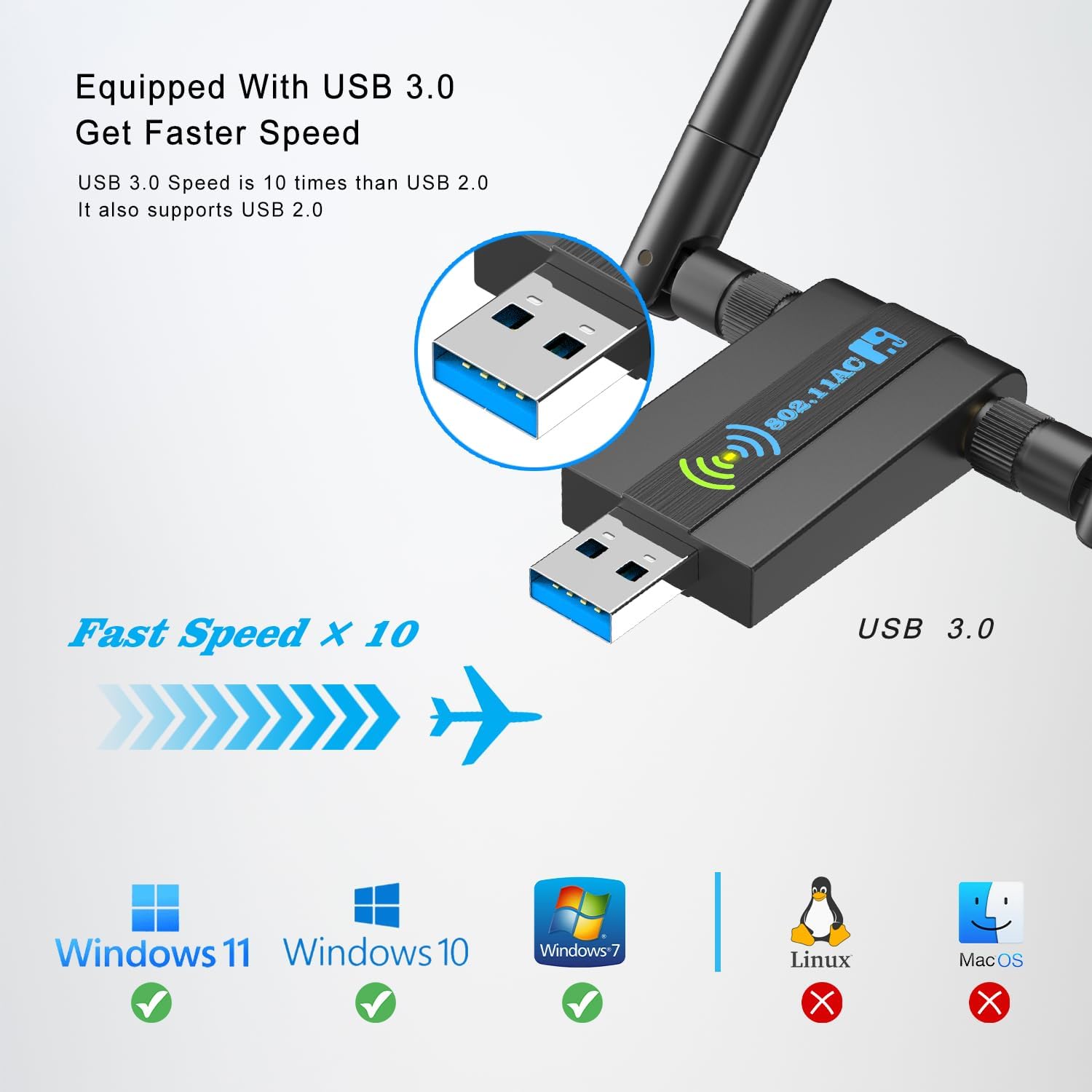
Figure 2: USB 3.0 interface and operating system compatibility.
3. Operating Instructions
3.1. Dual-Band Connectivity
The AC1300Mbps WiFi adapter supports dual-band operation, providing flexibility and optimized performance:
- 5GHz Band (up to 867Mbps): Ideal for high-bandwidth applications such as online gaming, 4K video streaming, and large file transfers. This band offers faster speeds with less interference in close proximity to the router.
- 2.4GHz Band (up to 400Mbps): Provides better wireless performance in penetrating walls and overcoming obstacles, making it suitable for general web browsing, email, and applications that require wider coverage.

Figure 3: Dual-band speed and application benefits.
3.2. Enhanced Signal with High-Gain Antennas
Equipped with two 5dBi high-gain antennas, this adapter significantly improves signal reception and transmission. The adjustable antennas can be rotated 180° and swiveled 360° to find the optimal angle for signal reception, ensuring a stable and strong WiFi connection throughout your home or office.

Figure 4: Benefit of Dual High Gain 5dBi Antennas.
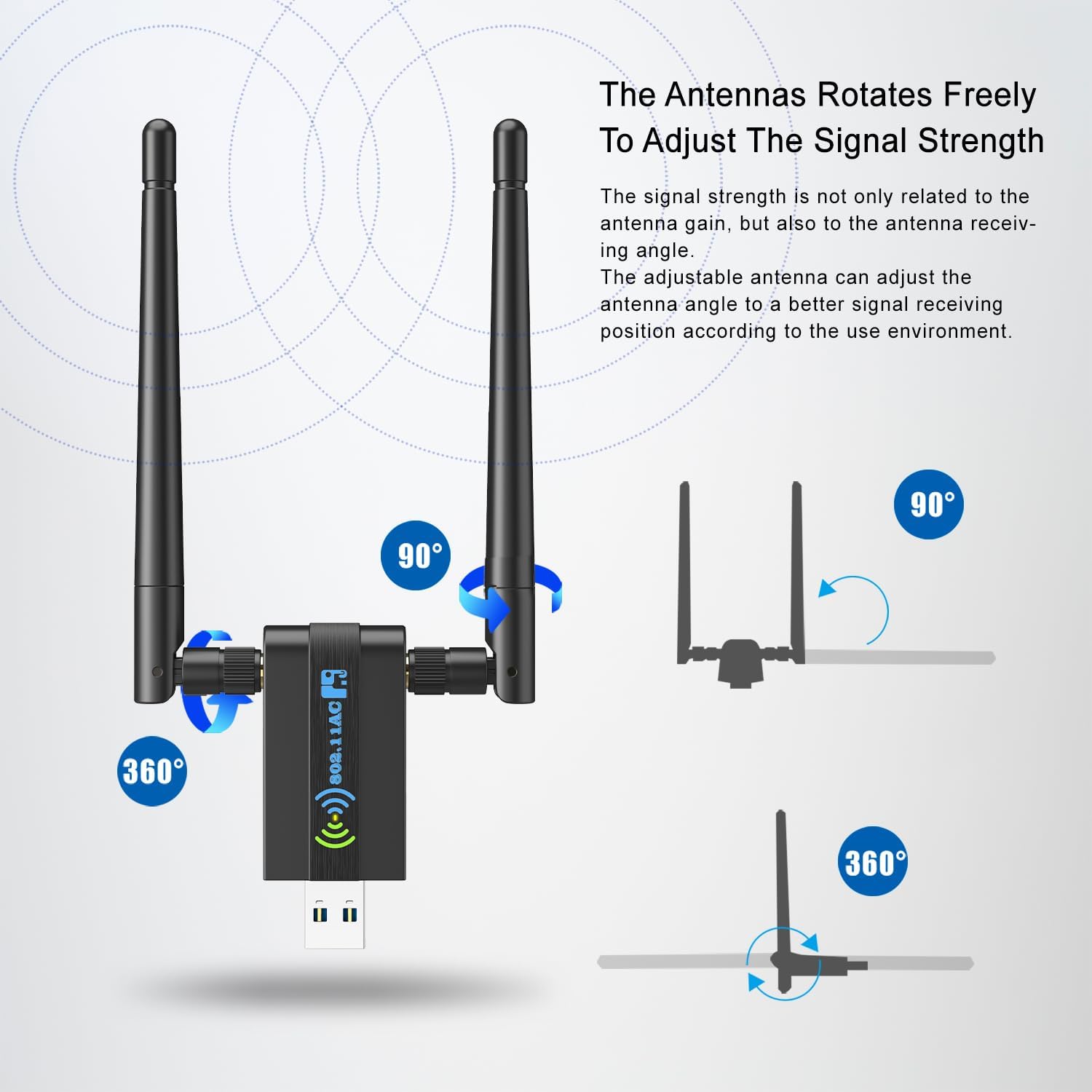
Figure 5: Antenna rotation for signal optimization.
3.3. MU-MIMO Technology
The adapter supports MU-MIMO (Multi-User, Multiple-Input, Multiple-Output) technology. This allows the adapter to communicate with multiple compatible devices simultaneously, delivering two simultaneous data streams. This boosts connection speeds and overall network efficiency, especially in environments with multiple online devices.

Figure 6: MU-MIMO Technology for efficient data streams.
3.4. USB 3.0 Interface
Utilizing the advanced USB 3.0 interface, this adapter offers data transfer speeds up to 10 times faster than USB 2.0, ensuring a stable and robust wireless connection for high-speed data throughput.
4. Maintenance
To ensure optimal performance and longevity of your Wireless USB WiFi Adapter, consider the following maintenance tips:
- Keep Drivers Updated: Periodically check our official website for the latest driver updates to ensure compatibility and performance improvements.
- Proper Placement: Position the adapter and adjust its antennas to minimize physical obstructions and maximize signal strength.
- Cleanliness: Keep the adapter and its USB port free from dust and debris to prevent connectivity issues.
- Safe Removal: Always safely remove the USB device from your computer before unplugging it to prevent data corruption or damage to the adapter.
5. Troubleshooting
If you encounter issues with your CXFTEOXK Wireless USB WiFi Adapter, please refer to the following common troubleshooting steps:
- Adapter Not Detected: Ensure the adapter is firmly plugged into a functioning USB port. Try a different USB port, preferably a USB 3.0 port (often blue).
- Driver Issues: If the adapter is not recognized or not functioning correctly, manually install the drivers from our website. For Windows 7, manual installation is always required.
- Weak Signal or Disconnections:
- Adjust the position of the dual antennas to optimize signal reception.
- Ensure there are no major physical obstructions (e.g., thick walls, large metal objects) between the adapter and your WiFi router.
- Try connecting to the 2.4GHz band if you are experiencing issues with the 5GHz band over longer distances or through obstacles.
- Slow Speeds:
- Ensure you are connected to a USB 3.0 port for maximum speed.
- Verify that your router supports the AC1300 standard and that you are connected to the appropriate 5GHz band for higher speeds.
- Check for other devices on your network that might be consuming significant bandwidth.
- Security Issues: The adapter utilizes WPA3 security protocol for stronger network protection. Ensure your router's security settings are compatible and up-to-date.
- Further Assistance: If problems persist, please visit our website for online setup support or contact our customer service for a prompt response and solution.
6. Specifications
| Feature | Description |
|---|---|
| Model Number | H108 |
| Product Dimensions | 2.6 x 0.82 x 0.39 inches |
| Item Weight | 0.176 ounces |
| Brand | CXFTEOXK |
| Hardware Interface | USB 3.0, 802.11 ac/b/g/n |
| Color | Black |
| Compatible Devices | Laptop, Desktop |
| Data Link Protocol | IEEE 802.11ac |
| Data Transfer Rate | 125 Megabytes Per Second (Theoretical Max: 1300Mbps) |
| Compatible OS Family | Windows 11/10/7/XP (No Mac OS, Linux support) |
| Antennas | Dual 5dBi High-gain, 180° Rotatable |
| Security Protocol | WPA3 |
7. Warranty and Support
We are committed to offering high-quality products manufactured to the highest standards. Your satisfaction is our priority.
If you encounter any issues with your CXFTEOXK Wireless USB WiFi Adapter, please do not hesitate to contact us. We will provide a prompt response and a perfect solution to ensure your complete satisfaction.