
1. Introduction
Thank you for choosing the SNOOKER SK-329 Ice Machine Head. This manual provides essential information for the safe and efficient operation, installation, and maintenance of your ice machine. Please read this manual thoroughly before installation and use, and retain it for future reference. The SK-329 is designed for commercial use and produces ice cubes, requiring a separate ice storage bin (not included).
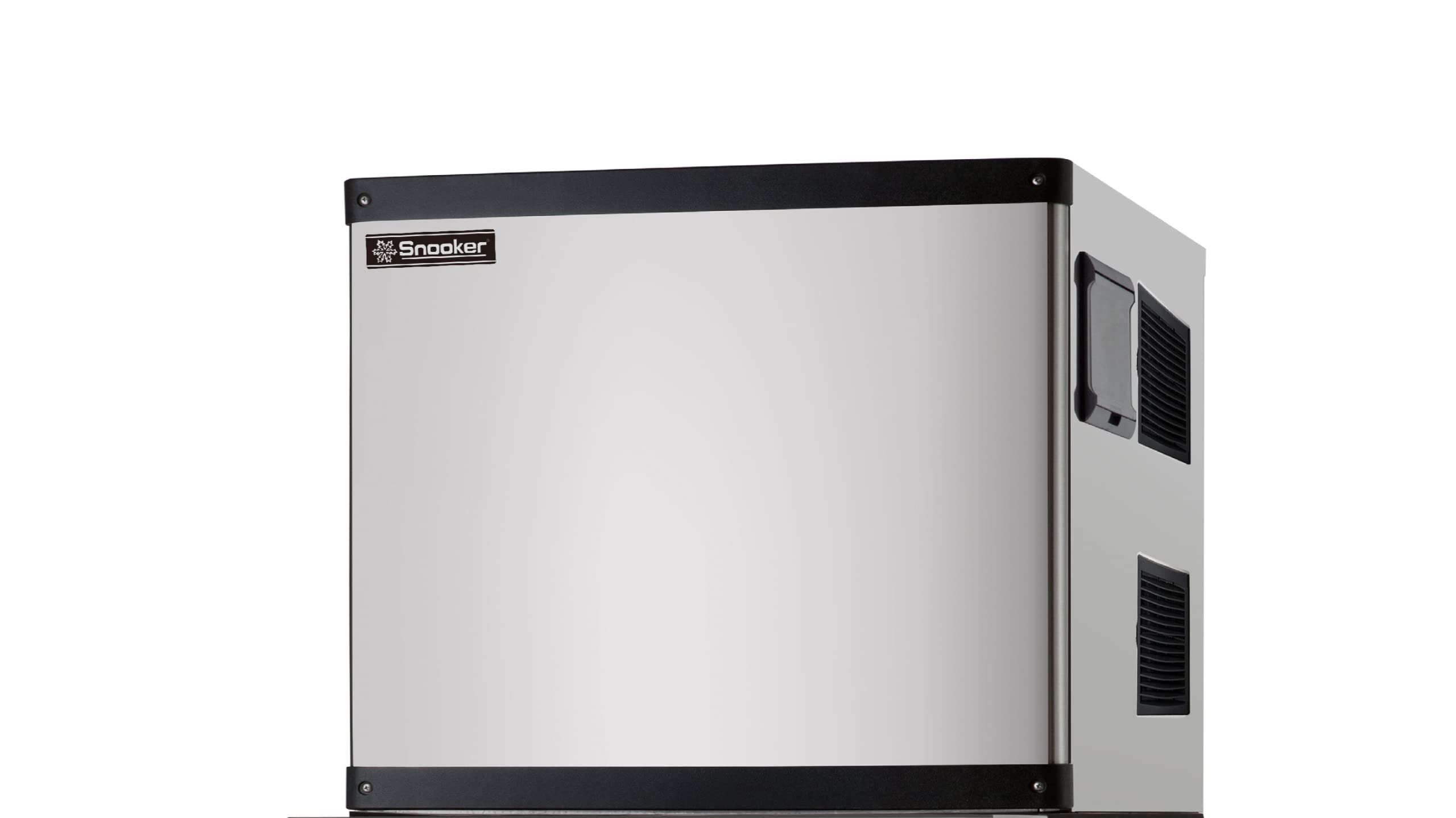
Figure 1: SNOOKER SK-329 Ice Machine Head. This image shows the main unit of the ice machine, which is designed to be placed on top of a compatible ice storage bin.
2. Important Safety Instructions
To reduce the risk of fire, electric shock, or injury, always follow basic safety precautions when using this appliance.
- Read all instructions before using the appliance.
- Connect to potable water supply only.
- Ensure the electrical supply matches the rating plate specifications.
- Do not operate any appliance with a damaged cord or plug, or after the appliance malfunctions or has been damaged in any manner.
- Do not immerse cord, plug, or any part of the appliance in water or other liquids.
- Keep fingers out of the discharge opening and avoid contact with moving parts.
- This appliance must be properly grounded.
- Do not use this appliance for anything other than its intended purpose.
- Supervision is necessary when any appliance is used by or near children.
3. Setup and Installation
3.1 Unpacking
- Carefully remove the ice machine from its packaging.
- Inspect the unit for any shipping damage. Report any damage to your supplier immediately.
- Remove all packing materials, including tape and protective films.
3.2 Placement
- Place the ice machine head on a sturdy, level surface, preferably on top of a compatible ice storage bin (sold separately).
- Ensure adequate ventilation around the unit. Maintain at least 6 inches (15 cm) of clearance on the back and sides, and 12 inches (30 cm) on the top.
- Avoid direct sunlight or heat sources. The ambient temperature should be between 50°F (10°C) and 90°F (32°C).
3.3 Water Connection
Connect the ice machine to a potable cold water supply with a pressure between 20-80 PSI (138-552 kPa). An inline water filter is highly recommended to ensure ice quality and prolong machine life.
- Locate the water inlet connection at the rear of the unit.
- Connect the supplied water inlet hose to the machine and to the water supply valve. Ensure all connections are tight to prevent leaks.
- Open the water supply valve and check for leaks.
3.4 Drain Connection
The ice machine requires a gravity drain or a drain pump (not included) to remove meltwater and wastewater.
- Locate the drain outlet at the rear of the unit.
- Connect the drain hose to the machine's drain outlet and route it to an open drain or floor sink. Ensure the drain hose has a continuous downward slope to allow for proper drainage.
3.5 Electrical Connection
Ensure the electrical outlet meets the specifications listed on the product's rating label. The unit must be properly grounded.
- Plug the power cord into a dedicated, grounded electrical outlet.
- Do not use extension cords or adapter plugs.
4. Operating Instructions
4.1 Initial Startup
- After completing all installation steps, ensure the water supply is open and the unit is plugged in.
- Turn on the main power switch, usually located on the front or side panel.
- The machine will begin its initial cycle, which may include a self-cleaning rinse before ice production starts.
- Allow the machine to run for several hours to produce a full batch of ice. Discard the first few batches of ice to ensure cleanliness.
4.2 Ice Production
The SK-329 operates automatically. Once the ice storage bin is full, the machine will pause production and resume when ice levels drop.
- Monitor the ice level in the bin.
- Ensure the ice scoop is clean and stored properly when not in use.
4.3 Shutting Down
To temporarily or permanently shut down the unit:
- Turn off the main power switch.
- Close the water supply valve.
- If storing for an extended period, drain the water system and clean the unit thoroughly.
5. Cleaning and Maintenance
Regular cleaning and maintenance are crucial for optimal performance and hygiene.
5.1 Exterior Cleaning (Weekly)
- Wipe the exterior surfaces with a soft cloth dampened with mild soap and water.
- Do not use abrasive cleaners or solvents.
5.2 Interior Cleaning and Sanitizing (Monthly)
This process helps prevent scale buildup and bacterial growth.
- Turn off the ice machine and disconnect it from the power supply.
- Remove all ice from the storage bin.
- Prepare a cleaning solution using an approved ice machine cleaner (e.g., citric acid-based solution) according to the manufacturer's instructions.
- Pour the cleaning solution into the water reservoir or follow the machine's specific cleaning cycle instructions.
- Allow the machine to run a cleaning cycle (refer to specific model instructions if available).
- After the cleaning cycle, drain the solution and rinse thoroughly with fresh water.
- Prepare a sanitizing solution (e.g., diluted bleach solution or commercial sanitizer).
- Run a sanitizing cycle or manually wipe down all interior surfaces that come into contact with water or ice.
- Rinse thoroughly with fresh water multiple times to remove all traces of sanitizer.
- Discard the first few batches of ice after cleaning and sanitizing.
5.3 Condenser Cleaning (Every 3-6 Months)
A dirty condenser reduces efficiency and can lead to machine failure.
- Disconnect power to the unit.
- Locate the condenser coils (usually behind a removable panel).
- Use a soft brush or vacuum cleaner with a brush attachment to gently remove dust and debris from the condenser fins.
- Do not bend the fins.
6. Troubleshooting
Before contacting service, review the following common issues and solutions.
| Problem | Possible Cause | Solution |
|---|---|---|
| Machine does not turn on | No power supply; Power switch off; Blown fuse/tripped breaker | Check power cord connection; Turn on power switch; Reset breaker/replace fuse |
| No ice production | No water supply; Water inlet valve closed; Clogged water filter; High ambient temperature; Dirty condenser | Ensure water supply is open; Open valve; Replace/clean filter; Ensure proper ventilation; Clean condenser |
| Ice production is slow or ice is soft | High ambient/water temperature; Dirty condenser; Low refrigerant (service required) | Ensure proper ventilation/lower room temperature; Clean condenser; Contact qualified technician |
| Water leaks | Loose water connections; Clogged drain hose; Damaged water line | Tighten connections; Clear drain hose; Inspect and replace damaged parts |
| Unusual noise | Loose components; Fan obstruction; Compressor issue (service required) | Inspect for loose parts; Clear obstructions; Contact qualified technician |
If the problem persists after attempting these solutions, please contact SNOOKER customer support or a qualified service technician.
7. Specifications
| Feature | Detail |
|---|---|
| Model | SK-329 |
| Brand | SNOOKER |
| Type | Ice Machine Head (requires separate bin) |
| Material | Plastic, Stainless Steel |
| Manufacturer | SNOOKER |
| GTIN (Global Trade Identification Number) | 00850003682211 |
| Power Supply | (Refer to product rating label for specific voltage/amperage) |
| Water Pressure | 20-80 PSI (138-552 kPa) |
| Ambient Temperature Range | 50°F - 90°F (10°C - 32°C) |
8. Warranty and Customer Support
SNOOKER products are manufactured to high-quality standards and are warranted against defects in materials and workmanship. The specific warranty period and terms may vary by region and retailer. Please retain your proof of purchase for warranty claims.
For technical assistance, troubleshooting beyond this manual, or warranty inquiries, please contact SNOOKER customer support. Contact information can typically be found on the SNOOKER official website or on your product packaging.
- Online Support: Visit the official SNOOKER website for FAQs and support resources.
- Email Support: Refer to your product documentation for the customer service email address.
- Phone Support: Refer to your product documentation for the customer service phone number.


