
Introduction
This manual provides detailed instructions for the safe and effective use of your Philips Sonicare Electric Toothbrush. Please read this manual thoroughly before first use and retain it for future reference. This product is designed to provide an effective oral cleaning experience.
Important Safety Information
Observe the following safety precautions to prevent injury or damage to the product.
- Do not submerge the toothbrush handle in water, except for cleaning the brush head under running water.
- This appliance is not intended for use by persons (including children) with reduced physical, sensory or mental capabilities, or lack of experience and knowledge, unless they have been given supervision or instruction concerning use of the appliance by a person responsible for their safety.
- Children should be supervised to ensure that they do not play with the appliance.
- Do not use attachments other than those recommended by the manufacturer.
- If the appliance is damaged in any way (brush head, handle, or charger), discontinue use.
Package Contents
Your Philips Sonicare Electric Toothbrush bundle includes the following items:
- 2 x Philips Sonicare Electric Toothbrush Handles (Black)
- 2 x DiamondClean Brush Heads
- 2 x Travel Cases
- 2 x Charging Bases with USB cables

Image: The complete Philips Sonicare Electric Toothbrush bundle, featuring two black toothbrush handles, two DiamondClean brush heads, two charging bases, and two travel cases.
Setup and First Use
1. Charging the Toothbrush
Before first use, charge your Philips Sonicare toothbrush for at least 24 hours. The battery indicator light on the handle will show the charging status.
- Connect the USB cable from the charging base to a compatible USB power adapter (not included) or a USB port.
- Place the toothbrush handle onto the charging base.
- The battery indicator will flash to indicate charging. When fully charged, the light will remain solid green.
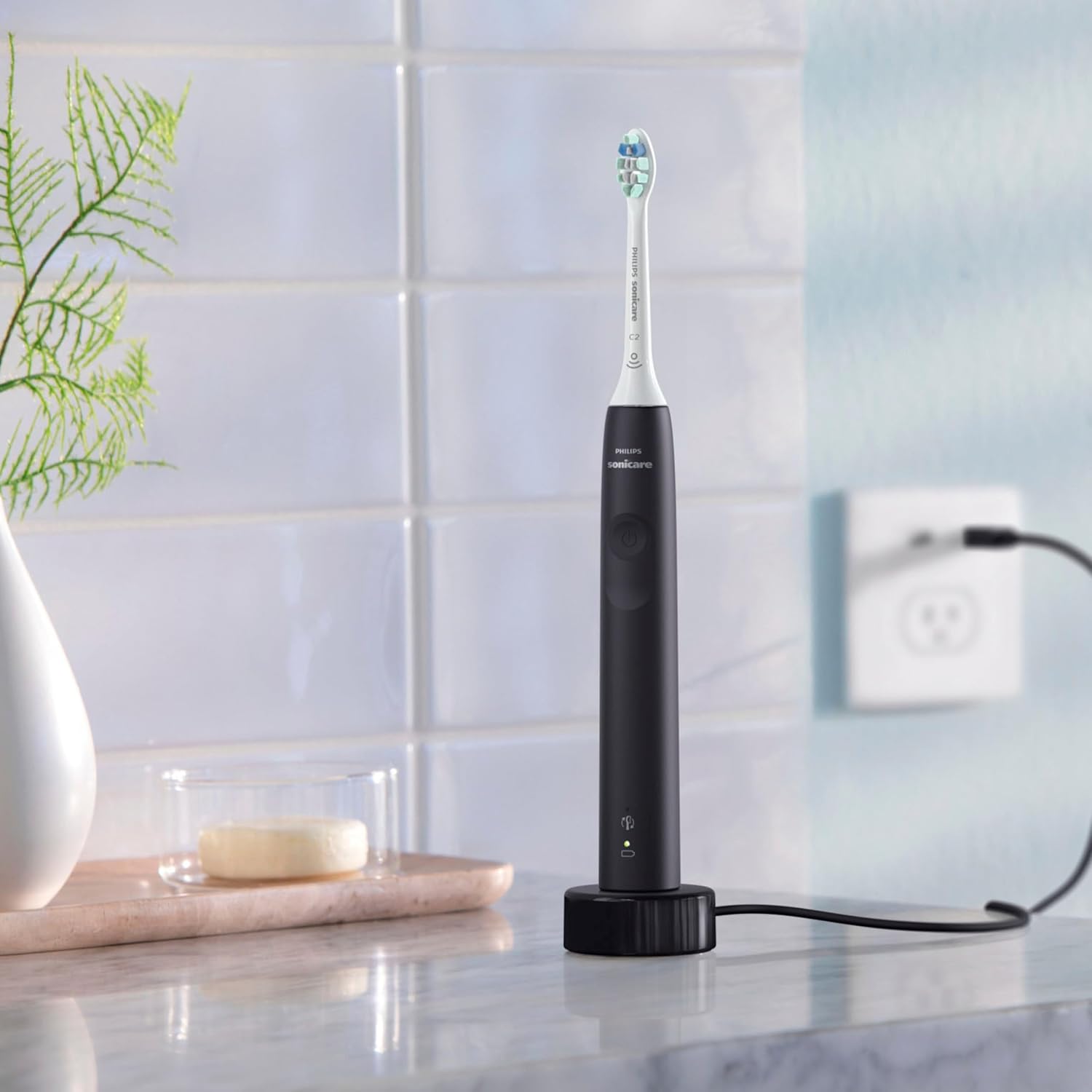
Image: A Philips Sonicare toothbrush handle on its charging base, illustrating the charging process.
2. Attaching the Brush Head
Align the brush head with the metal shaft on the toothbrush handle and push it down firmly until it clicks into place.
3. First Use
Moisten the bristles and apply a small amount of toothpaste. Place the brush head against your teeth at a slight angle towards the gum line. Press the power button to start brushing.
Operating Instructions
Brushing Technique
Gently glide the brush head across your teeth, allowing the sonic vibrations to clean each surface. Do not scrub. Move the brush head slowly from tooth to tooth, covering all surfaces.

Image: A user demonstrating the correct way to hold and use the Philips Sonicare toothbrush.
SmarTimer and QuadPacer
- SmarTimer: The toothbrush automatically turns off after 2 minutes of brushing, indicating the recommended brushing time.
- QuadPacer: This feature signals every 30 seconds to prompt you to move to a different quadrant of your mouth, ensuring thorough cleaning of all areas.
Pressure Sensor
Your Philips Sonicare toothbrush is equipped with a built-in pressure sensor. If you apply too much pressure during brushing, the toothbrush will emit a pulsing sound and reduce vibrations to protect your gums and teeth. Ease off the pressure when this occurs.
Intensity Settings
The toothbrush offers two intensity settings. Press the power button to cycle between the settings to find your preferred comfort level.
Maintenance
Cleaning the Toothbrush
- After each use, rinse the brush head thoroughly under running water.
- Wipe the handle with a damp cloth. Do not use abrasive cleaners.
- Periodically clean the charging base with a damp cloth. Ensure it is unplugged before cleaning.
Replacing the Brush Head (BrushSync)
Brush heads wear out over time, affecting cleaning performance. Your Philips Sonicare toothbrush features BrushSync technology to remind you when to replace the brush head.
- The BrushSync replacement reminder light on your handle will illuminate, and a short beep will sound when it is time to replace the brush head.
- To replace, pull the old brush head straight off the handle.
- Push a new Philips Sonicare click-on brush head onto the handle until it clicks into place.

Image: A close-up of a Philips Sonicare brush head, highlighting its design for easy replacement.
Troubleshooting
If you encounter issues with your Philips Sonicare Electric Toothbrush, refer to the following common solutions:
| Problem | Possible Cause | Solution |
|---|---|---|
| Toothbrush does not turn on. | Battery is depleted. | Place the handle on the charger for at least 24 hours. |
| Toothbrush stops during use. | Battery is low. | Recharge the toothbrush. |
| Pulsing sound during brushing. | Pressure sensor activated (too much pressure). | Reduce the pressure applied to your teeth and gums. |
| Brush head feels loose. | Brush head not fully seated or worn out. | Ensure brush head is pushed down firmly. Replace if worn. |
Specifications
| Feature | Detail |
|---|---|
| Model Number | Philips1824 |
| Product Dimensions | 9 x 6 x 3 inches |
| Item Weight | 1.52 Pounds |
| Power Source | Battery Powered (Rechargeable) |
| Battery Life | Up to 14 days (based on 2 minutes of brushing, twice daily) |
| Special Features | Pressure Sensor, SmarTimer, QuadPacer, BrushSync Replacement Reminder, 2 Intensity Settings |
| Brush Head Type | DiamondClean (Click-on) |
| Age Range | Adult |
Warranty and Support
Warranty Information
Philips Sonicare products typically come with a 2-year limited warranty from the date of purchase. This warranty covers defects in materials or workmanship under normal use. Please retain your proof of purchase for warranty claims. Registering your product online with Philips may be required to activate or extend your warranty.
Customer Support
For further assistance, troubleshooting, or warranty service, please contact Philips Sonicare customer support. Visit the official Philips website for contact details specific to your region.
You can find more information and support resources on the Philips Store on Amazon.