
Blufree CT602W
Blufree Floating Pool Speaker CT602W User Manual
Model: CT602W | Brand: Blufree
Introduction
Thank you for purchasing the Blufree Floating Pool Speaker with Lights. This manual provides essential information for the safe and efficient operation of your new speaker. Please read it thoroughly before use and retain it for future reference.
What's in the Box
- 1 x Blufree Floating Pool Speaker (CT602W)
- 1 x USB Charging Cable
- 1 x User Manual
Product Features
- Multi-Colors Lights and Eight Flashing Modes: Features yellow, green, red, blue LED lights with 8 distinct flashing patterns for an enhanced audio-visual experience.
- Nice Sound and Louder Volume: High-fidelity stereo sound and passive radiators deliver clear, loud audio suitable for various environments, including under showering noise.
- Large Battery Capacity and Handsfree: Equipped with a 2500 mAh rechargeable battery for up to 8 hours of playback. Bluetooth 5.0 technology provides a wireless connection range of up to 25 meters. Includes a built-in microphone for hands-free calling.
- IP68 Waterproof Floating Speaker: Designed to be fully splashproof and rainproof, capable of immersion in water up to 1 meter deep for 30 minutes without damage. Ideal for all water activities.
Product Overview

Figure 1: Button Functions and Product Dimensions. This diagram illustrates the location of the DC 5V charging jack, Light mode button, Vol-/Previous button, Multifunction button, Vol+/Next button, and the Carrying Handle. It also shows the speaker's height (6.63 inches) and width (4.94 inches).

Figure 2: The Blufree Floating Pool Speaker in water, showcasing its vibrant LED lights and waterproof design.
Button Functions:
- Light Mode Button: Press to cycle through different LED light modes.
- Vol-/Previous Button: Short press to decrease volume, long press to go to the previous track.
- Multifunction Button: Power on/off, play/pause, answer/end calls.
- Vol+/Next Button: Short press to increase volume, long press to go to the next track.
- DC 5V Charging Jack: For connecting the USB charging cable.
Setup
1. Charging the Speaker
Before first use, fully charge the speaker. Connect the provided USB charging cable to the DC 5V charging jack on the speaker and the other end to a standard USB power adapter (not included) or a computer USB port. The charging indicator light will show charging status (refer to LED indicator section for details). A full charge takes approximately 8 hours.
2. Bluetooth Pairing
- Ensure the speaker is charged and powered off.
- Press and hold the Multifunction Button for a few seconds until you hear a prompt and the LED indicator flashes rapidly, indicating pairing mode.
- On your Bluetooth-enabled device (smartphone, tablet, laptop), go to Bluetooth settings and search for available devices.
- Select "Blufree CT602W" (or similar name) from the list.
- Once paired, you will hear a confirmation sound, and the LED indicator will change to a steady light or slow flash.
- The speaker will automatically reconnect to the last paired device when powered on, if the device is within range.
Operating Instructions
Music Playback
- Play/Pause: Short press the Multifunction Button.
- Volume Up: Short press the Vol+/Next Button.
- Volume Down: Short press the Vol-/Previous Button.
- Next Track: Long press the Vol+/Next Button.
- Previous Track: Long press the Vol-/Previous Button.
Light Modes
Press the Light Mode Button to cycle through the 8 different flashing light patterns and solid color options. This allows you to customize the ambiance for any setting.

Figure 3: The speaker displaying various RGB LED light colors, enhancing the listening experience.

Figure 4: The Blufree speaker is versatile for use in multiple environments, from relaxing in a bathroom to lively parties, beach outings, or home use.
Hands-Free Calling
- Answer Call: Short press the Multifunction Button when a call comes in.
- End Call: Short press the Multifunction Button during a call.
- Reject Call: Long press the Multifunction Button when a call comes in.
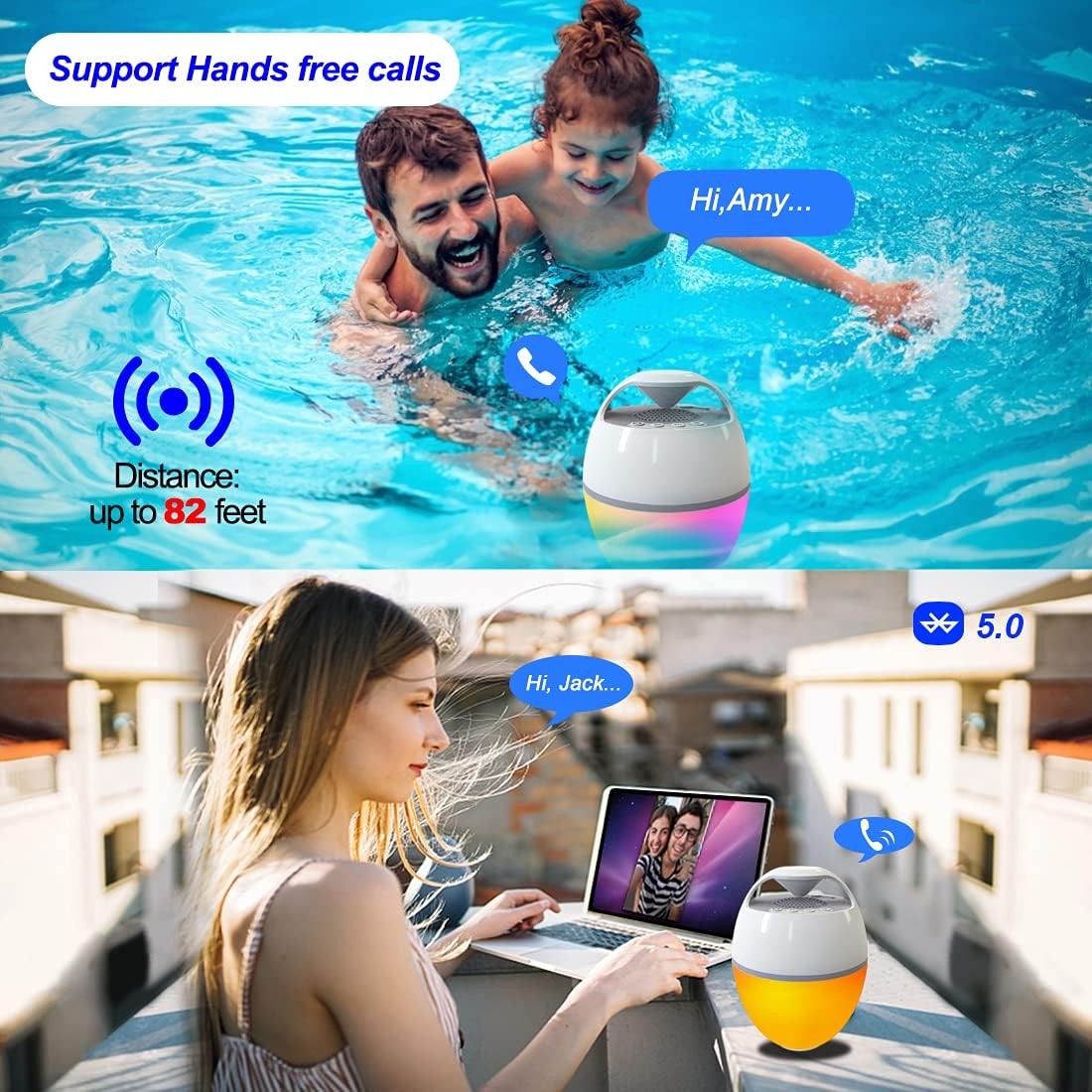
Figure 5: The speaker supports hands-free calls, allowing communication even while enjoying water activities or relaxing outdoors.
Maintenance
- Cleaning: Wipe the speaker with a soft, damp cloth. Do not use abrasive cleaners or solvents.
- Storage: Store the speaker in a cool, dry place when not in use. Avoid extreme temperatures.
- Water Exposure: While IP68 waterproof, ensure the charging port is dry before charging to prevent damage.
Troubleshooting
| Problem | Possible Cause | Solution |
|---|---|---|
| Speaker does not turn on. | Low battery. | Charge the speaker fully. |
| Cannot pair with Bluetooth device. | Speaker not in pairing mode; device too far; Bluetooth off on device. | Ensure speaker is in pairing mode (flashing LED). Move device closer. Turn on Bluetooth on your device. Forget previous pairings and try again. |
| No sound or low volume. | Volume too low on speaker or device; speaker not connected. | Increase volume on both speaker and connected device. Re-establish Bluetooth connection. |
| Lights not working. | Light mode off or stuck. | Press the Light Mode button to cycle through modes. Ensure speaker is powered on. |
Specifications
- Model Name: CT602W
- Brand: Blufree
- Material: Plastic
- Connectivity Technology: Bluetooth 5.0
- Wireless Range: Up to 25 meters (82 feet)
- Water Resistance Level: IP68 Waterproof
- Battery Capacity: 2500 mAh
- Battery Life: Up to 8 hours
- Charging Time: Approximately 8 hours
- Speaker Maximum Output Power: 6 Watts
- Audio Output Mode: Stereo
- Product Dimensions: 15.6"D x 15.6"W x 14.9"H (Note: These dimensions seem unusually large for a portable speaker, possibly a typo in source data. User should refer to product packaging for exact dimensions.)
- Item Weight: 0.8 Kilograms (1.76 pounds)
- Special Features: Built-in Microphone, LED Light, Portable, Waterproof
- Recommended Uses: For Music Players, Party, Swimming Pool, Hot Tub, Shower, Outdoor Sports, Home
Warranty and Support
The Blufree Floating Pool Speaker comes with a Full Warranty. For detailed warranty information, product support, or to report any issues, please contact Blufree customer service through the retailer where you purchased the product or visit the official Blufree website.
Online Support: Visit the Blufree Store on Amazon
Related documentsCT602W


Ask a question about this manual
Ask about setup, troubleshooting, compatibility, parts, safety, or missing instructions. Manuals+ will review the question and use this page’s manual context to help answer it.