1. Introduction
The KATBO KTB-BC2109 is an intelligent 2A battery charger and maintainer designed for 6V and 12V lead-acid batteries. It is suitable for various applications including motorcycles, cars, boats, farm vehicles, lawn mowers, and electric vehicles. This device utilizes advanced pulse width modulation (PWM) technology and a special intelligent microcomputer chip to ensure efficient and safe charging. It features multiple protection mechanisms and a multi-stage charging process to optimize battery life and performance.

Image 1.1: The KATBO KTB-BC2109 2A Battery Charger in operation, showing its digital display.
2. Safety Information
Please read and understand all safety instructions before using the charger. Failure to follow these instructions may result in electric shock, fire, or serious injury.
- Do not charge non-rechargeable batteries.
- Do not expose the charger to rain or excessive moisture.
- Ensure proper ventilation during charging to prevent overheating.
- Always connect the charger to the battery terminals correctly (positive to positive, negative to negative).
- Disconnect the AC power before making or breaking connections to the battery.
- Avoid sparks or flames near the battery during charging, as batteries can produce explosive gases.
- If the charger or battery shows signs of damage, do not use it.
- Keep out of reach of children.
3. Product Features
- Fully Automatic Operation: Microprocessor-controlled multi-stage charging and automatic amperage rate adjustment.
- Wide Compatibility: Supports 6V and 12V lead-acid batteries (AGM, GEL, SLA, Flooded/WET, Calcium type) less than 32Ah for charging and 2.0Ah-100Ah for maintenance.
- Intelligent Digital Display: Real-time display of charging current, battery voltage, and power. Automatic voltage detection for 6V or 12V batteries.
- Safety Protections: Includes overcurrent, overvoltage, overheat, reverse polarity, and low voltage protection.
- Float-Mode Monitoring: Automatically maintains optimum battery charge without overcharging.
- Pulse Repair Function: Designed to recover low voltage, idle, and old batteries.

Image 3.1: The KATBO KTB-BC2109 2A Battery Charger plugged into a wall socket, indicating its 'Connect it and Go to work' ease of use.

Image 3.2: Physical dimensions of the charger, highlighting its compact size and cable length.
4. Package Contents
Verify that all items are present in the package:
- KTB-BC2109 2A Battery Charger x 1
- Battery Clamps (Red and Black) x 2
- User Manual x 1
5. Specifications
| Parameter | Value |
|---|---|
| Input Voltage | 100V-130V |
| Output Voltage | 6V or 12V |
| Charging Current | 2 Amps |
| Wattage | 35 watts |
| Cable Length | 110 cm (43.3 inches) |
| Product Dimensions | 10.5 x 6.5 x 6.5 cm |
| Item Weight | 226 g |
| Model Number | KTB-BC2109 |
6. Setup
Follow these steps to set up and connect your KATBO battery charger:
- Prepare the Battery: Ensure the battery terminals are clean and free of corrosion. If necessary, clean them with a wire brush and baking soda solution.
- Connect to Battery:
- Connect the red positive (+) clamp to the positive (+) battery terminal.
- Connect the black negative (-) clamp to the negative (-) battery terminal.
- Ensure connections are secure.
- Connect to Power: Plug the charger's AC power cord into a standard 100V-130V AC wall outlet.
- The charger will automatically detect the battery voltage (6V or 12V) and begin the charging process.

Image 6.1: Proper connection of the battery charger to a car battery.
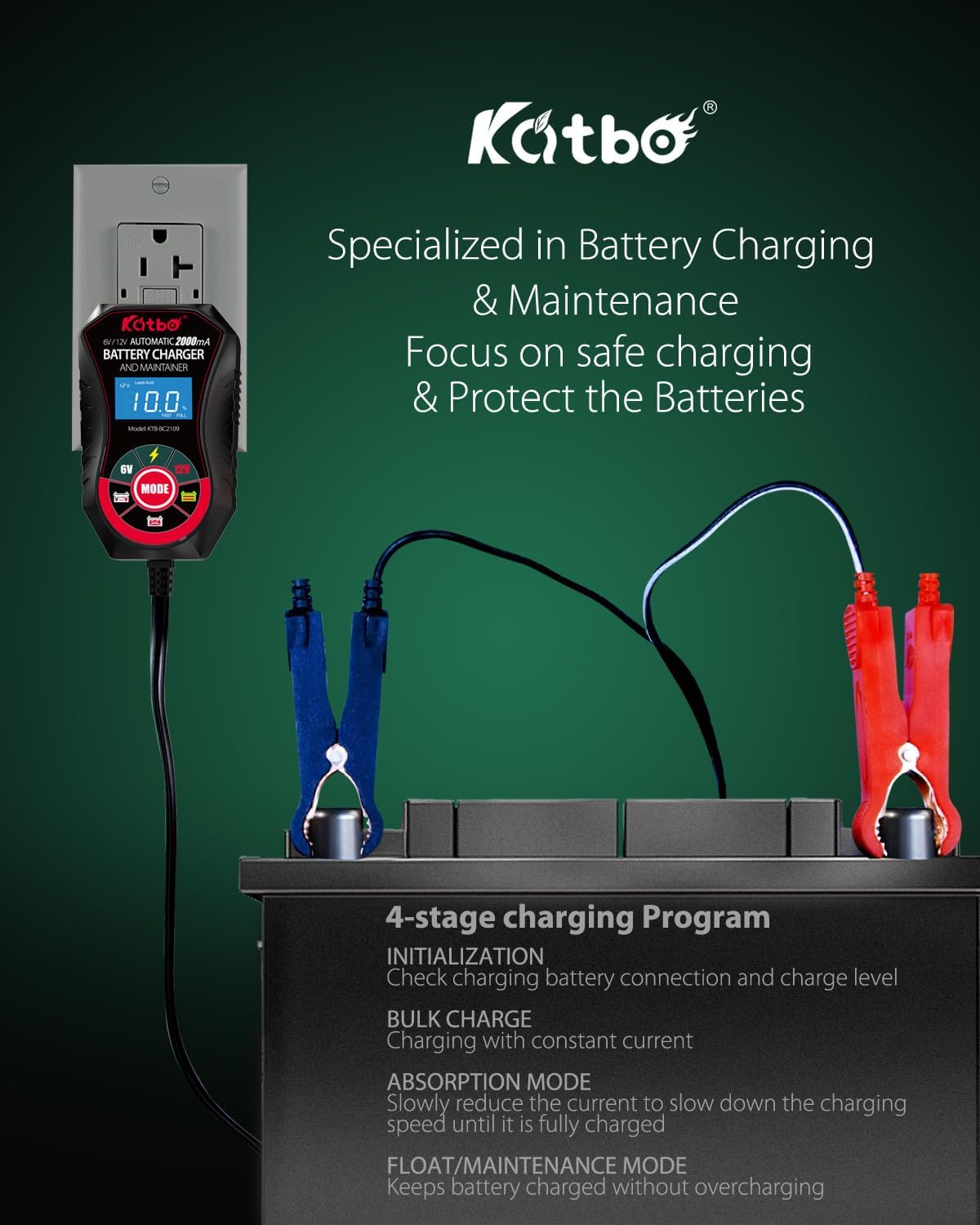
Image 6.2: Overview of the charger's 4-stage charging program.
7. Operating Instructions
The KATBO KTB-BC2109 charger is designed for fully automatic operation. Once connected, it will automatically detect the battery type and voltage, then initiate the appropriate charging cycle.
7.1 Automatic Voltage Detection
The charger automatically detects whether the connected battery is 6V or 12V. The digital display will show the detected voltage.
7.2 Charging Process
The charger employs a multi-stage charging program:
- Initialization: Checks battery connection and current charge level.
- Bulk Charge: Charges with constant current until the battery reaches approximately 80% capacity.
- Absorption Mode: Slowly reduces the current to prevent overcharging and fully charge the battery.
- Float/Maintenance Mode: Once fully charged, the charger switches to a maintenance mode, providing a small current to keep the battery at optimal charge without overcharging.
The digital display will show the charging status, including voltage and current. When the battery is fully charged, the charger will indicate completion and enter maintenance mode.
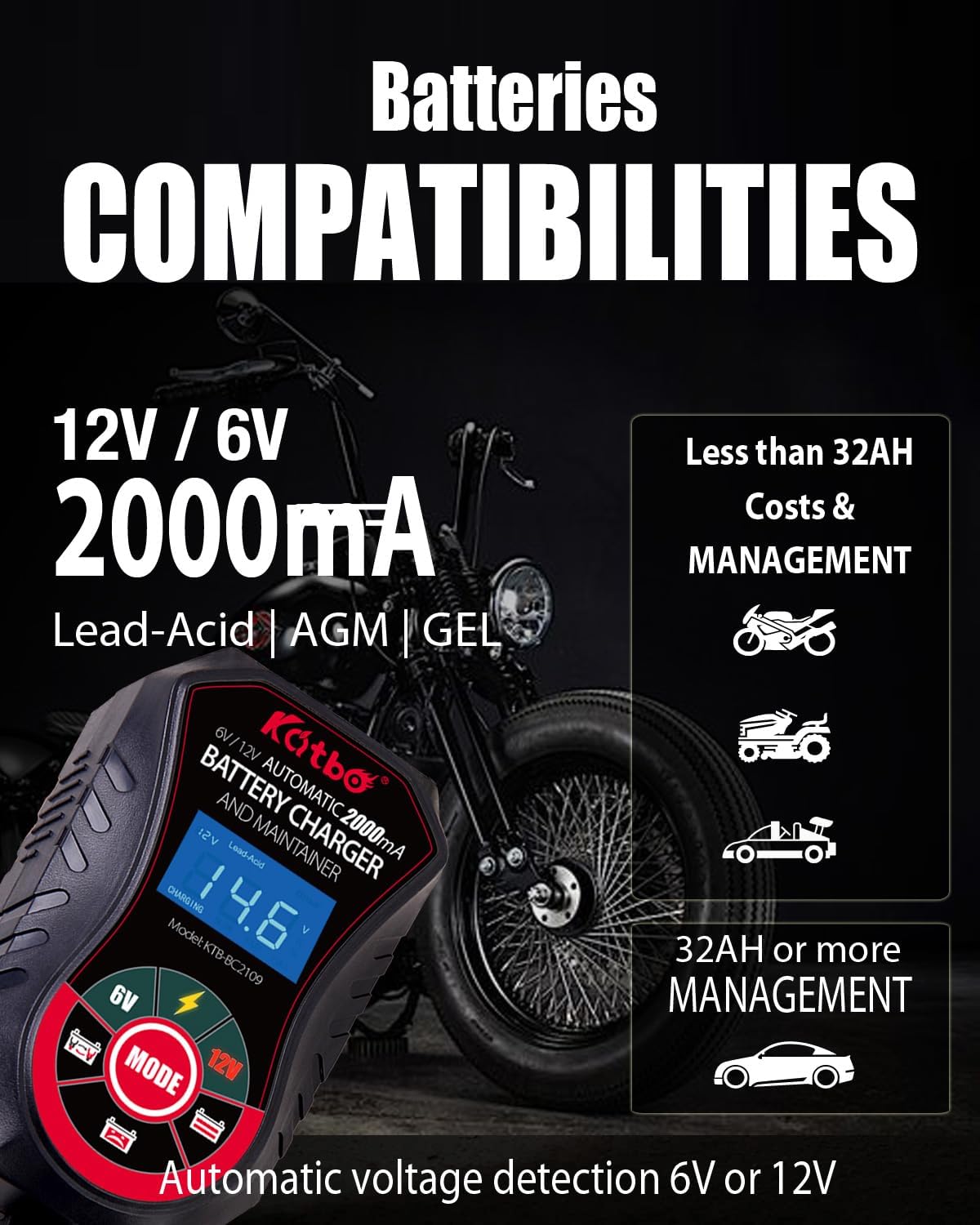
Image 7.1: The charger's display showing voltage and battery type detection.
8. Battery Compatibility
The KATBO KTB-BC2109 is compatible with a wide range of 6V and 12V lead-acid batteries, including:
- AGM (Absorbed Glass Mat)
- GEL
- SLA (Sealed Lead-Acid)
- Flooded (WET)
- Calcium type deep cycle automotive or marine batteries
It is suitable for charging batteries less than 32Ah and for maintaining batteries between 2.0Ah and 100Ah.

Image 8.1: Visual representation of the charger's broad compatibility with different battery types and vehicles.
9. Maintenance and Repair
9.1 Pulse Repair Function
The charger features a 'Pulse Repair Strong Charge Activation' function designed to address batteries that are too low in voltage to be charged normally, or those that have been idle for a long time, or old batteries suffering from vulcanization.
To activate this function:
- Ensure the battery is connected to the charger.
- If the display shows 'P04' (indicating low voltage), press and hold the 'MODE' key.
- The charger will enter a forced charging mode.
- After approximately 15 minutes, power off the charger and then reconnect it to start normal charging. This process helps to restore battery capacity and storage efficiency.

Image 9.1: The charger's display indicating the 'P04' error and the pulse repair function.
9.2 General Maintenance
- Keep the charger clean and dry.
- Store the charger in a cool, dry place when not in use.
- Inspect cables and clamps for damage before each use.
10. Troubleshooting
If you encounter issues with your KATBO KTB-BC2109 charger, refer to the following common problems and solutions:
| Problem | Possible Cause | Solution |
|---|---|---|
| Charger not turning on/no display | No AC power; faulty outlet; damaged charger. | Check AC power connection and outlet. Try a different outlet. If still no power, contact support. |
| Battery not charging | Incorrect battery connection; battery too deeply discharged; battery fault. | Verify positive and negative connections. Use pulse repair function for deeply discharged batteries. If battery is faulty, it may need replacement. |
| Error code displayed (e.g., 'P04') | Battery voltage too low for normal charge. | Activate the pulse repair function as described in Section 9.1. |
| Charger gets hot during operation | Normal operation; poor ventilation; excessive load. | Some heat is normal. Ensure adequate ventilation around the charger. If it becomes excessively hot, disconnect and contact support. |
11. Warranty and Support
11.1 Warranty Information
The KATBO KTB-BC2109 Battery Charger comes with a one-year warranty. This warranty covers product quality issues. For any warranty claims or product quality concerns, please contact our customer service team.
11.2 Customer Support
For technical assistance, troubleshooting, or any questions regarding your KATBO battery charger, please contact our professional customer service team. Contact details can typically be found on the product packaging or the retailer's website where the product was purchased.