
1. Introduction
This instruction manual provides essential information for the proper installation, use, and maintenance of your Youkei Slim Vintage Leather Smartwatch Band. Please read this manual thoroughly before installation to ensure optimal performance and longevity of your product.
2. Package Contents
- 1 x Youkei Slim Vintage Leather Smartwatch Band (Black, 40mm)
3. Compatibility
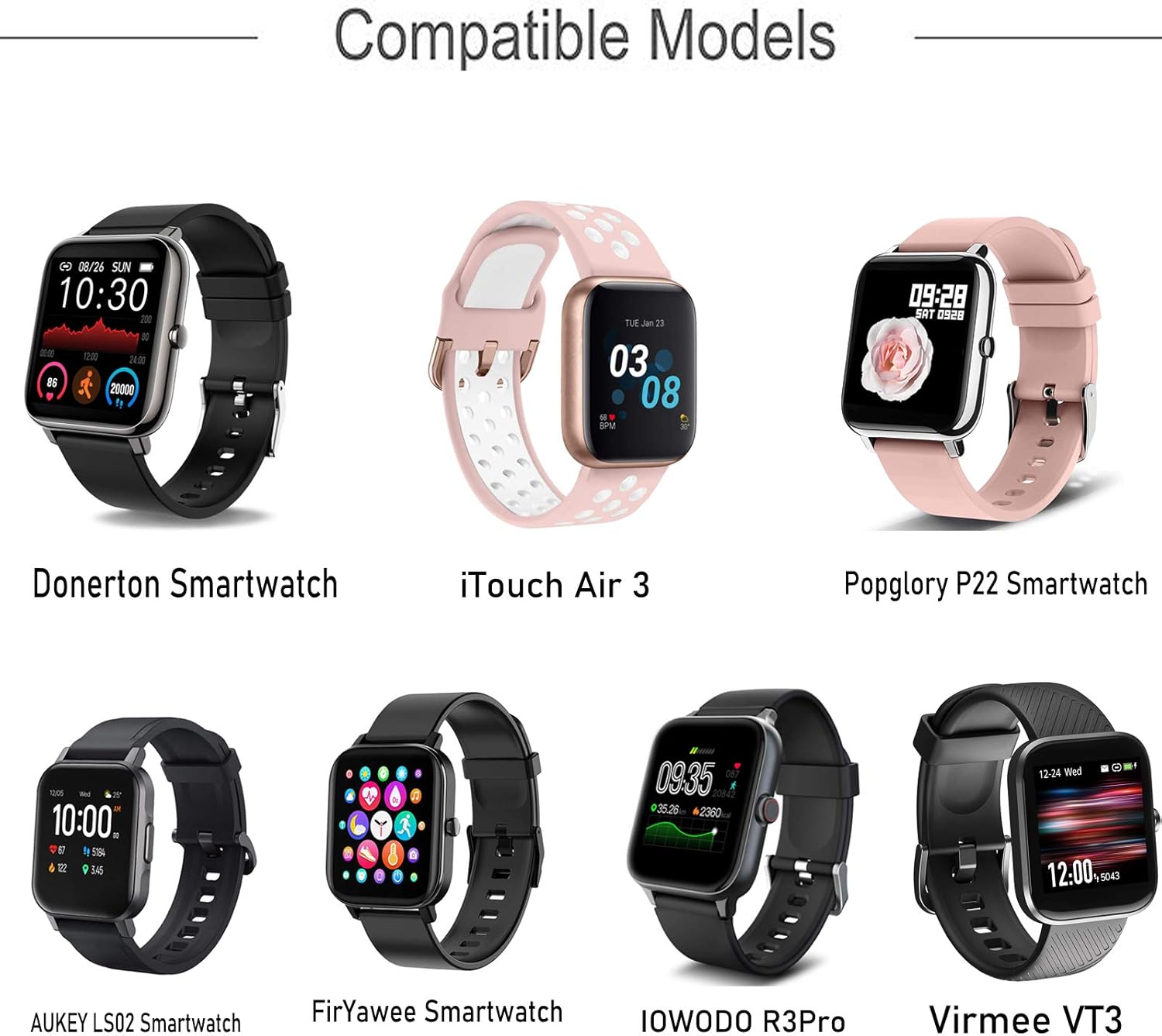
The Youkei Slim Vintage Leather Smartwatch Band is designed for compatibility with various smartwatch models. Ensure your smartwatch model is listed below for proper fit.
- Popglory P22 Smartwatch
- Donerton Smartwatch
- iTouch Air 3 Smartwatch
- FirYawee Smartwatch
- Virmee VT3 Smartwatch
4. Setup and Installation
Follow these steps to correctly install your new smartwatch band.
- Prepare Your Smartwatch: Lay your smartwatch face down on a soft, clean surface to prevent scratches.
- Remove Existing Band (if applicable): Locate the quick-release pins on your current band. Slide the pin lever inward to detach the band from the watch lugs. Repeat for the other side.
- Attach New Band: Take one half of the Youkei band. Insert one end of the quick-release pin into the lug hole on one side of your smartwatch.
- Secure the Pin: While holding the first end in place, slide the quick-release pin lever inward. Align the other end of the pin with the opposite lug hole and release the lever. Gently tug the band to ensure it is securely locked into place.
- Repeat for Second Half: Follow steps 3 and 4 for the other half of the band.

5. Usage and Adjustment
Once installed, the band can be adjusted to fit your wrist comfortably.
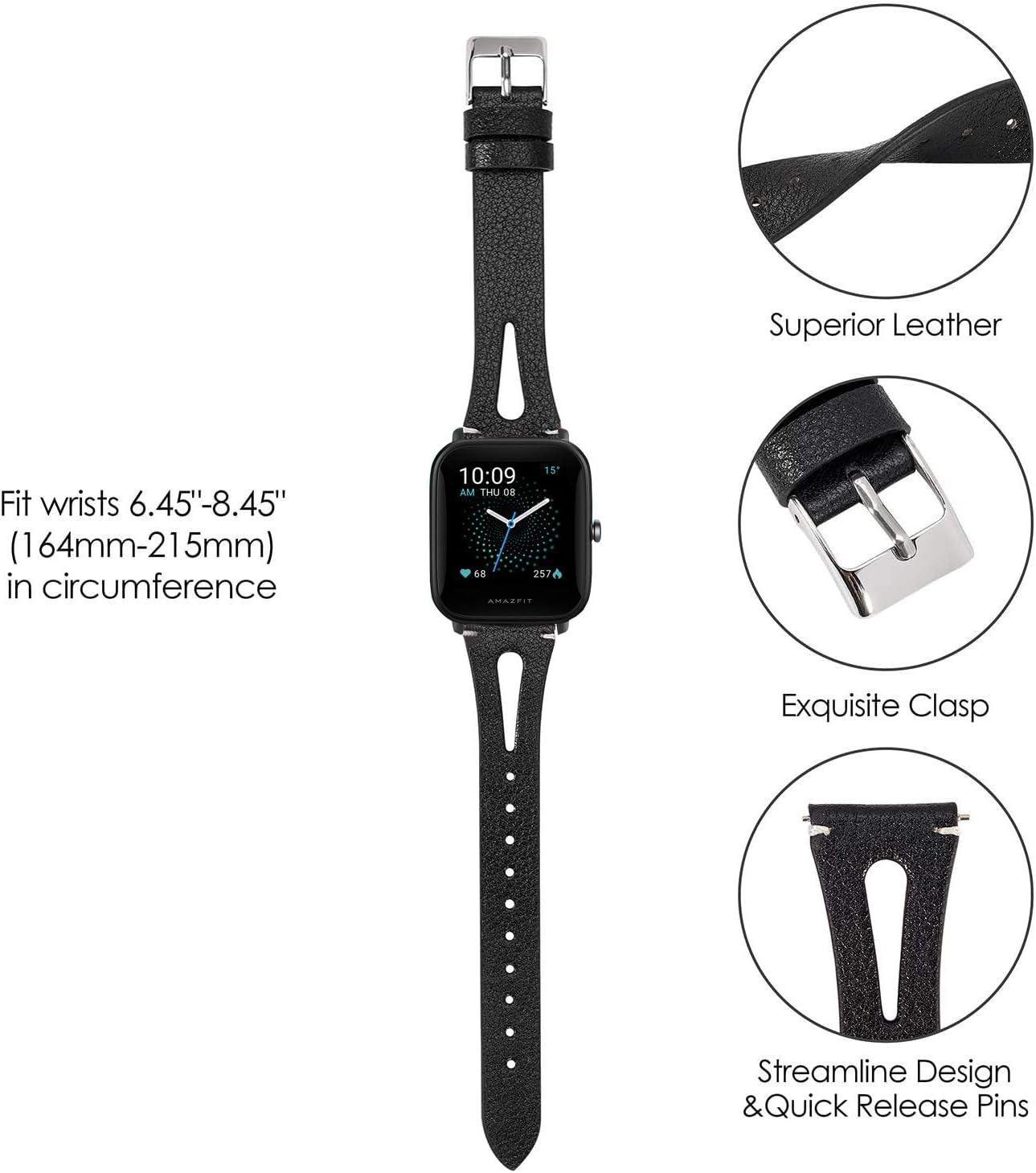
- Wearing the Band: Place the smartwatch on your wrist and thread the end of the band through the buckle.
- Adjusting the Fit: Select a hole on the band that provides a snug yet comfortable fit. The band should not be too tight to restrict circulation, nor too loose to allow the watch to move freely on your wrist.


6. Maintenance and Care
To maintain the quality and appearance of your leather smartwatch band, follow these care instructions:
- Cleaning: Wipe the band with a soft, damp cloth. For deeper cleaning, use a leather-specific cleaner. Avoid harsh chemicals or abrasive materials.
- Drying: Allow the band to air dry completely after cleaning or if it gets wet. Do not expose it to direct sunlight or high heat, as this can cause the leather to crack or fade.
- Avoid Moisture: While the band is durable, prolonged exposure to water, sweat, or humidity should be avoided to prevent damage to the leather.
- Storage: Store the band in a cool, dry place when not in use.

7. Troubleshooting
If you encounter issues with your smartwatch band, refer to the following common problems and solutions:
- Band Does Not Fit My Smartwatch:
Solution: Verify that your smartwatch model is listed in the compatibility section (Section 3). Ensure you have the correct band size (40mm). Some smartwatch models, even if listed, may have different lug widths (e.g., 44mm vs. 40mm). - Quick-Release Pins Are Too Short or Do Not Secure:
Solution: Ensure the quick-release pin is fully extended into both lug holes. Sometimes, a slight misalignment can prevent the pin from seating correctly. If the issue persists, double-check compatibility and contact customer support. - Band Feels Uncomfortable or Causes Irritation:
Solution: Ensure the band is not too tight. Leather bands may require a short break-in period. If irritation continues, clean the band thoroughly and ensure no debris is trapped underneath. If the problem persists, discontinue use and consult a dermatologist.
8. Specifications
| Material | Genuine Leather |
| Color | Black |
| Size | 40mm (compatible with specific smartwatch models) |
| Wrist Fit | Approximately 5.5" – 7.5" (140mm – 190mm) |
| Special Features | Breathable, Quick-Release Pins |
| Item Weight | 1.44 ounces |
9. Warranty and Support
Your Youkei Slim Vintage Leather Smartwatch Band is covered by a 30-day warranty from the date of purchase. This warranty covers all quality-related issues, offering a replacement or refund for defective items.
For warranty claims, technical assistance, or any other inquiries, please contact our customer support team through the retailer's platform where the product was purchased. Please provide your order number and a detailed description of the issue to expedite the support process.