
BrizLabs GP-SW240DC0300-IP44(US) A
BrizLabs Smart Christmas String Lights User Manual
Model: GP-SW240DC0300-IP44(US) A
Brand: BrizLabs
1. Introduction
This manual provides instructions for the safe and efficient use of your BrizLabs Smart Christmas String Lights. Please read this manual thoroughly before installation and operation, and retain it for future reference.
2. Safety Information
- Ensure the power supply voltage matches the product's requirements.
- Do not attempt to repair or modify the product. Contact qualified personnel for service.
- Keep away from open flames and extreme temperatures.
- The product has an IP44 waterproof rating, suitable for outdoor use, but avoid submerging in water.
- Unplug the lights when not in use or before cleaning.
3. Package Contents
- 1 x 300 LED Smart Christmas Lights (115ft)
- 1 x User Manual
4. Specifications
| Total Length | 131.4 FT |
| Lighted Length | 115 FT |
| Lead Length | 16.4 FT |
| Bulb Space | 0.33 FT |
| Waterproof Rating | IP44 |
| Control Type | App Control, Voice Control, Button Control |
| Light Color | Cool White & Multicolor Color Changing |
| Wire Color | Green Wire |
| Number of LEDs | 300 |
| Voltage | 24 Volts |
| Wattage | 7.2 Watts |
5. Setup Instructions
- Unpack the Lights: Carefully remove the string lights from the packaging. Untangle the wire gently to avoid damage.
- Placement: Determine the desired location for your lights (indoor or outdoor). Ensure the power adapter is protected from direct water exposure if used outdoors.
- Power Connection: Plug the power adapter into a standard electrical outlet. The lights should illuminate in a default mode.
- Download the App: Scan the QR code provided in the package or search for the "BrizLabs" app on your smartphone's app store (iOS or Android).
- Pairing with App:
- Open the BrizLabs app and create an account or log in.
- Ensure your phone's Bluetooth and Wi-Fi are enabled.
- In the app, tap "Add Device" or the "+" icon.
- The app should automatically detect the lights. Follow the on-screen prompts to connect. You may need to confirm the Wi-Fi network and password.
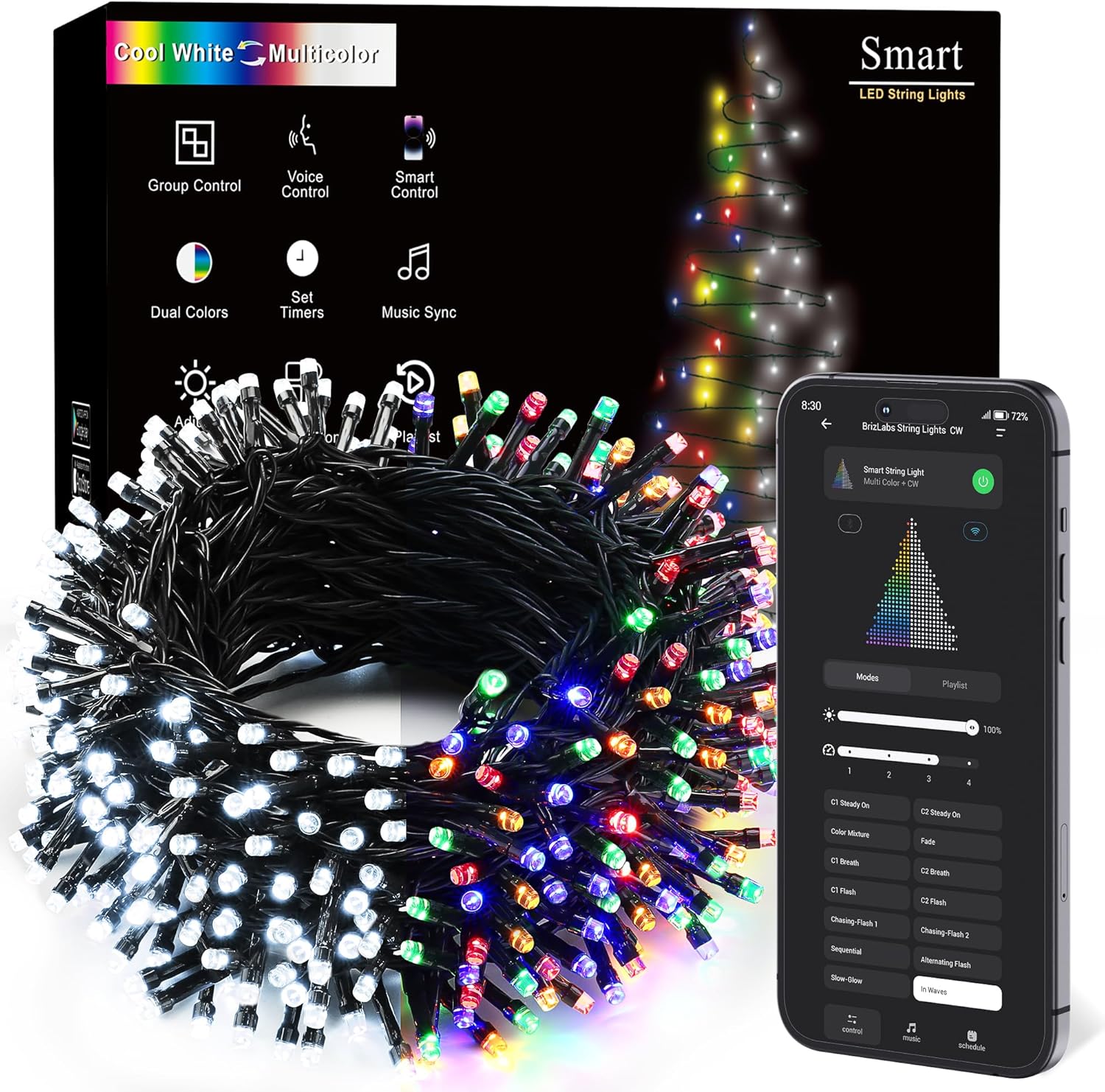
Image: BrizLabs Smart Christmas String Lights in their packaging, showing the coiled lights and a smartphone displaying the control app interface.
6. Operating Instructions
6.1. Button Control
A physical button on the power adapter allows basic control:
- Press once to cycle through preset lighting modes.
- Press and hold for 3-5 seconds to turn the lights On/Off.
6.2. App Control Guide
The BrizLabs app offers comprehensive control over your string lights:
- Color Changing: Select from a wide spectrum of colors, including cool white and various multicolor combinations. Adjust the color mix for personalized effects.
- Brightness Adjustment: Use the slider to dim or brighten the lights from 0% to 100%.
- Multiple Modes: Choose from various static and dynamic modes (e.g., Steady On, Fade, Flash, Sequential, In Waves).
- Playlist Function: Create custom playlists of your favorite lighting effects to play in sequence automatically.
- Speed Adjustment: For dynamic modes, adjust the transition speed to match your preference.
- Smart Schedule/Timer: Set specific times for the lights to turn on or off, automating your lighting experience.

Image: A Christmas tree adorned with BrizLabs Smart String Lights, demonstrating the transition between cool white and multicolor settings, with a smartphone displaying the app's control interface.
6.3. Voice Control Guide
The lights are compatible with Amazon Alexa and Google Assistant for hands-free control:
- Connecting to Voice Assistant: Follow the instructions within the BrizLabs app to link your account with Alexa or Google Assistant.
- Voice Commands:
- "Alexa/Hey Google, turn on [Light Name]."
- "Alexa/Hey Google, turn off [Light Name]."
- "Alexa/Hey Google, set [Light Name] to 50% brightness."
- "Alexa/Hey Google, change [Light Name] to red."

Image: A child interacting with an Amazon Echo device, demonstrating voice control over BrizLabs Smart Christmas Lights on a nearby Christmas tree.
6.4. Music Sync Feature
Activate the music sync feature via the app to make the lights react to the rhythm of your music. This creates a dynamic and immersive lighting experience.

Image: Outdoor Christmas string lights illuminating a house, with a smartphone displaying the music sync feature of the control app, showing lights reacting to music.
6.5. Group Control & Sharing
Manage multiple sets of BrizLabs Smart String Lights simultaneously and share control with family members through the app for coordinated lighting scenes.

Image: A house decorated with multiple sets of BrizLabs Smart Christmas Lights, illustrating the group control feature where several light strings are synchronized.
6.6. Product Video Demonstration
Video: An official BrizLabs demonstration showcasing the Smart Color Changing Christmas Lights, highlighting app and voice control features.
7. Maintenance
- Cleaning: Disconnect power before cleaning. Wipe the lights and wires with a soft, dry cloth. Do not use harsh chemicals or abrasive cleaners.
- Storage: When not in use, carefully coil the lights and store them in a cool, dry place away from direct sunlight and moisture.
- Inspection: Periodically inspect the lights and power cord for any signs of damage, such as frayed wires or cracked bulbs. Do not use damaged lights.
8. Troubleshooting
| Problem | Possible Cause | Solution |
|---|---|---|
| Lights do not turn on. | No power, loose connection, faulty adapter. | Check power outlet, ensure all connections are secure. Try a different outlet. |
| Lights are not responding to app/voice control. | Not paired, Wi-Fi/Bluetooth issue, app malfunction. | Ensure lights are paired correctly. Check Wi-Fi/Bluetooth connection. Restart the app and/or the lights. |
| Lights are flickering or inconsistent. | Unstable power, loose connection, environmental interference. | Check power source stability. Ensure connections are tight. Move away from other electronic devices if interference is suspected. |
| Cannot connect to Wi-Fi. | Incorrect Wi-Fi password, 5GHz network, weak signal. | Verify Wi-Fi password. Ensure you are connecting to a 2.4GHz network. Move lights closer to the router. |
9. Warranty Information
BrizLabs products come with a standard manufacturer's warranty. Please refer to the product packaging or contact BrizLabs customer support for specific warranty terms and conditions.
10. Support
For further assistance, technical support, or inquiries, please contact BrizLabs customer service through the following channels:
- Email: Refer to your product packaging or the BrizLabs official website for contact details.
- Website: Visit the BrizLabs Store on Amazon for more information and support resources.