
Introduction
This manual provides comprehensive instructions for the safe and effective use of your LifeGear Adventure LED Headlamp, Model 41-3919. Please read this manual thoroughly before operating the device and retain it for future reference.

Image 1: Front view of the LifeGear Adventure LED Headlamp. The headlamp features a central LED light and two side floodlights, mounted on an adjustable black and green elastic strap with "LIFEGEAR" branding.
Safety Information
Observe the following safety precautions to prevent injury or damage to the headlamp:
- Do not look directly into the LED light when it is active, as this may cause temporary vision impairment.
- Keep the headlamp away from extreme temperatures and direct sunlight.
- Do not attempt to disassemble or modify the headlamp. This will void the warranty and may cause damage.
- Ensure the USB charging port cover is securely closed when not charging to maintain water resistance.
- Dispose of the battery according to local regulations.
Package Contents
Verify that all items are present in the package:
- LifeGear Adventure LED Headlamp (Model 41-3919)
- USB Type-C Charging Cable
- Instruction Manual (this document)
Product Features
The LifeGear Adventure LED Headlamp offers the following key features:
- 300 Lumens Brightness: Provides powerful illumination.
- 820 ft. Beam Distance: Offers extended visibility.
- USB Rechargeable: Equipped with an 850 mAh Li-Ion battery for convenient charging.
- 4 Light Modes: Includes flood/spot, flood + spot, red night vision, and red safety flash.
- Adjustable-Angle Head: Allows for directing light precisely where needed.
- Weather-Resistant: Designed to withstand various outdoor conditions.
- Built-in Power Level Indicator: Displays current battery status.
Setup
1. Charging the Battery
Before first use, fully charge the headlamp's internal lithium-ion battery.
- Locate the USB Type-C charging port on the side of the headlamp. It is typically covered by a rubber flap.
- Open the rubber flap.
- Connect the provided USB Type-C cable to the headlamp's charging port.
- Connect the other end of the USB cable to a standard USB power source (e.g., computer USB port, wall adapter).
- The power level indicator lights will illuminate to show charging progress. All indicator lights will be solid when fully charged.
- Once charging is complete, disconnect the cable and securely close the rubber flap to maintain water resistance.
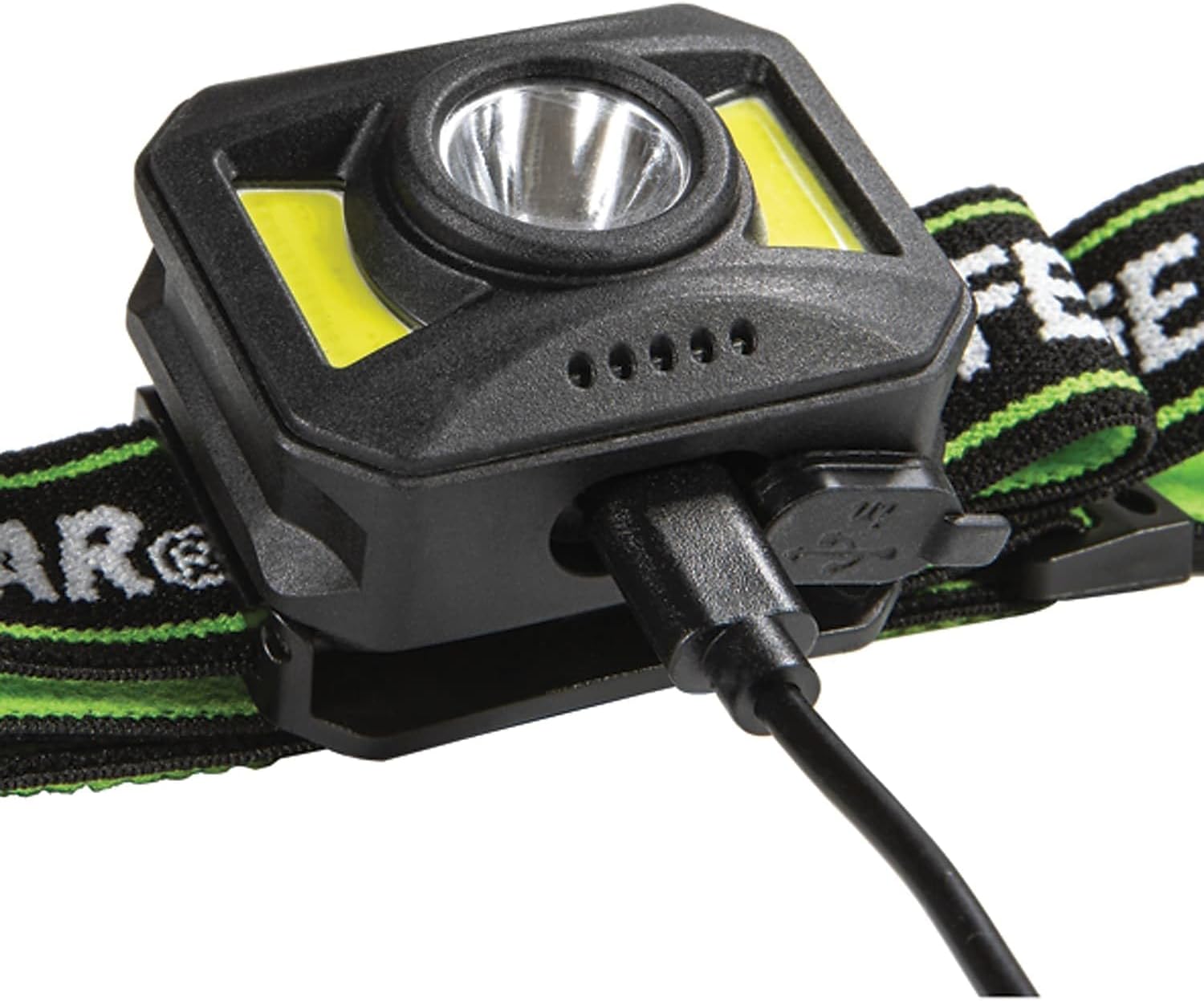
Image 2: Close-up view of the LifeGear Adventure LED Headlamp showing the USB-C charging port with a cable inserted. The port is located on the side of the headlamp unit.
2. Adjusting the Head Strap
The elastic head strap is adjustable to fit various head sizes comfortably.
- Place the headlamp on your head with the light unit positioned on your forehead.
- Use the two buckles on either side of the headlamp unit to tighten or loosen the strap until it feels secure but not too tight.
- Ensure the strap is positioned above your ears for optimal comfort and stability.

Image 3: Side view of the LifeGear Adventure LED Headlamp, illustrating the adjustable elastic strap. The strap is black with green accents and "LIFEGEAR" branding.
Operating Instructions
1. Power On/Off and Mode Selection
The headlamp features a single power button for controlling power and cycling through light modes.
- To Turn On: Press the power button once. The headlamp will typically activate in the last used mode or a default mode (e.g., flood/spot).
- To Change Modes: While the headlamp is on, press the power button repeatedly to cycle through the available light modes:
- Flood/Spot (combined white light)
- Flood + Spot (both white lights active)
- Red Night Vision (red LED for preserving night vision)
- Red Safety Flash (flashing red LED for signaling)
- To Turn Off: Press and hold the power button for approximately 2 seconds, or cycle through all modes until the light turns off.
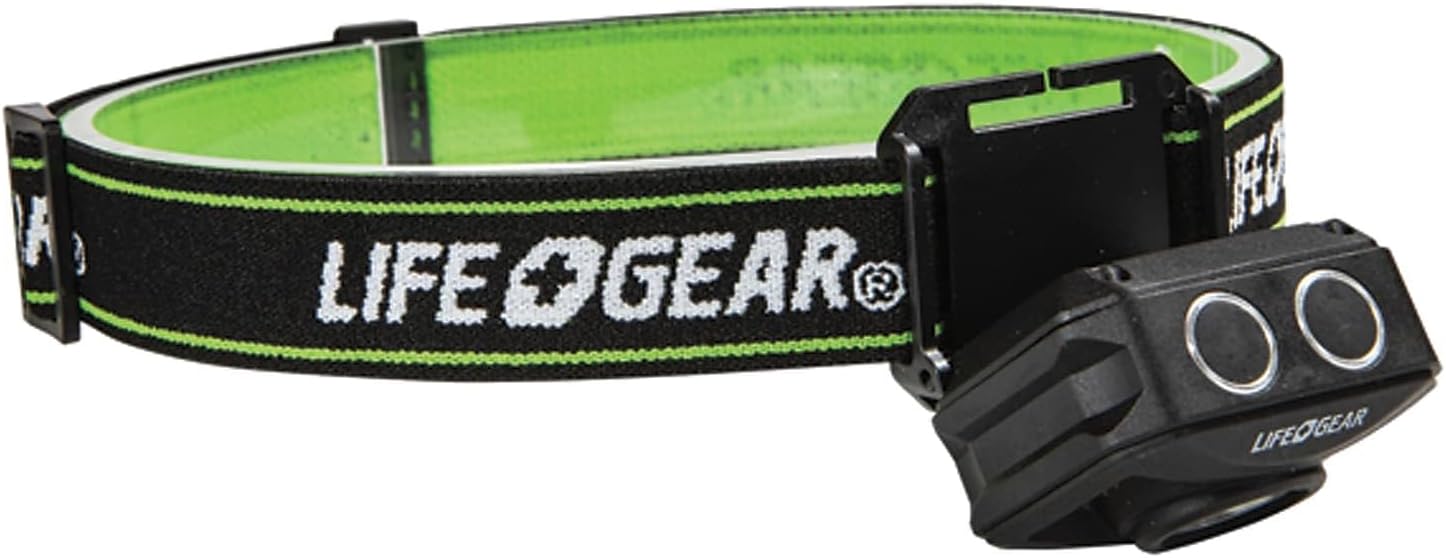
Image 4: Top view of the LifeGear Adventure LED Headlamp, highlighting the two control buttons. These buttons are used for power and mode selection.
2. Power Level Indicator
The headlamp includes a series of small LED lights that indicate the current battery charge level. These lights typically illuminate when the headlamp is turned on or when charging.
- Multiple Lights On: High battery charge.
- Fewer Lights On: Decreasing battery charge.
- Single Flashing Light: Low battery, recharge soon.
3. Adjusting Head Angle
The headlamp unit can be tilted up or down to direct the light beam as needed.
- Gently grasp the headlamp unit and tilt it to the desired angle.
- The hinge mechanism allows for smooth and secure angle adjustments.
Maintenance
Proper maintenance ensures the longevity and optimal performance of your headlamp.
- Cleaning: Wipe the headlamp with a soft, damp cloth. Do not use abrasive cleaners or solvents. Ensure the charging port cover is closed during cleaning.
- Battery Care:
- Recharge the battery regularly, even if not in frequent use, to maintain battery health.
- Avoid fully discharging the battery for extended periods.
- Store the headlamp with a partial charge (around 50%) if storing for a long time.
- Storage: Store the headlamp in a cool, dry place away from direct sunlight and extreme temperatures.
Troubleshooting
| Problem | Possible Cause | Solution |
|---|---|---|
| Headlamp does not turn on. | Battery is discharged. | Charge the headlamp using the provided USB-C cable. |
| Light output is dim. | Low battery charge. | Recharge the battery. |
| Headlamp does not charge. | Faulty cable or power source. | Try a different USB-C cable or a different USB power adapter. Ensure the cable is fully inserted. |
| Light modes are not cycling correctly. | Button malfunction or low battery. | Ensure the battery is charged. If the issue persists, contact customer support. |
Specifications
| Feature | Detail |
|---|---|
| Model Number | 41-3919 |
| Brightness | 300 Lumens |
| Beam Distance | 820 ft. |
| Power Source | USB Rechargeable, Battery Powered |
| Battery Type | 850 mAh Li-Ion (included) |
| Light Source Type | LED |
| Light Modes | Flood/Spot, Flood + Spot, Red Night Vision, Red Safety Flash |
| Material | Plastic |
| Color | Black |
| Water Resistance Level | Water Resistant |
| Product Dimensions | 5.5"D x 6.5"W x 2.5"H |
| Item Weight | 4 ounces |
Warranty Information
The LifeGear Adventure LED Headlamp (Model 41-3919) is covered by a 1-year limited warranty from the date of purchase. This warranty covers manufacturing defects and workmanship under normal use. It does not cover damage resulting from misuse, accident, modification, or unauthorized repair.
For warranty claims or further details, please refer to the official Life+Gear website or contact customer support.
Customer Support
If you have any questions, require assistance, or need to report an issue with your LifeGear Adventure LED Headlamp, please contact Life+Gear customer support:
- Website: www.lifegear.com
- Email: support@lifegear.com
- Phone: Please refer to the Life+Gear website for current contact numbers.
When contacting support, please have your product model number (41-3919) and proof of purchase available.


