1. Introduction
Thank you for choosing HEKEE E12 LED Candelabra Light Bulbs. These remote-controlled, color-changing LED bulbs are designed for various lighting needs, offering both functional illumination and mood-setting capabilities. This manual provides essential information for safe installation, operation, and maintenance of your new light bulbs.
Each bulb features a 270-degree beam angle, 2700K warm white light, 450 lumens brightness, and an 85 CRI for accurate color rendering. They are energy-efficient, equivalent to a 40W incandescent bulb, and offer 12 colors, 3 brightness levels, and 2 dynamic lighting modes.
2. Safety Information and Important Notices
- Voltage Compatibility: These light bulbs are designed for use on 110-130V AC ONLY. Ensure your electrical system matches this requirement before installation.
- Dimmer Switches: These bulbs cannot be used with traditional dimmer switches. Dimming is controlled exclusively via the provided remote control. Using them with a dimmer switch may cause flickering or damage.
- Bulb Type: These are standard plug-in LED bulbs. They are not rechargeable and do not contain internal batteries.
- Indoor Use: These bulbs are rated for indoor use only.

Important Notice Before Purchase: Confirm voltage, non-rechargeable/non-battery, and E12 base compatibility.
3. Package Contents
Your package typically includes:
- HEKEE E12 LED Candelabra Light Bulbs (quantity as per pack size)
- Remote Control(s)
4. Installation
- Power Off: Before installing, ensure the power to the light fixture is turned off at the switch and circuit breaker.
- Verify Compatibility: Confirm that your light fixture has an E12 candelabra base and operates on 110-130V AC. The bulb shape is B11 (C37).
- Screw In Bulb: Carefully screw the LED bulb into the E12 socket until it is snug. Do not overtighten.
- Power On: Restore power to the light fixture.

Bulb dimensions and compatibility details. Ensure your fixture matches the E12 base.
5. Operating Instructions
5.1 Remote Control Overview
The included remote control allows you to manage all functions of the HEKEE E12 LED bulbs. One remote can control multiple bulbs simultaneously, especially useful for fixtures with several bulbs. No pairing is required; simply point and operate.

Remote control in use, demonstrating its ability to control multiple bulbs.
5.2 Basic Functions
- Power On/Off: Press the ON or OFF button.
- Color Selection: Choose from 12 vivid colors using the color buttons on the remote.
- Warm White: Press the W button for 2700K warm white light.
- Brightness Adjustment: Use the Brightness Up and Brightness Down buttons to adjust between 3 levels (1%, 50%, 100%).

Demonstration of color changing and warm white light options.

Brightness adjustment from 1% (night light) to 100% (reading light).
5.3 Dynamic Lighting Modes
The bulbs offer two dynamic modes for creating different atmospheres:
- Flash Mode: Provides a rapid color change effect, suitable for parties or energetic environments.
- Smooth Mode: Offers a gradual, automatic cycle through colors, creating a relaxed and ambient atmosphere.
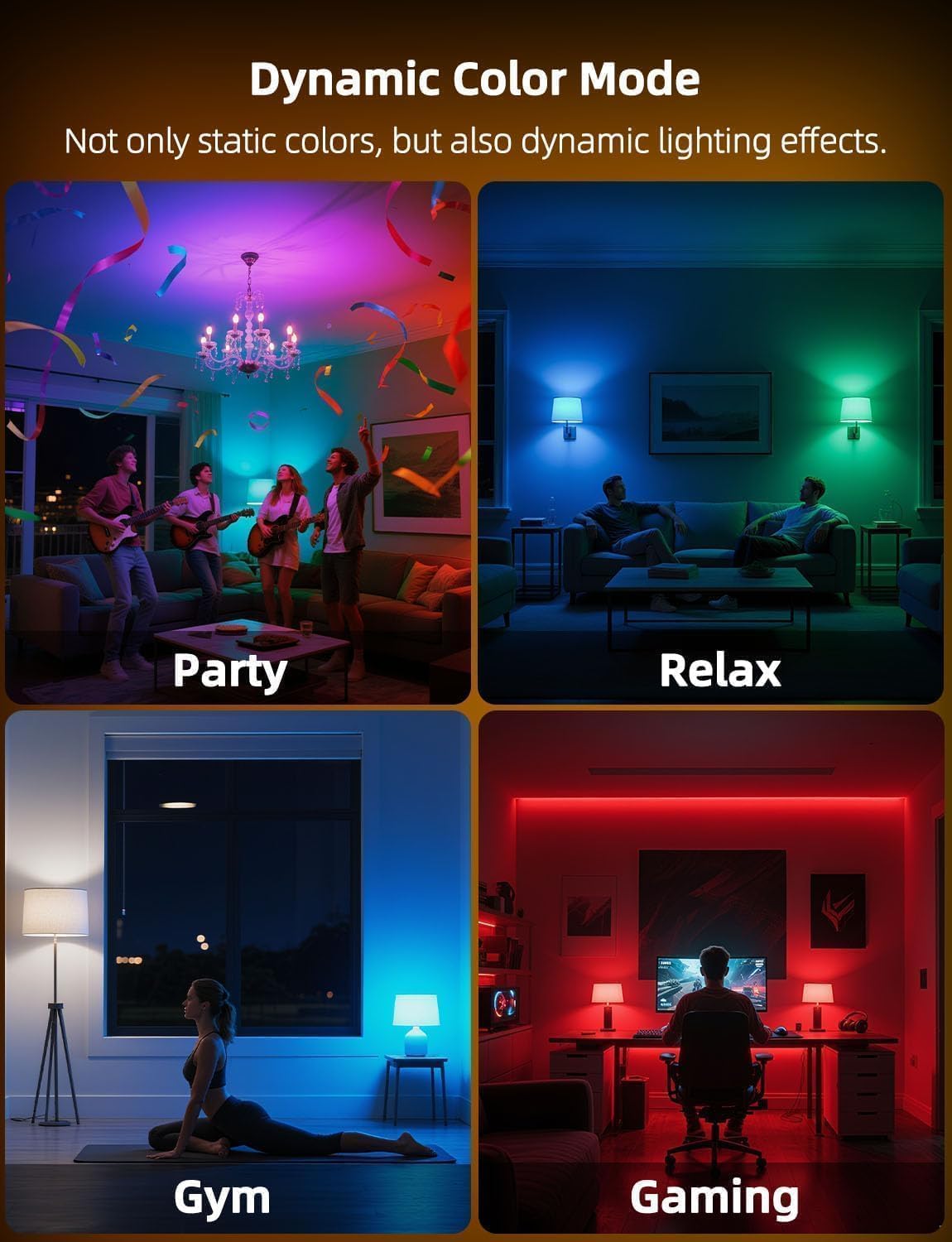
Examples of dynamic color modes for various activities.
5.4 Memory and Synchronization
- Memory Function: The bulb will remember the last color or mode used when turned off and on again.
- Synchronization: When multiple bulbs are used in the same fixture or area, the remote control can synchronize their color changes and modes, ensuring a consistent lighting effect.
5.5 Timer Function
The timer function allows for automatic light control:
- One-Time Timer: Set the bulb to turn off automatically after a specified number of hours.
- Daily Cycle Timer (24 Hours): Schedule the lights to turn on and off automatically at designated times each day. This is suitable for both indoor and outdoor fixtures (if the fixture itself is outdoor rated).

Example of the daily timer function for automatic lighting.

Using the timer for delayed turn-off in a bedroom setting.

Scheduling lights to turn on and off automatically daily.
6. Troubleshooting
| Problem | Possible Cause | Solution |
|---|---|---|
| Bulb does not light up. | No power to the fixture; Bulb not screwed in properly; Bulb is faulty. | Check power supply and wall switch. Ensure bulb is securely screwed into the socket. Test bulb in another working fixture. |
| Remote control not working. | Remote battery is dead; Remote is too far or obstructed; Remote not pointed at bulb. | Replace remote battery. Ensure remote is within range (approx. 40 feet) and has a clear line of sight to the bulb. |
| Bulb flickers or behaves erratically. | Used with a dimmer switch; Unstable power supply. | Do not use with dimmer switches. Ensure the bulb is connected to a standard ON/OFF switch. Check for stable power supply. |
| Colors are not consistent across multiple bulbs. | Synchronization issue. | Ensure all bulbs are within range of the remote. Try turning all bulbs off and then on again, then use the remote to set the desired color/mode. |
7. Specifications
| Feature | Specification |
|---|---|
| Product Type | 5W B11 Non-Dimmable LED Candelabra Bulb |
| Bulb Base | E12 |
| Bulb Shape Size | B11 (C37) |
| Wattage | 5 Watts |
| Incandescent Equivalent | 40 Watts |
| Brightness | 450 Lumens (White Brightness) |
| Color Temperature | 2700K Warm White + RGB |
| Operating Voltage | 110-130V AC (Accepted frequency: 50-60Hz) |
| Beam Angle | 270 Degrees |
| Color Rendering Index (CRI) | 85+ |
| Control Method | Remote Control |
| Average Life | 25,000+ Hours |
| Material | Plastic |
| Product Dimensions | 1.4"W x 4.6"H |
| Certifications | ETL, FCC |

Summary of product specifications.
8. Care and Maintenance
- Cleaning: Ensure the bulb is cool and the power is off before cleaning. Wipe with a soft, dry cloth. Do not use liquid or abrasive cleaners.
- Storage: Store bulbs in a cool, dry place when not in use.
- Disposal: Dispose of LED bulbs according to local regulations for electronic waste.
9. Warranty and Support
For warranty information or technical support, please refer to the contact details provided with your purchase or visit the official HEKEE website. Keep your purchase receipt for warranty claims.
10. Product Videos
Demonstration of HEKEE E12 LED Candelabra Light Bulb features.
Overview of HEKEE E12 LED Candelabra Light Bulb functionality.
Additional features and usage scenarios for HEKEE E12 LED Candelabra Light Bulbs.