1. Important Safety Instructions
Please read these instructions carefully before using the Homgee SL200 Laminator. Retain this manual for future reference.
- Do not operate the laminator with a damaged power cord or plug.
- Keep the laminator away from water or other liquids.
- Ensure the laminator is placed on a stable, flat surface with adequate ventilation.
- Do not insert objects other than laminating pouches into the machine.
- Unplug the laminator when not in use or before cleaning.
- Keep out of reach of children.
- The laminator surface may become hot during operation. Avoid direct contact.
2. Product Overview
The Homgee SL200 is a compact hot and cold laminator designed for personal, school, and office use. It accommodates documents up to A4 size, providing protection for photos, documents, and cards.

Figure 2.1: Homgee SL200 Laminator in operation, laminating a photo.

Figure 2.2: Top and bottom views of the SL200 Laminator, highlighting its design and specifications label.
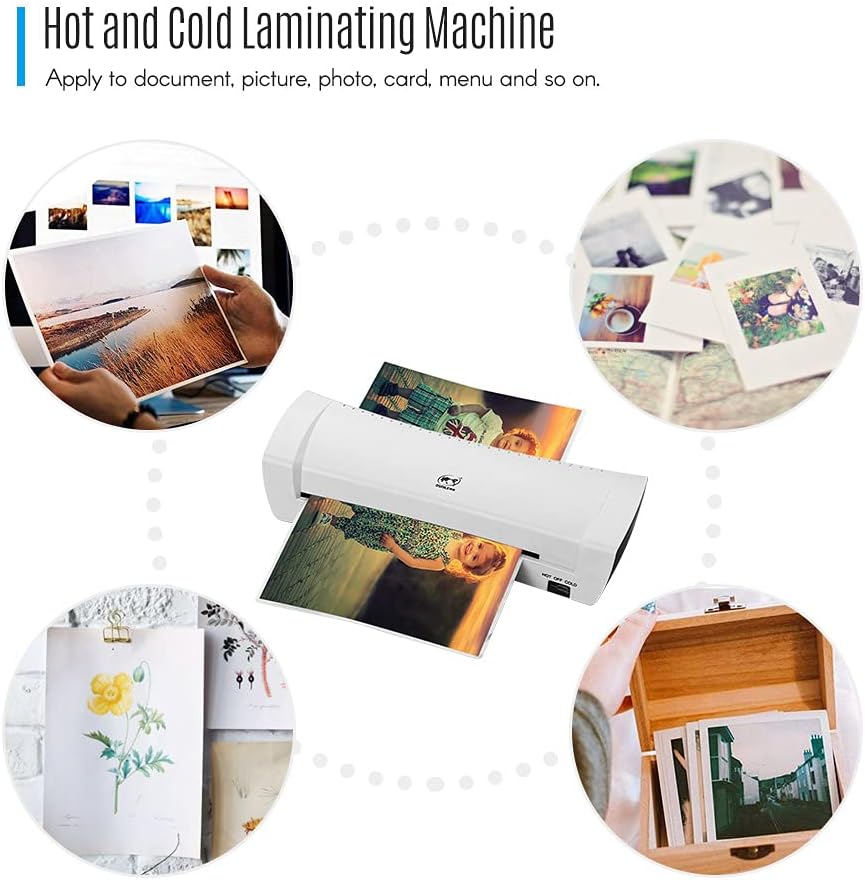
Figure 2.3: Various applications for the laminator, including documents, photos, and cards.
3. Setup
- Unpacking: Carefully remove the laminator from its packaging. Ensure all components, including the power cord, are present.
- Placement: Place the laminator on a stable, flat, and heat-resistant surface. Ensure there is enough space around the machine for proper ventilation and for documents to exit freely.
- Power Connection: Insert the power plug into a suitable electrical outlet.

Figure 3.1: The SL200 Laminator with its power cord, ready for connection.
4. Operating Instructions
4.1 Powering On and Mode Selection
Locate the rocker switch on the side of the laminator. This switch controls the power and operating mode.

Figure 4.1: Close-up view of the 'HOT OFF COLD' rocker switch.
4.2 Hot Lamination
- Switch the rocker to the HOT setting.
- Allow the laminator to warm up for approximately 2-4 minutes. The green 'Ready' light will illuminate when the machine has reached the optimal temperature for hot lamination.
- Insert your document, enclosed in a laminating pouch, into the inlet of the machine. Ensure the sealed edge of the pouch is fed first and the document is centered.
- The machine will automatically feed and laminate the document. Retrieve the laminated item from the exit slot.

Figure 4.2: Document insertion for hot lamination, showing the inlet.
4.3 Cold Lamination
- Switch the rocker to the COLD setting.
- The green 'Ready' light will illuminate immediately. No warm-up time is required for cold lamination.
- Use special cold laminating pouches for this mode. Insert your document, enclosed in a cold laminating pouch, into the inlet.
- The machine will process the document. Retrieve the laminated item from the exit slot.
4.4 Pouch and Document Compatibility
- Entry Width: 230mm (A4 size maximum).
- Minimum Pouch Size: Credit card size (54x86mm).
- Maximum Pouch Size: A4.
- Minimum Pouch Thickness: 160 (2*80) micron.
- Maximum Pouch Thickness: 250 (2*125) micron.
- Maximum Lamination Thickness: 0.5mm.

Figure 4.3: Visual representation of the laminator's entry width and compatible pouch specifications.
5. Maintenance
- Cleaning: Ensure the laminator is unplugged and completely cool before cleaning. Wipe the exterior with a soft, dry cloth. Do not use abrasive cleaners or solvents.
- Storage: Store the laminator in a clean, dry place when not in use.
6. Troubleshooting
- Laminator Not Powering On: Check the power cord connection and the electrical outlet. Ensure the rocker switch is in either the 'HOT' or 'COLD' position.
- Laminator Not Heating (Hot Mode): Verify the switch is set to 'HOT'. Allow the full 2-4 minutes for warm-up. If the 'Ready' light does not illuminate, contact customer support.
- Document Jam: If a pouch becomes jammed, immediately switch the laminator to 'OFF' and then to 'COLD' to cool the rollers. The Homgee SL200 features an ABS (Anti-Blocking System) function. If available, press the ABS release button to manually release the jammed pouch. Carefully pull the pouch out.

Figure 6.1: The laminator, indicating the location of the ABS system (if present).
7. Specifications
| Feature | Specification |
|---|---|
| Model | SL200 |
| Color | White |
| Rollers | 2 (Hot Shoe) |
| Entry Width | 230mm |
| Min Pouch Thickness | 160 (2*80) micron |
| Max Pouch Thickness | 250 (2*125) micron |
| Min Pouch Size | Credit Card (54*86mm) |
| Max Pouch Size | A4 |
| Max Lamination Thickness | 0.5mm |
| Laminating Speed | 25cm / min |
| Warm Up Time | 2-4 minutes |
| Power Consumption | 220W |
| Item Size | 35.3 * 12.2 * 7.5cm / 13.9 * 4.8 * 2.95in |
| Item Weight | 893g / 31.5oz (Product only), 1.05 kg (Package) |
| Manufacturer Part Number | OMGOS2454UKSTOSA |
| UPC | 791877468993 |

Figure 7.1: Physical dimensions of the Homgee SL200 Laminator.
8. Warranty and Support
For warranty information or technical support, please refer to the documentation provided with your purchase or contact Homgee customer service through their official website or your retailer. Please have your model number (SL200) and proof of purchase available when contacting support.


