
Introduction
This manual provides essential information for the safe and effective use of your WORX WA0220 Nitro Driveshare 17-inch Universal Hedge Trimmer Attachment. This attachment is designed to convert your WORX Nitro 40V string trimmer into a powerful hedge trimmer, suitable for maintaining hedges, bushes, and low-lying tree branches. Please read these instructions carefully before assembly, operation, or maintenance.
Safety Information
Always prioritize safety when operating power tools. Failure to follow these safety instructions may result in serious injury.
- Read All Instructions: Familiarize yourself with the controls and proper use of the attachment and your powerhead.
- Wear Personal Protective Equipment (PPE): Always wear safety glasses or goggles, hearing protection, heavy-duty gloves, and sturdy footwear. Long pants and sleeves are also recommended.
- Inspect Before Use: Before each use, check the attachment for any damaged, missing, or loose parts. Ensure blades are sharp and free from debris.
- Clear Work Area: Keep children, bystanders, and pets at a safe distance (at least 50 feet/15 meters) from the work area. Remove any obstacles that could be thrown by the blades.
- Maintain Firm Grip: Always hold the power tool firmly with both hands during operation.
- Avoid Overreaching: Maintain proper footing and balance. Do not overreach.
- Disconnect Power: Always disconnect the battery pack from the powerhead before making any adjustments, changing accessories, or performing maintenance.
- Blade Care: Blades are sharp. Handle with care. Always use the blade scabbard for storage and transport.
- Environmental Conditions: Do not operate in wet conditions. Avoid operating in poor lighting.
What's Included
Your WORX WA0220 Hedge Trimmer Attachment package includes the following components:
- 17-inch Hedge Trimmer Attachment
- Blade Scabbard
- Hex Key

Figure 1: Included components of the WA0220 Hedge Trimmer Attachment.
Features
The WORX WA0220 Hedge Trimmer Attachment is engineered for efficient and versatile hedge trimming:
- Driveshare Attachment Capable: Designed to integrate seamlessly with WORX Driveshare string trimmers, transforming them into a hedge trimmer.
- Dual-Action Cutting Blades: The 17-inch blades are designed to slice branches, twigs, and leaves twice for a clean, even cut.
- Pivoting Head: Features 10 adjustable positions, allowing for trimming from various angles to reach difficult areas.
- Universal Compatibility: Compatible with most split-shaft design trimmers from other brands, offering broad utility.
- Lightweight Design: Weighs approximately 4.52 lbs, making it easier to lift and maneuver for extended periods, especially when trimming high hedges.
- Cutting Capacity: Capable of cutting branches up to 15/16 inches (approximately 1 inch) in diameter.
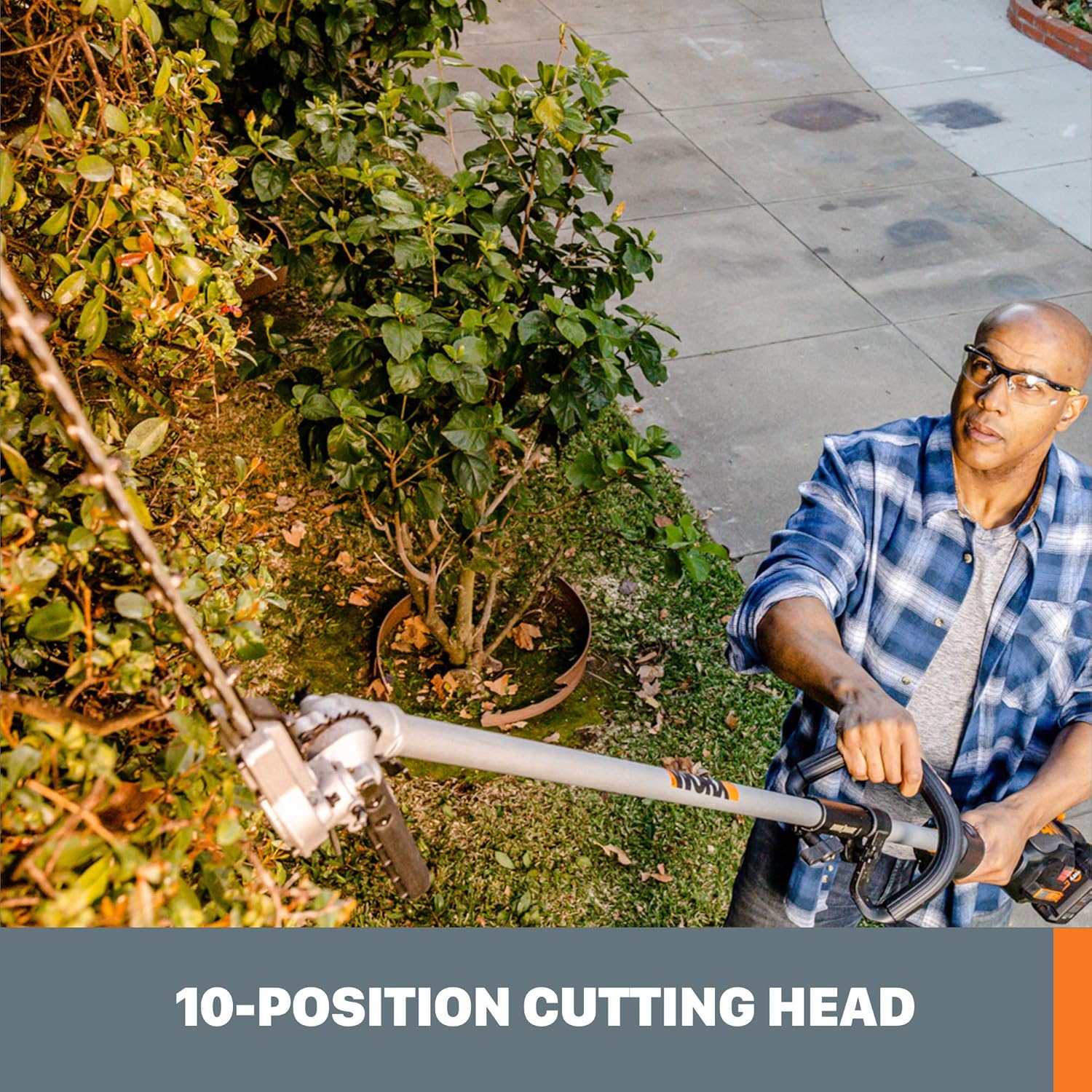
Figure 2: The 10-position cutting head allows for versatile trimming angles.

Figure 3: Dual-action blades ensure efficient and clean cuts.
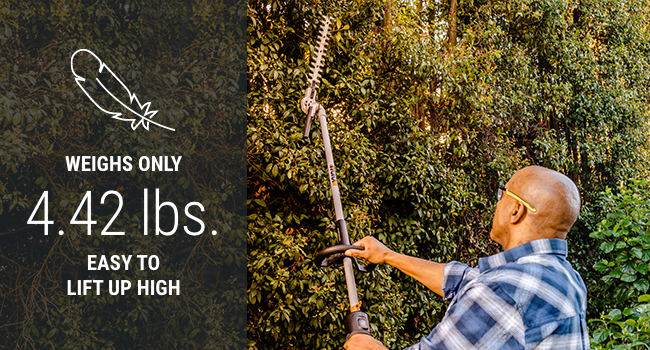
Figure 4: Lightweight design for reduced operator fatigue.
Setup
Follow these steps to properly attach the hedge trimmer to your Driveshare-compatible powerhead:
- Ensure Powerhead is Off: Before attaching or detaching any accessory, ensure your powerhead is turned off and the battery pack is removed to prevent accidental startup.
- Align Shafts: Align the shaft of the hedge trimmer attachment with the coupling on your Driveshare powerhead.
- Insert and Secure: Push the attachment shaft into the powerhead coupling until it clicks into place. Tighten the coupling knob securely to prevent movement during operation.
- Verify Connection: Gently pull on the attachment to ensure it is firmly seated and locked.

Figure 5: Connecting the Driveshare attachment.

Figure 6: Universal compatibility with split-shaft trimmers.
Operating Instructions
Before operating, ensure you have read and understood all safety warnings.
Adjusting the Cutting Head
The cutting head can be adjusted to 10 different positions. To adjust, press the release button or lever near the pivot point, set the head to the desired angle, and ensure it locks securely into place. This feature is particularly useful for trimming the tops of tall hedges or reaching awkward angles.

Figure 7: Easily shape hedges with the adjustable cutting head.
Trimming Techniques
- Side Trimming: Hold the trimmer with the blades parallel to the side of the hedge. Move the trimmer in a sweeping motion, cutting small amounts at a time.
- Top Trimming: For flat tops, hold the trimmer with the blades parallel to the top of the hedge. For rounded tops, use a curved sweeping motion.
- Cutting Thick Branches: The attachment can cut branches up to 15/16 inches. For thicker branches, use a slow, steady motion. Do not force the blades.
- Versatile Use: While primarily for hedges, the adjustable head and sharp blades can also be used for trimming tall grass or weeds in hard-to-reach areas, similar to a string trimmer.
Maintenance
Regular maintenance ensures optimal performance and extends the life of your hedge trimmer attachment.
- Blade Cleaning: After each use, remove the battery from the powerhead and clean the blades with a stiff brush to remove sap and debris. Apply a light machine oil or blade lubricant to prevent rust and ensure smooth operation.
- Blade Sharpening: Keep blades sharp for best cutting performance. Dull blades can tear foliage and strain the motor. Refer to a qualified service center for sharpening or replacement.
- General Inspection: Periodically check all nuts, bolts, and screws for tightness. Ensure all guards and safety features are in place and functioning correctly.
- Storage: Store the attachment in a dry, secure place, out of reach of children. Always use the blade scabbard to cover the blades during storage and transport.
Troubleshooting
If you encounter issues with your hedge trimmer attachment, refer to the following common solutions:
| Problem | Possible Cause | Solution |
|---|---|---|
| Attachment does not operate | Battery not inserted correctly or discharged. Attachment not properly secured to powerhead. | Ensure battery is fully charged and correctly inserted. Verify the attachment is securely locked into the Driveshare coupling. |
| Poor cutting performance | Dull or dirty blades. Attempting to cut branches too thick. | Clean and lubricate blades. Sharpen or replace blades if necessary. Do not attempt to cut branches exceeding 15/16 inch diameter. |
| Excessive vibration | Loose components. Damaged blades. | Check all fasteners for tightness. Inspect blades for damage; replace if bent or broken. |
Specifications
- Brand:
- WORX
- Model Number:
- WA0220
- Blade Length:
- 17 Inches
- Cutting Width:
- 17 Inches
- Max Cutting Diameter:
- 15/16 Inches (approx. 1 inch)
- Item Weight:
- 4.52 Pounds
- Product Dimensions:
- 55.1"L x 1"W x 3.1"H
- Material:
- Stainless Steel (Blades)
- Compatibility:
- WORX Nitro 40V Driveshare String Trimmer (WG186) and most split-shaft trimmers
Warranty and Support
For warranty information, product registration, or technical support, please visit the official WORX website or contact their customer service department. Keep your purchase receipt as proof of purchase for warranty claims.
Online Support: www.worx.com
Customer Service: Refer to your powerhead manual or the WORX website for specific contact details.