
1. Introduction
This manual provides essential information for the safe and efficient operation of your Haocrown 32 Inch Smart Touch Screen Mirror TV. Please read these instructions thoroughly before installation and use, and retain them for future reference.
2. Important Safety Information
- Power Supply: The TV operates on a safe low voltage DC 12V power supply. Ensure proper connection to avoid electrical hazards.
- Waterproofing: This unit is IP66-certified waterproof, designed for humid environments like bathrooms and showers. However, avoid submerging the unit.
- Installation: Professional installation is recommended. Ensure the mounting bracket is securely fastened to a suitable wall structure. Follow all local electrical and building codes.
- Cleaning: Use a soft, damp cloth for cleaning. Avoid abrasive cleaners or harsh chemicals that may damage the mirror surface or internal components.
- Ventilation: Ensure adequate ventilation around the unit, especially if recessed, to prevent overheating.
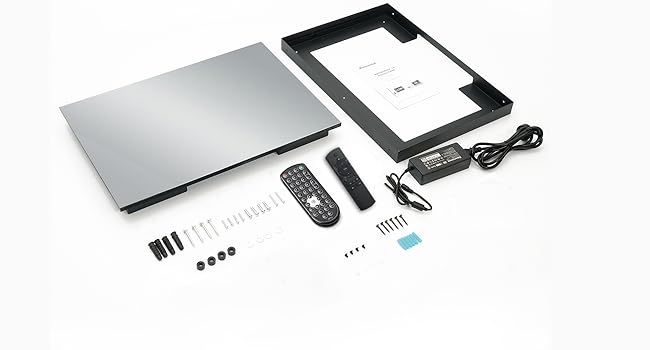
3. What's in the Box
Verify that all components are present before proceeding with installation:
- Haocrown 32 Inch Smart Touch Screen Mirror TV
- Mounting Bracket
- Waterproof Remote Control
- Standard Remote Control
- Power Adapter (DC 12V)
- Screws and Drywall Anchors
- Allen Key Wrench
- Cleaning Cloth
- User Manual

4. Product Features
- IP66 Waterproof Design: The entire unit is built to IP66-certified waterproof standards, offering triple waterproof treatment, dustproof, and anti-fog properties. This ensures safe operation in humid environments.
- Smart Full Screen Touch Control: Features 10-point multi-touch projective capacitive technology for intuitive navigation, similar to a smartphone.
- Android 11.0 System & ATSC Tuner: Equipped with Android 11.0 OS, 8 GB RAM, and 64 GB storage. Pre-installed apps like YouTube and Netflix are available, with more downloadable from the Google Play Store. A built-in ATSC tuner supports digital HDTV programs.
- 2-in-1 Vanishing Mirror TV: Functions as a luxury mirror when off, and transforms into a vibrant 1080P LED screen when powered on.
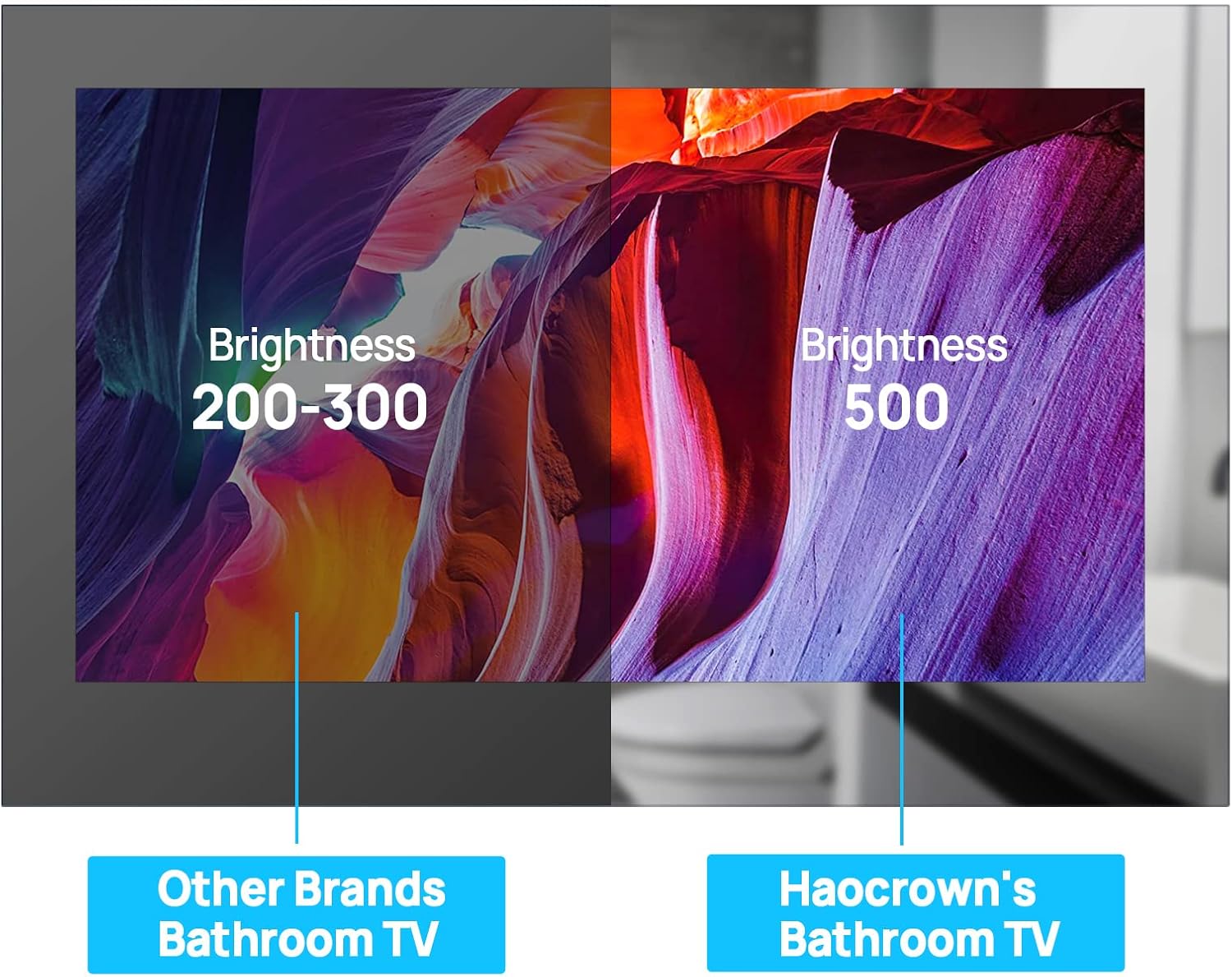
- High Brightness Display: Features a 500 cd/m² LED screen for excellent picture quality, even in well-lit areas.
- Connectivity: Includes USB 3.0 (x1), LAN (x1), HDMI input (x1), Audio output (x1), TV input (x1), USB 2.0 (x1), and DC 12V input (x1). Supports Wi-Fi and Bluetooth.


5. Installation
The Haocrown Mirror TV supports two primary installation modes: recessed and surface mounted. A mounting bracket is included for both options.
5.1 Recessed Installation
For recessed installation, ensure you reserve the necessary interfaces and create an opening in the wall with the following dimensions:
- Recess Dimensions: 800 x 516 x 40mm (31.5"W x 20.3"H x 1.6"D)
Secure the mounting bracket within the wall opening, ensuring it is level and firmly attached to studs or appropriate anchors. Connect all necessary cables before sliding the TV into place.
5.2 Surface Mounted Installation
For surface mounting, attach the provided bracket directly to the wall. Ensure the wall can support the weight of the TV and that the bracket is level. Once the bracket is secure, carefully hang the TV onto the bracket, ensuring all connections are made.
6. Connectivity
The Haocrown Mirror TV offers a variety of ports and wireless options for seamless integration with your devices and network.
6.1 Available Ports
- USB 3.0: 1 port for high-speed data transfer.
- LAN: 1 Ethernet port for wired network connection.
- HDMI Input: 1 port for connecting external video sources (e.g., streaming devices, gaming consoles).
- Audio Output: 1 port for connecting external audio systems.
- TV Input: 1 port for connecting an antenna for ATSC digital TV.
- USB 2.0: 1 port for additional USB devices.
- DC 12V Input: Power input port.

6.2 Wireless Connectivity
- Wi-Fi: Built-in Wi-Fi for internet access and streaming.
- Bluetooth: For connecting wireless accessories like headphones or speakers.
7. Operating Instructions
7.1 Powering On/Off
The TV can be powered on or off using the single power button located on the unit or via either of the provided remote controls. When powered off, the screen reverts to a reflective mirror surface.
7.2 Navigating the Smart System
Use the remote control or the touch screen to navigate the Android 11.0 interface. Pre-installed apps like YouTube, Netflix, and others are readily accessible. Additional apps can be downloaded from the Google Play Store.
7.3 Voice Control & Casting
The standard remote control includes a built-in voice assistant button for hands-free control. The TV also supports casting from compatible devices, allowing you to display content from your smartphone or tablet.
8. Remote Controls
Your Haocrown Mirror TV comes with two remote controls:
- Waterproof Remote: Designed for use in wet environments, this remote is IP68-rated, allowing it to be immersed in water without damage. It provides essential controls for basic TV functions.
- Standard Remote: Offers full functionality, including voice control, app shortcuts (Netflix, YouTube, Google Play), and a mouse cursor function for easier navigation.
9. Specifications
| Feature | Specification |
|---|---|
| Brand | Haocrown |
| Model Number | HG32TOUCH |
| Screen Size | 32 Inches |
| Display Technology | LED |
| Resolution | 1080p |
| Refresh Rate | 60 MHz |
| Operating System | Android 11.0 |
| Brightness | 500 cd/m² |
| Waterproof Rating | IP66 |
| Power Input | DC 12V |
| Product Dimensions | 2"D x 31.59"W x 20.29"H |
| Item Weight | 20.07 Kilograms (44.2 pounds) |
10. Troubleshooting
- No Power: Ensure the DC 12V power adapter is securely connected to both the TV and a working power outlet.
- No Picture/Sound: Check HDMI or TV input connections. Verify the correct input source is selected using the remote.
- Wi-Fi Connectivity Issues: Ensure the Wi-Fi antenna is properly connected. Check your router and network settings.
- Remote Not Responding: Check battery levels in both remotes. Ensure no obstructions are blocking the signal. For the standard remote, re-pair if necessary.
- Touch Screen Unresponsive: Ensure the screen is clean and dry. Restart the TV if the issue persists.
11. Maintenance
- Cleaning the Screen: Use the provided cleaning cloth or a soft, lint-free cloth dampened with water or a mild, non-abrasive glass cleaner. Do not spray cleaner directly onto the screen.
- General Care: Avoid placing heavy objects on the TV. Do not attempt to open the unit for repairs; contact customer support.
12. Warranty & Support
For warranty information, technical support, or service inquiries, please refer to the contact details provided in your product packaging or visit the official Haocrown website. Keep your purchase receipt as proof of purchase for warranty claims.