
1. Product Overview
The Mxmoonfree 20 Inch Digital Caliper is a precision measuring instrument designed for accurate internal (ID) and external (OD) dimension measurements. It features a durable all-metal frame, a large LCD display for clear readings, and the ability to convert between inch and metric units. This caliper is suitable for professionals and hobbyists requiring high-resolution measurements.
Key features include:
- 6-inch (150mm) Long Jaw: Provides extended reach for measuring large workpieces.
- All-Metal Frame: Constructed from hardened 3CR13 stainless steel for wear resistance, durability, and corrosion resistance.
- Large LCD Display: Ensures clear and easy-to-read measurement results.
- Inch/Metric Conversion: Allows switching between measurement units.
- Auto Shutdown: Conserves battery life by automatically turning off after 5 minutes of inactivity.
- Measurement Range: 0-20 inches / 0-500mm.
- Resolution: 0.0005 inches / 0.01mm.
- Accuracy: ±0.001 inches / ±0.03mm.

Image: Overview of the Mxmoonfree Long Jaw Digital Caliper highlighting its key features such as 6-inch jaw depth, all-metal frame, large LCD, and precise measurement.
2. Package Contents
Verify that all items are present in the package:
- 1 x Digital Long Jaw Caliper
- 2 x CR2032 Battery (one installed, one spare)
- 1 x Screwdriver
- 1 x Instruction and Service Card
- 1 x Calibration Certificate
- 1 x Hard Shell Snap-Lock Storage Case

Image: The complete package contents laid out, showing the digital caliper, spare battery, screwdriver, instruction card, calibration certificate, and the protective storage case.
3. Setup and Battery Installation
The caliper comes with one CR2032 battery pre-installed and a spare. If the display does not turn on or shows a low battery indicator, replace the battery.
- Locate the battery cover on the back of the digital display unit.
- Use the provided screwdriver to loosen the small screw securing the battery cover.
- Carefully remove the battery cover.
- Remove the old CR2032 battery (if applicable) and insert a new CR2032 3V battery with the positive (+) side facing up.
- Replace the battery cover and tighten the screw.
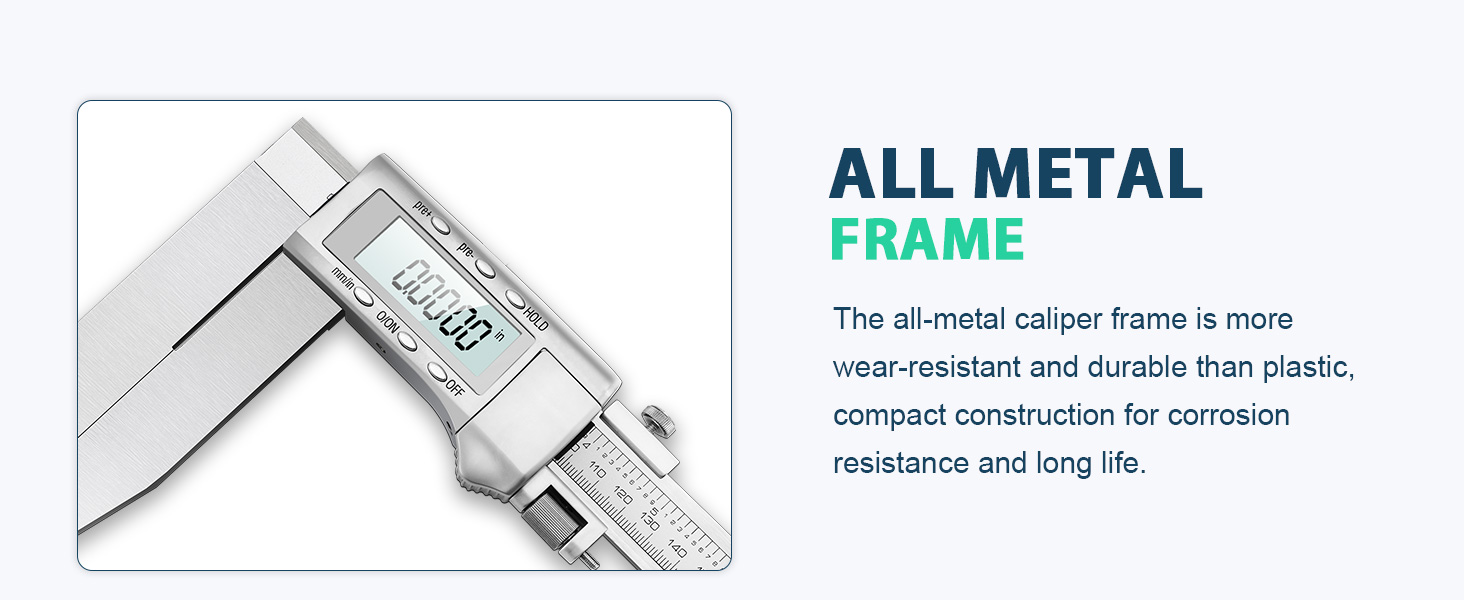
Image: Visual guide demonstrating how to loosen the screw on the back of the caliper with a screwdriver to access and replace the CR2032 3V battery.
4. Operating Instructions
4.1 Caliper Structure and Controls

Image: Detailed diagram illustrating the various parts of the digital caliper, such as the caliper body, LCD screen, outer and inner measuring surfaces, long jaw, battery cover, fixing screw, and fine-tuning device.
4.2 Function Keys

Image: A visual guide to the function keys on the digital caliper, detailing their purpose: Pre+ (Positive preset key), Pre- (Negative preset key), HOLD (Data save key), mm/in (Inch/Metric conversion key), O/ON (Power on and zero setting key), and OFF (Power off key).
- O/ON: Press to power on the caliper. When on, press to set the display to zero at any position.
- OFF: Press to power off the caliper.
- mm/in: Press to switch between millimeter (mm) and inch (in) measurement units.
- HOLD: Press to freeze the current measurement on the LCD display. Press again to unfreeze.
- Pre+: In power-on state, long press to increase the displayed value (maximum preset number is 1999.99mm).
- Pre-: In power-on state, long press to decrease the displayed value (maximum preset number is -1999.99mm).
4.3 Basic Measurement Procedures
- Power On: Press the O/ON button to turn on the caliper.
- Zero Setting: Close the jaws completely and press the O/ON button to set the display to zero. This ensures accurate measurements.
- Unit Selection: Press the mm/in button to select your desired unit (inches or millimeters).
- Measuring Outside Dimensions (OD):
Place the object between the outer jaws. Slide the movable jaw until it firmly contacts the object. Read the measurement on the LCD display.

Image: Illustration of the digital caliper being used to measure the outside dimension (OD) of a circular object.
- Measuring Inside Dimensions (ID):
Use the inner jaws to measure internal features. Insert the inner jaws into the opening and expand them until they firmly contact the inner surfaces. Read the measurement on the LCD display.
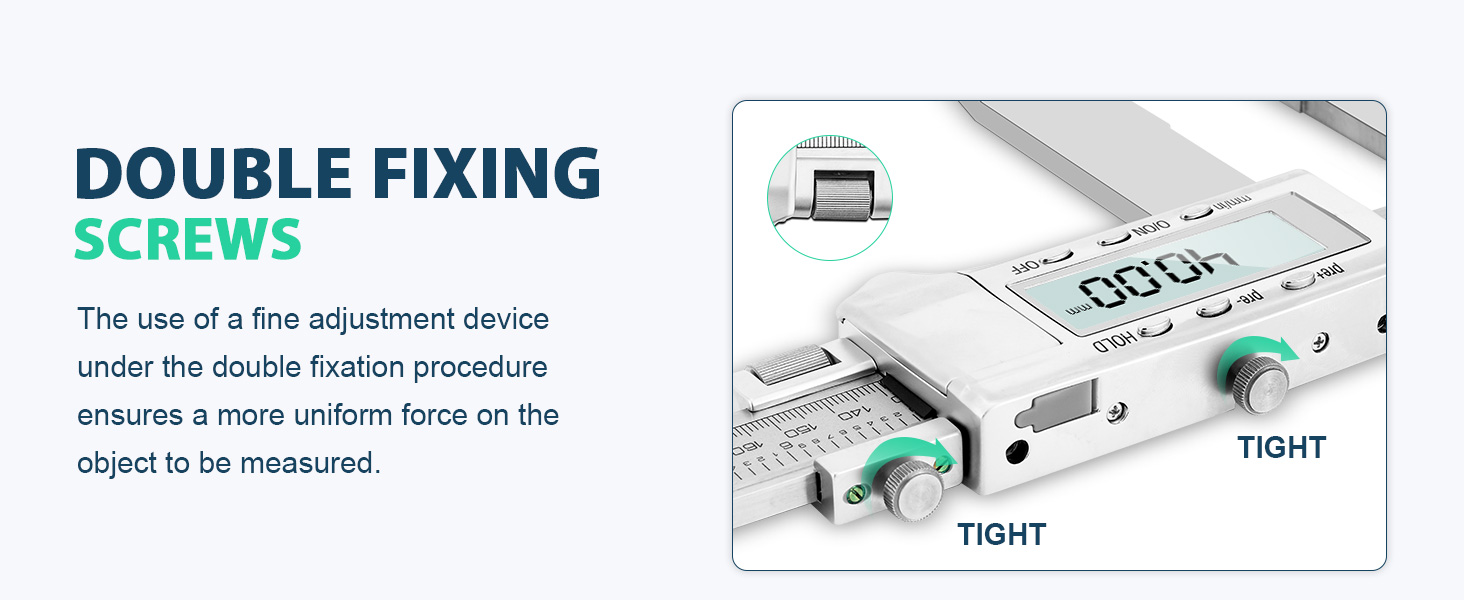
Image: Illustration of the digital caliper being used to measure the inside dimension (ID) of a circular object.
- Using the Fine-Tuning Device:
For precise adjustments, use the fine-tuning roller. This allows for small, controlled movements of the movable jaw. Ensure the fixing screw is slightly loosened before using the fine-tuning device, then tighten it to secure the measurement.

Image: The digital caliper featuring double fixing screws. This mechanism, combined with a fine adjustment device, ensures uniform force on the object being measured for enhanced stability and accuracy.
- Data Hold: Press the HOLD button to retain the current reading on the display.
4.4 Product Demonstration Video
Video: A demonstration of the Mxmoonfree Long Jaw Digital Calipers in use, showcasing its features and measurement capabilities.
5. Maintenance and Care
- Cleaning: Wipe the caliper surfaces with a clean, dry, lint-free cloth after each use. Avoid using solvents or harsh chemicals that could damage the display or finish.
- Storage: Store the caliper in its provided hard shell snap-lock storage case when not in use. This protects it from impacts, drops, dust, and moisture.
- Battery: If the caliper will not be used for an extended period, remove the battery to prevent leakage.
- Handling: Handle the caliper with care to maintain its accuracy. Avoid dropping it or subjecting it to excessive force.
- Protective Film: The LCD display may come with an anti-scratch protective film. This can be removed for clearer viewing or kept on for added protection.

Image: The Mxmoonfree 20 Inch Digital Caliper securely stored within its hard shell snap-lock case, designed to protect the instrument from impacts and drops.
6. Troubleshooting
| Problem | Possible Cause | Solution |
|---|---|---|
| Display does not turn on. | Low or dead battery. | Replace the CR2032 battery (refer to Section 3). |
| Inaccurate readings. | Jaws not properly closed before zeroing; debris on measuring surfaces. | Clean measuring surfaces. Close jaws completely and press O/ON to re-zero. |
| Display freezes or shows erratic numbers. | Electromagnetic interference; low battery. | Move away from strong electromagnetic fields. Replace battery. |
| Jaws do not slide smoothly. | Dust or debris on the beam; fixing screw too tight. | Clean the beam. Loosen the fixing screw slightly. |
7. Specifications
| Feature | Detail |
|---|---|
| Brand | Mxmoonfree |
| Model | LS-20 |
| Measurement Range | 0-20 inches / 0-500mm |
| Resolution | 0.0005 inches / 0.01mm |
| Accuracy | ±0.001 inches / ±0.03mm |
| Jaw Depth | 6 inches / 150mm |
| Material | 3CR13 Stainless Steel + Engineering grade metal |
| Power Source | 1 x CR2032 3V Battery |
| Auto Shutdown | After 5 minutes of inactivity |
| Product Dimensions (L x W) | 20"L x 6"W (approximate, based on product description) |
| Net Weight | 3.0 lbs (for 0-20"/0-500mm model) |

Image: A table detailing the technical parameters of the caliper, including measurement range, resolution, accuracy, net weight, and material composition for different sizes.
8. Warranty and Support
This Mxmoonfree digital caliper is designed for durability and precision. For any issues or support needs, please refer to the contact information provided on the Instruction and Service Card included in your package.
Return Policy: The product is subject to a 30-day return policy for refund or replacement, as per standard retail terms.
For further assistance, you may contact the manufacturer, Mxmoonfree, directly.