
Introduction
Thank you for purchasing the QKKE Replacement Power Adapter. This adapter is designed to provide reliable and efficient power to your BOIFUN Portable DVD Player. This manual will guide you through the proper setup, operation, maintenance, and troubleshooting of your new power adapter to ensure optimal performance and longevity.
Important Safety Information
Please read all safety instructions carefully before using the power adapter. Failure to follow these instructions may result in electric shock, fire, or damage to the product or connected devices.
- This adapter is designed for indoor use only. Do not expose it to rain, moisture, or extreme temperatures.
- Ensure the power outlet voltage matches the adapter's input voltage (100V-240V).
- Do not disassemble or modify the adapter. There are no user-serviceable parts inside.
- Keep the adapter away from heat sources, direct sunlight, and flammable materials.
- Always unplug the adapter from the wall outlet before cleaning or if it will be unused for an extended period.
- Avoid placing heavy objects on the power cord.
- If the adapter or cord is damaged, discontinue use immediately and seek a replacement.
Product Overview
The QKKE Replacement Power Adapter is a compact and efficient AC-DC power supply. It features a standard two-prong US plug for wall outlets and a DC barrel connector for compatibility with your portable DVD player.
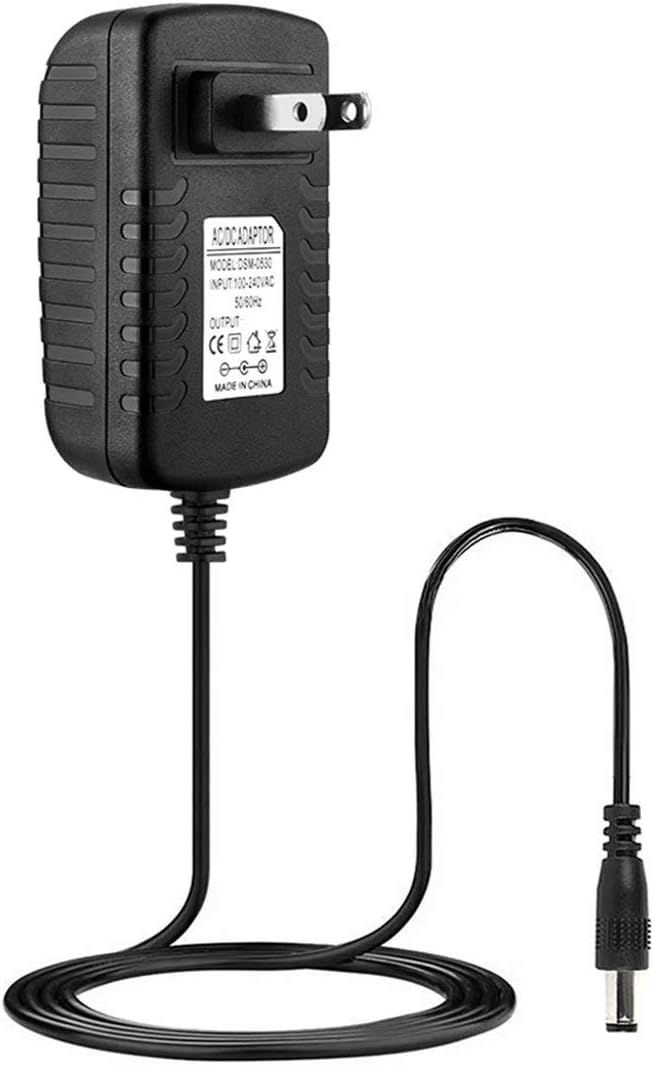
Image: The QKKE Replacement Power Adapter, showing the main unit with the two-prong plug, the attached power cord, and the DC barrel connector at the end of the cord.
The adapter is designed with built-in protections against over-voltage, over-current, and short-circuiting to safeguard your devices.
Setup Instructions
Follow these steps to properly set up your power adapter:
- Verify Compatibility: Ensure your BOIFUN Portable DVD Player requires a 12V 1.5A power input and has a compatible DC input port.
- Connect to Device: Insert the DC barrel connector of the power adapter firmly into the DC input port of your BOIFUN Portable DVD Player.
- Plug into Outlet: Insert the two-prong plug of the power adapter into a standard 100V-240V AC wall outlet.
- Power On: Once connected, your DVD player should receive power. Refer to your DVD player's manual for specific power-on procedures.

Image: A close-up view of the QKKE power adapter's main unit and the DC barrel connector, illustrating the connection point for the device.
Operating Instructions
Once the adapter is properly set up, it will provide continuous power to your portable DVD player. The intelligent switching circuit will recognize a full battery (if applicable to your device) and automatically switch to a save mode, preventing overcharging.
- Ensure the adapter is always connected to a stable power source.
- Do not use the adapter with devices that exceed its specified output (12V 1.5A).
- The adapter is designed to operate within a wide input voltage range (100V-240V), making it suitable for international travel with appropriate plug adapters (not included).
Maintenance and Care
Proper care will extend the life of your power adapter:
- Cleaning: Disconnect the adapter from the power outlet and the device before cleaning. Use a soft, dry cloth to wipe the surface. Do not use liquid cleaners or aerosols.
- Storage: When not in use, store the adapter in a cool, dry place, away from direct sunlight and extreme temperatures. Avoid tightly coiling the cable to prevent damage.
- Handling: Do not drop or subject the adapter to strong impacts. Avoid pulling the cable to disconnect it from the wall or device; always grasp the plug or connector.
Troubleshooting
If you encounter issues with your power adapter, refer to the following table for common problems and solutions:
| Problem | Possible Solution |
|---|---|
| No power to device |
|
| Adapter feels hot |
|
| Intermittent power |
|
Product Specifications
Key technical specifications for the QKKE Replacement Power Adapter:
| Feature | Value |
|---|---|
| Model Number | KK-40 |
| Input Voltage | 100V - 240V AC (Worldwide Compatible) |
| Output Voltage | 12V DC |
| Output Amperage | 1.5 Amps |
| Wattage | 18 Watts |
| Connector Type | DC Barrel (2-Pin) |
| Special Feature | Short Circuit Protection, Over-voltage Protection, Over-current Protection |
| Color | Black-40 |
| Item Weight | 3.84 ounces |
| Package Dimensions | 6.18 x 4.92 x 2.36 inches |
Warranty and Support
This QKKE Replacement Power Adapter comes with a 12 Months Warranty and a 30 Days Money Back Guarantee. This warranty covers manufacturing defects and ensures the product performs as described under normal use.
For technical support, warranty claims, or any questions regarding your product, please contact the seller or manufacturer through the platform where you purchased the item. Please have your order details and product model number (KK-40) ready when contacting support.